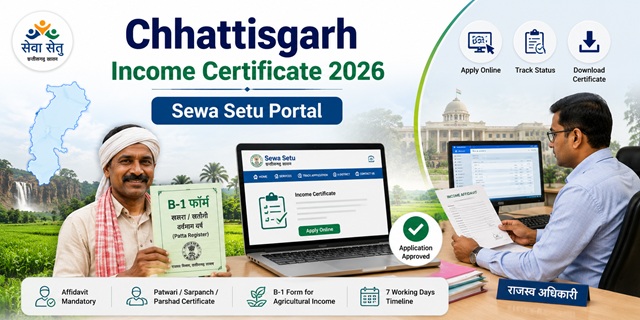
Chhattisgarh's eDistrict portal has been renamed as Sewa Setu Portal - the new address is sewasetu.cgstate.gov.in. The portal shows "Last Updated: 29 May 2026" - verified by direct fetch. The old edistrict.cgstate.gov.in and cgedistrict.cgstate.gov.in addresses now redirect to the Sewa Setu portal. It is managed by CHIPS (Chhattisgarh Infotech Promotion Society). The income certificate service is under the Revenue and Disaster Management Department with a timeline of 7 days and a fee of Rs. 30 - the same whether you apply online or at a Sewa Setu Kendra. Key documents confirmed from the official service page: a mandatory Affidavit and a Certificate from Patwari/Sarpanch/Parshad are required. For agricultural income, the B-1 form (agricultural land rights document) must be submitted. After approval, an SMS notification is sent and the digitally signed certificate is downloaded from the portal.
- Sewa Setu Portal: sewasetu.cgstate.gov.in
- Income Certificate Service: sewasetu.cgstate.gov.in/Income-Certificate
- Service List: sewasetu.cgstate.gov.in/Services
- Nearest Sewa Setu Kendra: sewasetu.cgstate.gov.in/nearest-kiosk
- Grievance/Information: sewasetu.cgstate.gov.in/grievance
- User Manual: sewasetu.cgstate.gov.in/user-manual
- Service SLA Charter: sewasetu.cgstate.gov.in/citizen-charter
- Email: [email protected]
- WhatsApp: +91-9203406400
Key Details
| Detail | Information |
|---|---|
| Portal (Current) | sewasetu.cgstate.gov.in (Sewa Setu - updated 29 May 2026) |
| Previous Portal Addresses | edistrict.cgstate.gov.in and cgedistrict.cgstate.gov.in - both redirect to Sewa Setu |
| Department | Revenue and Disaster Management Department |
| Managed By | CHIPS (Chhattisgarh Infotech Promotion Society) |
| Fee (Online) | Rs. 30 |
| Fee (Sewa Setu Kendra) | Rs. 30 |
| Timeline | 7 working days |
| Affidavit | Mandatory for all applicants |
| Patwari/Sarpanch Certificate | Mandatory income proof |
| B-1 Form | Required for agricultural income |
| Validity | 1 year from date of issue |
| Notification | SMS on approval |
| Certificate | Digitally signed, downloadable from portal |
| Address | 3rd Floor, State Data Centre Building, Opp. New Circuit House, Civil Lines, Raipur-492001 |
| [email protected] | |
| +91-9203406400 |
Portal Renamed - eDistrict to Sewa Setu
This is the most critical 2026 update for Chhattisgarh residents. The official portal has changed:
- Old address:
edistrict.cgstate.gov.inandcgedistrict.cgstate.gov.in - New address: sewasetu.cgstate.gov.in
- Both old addresses now redirect to the new Sewa Setu portal
- The portal page title now shows "Sewa Setu" and the last updated date is 29 May 2026
- All existing services including income certificate, caste certificate, domicile certificate remain available at the same serviceId-based URLs, just under sewasetu.cgstate.gov.in
- All old bookmarks and saved links to edistrict.cgstate.gov.in will continue to work via redirect
What is the Patwari/Sarpanch Certificate
This document is mandatory for the income certificate in Chhattisgarh - confirmed from the official Sewa Setu portal income certificate service page. The Patwari (revenue official at village level) or Sarpanch (elected village head) or Parshad (ward councillor in urban areas) provides a certificate vouching for your income. This is different from a self-declaration - it is an external verification from a local government official or representative. For rural applicants in Chhattisgarh:
- Patwari provides the income report based on land records and local knowledge
- Sarpanch signs the income certificate for village panchayat residents
- For urban areas: Parshad (ward councillor) signs instead of Sarpanch
Additionally, surajpur.nic.in (official Surajpur district government website) confirms that for rural applicants the education certificate (class 5th/8th) must also be submitted alongside the Patwari report. This helps the Revenue Department cross-verify the applicant's background.
What is the B-1 Form for Agricultural Income
The B-1 form is the Current Year Patta Register in Chhattisgarh - a land rights document issued by the Revenue Department showing the landholding details and agricultural income of a farmer for the current year. Confirmed from the official Surajpur and Jashpur district government websites. If any family income comes from agriculture, the B-1 form for the current year is a required income proof document. This is different from land records in other states and is specific to Chhattisgarh's revenue administration system.
Who Can Apply
- Must be a resident of Chhattisgarh - confirmed from official district sites
- All categories: salaried government employees, private sector employees, farmers, daily wage workers, self-employed
- Students applying for state and central scholarships, fee concessions, EWS reservation, and government scheme benefits
- For EWS reservation in central government jobs and IIT/NIT admissions: family income must be below Rs. 8 lakh per annum from all sources
Documents Required
Confirmed directly from the official sewasetu.cgstate.gov.in income certificate service page (fetched 29 May 2026):
- Affidavit (Mandatory for all) - self-declaration of total annual family income from all sources on stamp paper
- Income Proof (mandatory - any one or more from):
- Certificate from Patwari / Sarpanch / Parshad - the primary income verification document in CG
- Income Certificate from Employer or Form 16 (for salaried employees)
- Income from land or house property documents
- Income of other members of the family (if any)
- Application Form
- Any other supporting documents
- B-1 form (current year) - for applicants with agricultural income
- Identity Proof: Voter ID, Aadhaar Card, or Ration Card
- For rural applicants: Education certificate (class 5th or 8th) - from surajpur.nic.in official district site
- Self-Declaration form (separate from affidavit)
How to Apply Online at Sewa Setu Portal
Confirmed directly from the official sewasetu.cgstate.gov.in income certificate service page introduction text:
- Go to sewasetu.cgstate.gov.in.
- Click Login on the top right. For new users, register by providing your name, mobile number, email ID, Aadhaar number, and address. Verify your mobile with OTP and create a password.
- After login, click Service Information in the menu or go directly to the income certificate service at sewasetu.cgstate.gov.in/Income-Certificate.
- Click Login to Apply on the income certificate service page.
- Fill the online application form with mandatory details: applicant's name, residential address, age, qualification, employment status, and family income particulars from all sources.
- Upload scanned copies of the Affidavit and income proof documents - Patwari/Sarpanch certificate, employer certificate or Form 16, B-1 form if agricultural income is applicable.
- Pay Rs. 30 online.
- Submit the form. A unique Application Reference Number (ARN) is generated for tracking.
- The competent authority processes the application. Upon approval, you receive an SMS notification.
- Log in and download the digitally signed income certificate from the portal.
How to Apply at Sewa Setu Kendra
Sewa Setu Kendras are the government service delivery kiosks. The nearest one can be found using the district filter map at sewasetu.cgstate.gov.in/nearest-kiosk:
- Visit your nearest Sewa Setu Kendra with all original documents
- Tell the operator you need an Income Certificate
- Pay Rs. 30 (same fee as online - confirmed from official portal)
- The operator fills and submits the application on the portal
- Collect the acknowledgement with your ARN
- You receive an SMS when the certificate is approved. Collect a hard copy from the Sewa Setu Kendra or download from the portal.
How to Apply at Lok Sewa Kendra (Tehsil Office)
Confirmed from dhamtari.gov.in (official Dhamtari district government website) - Lok Sewa Kendras are present at each Tehsil office:
- Visit the Lok Sewa Kendra at your nearest Tehsil office with all documents
- The LSK operator submits the application on the Sewa Setu portal
- Collect the acknowledgement slip with your ARN
- Track using the ARN. Collect certificate when ready or download from portal
How to Track Application Status
- Log in to sewasetu.cgstate.gov.in with your registered credentials.
- Go to your applications list and find your income certificate application.
- The current status is displayed. You also receive SMS updates at every stage.
- Check the Statistics Dashboard at admin-ed.cgstate.gov.in/MisDashboard for district-wise service delivery statistics.
Official Links
- Sewa Setu Portal - sewasetu.cgstate.gov.in
- Income Certificate Service - sewasetu.cgstate.gov.in
- All Services - sewasetu.cgstate.gov.in
- Find Nearest Kiosk - sewasetu.cgstate.gov.in
- Grievance/Information - sewasetu.cgstate.gov.in
- User Manual PDF - sewasetu.cgstate.gov.in
- Citizen Charter SLA - sewasetu.cgstate.gov.in
- Statistics Dashboard - admin-ed.cgstate.gov.in
- FAQ - sewasetu.cgstate.gov.in
Email: [email protected]
WhatsApp: +91-9203406400
Address: 3rd Floor, State Data Centre Building, Opp. New Circuit House, Civil Lines, Raipur-492001, Chhattisgarh
Related articles:
Income Certificate in India - Complete Guide
Chhattisgarh Ration Card Guide
Disclaimer: This article is for informational purposes only. Always verify the latest process at sewasetu.cgstate.gov.in before applying.
नई टिप्पणी जोड़ें