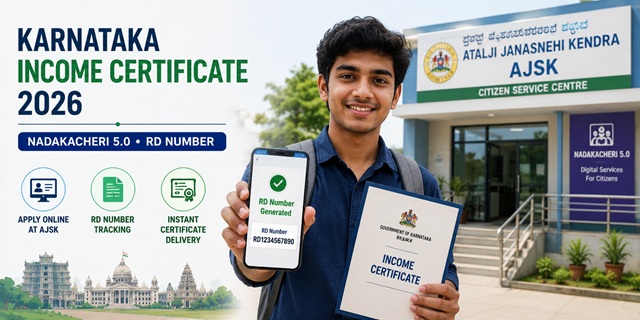
Karnataka's income certificate system is built around the Atalji Janasnehi Kendra Project (AJSK), commonly known as Nadakacheri. The portal at nadakacheri.karnataka.gov.in is currently on its Nadakacheri 5.0 version. Karnataka also offers income certificate through a second official channel - the Seva Sindhu portal at sevasindhu.karnataka.gov.in which uses Sakala acknowledgement and has an OTC (Over The Counter) instant issuance option. Three things make Karnataka's system stand out. First, the fee is just Rs. 25 per application - among the lowest in the country. Second, you do not need to create any account - you simply login with your Aadhaar-linked mobile number and OTP. Third, the issuing authority is the Deputy Tahsildar - not the Tahsildar - because Karnataka has officially delegated certificate approval from Tahsildar to Deputy Tahsildar to speed up processing. The e-Kshana (Instant Certificate Delivery) service means that if your Aadhaar mobile is updated and your village records are correct, you can receive your certificate on the same day. The RD Number (acknowledgement number) generated after application is what students need to fill in during KCET and Karnataka counselling forms.
- Nadakacheri Portal: nadakacheri.karnataka.gov.in/AJSK
- Online Login: nadakacheri.karnataka.gov.in/login
- Download Certificate: nadakacheri.karnataka.gov.in/download
- Procedure: nadakacheri.karnataka.gov.in/procedure
- Services List: nadakacheri.karnataka.gov.in/services
- FAQs PDF: nadakacheri.karnataka.gov.in/FAQs
- User Manual: nadakacheri.karnataka.gov.in/manual
- Seva Sindhu Portal (alternate): sevasindhu.karnataka.gov.in
Key Details
| Detail | Information |
|---|---|
| Project Name | Atalji Janasnehi Kendra Project (AJSK) - Nadakacheri |
| Portal Version | Nadakacheri 5.0 |
| Portal | nadakacheri.karnataka.gov.in |
| Application Fee | Rs. 25 per application |
| Social Security Pensions | Free of cost |
| Login Method | Aadhaar-linked mobile number + OTP (no account creation needed) |
| Issuing Authority | Deputy Tahsildar (delegated from Tahsildar officially) |
| Field Verification | Revenue Inspector (RI) and Village Accountant (VA) via Samyojane Mobile App |
| Processing Time | Same day possible via e-Kshana; otherwise 7 to 21 working days |
| Validity | 1 year from date of issue |
| Document Format | PDF format, under 200 KB each |
| RD Number | Acknowledgement number issued after submission - used for KCET and Karnataka counselling |
| Total Online Services | 29 services on Nadakacheri portal |
| DigiLocker | Enabled - certificate sent directly to DigiLocker if opted |
| Alternate Portal | sevasindhu.karnataka.gov.in (Seva Sindhu) - also official for income certificate |
What is e-Kshana - Instant Certificate Delivery
e-Kshana means "instant" in Kannada. It is Karnataka's same-day certificate delivery service through Nadakacheri - confirmed from the official AJSK homepage at nadakacheri.karnataka.gov.in/AJSK/. When your application is submitted and all records match - particularly your Aadhaar mobile number being updated and your village revenue records being current - the Deputy Tahsildar can approve it instantly through the system without waiting for a physical field visit. The result: you get your income certificate digitally on the same day you apply.
Key conditions for e-Kshana same-day delivery:
- Your Aadhaar mobile number must be current and active
- Your village/taluk revenue records must have your details correctly updated
- Application must be submitted during working hours when the Deputy Tahsildar is online on the system
- Server is slower between 11 AM and 5 PM - apply early morning for faster processing
The Samyojane Mobile App for Field Verification
Karnataka introduced the Samyojane Mobile Application on May 8, 2019 for field verification by Revenue Inspectors (RI) and Village Accountants (VA). When an application requires physical verification rather than instant e-Kshana processing, the assigned RI or VA conducts the visit and records the verification on Samyojane. This replaced paper-based verification reports and significantly reduced processing time.
Who Can Apply
- Any permanent resident of Karnataka
- Aadhaar must be linked to a mobile number for OTP login - no separate account registration needed
- Students applying for KCET, PGCET, or any Karnataka state scholarship must apply and keep the RD Number ready for the counselling form
- Families applying for EWS benefits, KCET fee concessions, or central government jobs must have family income below Rs. 8 lakh per annum from all sources for EWS eligibility
- Applicants for Karnataka-specific schemes like CM Yuva Nidhi or Ganga Kalyana who need income proof
Documents Required
- Aadhaar Card - mandatory, and mobile number must be linked for OTP login
- Ration Card - for family composition verification (or Aadhaar details can be used)
- Income Proof - whichever applies:
- Salary certificate or recent pay slips (salaried employees)
- Self-declaration of total annual family income from all sources - mandatory for all
- Occupation details for all earning family members
- Bank account statements or ITR if available
- Address Proof confirming Karnataka residence
- All documents must be in PDF format, under 200 KB each
How to Apply Online - Step by Step
Confirmed from the official Nadakacheri application process described at nadakacheri.karnataka.gov.in/AJSK/Home/Procedure:
- Go to nadakacheri.karnataka.gov.in/login.
- Enter your Aadhaar-linked mobile number and click Proceed. No username or password needed.
- An OTP is sent to your mobile. Enter the OTP to log in.
- You are on the Nadakacheri dashboard. Click New Request from the menu.
- A dropdown list of services appears. Select Income Certificate.
- Fill in the complete application form: applicant's full name, Aadhaar number, total annual family income, occupation of all earning members, income from all sources - salary, agriculture, business, pension, and any other.
- Upload required documents in PDF format (under 200 KB each).
- Complete Aadhaar OTP e-sign to digitally authenticate the application.
- Pay Rs. 25 online.
- Submit. A RD Number (acknowledgement number) is generated. Save this immediately - you will need it for KCET/PGCET counselling forms and for downloading the certificate later.
How to Apply via Seva Sindhu Portal (Official Alternate Method)
Karnataka also offers income certificate through the Seva Sindhu portal at sevasindhu.karnataka.gov.in. This is an official alternate channel confirmed from the Revenue Department's official income certificate process for Karnataka. The Seva Sindhu process uses Sakala for acknowledgement and has an OTC (Over The Counter) option for instant approval where available:
- Go to sevasindhu.karnataka.gov.in and click Departments and Services.
- Select Revenue Department as the department name.
- Click on Application for Income Certificate from the service list.
- Click Apply Online.
- Enter your login details and click Login.
- Enter your Ration Card Number or Aadhaar ID and click Go. Your details are fetched.
- Enter the required details and click Go. If OTC (Over The Counter) is available, click Yes - this allows direct payment and instant certificate issuance.
- If OTC is not available, fill in all Applicant Details and Photocopies details.
- Click the I Agree checkbox, fill the Captcha Code, and click Submit.
- A fully filled form is generated for your review. Verify all details.
- Click Attach Annexures, upload the required documents, and click Save Annexures.
- Click eSign and Make Payment.
- Agree to eSign terms and conditions. Select authentication type and enter your Aadhaar Number. Click Get OTP.
- Enter the OTP received on your Aadhaar-registered mobile and click Submit.
- Select your mode of payment and click Make Payment. Complete the payment.
- After successful payment, a Sakala Acknowledgement is generated. Save the Application Reference Number from this acknowledgement.
How to Track Status on Seva Sindhu
- Go to sevasindhu.karnataka.gov.in and click Track Application Status.
- Enter your Application Reference Number and Submission Date.
- Click Submit. The current status of your application is displayed.
How to Apply at Nadakacheri Centre (Offline)
Every Taluk in Karnataka has a physical Nadakacheri (Atalji Janasnehi Kendra) centre, usually at or near the Taluk office:
- Visit your nearest Nadakacheri centre with all documents
- The operator applies on the portal on your behalf
- Pay Rs. 25 plus nominal service charge
- Collect the acknowledgement slip with your RD Number
How to Check Application Status
- Log in to nadakacheri.karnataka.gov.in/login with your Aadhaar mobile OTP.
- Go to View Status and enter your RD Number.
- Current application status is displayed.
How to Download the Certificate
- Log in at nadakacheri.karnataka.gov.in/download.
- Enter your RD Number or Application Number.
- Select the approved Income Certificate.
- Click Download Certificate. The digitally signed PDF saves to your device.
- The certificate is also sent to your registered email if you provided one at the time of application.
- If you opted for DigiLocker at the time of application, the certificate is also available there.
RD Number for KCET Counselling - How to Use It
Karnataka students applying to KCET (Karnataka Common Entrance Test) or PGCET counselling need to fill in their income certificate RD Number in the counselling form. The counselling portal verifies the certificate directly from Nadakacheri using this RD Number - you do not need to upload or carry the physical certificate in most cases. Save your RD Number immediately after applying and store it carefully. If you lose it, log in to Nadakacheri with your Aadhaar mobile OTP and find it in your application history.
Official Links
- Nadakacheri AJSK Portal - nadakacheri.karnataka.gov.in
- Online Login - nadakacheri.karnataka.gov.in
- Download Certificate - nadakacheri.karnataka.gov.in
- Application Procedure - nadakacheri.karnataka.gov.in
- All Services - nadakacheri.karnataka.gov.in
- FAQs PDF - nadakacheri.karnataka.gov.in
- User Manual PDF - nadakacheri.karnataka.gov.in
- Seva Sindhu Portal - sevasindhu.karnataka.gov.in
Related articles:
Income Certificate in India - Complete Guide
Karnataka Ration Card - Ahara Guide
Disclaimer: This article is for informational purposes only. Always verify the latest process at nadakacheri.karnataka.gov.in before applying.
नई टिप्पणी जोड़ें