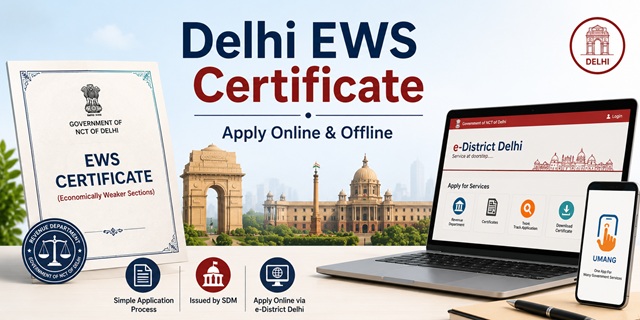
The EWS Certificate in Delhi is officially called the Income and Asset Certificate for Economically Weaker Sections. It is issued by the Revenue Department, Government of NCT of Delhi, through the Sub-Divisional Magistrate (SDM) of the applicant's area. The Revenue Department issued a formal Office Memorandum directing all Deputy Commissioners of Revenue in Delhi's 11 districts to issue EWS certificates through the e-District platform.
With this certificate, eligible general category residents of Delhi can claim 10% reservation in central and Delhi government jobs, IITs, NITs, central universities, NEET All India Quota seats, DSEU (Delhi Skill and Entrepreneurship University) admissions, Delhi University colleges, and various Delhi government welfare schemes.
Applications are submitted through the e-District Delhi portal at edistrict.delhigovt.nic.in, through Common Service Centres (CSCs) across Delhi, offline at the nearest SDM office, or through the UMANG mobile app which integrates e-District Delhi services. There is no government fee for the EWS certificate in Delhi.
Eligibility Criteria
To be eligible for an EWS certificate in Delhi, all of the following conditions must be satisfied:
- You must be a permanent resident of Delhi and belong to the general (unreserved) category. You must not belong to SC, ST, or OBC categories
- Your family's gross annual income from all sources must be below Rs. 8 lakh for the financial year preceding the year of application. Income includes salary, agriculture, business, profession, rent, and any other source
- Your family must not own 5 acres of agricultural land or more
- Your family must not own a residential flat of 1,000 sq ft or more
- Your family must not own a residential plot of 100 sq yards or more in a notified municipality
- Your family must not own a residential plot of 200 sq yards or more outside notified municipalities
All four asset conditions must be satisfied alongside the income condition. Income is always calculated on a gross basis. "Family" includes the applicant, parents, spouse, children below 18 years, and unmarried siblings below 18 years.
Delhi's Revenue Administration Structure
Delhi is divided into 11 revenue districts, each headed by a Deputy Commissioner (DC). Every district is further divided into sub-divisions, each headed by a Sub-Divisional Magistrate (SDM). The SDM is the issuing authority for the EWS certificate. The hierarchy below the SDM consists of the Tehsildar, Naib Tehsildar, and the Halqa Patwari who handles village-level land records and field verification.
The e-District Delhi portal covers all 11 districts: Central, East, New Delhi, North, North East, North West, Shahdara, South, South East, South West, and West Delhi. When you apply on the portal, the application is automatically routed to the SDM office of the sub-division you select based on your residential address.
Documents Required
Keep the following documents ready before applying. All files should be in PDF or JPG format and each under 1 MB for upload on the e-District portal:
- Aadhaar Card of the applicant (used for Aadhaar-based registration on the portal)
- Domicile Certificate of Delhi: This is mandatory for EWS certificate applications in Delhi. The SDM's office verifies that you are a permanent resident of Delhi. If you do not have a domicile certificate, apply for it first through the same e-District Delhi portal
- Income proof: Salary slips and Form 16 for salaried persons; Income Tax Returns; bank statements showing income; or a self-declaration affidavit for those without formal income documents
- Khatauni (Record of Rights): Delhi's land ownership record maintained by the Halqa Patwari showing agricultural land held by family members. If your family owns agricultural land, obtain a copy from the SDM or Tehsildar's office record room. If no agricultural land is owned, submit a self-declaration
- Khasra Girdawari: The seasonal cultivation record maintained by the Halqa Patwari showing land details. This is also relevant if your family owns agricultural land in Delhi's rural or village areas
- Property documents: Property tax receipt or sale deed showing area of any residential property owned by family members. If no property is owned, include this in the self-declaration
- Ration Card showing family members and Delhi address
- Voter ID Card as identity and residence proof
- PAN Card of the applicant and earning family members
- Passport-size photograph of the applicant
- Self-declaration affidavit stating total family income from all sources is below Rs. 8 lakh and that all asset limits are within prescribed thresholds
Important: Your Aadhaar Card must show a Delhi address. If your Aadhaar shows an address from another state, update it to your Delhi address before registering on the e-District portal, as Aadhaar is used for registration and identity verification.
Method 1: Apply Online Through e-District Delhi Portal
- Go to edistrict.delhigovt.nic.in
- Click on Apply Services on the homepage under the Our Services section
- On the Citizen Login page, click Register if you are a new user at the bottom left
- In the registration form, click on Select Document Type dropdown and select Aadhaar Card
- Enter your 12-digit Aadhaar number in the Document Number field. Enter the captcha code, tick the declaration box, and click Continue
- The registration form opens with your Aadhaar-linked details. Fill in your complete name, date of birth, gender, mobile number, email ID, and address. Set a username and password. Click Continue Registration
- An access code and password are sent to your registered mobile number. Enter these and the captcha code on the next page. Click Complete Registration. Your account is created
- Log in using your User ID and password on the Citizen Login page. Enter the captcha and click Login
- After logging in, click Apply Online tab in the dashboard menu
- In the list of available services under Revenue Department, find and click on Income and Asset Certificate for EWS. Click Apply
- Fill in the application form with complete details: applicant's name (as on Aadhaar), father's or husband's name, address in Delhi, district, sub-division, and mobile number
- Select the financial year for which you are applying
- Fill in income details: enter gross income from each source separately for all family members. Enter the total annual family income
- Fill in asset details: land ownership (if any) in acres, residential flat or plot area, and whether property is in a notified municipality
- Upload all required documents within the 1 MB per file limit. Upload the domicile certificate, income proof, Khatauni (if land is owned), and passport-size photograph
- There is no fee for the EWS certificate. Proceed to submit the application
- An Application Number is generated. Save this for tracking and downloading
- Submit the printed application form along with photocopies of all documents to the SDM office counter. As per the official e-District Delhi FAQ, you must submit physical documents to the SDM office counter after completing the online form. The application number should be written on the envelope if sending by post to the SDM office
- The SDM office processes the application, the Halqa Patwari may conduct a field visit, and once approved the digitally signed certificate is available for download on the portal
An important note specific to Delhi's e-District system: Unlike some other states where online submission alone is sufficient, the Delhi e-District process typically requires you to also submit physical copies of documents at the SDM office counter or by post after completing the online application. Check the instruction sheet of the specific service on the portal for the exact document submission requirement.
Method 2: Apply at the SDM Office Counter
- Identify the SDM office for your sub-division. To find the correct SDM office, check the Delhi government's district website (for example, dmsouth.delhi.gov.in for South Delhi, dmwest.delhi.gov.in for West Delhi). Each district website lists the SDM offices in that district
- Visit the SDM office during working hours (typically 9:30 AM to 1:00 PM for counter service). Carry all original documents for verification and photocopies for submission
- Request the EWS Income and Asset Certificate application form from the counter or download it from the e-District Delhi portal at edistrict.delhigovt.nic.in under the application forms section
- Fill in the form with complete details including family income from all sources and land or property details of all family members
- Affix your passport-size photograph on the form
- Attach self-attested photocopies of all required documents: domicile certificate, Aadhaar card, Voter ID, ration card, income proof, Khatauni (if applicable), property documents (if applicable), and self-declaration affidavit
- Submit the completed form with attachments at the receiving counter. Provide your mobile number for SMS alerts
- The counter officer registers your application in the e-District system and gives you an Application Number on the receipt. Keep this safely
- The application is forwarded to the SDM for review. The SDM may assign the Halqa Patwari for field verification of land records and residence
- Once approved, download the digitally signed certificate from the e-District portal at edistrict.delhigovt.nic.in using your Application Number, or collect it from the SDM office
Method 3: Apply Through a Common Service Centre (CSC)
For residents who need assisted application, Common Service Centres (also called Jan Seva Kendras or CSC centres) across Delhi can submit the application on your behalf through the e-District portal. Carry all documents to the nearest CSC. The CSC operator fills and submits the form online. You may still need to submit physical documents to the SDM office counter after the online submission. The operator will guide you. A nominal service fee applies at the CSC. Collect the Application Number receipt from the operator.
Method 4: Apply Through UMANG App
The UMANG (Unified Mobile Application for New-age Governance) app integrates e-District Delhi services. Download the UMANG app from the Google Play Store or Apple App Store. Search for e-District Delhi in the department list. Register using your Aadhaar or mobile number. Go to the e-District Delhi services section, select the EWS certificate service, fill in the form, upload documents, and submit. Track status and download the approved certificate through the same app. For more details visit web.umang.gov.in.
Halqa Patwari's Role in Delhi EWS Verification
The Halqa Patwari is Delhi's village-level revenue officer who maintains land records including the Khatauni (record of ownership), Khasra Girdawari (cultivation record), village maps, and mutation registers for villages and urban villages in Delhi. For EWS certificate applications where the applicant or family members own land, the Halqa Patwari may be assigned to conduct a field verification of land records. The Patwari submits a report to the SDM. The SDM uses this report along with the submitted documents to decide on the certificate issuance. Even in urban areas of Delhi, the Halqa Patwari system operates under the Naib Tehsildar and Tehsildar's supervision.
Application Fee
There is no government fee for the EWS certificate in Delhi. The certificate is issued free of charge through the e-District portal and at the SDM office counter. If you apply through a CSC, the operator charges a nominal service fee for their assistance. There is no fee at the SDM office counter.
Processing Time
The EWS certificate in Delhi is typically issued within 10 to 15 working days of complete application submission. The actual time depends on the Halqa Patwari's field verification (if required) and the workload at the SDM office. Applications with complete and consistent documents where no field verification is needed are processed faster. If your application is pending beyond 15 working days, visit the SDM office directly with your Application Number to follow up.
Validity of the EWS Certificate in Delhi
The EWS certificate is valid for one financial year (April 1 to March 31). It must be renewed every year by applying fresh with updated income documents for the previous financial year. For Delhi University and DSEU admissions, for Delhi government job applications, and for NEET and JEE admissions, check the specific notification for exact validity requirements. For mid-year admissions in June or July, apply for a fresh certificate after April 1 of that year.
How to Track Application Status
- Go to edistrict.delhigovt.nic.in/Public/TrackApplication
- Enter your Application Number
- Select the Department (Revenue) and Service Type (EWS Certificate)
- Click Search. The current status of your application is displayed
You can also log in to the portal and check the status from your application history in the dashboard.
How to Download and Verify the Certificate
To download the approved certificate:
- Go to edistrict.delhigovt.nic.in/Public/DownloadVerifyCertificate
- Enter your Application Number and the applicant's details
- Click Download to save the digitally signed PDF certificate
To verify an EWS certificate issued in Delhi:
- Go to edistrict.delhigovt.nic.in/Public/VerifyCertificate
- Enter the Certificate Number from the issued certificate
- Certificate details are displayed if the certificate is genuine
নতুন কমেন্ট যুক্ত করুন