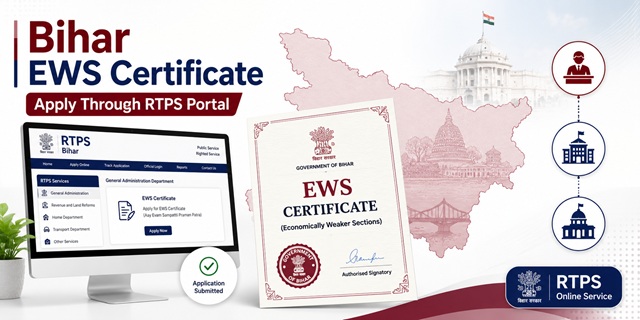
The EWS Certificate in Bihar is officially called the Aay Evam Sampatti Praman Patra (Income and Asset Certificate for Economically Weaker Sections). It is issued under the Right to Public Service (RTPS) framework by the General Administration Department through the Circle Officer (Anchal Adhikari) at the block level, the Sub-Divisional Officer (SDO) at the sub-division level, or the District Magistrate (DM) at the district level.
With this certificate, eligible general category residents of Bihar can claim 10% reservation in central and state government jobs, IITs, NITs, central universities, NEET All India Quota seats, and Bihar state government schemes. Applications are accepted online through the RTPS portal at serviceonline.bihar.gov.in, offline at RTPS counters at block or district offices, and through CSC (Common Service Centre) or Jan Seva Kendra operators.
There is no application fee for any RTPS certificate in Bihar, including the EWS certificate. This is one of Bihar's most important distinctions from most other states.
Eligibility Criteria
To qualify for an EWS certificate in Bihar, all of the following conditions must be satisfied:
- You must be a resident of Bihar and belong to the general (unreserved) category. You must not belong to SC, ST, or OBC categories
- Your family's gross annual income from all sources must be below Rs. 8 lakh for the financial year preceding the year of application. Income includes salary, agriculture, business, profession, rent, and every other source
- Your family must not own 5 acres of agricultural land or more
- Your family must not own a residential flat of 1,000 sq ft or more
- Your family must not own a residential plot of 100 sq yards or more in a notified municipality
- Your family must not own a residential plot of 200 sq yards or more outside notified municipalities
All four asset conditions must be satisfied alongside the income condition. Income is always calculated on a gross basis. "Family" includes the applicant, parents, spouse, children below 18 years, and unmarried siblings below 18 years.
Three Levels of EWS Certificate in Bihar
Bihar is one of the few states where the same EWS certificate is issued at three different administrative levels. Understanding which level to apply for is critical:
- Block Level (Anchal Star / Circle Officer level): Issued by the Circle Officer (also called Anchal Adhikari or Revenue Officer). This is the fastest and most commonly used level for scholarships, state government schemes, and most routine purposes. In Bihar, the Circle Officer serves the same function as the Tehsildar in other states
- Sub-Division Level (Anumandal Star / SDO level): Issued by the Sub-Divisional Officer. Needed for BPSC (Bihar Public Service Commission) applications and when a higher authority certificate is specifically required. Also accepted for central government purposes
- District Level (Jila Star / DM level): Issued by the District Magistrate. Required for UPSC and some central government job applications where specifically mandated in the recruitment notification. Always check the exam notification to confirm which level is required
For most state-level admissions and BPSC, the block-level certificate is sufficient. For UPSC and central government jobs, the SDO or DM level is safer. When in doubt, the SDO level certificate is accepted for both state and central purposes. Always read the specific exam notification carefully to confirm the required level.
Documents Required
Keep the following documents ready before starting the application:
- Aadhaar Card of the applicant (for identity and address)
- Voter ID Card (as alternative identity proof)
- Self-declaration form: A signed self-declaration stating family income from all sources is below Rs. 8 lakh and asset limits are not exceeded
- Land Possession Certificate (LPC) or land records: Required to establish agricultural land held by the family. If your family owns no agricultural land, this can be declared in the self-declaration form
- Residence proof: Ration Card, electricity bill, water bill, or rent receipt showing Bihar address
- Passport-size photograph: Keep photo file size under 50 KB for upload on the RTPS portal
- PAN Card of earning family members (if available)
- Parents' caste proof (if available, to confirm general category status)
All document files (Aadhaar, Voter ID etc.) must be in PDF or JPEG format and under 200 KB each for upload. Photo must be under 50 KB. Files larger than these limits cause upload failures on the RTPS portal. Compress files if needed before uploading.
How to Apply Online Through RTPS Bihar
The RTPS portal uses MeriPehchaan (National Single Sign-On) for login. If you have not registered on MeriPehchaan before, create an account there first.
- Go to serviceonline.bihar.gov.in
- Click Login on the top right. This redirects to the MeriPehchaan login page. If you are new, register on MeriPehchaan using your mobile number, name, and password. Verify with OTP
- After logging in, click Apply Online from the left menu
- Click RTPS Services, then click General Administration Department (Samanya Prashasan Vibhag)
- Select Issuance of Income and Asset Certificate for Economically Weaker Section (Arthik Roop Se Kamjor Varg Ke Liye Aay Evam Sampatti Praman Patra Ka Nirgaman)
- Choose your required level: Block Level (Anchal Star par), Sub-Division Level (Anumandal Star par), or District Level (Jila Star par)
- The application form opens. Fill in applicant name, father's name, address, annual income from each source separately, and asset details including any land or property held by family members
- Upload all required documents within the file size limits. Upload your photograph (under 50 KB) and supporting documents (under 200 KB each)
- Enter the captcha and submit the application
- An Application Reference Number is generated. Save this number. You will also receive it by SMS on your registered mobile
- Once approved, the certificate is delivered to you via SMS download link, email attachment, DigiLocker, or through the portal's download section. You do not need to visit any office to collect it
The form is primarily in Hindi. When typing your name or address in English, press the Space bar after each word for it to convert correctly. If the OTP during login is delayed, try using the email OTP option instead of mobile OTP, or apply before 8 AM or after 9 PM when server load is lower.
How to Apply Offline at RTPS Counter
Residents who cannot apply online or prefer to apply in person can use RTPS counters at government offices:
- Visit your nearest Circle Office or Block Office for a block-level certificate, the SDO office for a sub-division level certificate, or the DM office for a district-level certificate
- Obtain the EWS certificate application form from the RTPS counter. Some district websites also have the form available for download
- Fill in all details including complete income from all sources and land or property details of all family members
- Attach photocopies of all required documents
- Submit the form at the RTPS counter. There is no fee. Collect the acknowledgement receipt with the application reference number
- The Circle Officer or SDO verifies the details and issues the certificate. You will be notified when it is ready
Apply Through CSC or Jan Seva Kendra
If you do not have internet access or are unfamiliar with the online process, visit your nearest CSC (Common Service Centre) or Jan Seva Kendra. The operator submits the application online on your behalf through the RTPS portal. Carry all original documents. There is no government fee, but the CSC operator charges a nominal service fee. Always collect a printed acknowledgement slip showing your application reference number after submission.
Application Fee
There is zero government fee for the EWS certificate on the Bihar RTPS portal. This applies to all three levels (Block, SDO, DM). If you apply at an RTPS counter in a government office, there is also no fee. Only CSC or Jan Seva Kendra operators charge a small service fee for their assistance.
Processing Time
The EWS certificate is typically issued within 7 to 15 working days of application submission. Processing times may vary slightly by district depending on verification workload. Applications with complete and consistent documents are processed faster. The Bihar RTPS system under the Right to Public Services Act mandates timely delivery of certificates.
How to Receive the Certificate
Once your EWS certificate is approved, you can receive it through any of the following methods without visiting any office:
- SMS download link: A link is sent to your registered mobile number. Click the link to download the PDF certificate
- Email attachment: Certificate is sent as a PDF attachment to your registered email address
- DigiLocker: Certificate is pushed automatically to your DigiLocker account under Issued Documents
- ServicePlus portal inbox: Log in to serviceonline.bihar.gov.in and download from your inbox
- Portal download section: Go to the Citizen Section, click Download Certificate, select RTPS services, enter your application reference number and name, and download
- RTPS counter or CSC: If you applied offline or through CSC, you can collect a printed copy from there
Validity of the EWS Certificate in Bihar
The EWS certificate is valid for one financial year (April 1 to March 31). It must be renewed every year by applying fresh with income details for the previous financial year. For exams and admissions happening between June and October, apply for a fresh certificate after April 1 of that year to ensure it is valid at the time of document verification or counselling.
How to Track Application Status
To check the status of your application:
- Go to serviceonline.bihar.gov.in
- Click Track Application Status (Aawedan Ki Sthiti Janein) from the Citizen Section on the homepage
- Select Through Application Reference Number or Through OTP or Application Details
- Enter the required details and submit. The current status is displayed showing whether the application is under review, approved, or rejected
How to Verify a Certificate
To verify an issued EWS certificate from Bihar:
- Go to serviceonline.bihar.gov.in
- Click Verify Certificate in the Citizen Section
- Select RTPS services, enter the submission ID, and submit
- Certificate details are displayed if it is genuine. Note that online verification is provisional and subject to final confirmation by the issuing authority
নতুন কমেন্ট যুক্ত করুন