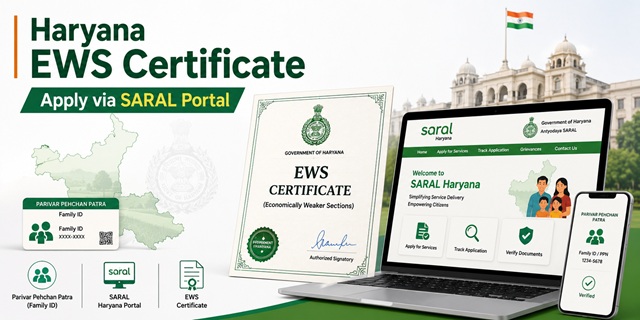
The EWS certificate in Haryana is officially called the Income and Asset Certificate for Economically Weaker Sections (EWS). It is issued under the Revenue and Disaster Management Department, Government of Haryana.
Haryana made two significant updates to its EWS framework in recent years. First, the Government of Haryana linked the EWS certificate issuance to the Parivar Pehchan Patra (PPP) system, making the PPP Family ID mandatory for all applications. Second, in January 2026, Haryana revised its EWS annual family income limit from Rs. 6 lakh to Rs. 8 lakh, bringing it in line with the central government guidelines.
Applications are submitted through the Antyodaya SARAL Haryana portal at saralharyana.gov.in, through SARAL Kendras located at the district, tehsil, and sub-division level, or offline at the Tehsildar or SDM office. The Antyodaya SARAL Helpline is 0172-3968400 (Monday to Saturday, 7:00 AM to 8:00 PM).
Important Update: Income Limit Revised to Rs. 8 Lakh
Haryana previously set its state EWS income limit at Rs. 6 lakh per annum. In January 2026, the Government of Haryana revised this to Rs. 8 lakh, matching the central government's standard. If your family's gross annual income is between Rs. 6 lakh and Rs. 8 lakh, you are now eligible to apply for the EWS certificate in Haryana under the updated criteria. Certificates already issued under the Rs. 6 lakh limit remain valid for their stated period. New applications from January 2026 use the Rs. 8 lakh limit.
Eligibility Criteria
To be eligible for an EWS certificate in Haryana, all of the following conditions must be satisfied:
- You must be a permanent resident of Haryana and belong to the general (unreserved) category. You must not belong to SC, ST, or OBC categories
- Your family's gross annual income from all sources must be below Rs. 8 lakh (revised from Rs. 6 lakh as of January 2026) for the financial year preceding the year of application. Income includes salary, agriculture, business, profession, rent, and any other source
- Your family must not own 5 acres of agricultural land or more
- Your family must not own a residential flat of 1,000 sq ft or more
- Your family must not own a residential plot of 100 sq yards or more in a notified municipality
- Your family must not own a residential plot of 200 sq yards or more outside notified municipalities
All four asset conditions must be satisfied alongside the income condition. Income is always calculated on a gross basis. "Family" includes the applicant, parents, spouse, children below 18 years, and unmarried siblings below 18 years.
Parivar Pehchan Patra: Haryana's Mandatory Family ID
Haryana's Parivar Pehchan Patra (PPP), also called Family ID or Parivar Pehchan Number (PPN), is a unique 8-digit identifier assigned to every family in Haryana. It is mandatory for applying for the EWS certificate on the SARAL portal.
When you enter your PPP Family ID on the SARAL portal, the system automatically fetches your family details, income, and asset information from the FIDR (Family ID Data Repository). This auto-population replaces the need to manually submit identity and address proof documents. If your income and family details are correctly recorded in the PPP system, the EWS application process is significantly faster.
If your family does not have a Parivar Pehchan Patra, apply for one first at meraparivar.haryana.gov.in or at your nearest Atal Seva Kendra, SARAL Kendra, Panchayat office, or block office. PPP registration is free. Once registered, ensure your income details are updated correctly in the PPP database before applying for the EWS certificate.
Issuing Authority in Haryana
After the integration with Parivar Pehchan Patra, Haryana changed the issuing authority for EWS certificates. The certificates are now issued by the Additional Deputy Commissioner (ADC) and the Citizen Resource Information Officer, replacing the earlier Tehsildar-centric process. This eliminates the need for applicants to visit the Patwari, Numberdar, or Tehsil repeatedly. The entire process runs through the SARAL portal and SARAL Kendras. The ADC-issued certificate is valid for both state government purposes (HPSC, HSSC exams) and central government purposes when issued in the DoPT-prescribed format.
Documents Required
Due to PPP integration, most personal and family details are auto-filled on the SARAL portal. However, keep the following documents ready for any additional verification required:
- Parivar Pehchan Patra (PPP) Family ID: The 8-digit Family ID is the primary document. Enter it on the portal to auto-fetch family details
- Aadhaar Card of the applicant (linked to PPP)
- Income proof: Salary slips or Form 16 for salaried persons; ITR; or self-declaration for farmers and self-employed. If your PPP income data is current, the portal may accept it as income proof
- Jamabandi (Fard): Haryana's primary land record maintained by the Patwari showing land ownership and area. Download it from the Jamabandi Haryana portal at jamabandi.nic.in. If no agricultural land is owned, a self-declaration is submitted
- Property documents: Property tax receipt or sale deed showing area of any residential property owned by family members. If no property is owned, include this in the self-declaration
- Passport-size photograph of the applicant (upload during online application)
- Self-declaration affidavit stating total family income is below Rs. 8 lakh and all asset limits are within the prescribed thresholds
Method 1: Apply Online Through SARAL Haryana Portal
- Go to saralharyana.gov.in
- If you are a new user, click New user? Register here on the login page. Enter your full name, email ID, mobile number, and create a password. Click Validate. An OTP is sent to your mobile and email. Enter both OTPs to complete registration
- Log in using your registered credentials. Enter username, password, and captcha. Click Login. An OTP is sent to your registered mobile for two-factor authentication. Enter the OTP and proceed
- On the dashboard, click Apply for Services on the left menu, then click View All Available Services
- In the search bar, type Income and Asset Certificate for Economically Weaker Section or simply EWS
- Click the service name from the results. Click Proceed to Apply
- On the next screen, click I have a Family ID option. Enter your Parivar Pehchan Patra (PPP) 8-digit Family ID
- The system fetches your family details from the FIDR database. Verify the auto-filled details. Click Send OTP to validate your identity through your PPP-linked mobile number. Enter the OTP received
- The application form opens with your personal and family details pre-filled. Verify all details carefully. Select the year you are applying for
- In the Assets owned by applicant section, enter the number of assets (land, property) owned by the family. If none, select zero
- Go to the Attach Annexure section. Upload all required supporting documents including income proof, Jamabandi (if land owned), and passport-size photograph
- Review all filled and uploaded details carefully. Submit the application
- An Application ID (Reference Number) is generated. Save this for tracking status and downloading the certificate. An SMS confirmation is also sent to your registered mobile
- Once the ADC or Citizen Resource Information Officer approves the application, log in to the SARAL portal, go to your application, and download the digitally signed certificate in PDF format
Method 2: Apply Through SARAL Kendra
SARAL Kendras are government-operated service centres located at the district, tehsil, and sub-division level across all 22 districts of Haryana. Citizens who cannot apply online can use this route.
- Locate your nearest SARAL Kendra. SARAL Kendras are at district headquarters, tehsil offices, and sub-division offices. Ask at your nearest Tehsil or Panchayat for the address
- Carry your Parivar Pehchan Patra (PPP) Family ID, Aadhaar card, income proof, Jamabandi (if land owned), and passport-size photograph
- Tell the SARAL Kendra operator you need the EWS Income and Asset Certificate
- The operator logs into the SARAL portal and enters your PPP Family ID. The system auto-fetches your family details
- The operator fills in the application form, selects the year, uploads your documents, and submits on your behalf
- Pay the applicable fee at the SARAL Kendra counter. Confirm the fee before submission
- Collect the printed acknowledgement slip with your Application ID. Keep this for tracking and downloading the certificate after approval
- SMS updates are sent to your PPP-registered mobile at each stage
- Once approved, return to the SARAL Kendra for a printed certificate or download it from the SARAL portal using your Application ID
Method 3: Apply Through Jansahayak Mobile App
The Haryana government operates the Jansahayak Mobile App which is integrated with the SARAL portal. The app is available on Android and allows citizens to apply for services including the EWS certificate from their smartphones. Download the Jansahayak app from the Google Play Store. Log in using your SARAL portal credentials. Search for the EWS certificate service, enter your PPP Family ID, complete the form, upload documents, and submit. The process is the same as the online portal.
Method 4: Apply Offline at the Tehsildar or SDM Office
- Visit the Tehsildar office in your tehsil or the SDM office in your sub-division
- Obtain the EWS Income and Asset Certificate application form from the revenue counter. The form is also available for download from the Haryana government website at haryana.gov.in
- Fill in the form with your name, address, PPP Family ID, family income from all sources, and land or property details of all family members
- Attach photocopies of all required documents: Aadhaar card, PPP card, income proof, Jamabandi (if applicable), property documents (if applicable), and passport-size photograph
- Submit the form at the revenue counter. The receiving staff registers the application in the SARAL system and gives you an acknowledgement slip with the Application ID
- The application is forwarded to the ADC or Citizen Resource Information Officer for verification and approval through the SARAL system
- Once approved, download the certificate from the SARAL portal using your Application ID or collect a printed copy from the office
Application Fee
Online self-application through the SARAL Haryana portal is free of charge. SARAL Kendra operators may charge a nominal service fee for facilitation. Confirm the fee at the Kendra before submitting. For offline applications at the Tehsil or SDM office, check the applicable fee at the counter.
Processing Time
The EWS certificate in Haryana is typically issued within 7 to 15 working days of application submission. Since PPP integration enables auto-verification of family details from the FIDR, applications with matching and updated PPP data are processed faster. If the PPP income data is not updated or if there is a discrepancy, manual verification is required, extending the processing time. SMS notifications are sent at every stage of processing on your PPP-registered mobile number.
Validity of the EWS Certificate in Haryana
The EWS certificate is valid for one financial year (April 1 to March 31). It must be renewed every year by applying fresh with updated income details for the previous financial year. For HPSC and HSSC exams, always check the specific notification for validity requirements at document verification. For NEET and JEE admissions, apply for a fresh certificate after April 1 of the relevant year. For NEET state quota counselling in Haryana, the EWS certificate must be issued by a Haryana authority. For NEET All India Quota, the central format EWS certificate is required.
How to Track Application Status
- Go to saralharyana.gov.in
- Click Track Application Online on the homepage. This option is available without login
- Enter your Application ID (Reference Number) and department name
- Click Submit. The current status of your application is displayed
You can also log in to the SARAL portal and check the status from your application history on the dashboard.
How to Download the Certificate
- Log in to saralharyana.gov.in with your credentials
- On the dashboard, go to the application history section
- Find the approved EWS certificate application
- Click Download Certificate to save the digitally signed PDF
Downloaded certificates carry the digital signature of the ADC or Citizen Resource Information Officer and are legally valid for government jobs, HPSC and HSSC exams, educational admissions, and welfare schemes. They can also be accessed through DigiLocker if your Aadhaar is linked.
নতুন কমেন্ট যুক্ত করুন