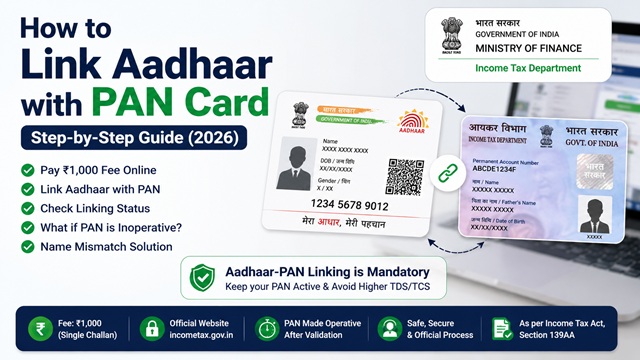
Linking your Aadhaar Card Number with PAN card is mandatory under Section 139AA of the Income Tax Act, 1961 for every individual who was allotted a PAN on or before 1st July 2017 and is eligible to obtain an Aadhaar number. If this linking is not done, your PAN becomes inoperative, meaning you cannot file income tax returns, receive refunds, or carry out several financial transactions.
If your PAN is already inoperative due to non-linking, you can still make it operative by paying the prescribed fee of Rs. 1,000 and completing the linking. This guide covers the complete process from fee payment to status check, sourced exclusively from the official Income Tax Department portal at incometax.gov.in.
Is Aadhaar-PAN Linking Mandatory for You?
As per Section 139AA of the Income Tax Act, 1961 and the official FAQ on incometax.gov.in, Aadhaar-PAN linking is mandatory for every individual who:
- Was allotted a PAN on or before 1st July 2017, and
- Is eligible to obtain an Aadhaar number (i.e., is a resident of India as per the Aadhaar Act)
The last date to link without consequences was 30th June 2023. PANs not linked by that date became inoperative from 1st July 2023. However, you can still link your Aadhaar with PAN even now by paying the prescribed fee of Rs. 1,000, and your PAN will be made operative again within 30 days of intimation.
For new PAN applicants (those applying for PAN after 1st July 2017), Aadhaar-PAN linking is done automatically at the time of PAN allotment if an Aadhaar number is provided in the application form.
Why Aadhaar-PAN Linking is Important
- Keeps PAN operative for financial and tax-related activities
- Allows smooth Income Tax Return filing
- Prevents higher TDS and TCS deductions
- Helps maintain updated identity records
Who is Exempted from Aadhaar-PAN Linking?
As per the official Income Tax Department FAQ and Department of Revenue Notification No. 37/2017 dated 11th May 2017, the following individuals are not required to link Aadhaar with PAN:
- Individuals residing in the states of Assam, Jammu and Kashmir, and Meghalaya
- Non-residents as defined under the Income Tax Act, 1961
- Individuals who are not a citizen of India
- Individuals of the age of 80 years or more at any time during the previous year
Important: These exemptions are subject to modifications depending on subsequent government notifications. Exempt individuals who voluntarily wish to link Aadhaar with PAN can still do so, but a fee payment of Rs. 1,000 will be required.
Consequences of Inoperative PAN (If Not Linked)
As per the official Income Tax Department circular and FAQ at incometax.gov.in, if your PAN is inoperative due to non-linking with Aadhaar, the following consequences apply from 1st July 2023:
- Cannot file Income Tax Return using the inoperative PAN
- Pending returns will not be processed
- Pending refunds cannot be issued to inoperative PANs
- Interest will not be payable on such pending refunds for the period during which PAN remains inoperative
- TDS will be deducted at a higher rate under Section 206AA of the Income Tax Act
- TCS will be collected at a higher rate under Section 206CC of the Income Tax Act
- You will not be able to furnish, intimate, or quote your PAN in any document or transaction where PAN quoting is mandatory
The PAN can be made operative again within 30 days of intimating the Aadhaar to the prescribed authority after paying the applicable fee.
Fee for Linking Aadhaar with PAN
As per the official Income Tax Department FAQ, a fee of Rs. 1,000 is required to link Aadhaar with PAN. This fee is applicable regardless of whether you are linking for the first time or re-linking after a delink.
Important points about the fee:
- Fee must be paid through the e-Pay Tax functionality on the e-Filing portal at incometax.gov.in
- The fee must be paid as a single challan (not split across multiple payments)
- After payment, you should wait 4-5 days before attempting the Aadhaar-PAN linking request, as challan details take time to update in the system
- No refund is available for the fee paid under Section 234H for late linkage of PAN-Aadhaar, even if linking fails for reasons beyond your control
- If Aadhaar-PAN linking fails after fee payment, the same challan can be used to resubmit the linking request. No fresh payment is needed.
- If you de-link an incorrect Aadhaar from your PAN and then re-link the correct Aadhaar, a fresh fee payment is required.
Step 1: Pay the Fee via e-Pay Tax
Fee payment must be done before submitting the linking request. Follow these steps exactly as per the official Link Aadhaar User Manual at incometax.gov.in:
- Go to www.incometax.gov.in.
- On the homepage, click Link Aadhaar under the Quick Links section.
- Enter your PAN and Aadhaar number and click Validate.
- If fee payment is pending, a message will appear. Click Continue to Pay Through e-Pay Tax.
- Enter your PAN, confirm PAN, and enter a mobile number to receive OTP. Click Continue.
- Enter the 6-digit OTP received on the mobile number and click Continue.
- You will be redirected to the e-Pay Tax page.
- Click Proceed on the Income Tax tile.
- Select:
- Assessment Year:
- Type of Payment: Other Receipts (500)
- Click Continue. The applicable amount of Rs. 1,000 will be pre-filled against Others.
- Proceed to pay using your bank's net banking, debit card, or UPI.
- After successful payment, a challan is generated. Download and save this challan.
- Wait 4-5 days before proceeding to the Aadhaar-PAN linking step below.
Authorised banks for e-Pay Tax (as per incometax.gov.in): Axis Bank, Bank of Baroda, Bank of India, Bank of Maharashtra, Canara Bank, Central Bank of India, City Union Bank, Federal Bank, HDFC Bank, ICICI Bank, IDBI Bank, Indian Bank, Indian Overseas Bank, IndusInd Bank, Jammu and Kashmir Bank, Karur Vysya Bank, Kotak Mahindra Bank, Punjab National Bank, South Indian Bank, UCO Bank, Union Bank of India.
Step 2A: Link Aadhaar - Pre-Login Method (Without Logging In)
After waiting 4-5 days from fee payment, follow these steps. This method works without logging into the e-Filing portal - useful if you are not registered on the portal.
- Go to www.incometax.gov.in.
- On the homepage, click Link Aadhaar under Quick Links.
- Enter your PAN and Aadhaar number and click Validate.
- A pop-up message will appear: "Your payment details are verified." Click Continue.
- Enter the following mandatory details:
- Name as per Aadhaar
- Mobile number (any valid number to receive OTP)
- Check the box if your Aadhaar contains only the year of birth (not the full date of birth)
- Click Link Aadhaar.
- Enter the 6-digit OTP received on the mobile number you entered and click Validate.
- A success message is displayed: "Your Aadhaar-PAN linking request has been sent to UIDAI for validation."
- You can now check the Aadhaar-PAN link status (see Section 8 below).
Step 2B: Link Aadhaar - Post-Login Method (After Logging In)
If you are a registered user of the e-Filing portal, you can also link Aadhaar after logging in.
- Go to www.incometax.gov.in and log in with your PAN and password.
- On the Dashboard, in the Profile section, click Link Aadhaar under the Link Aadhaar to PAN option. Alternatively, go to My Profile > Personal Details > Link Aadhaar.
- Enter your Aadhaar number and click Validate.
- If payment is verified, a pop-up message appears confirming payment. Click Continue.
- Enter the required details (name as per Aadhaar, mobile number) and click Link Aadhaar.
- Enter the OTP received on your mobile number and click Validate.
- Success message is displayed. The request is sent to UIDAI for validation.
How to Check Aadhaar-PAN Link Status
After submitting the linking request, UIDAI validates the data. You can check the status in two ways:
Pre-Login Status Check (Without Logging In)
- Go to www.incometax.gov.in.
- Under Quick Links, click Link Aadhaar Status.
- Enter your PAN and Aadhaar number and click View Link Aadhaar Status.
- The current status is displayed.
Post-Login Status Check (After Logging In)
- Log in to incometax.gov.in.
- On your Dashboard, click Link Aadhaar Status.
- Alternatively, go to My Profile > Link Aadhaar Status.
- If your Aadhaar is already linked, the Aadhaar number will be displayed.
- If not yet linked, Link Aadhaar Status option is shown with a link to initiate.
Possible status messages:
| Status Message | What It Means | Action Required |
|---|---|---|
| Aadhaar is linked with PAN | Linking is complete and validated by UIDAI | None. Your PAN is operative. |
| Your request to link PAN and Aadhaar is pending with UIDAI for validation | Request submitted, UIDAI is processing it | Check again after a few days |
| Validation failed | Data mismatch between Aadhaar and PAN records | Click Link Aadhaar on the status page and resubmit after correcting data |
What to Do If Name Does Not Match in Aadhaar and PAN
Name mismatch is the most common reason linking fails. As per the official Income Tax Department FAQ and UIDAI FAQ on PAN-Aadhaar, follow these steps:
- Update your name in Aadhaar to match your PAN: Visit myaadhaar.uidai.gov.in for online update or visit an Aadhaar Seva Kendra. Read: Aadhaar Card Name Change Full Process.
- Or update your name in PAN to match your Aadhaar: Submit a PAN correction request through the NSDL or UTIITSL portal.
- After the update is reflected (takes 5-7 working days), retry the Aadhaar-PAN linking. The same challan can be used — no fresh fee payment is needed.
- If linking still fails after data correction, you can visit a PAN Service Provider (Protean/UTIITSL) centre for biometric-based authentication. Carry your PAN, Aadhaar, and the fee paid challan copy. A separate biometric authentication charge applies at the centre.
Tip on minor name variations: If the difference is minor (for example, initials expanded or middle name included in one but not the other), the Income Tax portal may still allow linking if at least one name, date of birth, and gender match between Aadhaar and PAN records.
My PAN is Inoperative. How Do I Make It Operative Again?
If your PAN became inoperative because you missed the 30th June 2023 deadline, you can still reactivate it. As per the official Income Tax Department FAQ:
- Pay the fee of Rs. 1,000 via e-Pay Tax on incometax.gov.in (follow Step 1 above exactly).
- Wait 4-5 days for the challan to update in the system.
- Submit the Aadhaar-PAN linking request using either the pre-login or post-login method above.
- Once UIDAI validates the data, your PAN will become operative within 30 days of intimation.
During the period your PAN was inoperative, any TDS that was deducted at a higher rate due to the inoperative PAN will not be refunded retroactively. The higher rate deductions that occurred are permanent.
Is Aadhaar-PAN Linking Required for New PAN Applications?
As per the official Income Tax Department portal, for new PAN applicants (individuals applying for PAN after 1st July 2017):
- Aadhaar-PAN linking is done automatically at the time of PAN allotment if you provide your Aadhaar number in the PAN application form.
- If you do not provide an Aadhaar number in your PAN application, you will need to link it separately once the PAN is allotted by paying the Rs. 1,000 fee and following the steps above.
- If you use the Instant e-PAN service on the Income Tax portal (available free for those without a PAN, using Aadhaar-based e-KYC), the PAN is linked with Aadhaar automatically at issuance. No separate linking needed.
Official Sources and Useful Links
- Link Aadhaar User Manual - Income Tax Department (incometax.gov.in)
- Link Aadhaar FAQ - Income Tax Department (incometax.gov.in)
- Direct Link - Link Aadhaar (e-Filing Portal)
- e-Pay Tax - Income Tax Department (for fee payment)
- Income Tax e-Filing Portal - incometax.gov.in
- UIDAI FAQ - Name Mismatch in PAN and Aadhaar (uidai.gov.in)
- UIDAI Official Website - uidai.gov.in
Income Tax Helpline: 1800 103 0025 or 1800 419 0025 (Monday to Friday, 08:00-20:00 hrs)
UIDAI Helpline: 1947 (Monday to Saturday)
Disclaimer: This article is for informational purposes only. All procedures, fees, and deadlines are subject to change by CBDT, Income Tax Department, and UIDAI. Always refer to incometax.gov.in and uidai.gov.in for the latest official information.
Add new comment