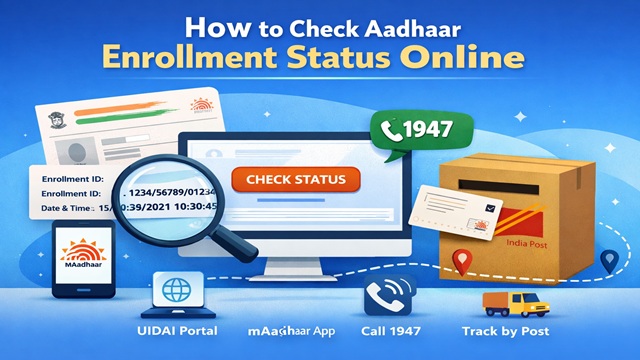
After you enrol for Aadhaar, UIDAI gives you a 14-digit Enrollment ID (EID) slip. You use this slip to track exactly where your application stands, whether it is still under review, generated, or already dispatched by post. This guide walks you through every method available to check your Aadhaar card status quickly.
What You Need Before Checking
Before you check your status, keep the following handy. Without these, most methods will not work:
- Your 14-digit Enrollment ID (EID) from the slip the enrollment center gave you
- The date and time of enrollment printed on the same slip (format: DD/MM/YYYY HH:MM:SS)
- Your registered mobile number needed for SMS and app-based checks
⚠️ Lost your EID slip? You can retrieve your Enrollment ID using your registered mobile number or email. Visit myaadhaar.uidai.gov.in, click Retrieve Lost UID/EID, and verify via OTP to get it resent.
What Each Status Means
When you check your Aadhaar status, UIDAI shows one of these stages. Here is what each one means so you know what to do next:
| Status | What It Means | What to Do |
|---|---|---|
| Under Review | UIDAI is verifying your documents and biometrics. This is the default state right after enrollment. | Wait. Most applications are cleared within 30–60 days. |
| In Process | Your data is being processed and the Aadhaar number is being generated. | Wait a few more days and recheck. |
| Generated | Your Aadhaar number is ready. You can download your e-Aadhaar immediately. | Download your e-Aadhaar from myaadhaar.uidai.gov.in right away. |
| Dispatched | UIDAI has sent the physical Aadhaar card to your registered address by India Post. | Use the dispatch reference number to track the letter on the India Post website. |
| Rejected | Your application was rejected due to a document mismatch, data entry error, or duplicate detection. | Re-enrol at a centre with corrected documents. Re-enrollment is free. |
Method 1: Check Online via UIDAI Portal
The UIDAI portal is the fastest and most detailed way to check your Aadhaar status. It works on any browser, on both desktop and mobile, and gives you a real-time update.
- Open the Status Check Page - Go to myaadhaar.uidai.gov.in/CheckAadhaarStatus in any browser. You do not need to log in.
- Enter Your Enrollment ID and Date/Time - Type your 14-digit EID exactly as it appears on the slip. Then enter the date and time of enrollment in the fields provided. Get both values from the same EID slip the centre gave you.
- Complete the Captcha - Enter the characters shown in the captcha image. If the image is unclear, click the refresh icon to load a new one.
- Click "Check Status" - The portal immediately displays your current application status. If your Aadhaar is already generated, you will also see a link to download your e-Aadhaar from the same page.
Pro tip: If the portal shows your Aadhaar as "Generated," download it right away using the Download Aadhaar option on the same portal. You do not need to wait for the physical card to arrive by post. The e-Aadhaar is legally equivalent to the physical card.
Method 2: Check via UIDAI Helpline (IVR / Live Agent)
If you prefer speaking to someone or if online and SMS methods are not working, the UIDAI helpline handles status queries around the clock.
- Dial 1947 - Call 1947 from any phone. This is a toll-free number and works 24 hours a day, 7 days a week, including public holidays.
- Choose the Status Check Option - The IVR menu lists several options. Select the one for Aadhaar Enrolment Status. The system prompts you to enter your 14-digit EID using the phone keypad.
- Enter Your EID and Listen to the Status - Key in your 14-digit Enrollment ID when prompted. The IVR reads out your current application status. If the automated system cannot resolve your query, press the option to speak to a live agent.
When to use this: The helpline is especially useful for senior citizens, people with limited smartphone access, or anyone whose EID slip details do not work on the online portal.
Method 3: Check via mAadhaar App
UIDAI's official mAadhaar app lets you check your status directly on your smartphone. The app also stores your e-Aadhaar, generates Virtual IDs, and handles other Aadhaar services, making it a useful tool to keep installed.
- Download and Open mAadhaar - Install the mAadhaar app from the Google Play Store or Apple App Store. Open the app and set your 4-digit app passcode.
- Go to "Check Enrolment Status" - On the app's home screen, tap the Services section. Then tap Check Enrolment & Update Status from the list of options.
- Enter Your EID Details - Type in your 14-digit Enrollment ID and the date and time of enrollment exactly as printed on your slip. Tap Submit.
- View Your Status - The app shows your current status instantly. If your Aadhaar is generated, you can download the e-Aadhaar from within the app itself no browser needed.
Track Your Physical Aadhaar Card by Post
Once your status shows "Dispatched," UIDAI hands your physical Aadhaar card to India Post for delivery. You can track this separately on the India Post website.
- Visit indiapost.gov.in and click on Track Consignment
- Enter the delivery reference number that UIDAI sends to your registered mobile number once the card is dispatched
- The India Post portal shows the current location and expected delivery date of your letter
Do not wait for the physical card: Your e-Aadhaar, available for download the moment your status shows "Generated," is fully valid for all official and KYC purposes. Banks, government offices, and service providers all accept it.
All Methods at a Glance
| Method | What You Need | Best For |
|---|---|---|
| UIDAI Portal (Online) | EID + date/time + internet | Fastest, most detailed status |
| Helpline (1947) | EID (keypad entry) | Senior citizens, portal issues |
| mAadhaar App | EID + date/time + smartphone | Mobile-first users |
| India Post Tracking | Dispatch reference number | Tracking physical card delivery |
Things to Keep in Mind
- Photograph your EID slip the moment you receive it at the center if you lose the paper, you still have the details on your phone.
- Check status no more than once every 2–3 days. The system updates in batches, so checking multiple times a day shows the same result.
- If your registered mobile number has changed since enrollment, you cannot use SMS or OTP-based checks until you update it at a centre.
- The e-Aadhaar you download is password-protected. The password is the first four letters of your name in uppercase followed by your birth year (e.g., RAJE1990).
- Never share your EID or Aadhaar details on unofficial websites or apps claiming to check status. Use only UIDAI's official portal, app, and helpline.
- For Baal Aadhaar (children under 5), the parent can check the child's application status using the child's EID slip the same way.
Add new comment