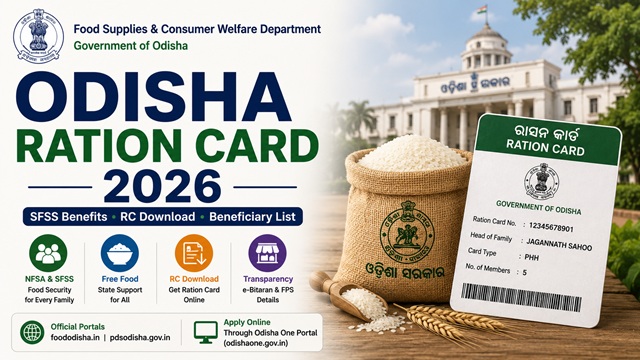
Odisha runs three distinct Ration Card categories - AAY, PHH under the central NFSA, and a state-specific scheme called SFSS (State Food Security Scheme) that covers families excluded from the central NFSA allocation. The state has also introduced a separate dry ration scheme for migrant labourers working outside Odisha. Online application is available through the Odisha One Portal via the SFSS platform. The RC number in Odisha is an 11-digit number (e.g. 19130120010), which you need to download your ration card. All services are managed by the Food Supplies and Consumer Welfare Department, Government of Odisha.
- Food Dept Portal: foododisha.in - online citizen services, e-Bitaran list
- PDS Odisha Portal: pdsodisha.gov.in - RC download, list, grievance status
- Online Citizen Services: foododisha.in/citizenservice - apply, add member, delete member
- Grievance Portal: grs.pdsodisha.gov.in
- Forms: food.odisha.gov.in/forms
Key Details at a Glance
| Detail | Information |
|---|---|
| Issuing Authority | Food Supplies and Consumer Welfare Dept., Govt. of Odisha |
| Food Dept Portal | foododisha.in |
| PDS Portal | pdsodisha.gov.in |
| Public Dashboard | portal.pdsodisha.gov.in/PublicDashboard |
| RC Number Format | 11-digit (e.g. 19130120010) |
| Monthly Entitlement (PHH) | 5 kg per person per month |
| Monthly Entitlement (AAY) | 35 kg per family per month |
| Toll Free Helpline 1 | 1967 |
| Toll Free Helpline 2 | 1800-345-6760 |
| Consumer Advice Centre | 1800-3456760 |
Types of Ration Card in the State
| Type | Who Gets It | Monthly Entitlement |
|---|---|---|
| AAY (Antyodaya Anna Yojana) | Poorest of the poor - landless agricultural labourers, daily wage earners, marginal farmers with no stable income | 35 kg food grains per family per month at highly subsidised rates |
| PHH (Priority Household) | BPL families identified under the central NFSA criteria | 5 kg per person per month at subsidised rates |
| SFSS (State Food Security Scheme) | Families below the poverty line who were excluded from the central NFSA allocation - covered under Odisha’s own state food security scheme | Monthly food grains at subsidised rates under state scheme |
| NPHH (Non-Priority Household) | APL families above the income threshold - no food subsidy but card serves as official identity and address proof | No food grains subsidy |
What is the SFSS Ration Card in Odisha?
SFSS stands for State Food Security Scheme - an Odisha government initiative to cover families who fall outside the central NFSA beneficiary list but are still below the poverty line. While central NFSA has a fixed number of beneficiaries allocated to each state, many deserving families get excluded. SFSS fills this gap using state funds.
SFSS also refers to the digital platform - Simplified Food Security Services - available on the Odisha One Portal through which citizens can apply for new ration cards, add or remove members, and manage their ration card entirely online without visiting any government office.
Who Can Apply
- Must be a permanent resident of Odisha
- Must not already hold a ration card in Odisha or any other state
- Families below the poverty line based on income, household size, and living conditions
- Rural households with low income and urban families below the poverty line are prioritised
- Primitive tribal groups, widows, daily wage labourers, and marginal farmers get priority for AAY
- Newly married couples can apply for a new ration card
- Migrants returning permanently to Odisha can apply after surrendering their previous state card
Documents You Need to Apply
- Aadhaar cards of all family members (mandatory - Aadhaar authentication is strictly required)
- Identity proof - Aadhaar, Voter ID, or Driving Licence
- Address proof - electricity bill, water bill, or rent agreement
- Income certificate (for PHH, AAY, and SFSS categories)
- Passport-size photographs of the head of household
- Mobile number linked to Aadhaar
- For newly married spouse: marriage certificate
- For newborn: birth certificate
The NFSA application form can be downloaded from food.odisha.gov.in/citizen-information/forms. It can also be obtained from your Circle Office on payment of a prescribed fee.
How to Apply Online via Citizen Services
- Go to foododisha.in/citizenservice.
- Click on Apply New Card under the Ration Card Services section.
- You will be redirected to the SFSS platform on the Odisha One Portal. Register if you are a new user using your name, mobile number, and Aadhaar.
- After login, navigate to the SFSS platform from the dashboard.
- Select the appropriate ration card category - AAY, PHH, or SFSS - based on your eligibility.
- Fill in all required family member details with Aadhaar numbers.
- Upload all required documents in the specified format and size.
- Submit the application. An Acknowledgement Number is generated. Save it for tracking.
Processing takes up to 30 days after submission and field verification.
How to Apply Offline
- Download the NFSA ration card application form from food.odisha.gov.in/citizen-information/forms or collect it from your nearest Circle Office.
- Fill the form completely with all family member details, Aadhaar numbers, and income information.
- Attach all required documents.
- Submit at your nearest Circle Office or Block Supply Officer office.
- Collect the receipt with your application acknowledgement number.
How to Add or Remove a Family Member Online
- Go to foododisha.in/citizenservice.
- For adding: click Addition of Member. Log in with your credentials and enter the new member’s Aadhaar and details. Upload supporting documents (birth certificate for newborn, marriage certificate for spouse).
- For removing: click Delete Member. Log in, select the member, choose the reason, upload supporting documents.
- Submit and save the acknowledgement number.
How to Check Application Status
- Go to pdsodisha.gov.in.
- Navigate to the NFSA Cards & Beneficiaries section.
- Enter your Acknowledgement Number or RC number and select Get Report.
- Your current application status is displayed.
How to Check the Ration Card List
- Go to foododisha.in/eBitaran - the e-Bitaran Odisha portal.
- Click on Beneficiaries List of NFSA 2013.
- Select your District from the 30 districts of Odisha.
- Select your Block, FPS, and Village.
- The complete ration card list for your FPS is displayed with card type and member details.
- Use Ctrl+F to search for your name in the displayed list.
You can also view dealer-wise ration card data at portal.pdsodisha.gov.in/FPS/RationCardDetailsNew.aspx.
How to Download Your Ration Card
Odisha provides two separate download options - one for NFSA cards and one for SFSS cards:
For NFSA Cards (AAY and PHH)
- Go to pdsodisha.gov.in/NFSA/DownloadRationCard.
- Enter your 11-digit Ration Card Number (e.g. 19130120010).
- Click Download Ration Card. Your ration card is generated as a PDF.
For SFSS Cards
- Go to pdsodisha.gov.in/SFSS/CitizenShipDownloadRationCardSFSS.
- Enter your 11-digit RC Number or Application Acknowledgement Number.
- Click Download. Your SFSS ration card PDF is generated.
Via DigiLocker
- Go to digilocker.gov.in or open the DigiLocker app.
- Log in with your Aadhaar-linked mobile number.
- Search for Ration Card and select issuer as Food Supplies and Consumer Welfare Dept., Odisha.
- Enter your 11-digit RC number and district.
- Click Get Document. Your Odisha ration card is saved in DigiLocker.
Dry Ration Scheme for Odisha Migrant Workers
Odisha has launched a special scheme to provide dry rations to migrant labourers from Odisha working in other states. Under this scheme, eligible Odisha ration card holders who migrate for work can get dry rations from the state even when working outside. Details are available at foododisha.in. In addition, all Odisha NFSA card holders can use ONORC at any FPS in India.
How to Link Aadhaar
Aadhaar authentication is strictly mandatory for all listed family members in Odisha to maintain an active ration card. Odisha has a large tribal population in districts like Koraput, Rayagada, Malkangiri, and Nabarangpur where biometric failures can occur. For such residents, the alternative is OTP-based authentication using the Aadhaar-linked mobile number.
- Visit your designated Fair Price Shop with Aadhaar cards of all family members
- Each member completes fingerprint or iris biometric on the ePoS device
- If biometric fails, OTP on Aadhaar-linked mobile number is used
- For tribal areas - visit the nearest Circle Office or Block Supply Officer for assisted Aadhaar seeding
For the complete guide: How to Link Aadhaar with Ration Card.
Using Your Card in Another State (ONORC)
Odisha sends a large number of seasonal migrants to states like Andhra Pradesh, Telangana, Gujarat, and Maharashtra for work in brick kilns, construction, and paddy harvesting. Under the ONORC scheme, these workers can collect their entitled rice at any Fair Price Shop in the state where they work without surrendering their Odisha card. Odisha also has a dry ration scheme specifically for migrants who cannot access ePoS machines. Only Aadhaar authentication is needed at any FPS in India.
For complete details: One Nation One Ration Card (ONORC) Complete Guide.
How to File a Grievance
- Online Grievance: grs.pdsodisha.gov.in - file complaints and track status
- Toll Free 1: 1967
- Toll Free 2: 1800-345-6760
- Consumer Advice Centre: 1800-3456760
- Also Helpline: 155335
- Food Commission: foodcommission.odisha.gov.in - Toshali Bhawan, Satya Nagar, Bhubaneswar - 0674-2570151
- Circle Office: Visit your local Circle Office for local complaints
Official Portals and Useful Links
- Food Dept Odisha - foododisha.in
- Online Citizen Services - foododisha.in (Apply, add/delete member)
- e-Bitaran Odisha - foododisha.in (NFSA beneficiary list)
- PDS Odisha - pdsodisha.gov.in
- Download NFSA Ration Card - pdsodisha.gov.in
- Download SFSS Ration Card - pdsodisha.gov.in
- Public Dashboard - portal.pdsodisha.gov.in
- Dealer-wise RC Details - portal.pdsodisha.gov.in
- Grievance Portal - grs.pdsodisha.gov.in
- Download Application Forms - food.odisha.gov.in
- Odisha State Food Commission - foodcommission.odisha.gov.in
- Download via DigiLocker - digilocker.gov.in
- Check Aadhaar Seeding Status - nfsa.gov.in
Toll Free: 1967 / 1800-345-6760 / 155335
Consumer Advice: 1800-3456760
Also read:
Ration Card in India - Complete Guide (2026)
How to Link Aadhaar with Ration Card
One Nation One Ration Card (ONORC) - Complete Guide
Disclaimer: This article is for informational purposes only. Processes are subject to change by the Odisha Government. Always refer to foododisha.in for the latest official information.
नई टिप्पणी जोड़ें