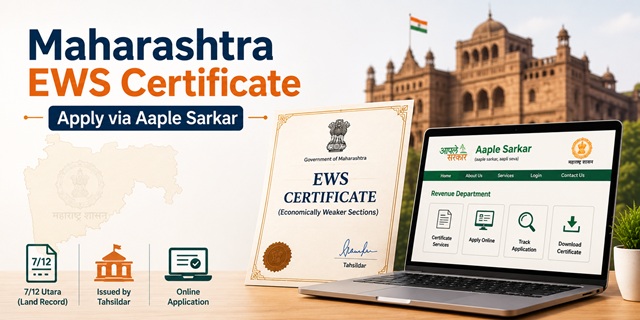
The EWS Certificate in Maharashtra is officially called the Income and Asset Certificate for Economically Weaker Sections. It is issued by the Revenue Department through the Tahsildar to general category residents of Maharashtra who meet the income and asset limits set by the Government of India. This certificate gives eligible residents 10% reservation in central and state government jobs, IITs, NITs, central universities, NEET seats under the All India Quota, MHT CET admissions, and state government schemes.
Applications are accepted online through the Aaple Sarkar portal at aaplesarkar.mahaonline.gov.in, offline at the Tahsildar office, and through Maha e-Seva Kendras across the state.
Eligibility Criteria
To qualify for an EWS certificate in Maharashtra, all of the following conditions must be met:
- You must be a resident of Maharashtra and belong to the general (unreserved) category. You must not belong to SC, ST, OBC, NT, VJNT, or SBC categories
- Your family's gross annual income from all sources must be below Rs. 8 lakh for the financial year preceding the year of application. Income includes salary, agriculture, business, profession, rent, and any other source
- Your family must not own 5 acres of agricultural land or more
- Your family must not own a residential flat of 1,000 sq ft or more
- Your family must not own a residential plot of 100 sq yards or more in a notified municipality
- Your family must not own a residential plot of 200 sq yards or more outside notified municipalities
All four asset conditions must be satisfied alongside the income condition. Failing even one condition makes you ineligible, regardless of how low your income is.
"Family" includes the applicant, parents, spouse, children below 18 years, and unmarried siblings below 18 years. Income and assets of all these members are counted together.
Income is calculated on a gross basis. The figure from your ITR after deductions does not count. Only gross income is used.
Two Certificate Formats in Maharashtra
Maharashtra applicants should be aware of two EWS certificate formats:
- Central format: Required for central government jobs, UPSC, IIT/NIT/central university admissions, NEET All India Quota seats, and other central purposes. This format is prescribed by DoPT and is uniform across all states
- State format: Required for Maharashtra state-level admissions through MHT CET, state government jobs, and state institution admissions under CET Cell Maharashtra. The Maharashtra state format is issued as per Government Resolution No. RAADHO-4019/PN.31/16-A dated 31/05/2021
For state admissions through MHT CET and other Maharashtra CET Cell processes, CET Cell specifically requires the certificate in the Maharashtra state format. For central purposes, the DoPT-prescribed central format is needed. In many cases, Tahsildars issue both formats together. Confirm with your Tahsildar office which format you need before applying.
Documents Required
Gather the following documents before starting the application:
- Aadhaar Card of the applicant
- PAN Card of the applicant and earning family members
- Income proof: Salary slips or Form 16 for salaried persons; Income Tax Return; or an income certificate from the Tahsildar
- Self-declaration affidavit: A notarised affidavit declaring total family income from all sources is below Rs. 8 lakh and that asset limits are not exceeded. Get this notarised on Rs. 100 stamp paper from a Notary Public
- 7/12 Utara (Satbara Utara): Land record extract showing agricultural land owned by the family. If your family owns no agricultural land, submit a self-declaration to that effect. You can also obtain a nil holdings certificate from the Talathi confirming no land in your name
- Property documents: Sale deed or property tax receipt showing area of residential property owned. If no property is owned, include this in the self-declaration affidavit
- Domicile Certificate or residence proof showing you are a Maharashtra resident (ration card, Aadhaar with Maharashtra address, utility bill)
- Passport-size photograph of the applicant (5 to 20 KB, JPEG format for online upload)
- Voter ID or any other identity proof as secondary ID
Document file formats accepted on the portal are PDF, JPG, or PNG. Check size limits on the portal before uploading. Carry original documents when visiting the Tahsildar office for offline application or verification.
How to Apply Online Through Aaple Sarkar
The online process is through the Aaple Sarkar portal of the Maharashtra government.
- Go to aaplesarkar.mahaonline.gov.in
- Click on New User? Register Here on the homepage
- You can register either by Aadhaar-based OTP verification or manually by filling in your details and uploading identity and address proof. Aadhaar is not mandatory for registration
- Enter your district, mobile number, full name, date of birth, and create a username and password. Complete registration and verify via OTP
- Log in using your username and password. Select your district and enter the captcha
- On the dashboard, click on Revenue Department on the left menu
- Select Revenue Services from the sub-department dropdown
- Choose Income and Asset Certificate for EWS from the list of services
- Fill in the application form with personal details, family income from all sources (mention each source separately), and asset details
- Upload all required documents in the accepted format and within the size limits
- Pay the processing fee online. The fee typically ranges between Rs. 50 and Rs. 100 depending on the service and district
- Submit the application. You receive an Application ID (acknowledgement number). Save this for tracking
- Once approved, download the certificate in PDF format from the portal using your login
How to Apply Offline at the Tahsildar Office
For those who prefer offline application or do not have internet access:
- Visit your local Tahsildar office or Sub-Divisional Office (SDO) or District Collector's office depending on your area of residence
- Obtain the EWS Income and Asset Certificate application form from the office counter
- Fill in all details carefully, including complete family income from all sources and property details of all family members
- Affix a passport-size photograph on the form. Attach self-attested photocopies of all required documents
- Submit the form with documents at the receiving counter. Provide your mobile number for SMS updates on application status
- Collect the reference number from the receiving officer. Carry original documents as they may be cross-verified on the spot
- The Tahsildar's office processes the application through the Revenue Inspector and Deputy Tahsildar, who conduct a local enquiry and verify income and asset details through village or area accounts
- If everything is in order, the Tahsildar issues the certificate. Collect it from the office on the notified date by signing the registry. Certificates are also uploaded on the district website after issuance
Apply Through Maha e-Seva Kendra (CSC)
Maharashtra operates a network of Maha e-Seva Kendras (Common Service Centres) across urban and rural areas. These centres are especially useful for residents without internet access or for those in remote locations.
Carry all original documents to the nearest Maha e-Seva Kendra. The operator submits the application online on your behalf through the Aaple Sarkar portal. You will receive SMS updates on your registered mobile number as the application moves through verification stages. Once approved, the certificate can be downloaded at the Kendra or collected in person. The Kendra operator charges a service fee over and above the government fee. Ask about the total charge before submitting.
To locate the nearest Maha e-Seva Kendra in your district, check the official district website or enquire at the Tahsildar office.
Verification Process in Maharashtra
After submission, the following happens:
- The Tahsildar's office assigns the application to the Revenue Inspector for verification of village or area accounts
- The Revenue Inspector and the Deputy Tahsildar conduct a local enquiry to verify income sources and assets
- The Talathi (village revenue officer) may also be involved in verifying land records through the 7/12 extract for rural applicants
- After satisfactory enquiry, the Tahsildar approves the application and issues the certificate
- The issued certificate is uploaded on the district website. It carries the Tahsildar's declaration, the applicant's photograph, and a valid timeline
Application Fee
The processing fee on the Aaple Sarkar portal ranges from Rs. 50 to Rs. 100 depending on the district and service. Payment is made online through net banking, UPI, or debit/credit card at the time of submission. If applying through a Maha e-Seva Kendra, the Kendra charges an additional service fee. Check the fee at the time of submission as it may vary.
Processing Time
The certificate is typically issued within 15 to 21 working days of application submission. Under the Maharashtra Right to Public Service Act, income and revenue certificates are to be delivered within 15 days. Delays occur when documents need re-verification or when the local enquiry takes longer due to workload at the Tahsildar office. Ensuring all documents are complete and consistent speeds up processing.
Validity of the EWS Certificate in Maharashtra
The EWS certificate is valid for one financial year (April 1 to March 31). It must be renewed every year by applying fresh with income documents from the previous financial year.
For MHT CET and other Maharashtra state admissions, the CET Cell requires the certificate to be valid at the time of document verification. For JEE, NEET, and central admissions happening in June or July, you need a certificate issued on or after April 1 of that year. A certificate issued in December or January will expire on March 31 and will not be valid for mid-year admissions. Apply for a fresh certificate after April 1 every year.
How to Track Application Status
To track your application on the Aaple Sarkar portal:
- Go to aaplesarkar.mahaonline.gov.in
- Click on Track Your Application on the homepage
- Select the Department, Service Type, and Certificate type
- Enter your Application ID and click Go
- Your application status will be displayed on screen
How to Verify the Certificate
To verify an issued EWS certificate from Maharashtra:
- Go to aaplesarkar.mahaonline.gov.in
- Click on Verify Your Authenticated Certificate
- Enter the Application ID received during application
- Complete details are displayed if the certificate is genuine
नई टिप्पणी जोड़ें