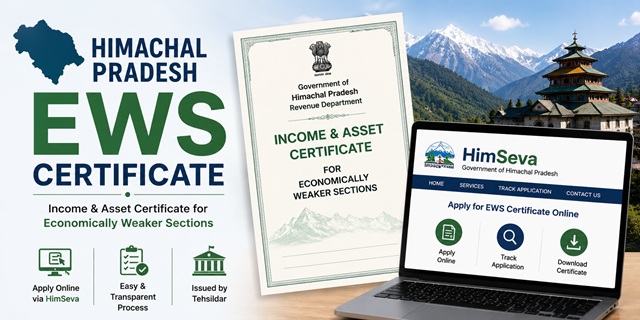
The EWS Certificate in Himachal Pradesh is officially called the Income and Asset Certificate for Economically Weaker Sections. It is issued by the Revenue Department, Government of Himachal Pradesh, through the Tehsildar of the applicant's tehsil. Applications are submitted through the HimSeva portal at himseva.hp.gov.in, which is the renamed and updated version of the earlier eDistrict HP portal. The old URL edistrict.hp.gov.in now redirects to himseva.hp.gov.in.
With this certificate, eligible general category residents of Himachal Pradesh can claim 10% reservation in central and state government jobs, HPPSC (Himachal Pradesh Public Service Commission) exams, HPSSC (Himachal Pradesh Staff Selection Commission) recruitments, IITs, NITs, central universities, NEET All India Quota seats, and various HP state welfare schemes.
Himachal Pradesh also accepts a BPL (Below Poverty Line) Certificate countersigned by the Block Development Officer (BDO) as an alternative to the Income and Asset Certificate for EWS purposes in HPPSC and state exams, making HP unique in offering this alternative route.
Eligibility Criteria
To be eligible for an EWS certificate in Himachal Pradesh, all of the following conditions must be satisfied:
- You must be a permanent resident of Himachal Pradesh and belong to the general (unreserved) category. You must not belong to SC, ST, or OBC categories
- Your family's gross annual income from all sources must be below Rs. 8 lakh for the financial year preceding the year of application. Income includes salary, agriculture, business, profession, rent, and any other source
- Your family must not own 5 acres of agricultural land or more
- Your family must not own a residential flat of 1,000 sq ft or more
- Your family must not own a residential plot of 100 sq yards or more in a notified municipality
- Your family must not own a residential plot of 200 sq yards or more outside notified municipalities
All four asset conditions must be satisfied alongside the income condition. Income is always calculated on a gross basis. "Family" includes the applicant, parents, spouse, children below 18 years, and unmarried siblings below 18 years.
HP-Specific EWS Requirement for HPPSC Exams
Himachal Pradesh is unique in what it accepts for EWS claims in state government exams. For HPPSC exams including HPAS, Naib Tehsildar, BDO, and other state services, candidates applying under the EWS category must submit:
- Either the Income and Asset Certificate (standard EWS certificate) issued by the Tehsildar in the HP government prescribed format, OR
- A valid BPL Certificate countersigned by the Block Development Officer (BDO)
In addition to either of the above, EWS candidates for HPPSC exams must also submit a Non-SC/ST/OBC certificate issued by the competent authority in the format prescribed by the HP Government. This confirms the applicant belongs to the general category. For HPPSC exams, a Bonafide Himachali Certificate is also required. Check the specific HPPSC notification for the exact letter number and format of the non-SC/ST/OBC certificate required.
HimParivar: HP's Family Registry System
Himachal Pradesh is developing the HimParivar system at himparivar.hp.gov.in as an integrated state social registry and family identity system. The HimParivar ID is a unique identifier for each family in HP linked to the Parivar Register maintained by the Panchayati Raj Department. As this system becomes more integrated with the HimSeva portal, it may be used for auto-filling application details for revenue certificates including EWS. If your Aadhaar is seeded in the Parivar Register, you can access your HimParivar ID at himparivar.hp.gov.in. Having your HimParivar ID ready can speed up the HimSeva application process.
Documents Required
The official HP Revenue Department EWS certificate checklist (confirmed from the official emerginghimachal.hp.gov.in PDF) requires the following three categories of documents:
- Residence Proof: Any one of the following: Aadhaar Card showing HP address, domicile certificate, Ration Card, Voter ID, electricity or water bill, or Parivar Register nakal certified by Gram Pradhan
- Photo Identity Proof: Any one of the following: Aadhaar Card, Voter ID, PAN Card, or passport
- Self-Declaration: A signed declaration stating total family income from all sources is below Rs. 8 lakh and that all asset limits are within the prescribed thresholds. This must include income details from all sources and details of any land or property owned
Additionally, for completeness of verification, keep the following documents ready:
- Income proof: Salary certificate or Form 16 for salaried persons; Income Tax Returns; or self-declaration for farmers and self-employed persons
- Jamabandi or land records showing agricultural land owned by the family, if any. Obtain from the Patwari or the HP Bhulekh portal. If no land is owned, include this in the self-declaration
- Property documents: Property tax receipt showing area of residential property owned, if any
- Passport-size photograph of the applicant
All documents must be in PDF or JPEG format for upload on the HimSeva portal.
Method 1: Apply Online Through HimSeva Portal
- Go to himseva.hp.gov.in
- Click on New User Registration or Register Here if you are a new user. Enter your name, mobile number, email ID, date of birth, and create a username and password. Submit the form. Your account is created and a confirmation is sent to your mobile
- Click Login on the homepage. Enter your username and password. Complete the captcha. Click Login
- After logging in, click on Apply for Services from the dashboard menu
- Select Revenue Department from the list of departments
- Scroll down to find and click on Application for Economically Weaker Section Certificate
- The service page opens. Review the checklist of required documents and click Apply Now
- The application form opens. Fill in your personal details: name, father's name, address, district, tehsil, and mobile number
- Fill in your income details from all sources for all family members. Fill in asset details: land owned in acres and residential property owned
- Upload the three mandatory documents: Residence Proof, Photo Identity Proof, and Self-Declaration. Keep each file under the portal's size limit in PDF or JPEG format
- Upload your passport-size photograph
- Proceed to the payment window. Pay the government fee of Rs. 7 plus processing fee of Rs. 10 (total Rs. 17) online through UPI, net banking, or debit card
- Submit the application. An Application Number is generated. Click Download the Confirmation Receipt to save the receipt. Keep the Application Number for tracking
- The application goes to the Tehsildar's office. The Tehsildar forwards it to the Revenue Inspector (RI) for field verification. The RI verifies income, land holdings, and residence at your address
- After the RI's report, the Tehsildar approves and digitally signs the certificate
- Once approved, log in to HimSeva, go to your application, and download the digitally signed certificate in PDF format
Method 2: Apply Through LMK / SUGAM Kiosk (Lok Mitra Kendra)
Lok Mitra Kendras (LMK), also called SUGAM centres, are Himachal Pradesh's government-facilitated service kiosks. They are spread across all 12 districts of HP at block and panchayat levels. These are HP's equivalent of the Common Service Centre (CSC) network in other states.
- Locate your nearest Lok Mitra Kendra. LMK centres are typically present at panchayat ghar locations, block development offices, and market areas across HP districts
- Carry your Aadhaar card, Voter ID or PAN card, income proof, land records (if applicable), and passport-size photograph
- Tell the LMK operator you need the EWS Income and Asset Certificate
- The operator logs into the HimSeva portal and fills the application form on your behalf. Documents are scanned and uploaded. Photograph is uploaded
- Pay the government fee of Rs. 7 plus Rs. 10 processing fee plus LMK user charges of Rs. 10, totalling Rs. 27 at the counter
- Collect the printed Confirmation Receipt with your Application Number from the operator. Keep this for tracking and downloading the certificate after approval
- SMS updates are sent to your registered mobile as the application moves through RI verification and Tehsildar approval stages
- Once approved, return to the LMK for a printed certificate or download it from the HimSeva portal using your Application Number
Method 3: Apply Offline at the Tehsil Office
- Visit the Tehsil office (Tehsildar's office) in your tehsil headquarters
- Obtain the EWS certificate application form from the counter. The prescribed form is also available at himseva.hp.gov.in under the forms section
- Fill in the form with your name, address, family income from all sources, and land or property details of all family members
- Attach photocopies of Residence Proof, Photo Identity Proof, income proof, land records (if applicable), and passport-size photograph
- Submit the completed form at the receiving counter. The Tehsil office staff enters the application in the HimSeva system and issues you an acknowledgement with the Application Number
- The Tehsildar assigns the application to the Revenue Inspector (RI) for field verification. The RI verifies income sources, land holdings through Patwari records, and residence details
- The RI submits a verification report to the Tehsildar. The Tehsildar reviews the report and documents, then approves or rejects the certificate
- Once approved, download the certificate from the HimSeva portal using your Application Number or collect a printed copy from the Tehsil office
Role of Revenue Inspector and Patwari in HP EWS Verification
In Himachal Pradesh, the field verification for EWS certificates is conducted by the Revenue Inspector (RI). The RI is a field-level revenue officer who verifies income and land details at the applicant's address. The Patwari maintains village land records including Jamabandi (record of rights for agricultural land) and Shajra Nasb (genealogy/family record) in HP. The RI may cross-check land records with the Patwari before submitting the verification report to the Tehsildar.
Application Fee
The fee for the EWS certificate in Himachal Pradesh is confirmed from the official HP Revenue Department EWS certificate procedure document:
- Government fee: Rs. 7
- Processing fee: Rs. 10
- Total for online self-application: Rs. 17
- LMK/SUGAM user charges (if applicable): Rs. 10 extra
- Total at LMK/SUGAM kiosk: Rs. 27
Payment is made online through UPI, net banking, or debit card during portal application, or at the LMK counter.
Processing Time
The EWS certificate in Himachal Pradesh is typically issued within 15 to 21 working days of application submission. Processing depends on the Revenue Inspector's field verification and the workload at the Tehsildar's office. Applications with complete and consistent documents where the RI's visit is completed promptly are processed within 15 working days. If your application is pending beyond 21 working days, contact the Tehsil office with your Application Number or email the HimSeva helpdesk.
Validity of the EWS Certificate in HP
The EWS certificate is valid for one financial year (April 1 to March 31). It must be renewed every year. For HPPSC and HPSSC exams, always check the specific notification for validity and format requirements. For NEET All India Quota counselling, apply for a fresh certificate after April 1. For NEET state quota (85%) counselling in Himachal Pradesh, the EWS certificate must be issued by an HP Tehsildar.
How to Track Application Status
- Go to himseva.hp.gov.in
- Click on Track Your Application on the homepage. This is available without login
- Enter your Application Number and click Search
- The current status is displayed showing whether your application is pending at RI, pending at Tehsildar, approved, or rejected
How to Download the Certificate
- Log in to himseva.hp.gov.in with your credentials
- Go to your application history on the dashboard
- Find the approved EWS certificate application
- Click Download Certificate to save the digitally signed PDF
The certificate carries the Tehsildar's digital signature and is legally valid for government jobs, HPPSC and HPSSC exams, educational admissions, and welfare schemes.
వ్యాఖ్యానించండి