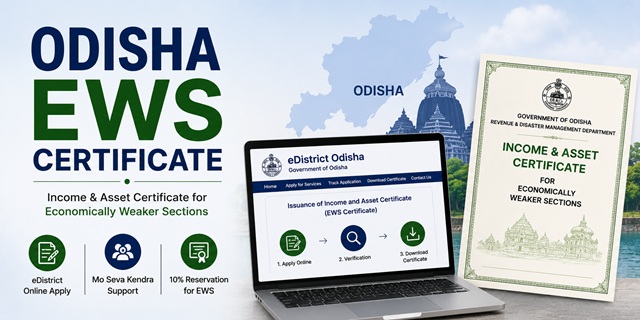
The EWS Certificate in Odisha is officially called the Income and Asset Certificate for Economically Weaker Sections (ଆୟ ଏବଂ ସମ୍ପତ୍ତି ପ୍ରମାଣପତ୍ର). It is issued by the Revenue and Disaster Management Department through the Tahasildar to general category residents of Odisha who do not belong to SC, ST, or SEBC categories and who meet the prescribed income and asset limits.
This certificate is used by eligible residents to claim 10% reservation in central and state government jobs, IITs, NITs, central universities, NEET All India Quota seats, state admissions through SAMS Odisha (Student Academic Management System), and various government scholarship schemes. Applications are submitted through the eDistrict portal at edistrict.odisha.gov.in, through Mo Seva Kendras (Odisha's Common Service Centres), or offline at the nearest Tahasil office. There is no government service charge for this certificate.
Eligibility Criteria
To be eligible for an EWS certificate in Odisha, all of the following conditions must be satisfied:
- You must be a permanent resident of Odisha and belong to the general (unreserved) category. You must not belong to SC, ST, or SEBC (Socially and Educationally Backward Classes) categories as per the Odisha state list
- Your family's gross annual income from all sources must be below Rs. 8 lakh for the financial year preceding the year of application. Income includes salary, wages, remuneration from government or private service or PSUs, income from movable properties, trade, business, profession, agriculture, and any other source
- Your family must not own 5 acres of agricultural land or more
- Your family must not own a residential flat of 1,000 sq ft or more
- Your family must not own a residential plot of 100 sq yards or more in a notified municipality
- Your family must not own a residential plot of 200 sq yards or more outside notified municipalities
All four asset conditions must be satisfied alongside the income condition. Income is always calculated on a gross basis and covers all members of the family living in a common mess. "Family" includes the applicant, parents, spouse, children below 18 years, and unmarried siblings below 18 years.
Important Note on SEBC in Odisha
Odisha uses the term SEBC (Socially and Educationally Backward Classes) for state-level backward class reservations. SEBC is the Odisha state list and is different from OBC (Other Backward Classes), which is the central government list. The eDistrict portal lists SEBC Certificate and OBC Certificate as separate services. For EWS eligibility, candidates who belong to the Odisha SEBC list are not eligible for the EWS certificate. Only persons not covered under SC, ST, or SEBC categories can apply.
Documents Required
Keep the following documents ready before applying. All documents must be in PDF or JPEG format for online upload:
- Aadhaar Card of the applicant
- Ration Card showing family members and Odisha address
- EPIC card (Voter ID) as identity and residence proof
- Income proof: Salary certificate from employer for salaried persons; IT Returns for salaried and business applicants; self-declaration of income for agricultural workers and those with no formal income proof
- RoR (Record of Rights): Odisha's official land record maintained through the Bhulekh system. The RoR shows the land owner's name, plot number, and area of land held. This is required to verify that your family's agricultural land is below 5 acres. Download your RoR from the Bhulekh Odisha portal at bhulekh.ori.nic.in. If your family owns no agricultural land, submit a self-declaration to that effect. The eDistrict portal also accepts a copy of the finally published Settlement RoR or Consolidation RoR
- Property documents: Holding tax receipt or sale deed showing area of any residential property owned by family members. If no property is owned, include this in the self-declaration
- Self-declaration declaring total family income from all sources is below Rs. 8 lakh and that asset limits are not exceeded
- Passport-size photograph of the applicant
- PAN Card of earning family members (if available)
Method 1: Apply Online Through eDistrict Odisha Portal
- Go to edistrict.odisha.gov.in
- Click on Register Yourself on the homepage to create a new citizen account. Enter your full name, mobile number, email ID (optional), and create a password. An OTP is sent to your mobile number. Enter the OTP to verify your number. Complete the profile setup with your address details
- Log in using your registered mobile number or username and password
- On the dashboard, click Apply for Services
- Select Revenue and Disaster Management Department from the department list
- Select Issuance of Income and Asset Certificate from the list of services. This is the EWS certificate service on the portal
- The application form opens. Fill in applicant's name, father's and mother's name, address, district, tahasil, village or ward, and mobile number
- Fill in income details: enter gross income from each source separately including salary, agriculture, business, rent, and any other source for all family members living in a common mess
- Fill in asset details: agricultural land held in acres, residential flat or plot area, and whether any residential property is owned in a notified municipality or outside
- Upload all required documents within the portal's file size limits. Upload the RoR or land-related document, income proof, identity proof, and photograph
- The application is submitted at zero government fee. Click Submit
- An Application Reference Number is generated. Save this number. An SMS is also sent to your registered mobile
- Once the Tahasildar approves the application, log in to the portal, go to your application, and click Download Certificate. Both the Application Reference Number and the Token Number printed on the certificate are needed to download it
Method 2: Apply Through Mo Seva Kendra
Mo Seva Kendra (meaning "My Service Centre") is Odisha's network of Common Service Centres. These are present in both rural and urban areas across all 30 districts of Odisha. Citizens without internet access or those who need assisted application can use this route.
- Visit your nearest Mo Seva Kendra. To find the nearest one, ask at your Tahasil office or Gram Panchayat office
- Tell the operator you need the Income and Asset Certificate for EWS (EWS certificate)
- Hand over your Aadhaar card, ration card, RoR or land documents (or self-declaration if no land), income proof, and passport-size photograph
- The operator logs into the eDistrict portal and fills the application form on your behalf
- Documents are scanned and uploaded. Photograph is uploaded
- There is no government fee for this certificate. The Mo Seva Kendra operator may charge a small service fee for their assistance. Confirm the service fee before proceeding
- The operator submits the application and gives you a printed receipt with the Application Reference Number. Keep this receipt carefully as both the Reference Number and the Token Number from the issued certificate are needed for downloading
- You receive SMS updates on your registered mobile number as the application moves through verification stages
Method 3: Apply Offline at the Tahasil Office
- Visit the Tahasil office in your mandal or block headquarters. The Tahasildar is the issuing authority for the EWS certificate in Odisha
- Obtain the Income and Asset Certificate application form from the counter at the Tahasil office. The form is also available for download on the eDistrict portal at edistrict.odisha.gov.in
- Fill in the form with complete details including applicant's name, address, income from all sources for all family members, and details of all land and property owned by family members
- Attach photocopies of Aadhaar card, ration card, income proof, RoR or land documents (or self-declaration if no land), property documents (or self-declaration if no property), and passport-size photograph
- Provide your mobile number on the form clearly so that SMS updates can be sent to you
- Submit the completed form with attachments at the receiving counter of the Tahasil office
- The receiving officer enters the application into the eDistrict system and gives you an acknowledgement receipt with the Application Reference Number
- The Tahasildar verifies the documents, may initiate a field enquiry through the RI (Revenue Inspector) for verification of land and income details, and then approves or rejects the application
- Once approved, collect the certificate from the Tahasil office or download it from the eDistrict portal using your Application Reference Number and Token Number
Verification Process in Odisha
After submission through any channel, the application follows this workflow:
- The application is assigned to the concerned Revenue Inspector (RI) who verifies the address, land holdings through the Bhulekh RoR system, and income sources
- The RI submits a field verification report to the Tahasildar
- The Tahasildar reviews all documents and the RI's report and either approves or rejects the application
- On approval, the digitally signed certificate is uploaded to the eDistrict portal and made available for download. The certificate is digitally signed under the IT Act 2000
- An SMS notification is sent to your registered mobile when the certificate is approved
Application Fee
As confirmed directly from the eDistrict Odisha portal, there is absolutely no government service charge for the Income and Asset Certificate (EWS certificate) in Odisha. This applies whether you apply online, through the eDistrict portal directly, or through a Mo Seva Kendra. The Mo Seva Kendra operator may charge a small fee for their service, but the government fee is zero.
Processing Time
Under the Odisha Right to Public Services Act (ORTPS Act), the Income and Asset Certificate must be delivered within 15 working days of application submission. This is a statutory guarantee. If the certificate is not issued within 15 working days, you can file a complaint under the ORTPS Act. The actual time varies between 10 and 15 working days depending on the RI's field verification and the workload at the Tahasil office. Complete and accurate applications are processed faster.
Validity of the EWS Certificate in Odisha
The EWS certificate is valid for one financial year (April 1 to March 31). It must be renewed every year by applying fresh with updated income documents for the previous financial year. For SAMS Odisha admissions, check the specific admission notification to confirm the exact validity requirement. For NEET All India Quota counselling in June or July, apply for a fresh certificate after April 1 of that year.
How to Track Application Status
To check the status of your EWS certificate application:
- Go to edistrict.odisha.gov.in
- On the homepage, click Track Your Application
- Enter your Application Reference Number in the search field
- Click Submit. The current status of your application is displayed showing whether it is pending, under verification, approved, or rejected
If your application is rejected, the officer leaves a comment explaining the reason. You can correct the issue and apply again as a fresh application.
How to Verify and Download the Certificate
To download the approved certificate:
- Go to edistrict.odisha.gov.in
- Click Verify Your Certificate on the homepage
- Enter both the Application Reference Number and the Token Number printed on the certificate
- Click Download Certificate. Both numbers must be entered correctly for the download to succeed
The Odisha eDistrict portal also has an Android app available on the Google Play Store for applying and tracking certificates from a smartphone.
Helpline and Support
For queries related to the EWS certificate or any eDistrict service in Odisha, contact the Sanjog Helpline at 155335. This is the unified government helpline for all Odisha government services. For specific revenue certificate queries, email [email protected]. For technical issues with the portal, contact [email protected] or reach out to OCAC (Odisha Computer Application Centre) at Acharya Vihar, Bhubaneswar.
వ్యాఖ్యానించండి