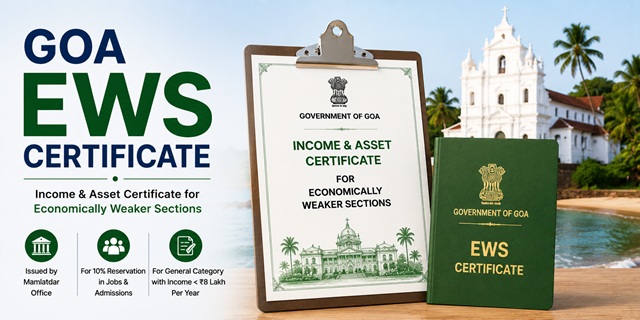
The EWS Certificate in Goa is officially called the Income and Asset Certificate for Economically Weaker Sections. It is issued by the Government of Goa's Revenue Department, through the Mamlatdar of the concerned Taluka where the applicant permanently resides. Goa uses the Mamlatdar, not the Tehsildar, as the taluka-level revenue officer and certificate issuing authority.
With this certificate, eligible general category residents of Goa can claim 10% reservation in central and state government jobs, GPSC (Goa Public Service Commission) exams, IITs, NITs, central universities, NEET All India Quota seats, and admissions through DTE Goa (Directorate of Technical Education) and DHE Goa (Directorate of Higher Education) processes.
Applications are submitted through the Goa Online portal at goaonline.gov.in (online route) or directly at the Mamlatdar office of your Taluka (offline route). The Goa Online helpline is +91-8882988000 (Monday to Saturday, 9:45 AM to 5:30 PM). Email: [email protected].
It is important to upload the EWS Certificate Affidavit on Rs. 100 Stamp Paper while applying for the EWS Certificate in Goa.
Eligibility Criteria
To be eligible for an EWS certificate in Goa, all of the following conditions must be satisfied:
- You must be a permanent resident of Goa and belong to the general (unreserved) category. You must not belong to SC, ST, OBC, or SEBC (Socially and Educationally Backward Classes) categories. SEBC is Goa's state classification for backward communities
- Your family's gross annual income from all sources must be below Rs. 8 lakh for the financial year preceding the year of application. Income includes salary, agriculture, business, profession, rent, and any other source
- Your family must not own 5 acres of agricultural land or more
- Your family must not own a residential flat of 1,000 sq ft or more
- Your family must not own a residential plot of 100 sq yards or more in a notified municipality
- Your family must not own a residential plot of 200 sq yards or more outside notified municipalities
All four asset conditions must be satisfied alongside the income condition. Income is always calculated on a gross basis. "Family" includes the applicant, parents, spouse, children below 18 years, and unmarried siblings below 18 years.
Mamlatdar and Talathi: Goa's Revenue Officers
Goa's revenue administration at the taluka level uses two unique officers:
- Mamlatdar: The head of revenue administration at the Taluka level in Goa. The Mamlatdar is the issuing authority for all revenue certificates including the EWS certificate. Goa has 12 Talukas across its two districts (North Goa and South Goa), each with its own Mamlatdar office
- Talathi: The village-level revenue officer in Goa (equivalent to Patwari in other states). The Talathi maintains village land records, verifies income and residence, and submits a field report to the Mamlatdar within 3 working days of the application. The Mamlatdar issues the certificate within 2 working days after receiving the Talathi's report
This structured 5-day delivery timeline is mandated under The Goa (Right of Citizen to Time Bound Delivery of Public Services) Act, 2013.
Goa's Two Districts and 12 Talukas
Goa has two districts and 12 Talukas. Your EWS certificate must be obtained from the Mamlatdar of the Taluka where you permanently reside:
- North Goa District: Bardez, Bicholim, Pernem, Tiswadi, Satari, Ponda
- South Goa District: Canacona, Dharbandora, Mormugao, Quepem, Salcete, Sanguem
Documents Required
Keep the following documents ready before applying. For online applications, all files must be in PDF or JPEG format. For offline applications, carry self-attested photocopies and originals for verification:
- Aadhaar Card or Voter ID Card of the applicant (self-attested photocopy)
- Income Certificate from Village Panchayat, City Corporation (CCP), or Municipality: An income certificate issued by the Village Panchayat (for rural areas), Panaji City Corporation (CCP for Panaji), or the local Municipality (for urban areas). This is a key Goa-specific prerequisite document. The Panchayat or Municipality-issued income certificate serves as the primary proof of income before the Mamlatdar issues the full EWS certificate
- Ration Card copy (self-attested) showing family members and Goa address
- Birth Certificate of the applicant (self-attested)
- School leaving certificate of the applicant (self-attested)
- Income proof from all sources: Salary slip or Form 16 for salaried persons; Income Tax Returns; self-declaration of income for farmers and self-employed persons
- Land records: Property documents showing agricultural land and residential property owned by family members. If no land or property is owned, include this in the self-declaration
- Self-declaration: A declaration stating the number of family members, total family income from all sources, and confirmation that asset limits are not exceeded
- Passport-size photograph of the applicant
- Marriage certificate in the case of a married woman (self-attested)
Note: The income certificate from the Village Panchayat or local body is a required supporting document. Obtain this first if you do not already have one before submitting the EWS application.
Method 1: Apply Online Through Goa Online Portal
- Go to goaonline.gov.in
- Click on the Register button on the homepage if you are a new user. Enter your name, email ID, mobile number, and create a password. Submit and verify via OTP. Your account is created
- Click Login and enter your credentials
- After logging in, click on Services Menu at the top of the dashboard
- Click All Services, then select Revenue from the department list
- Find and click on Income and Asset Certificate for EWS from the Revenue services list. If this service appears as REV34 or with a similar code, click the Apply button next to it
- The application form opens. Fill in your personal details: name, father's name, address, Taluka, district, and mobile number
- Fill in income details: enter gross income from all sources separately for all family members
- Fill in asset details: agricultural land held and residential property owned by family members
- Upload all required documents within the portal's file size limits. The portal allows you to click on the Document required link on the service page to see the exact list of documents to upload for this specific service
- After uploading, pay the convenience fee as applicable through the portal's payment gateway. The payment receipt is available in your inbox after successful payment
- Note the Acknowledgement Number after payment. This is your reference for tracking status
- The department scrutinises your application. If any document is missing or needs correction, the application is marked back to you for compliance. Upload the required documents promptly to avoid delays
- Once approved by the department, the certificate is issued digitally and available in your Inbox on the Goa Online portal for download
Method 2: Apply Offline at the Mamlatdar Office
- Download the EWS Income and Asset Certificate application form from the Goa Online portal at goaonline.gov.in/FormDownload or collect it from the Mamlatdar office of your Taluka
- Fill in the application form addressed to the Mamlatdar of the concerned Taluka. Enter your name, father's name, address, and complete details of family income from all sources and all land or property owned
- Attach self-attested photocopies of all required documents: Aadhaar or Voter ID, income certificate from Village Panchayat or local body, ration card, birth certificate, school leaving certificate, income proof, land records (if applicable), self-declaration, and passport-size photograph
- Visit the Mamlatdar office of your Taluka on any working day. Submit the completed form with all attachments at the receiving counter
- Collect the Acknowledgement Receipt from the counter staff. The receipt contains the delivery date for your certificate printed on it. This date is calculated based on the 5-day statutory timeline under The Goa Right of Citizen to Time Bound Delivery of Public Services Act, 2013
- The Mamlatdar endorses the application to the Talathi of your village or area for field report within the same day or next working day
- The Talathi verifies your income sources, land holdings through village records, and residence details, and submits a field report to the Mamlatdar within 3 working days of receiving the endorsement
- After receiving the Talathi's report, the Mamlatdar issues the EWS certificate within 2 working days
- Collect the certificate from the Mamlatdar office on or after the delivery date printed on your acknowledgement receipt. You must sign the register when collecting the certificate
Application Fee
For offline applications at the Mamlatdar office, there is no government fee for the EWS certificate. For online applications through the Goa Online portal, a convenience fee is charged at the time of payment on the portal. The convenience fee amount is displayed at the payment step on the portal and varies by service. Check the exact amount during the payment step before confirming.
Processing Time
Under The Goa (Right of Citizen to Time Bound Delivery of Public Services) Act, 2013, the EWS certificate is delivered within 5 working days of application submission at the Mamlatdar office:
- Day 1 to Day 3: Talathi submits field report to Mamlatdar
- Day 4 to Day 5: Mamlatdar issues the certificate
For online applications through the Goa Online portal, processing may take slightly longer if documents are returned for compliance. If the certificate is not issued within the statutory timeline, you can approach the First Appellate Authority under the Goa RTPDS Act.
Validity of the EWS Certificate in Goa
The EWS certificate is valid for one financial year (April 1 to March 31). It must be renewed every year by applying fresh. For DTE Goa and DHE Goa admissions, a valid EWS certificate is mandatory at the time of document verification. For NEET All India Quota counselling in June or July, apply for a fresh certificate after April 1 of that year.
How to Track Application Status
- Go to goaonline.gov.in
- Log in with your credentials
- Click on Inbox on your dashboard to check the status of your application
- Alternatively, use the Acknowledgement Number from your receipt to check the status on the portal
How to Download the Certificate
- Log in to goaonline.gov.in
- Go to your Inbox on the dashboard
- Find the approved EWS certificate application
- Click Download Certificate to save the digitally signed PDF
వ్యాఖ్యానించండి