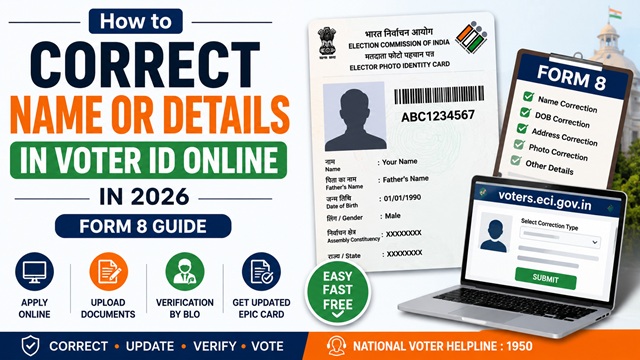
Errors in your Voter ID Card - a misspelt name, wrong date of birth, outdated photograph, or incorrect relation name - can create problems during elections, KYC verification, and identity checks. The Election Commission of India allows you to correct up to 4 entries in a single Form 8 application, completely online and free of charge.
All corrections are submitted through Form 8 on the official Voters’ Services Portal at voters.eci.gov.in.
What Details Can Be Corrected in One Application?
Form 8 allows correction of up to 4 entries at once in a single submission. The following details can be corrected:
| Field | Example of Correction Needed | Document Required |
|---|---|---|
| Name | Spelling error, name change after marriage, legal name change | Aadhaar, PAN, Passport, marriage certificate, or gazette notification |
| Date of Birth / Age | Wrong date or year entered at registration | Birth certificate, Class 10 marksheet, Aadhaar (with correct DOB), Passport |
| Gender | Wrong gender marked at registration | Aadhaar or any government ID showing correct gender |
| Relation Type | Father/Mother/Husband/Other marked incorrectly | Relevant identity document |
| Relation Name | Father’s or husband’s name spelled incorrectly | Birth certificate, school certificate, or Aadhaar of the relative |
| Photograph | Old or unclear photograph, face not visible properly | New passport-size photograph (4.5 cm × 3.5 cm, white background, unsigned) |
| Mobile Number | Old mobile number linked, need to update to current number | No supporting document required - OTP verification is the proof |
A maximum of 4 of the above can be corrected in a single Form 8 application. If you need to correct more than 4 details, you will need to submit a second Form 8 after the first is processed.
Documents Required for Name Correction
For name correction specifically, the document you submit must clearly show your correct name. Accepted documents include:
- Aadhaar card (showing correct name)
- Indian Passport
- PAN card
- Driving licence
- Class 10 or Class 12 certificate or marksheet
- Marriage certificate - for name change after marriage
- Gazette Notification - for officially changed name
- Any other government-issued document showing the correct name
Note on name after marriage: If you changed your name after marriage, submit your marriage certificate along with one government ID in your new married name. If your Aadhaar already reflects your new name, that alone is sufficient.
Can You Correct Voter ID Details Without Aadhaar?
Yes. Aadhaar is not mandatory for correcting Voter ID details through Form 8.
You can use other government-issued documents as proof, including:
- Passport
- PAN card
- Birth certificate
- School certificate or marksheet
- Driving licence
- Marriage certificate
However, your supporting document must clearly show the correct information you want to update.
How to Correct Voter ID Details Online - Step by Step
- Go to voters.eci.gov.in and log in with your registered mobile number and password.
- On the dashboard, click Form 8 under the Correction of Entries section.
- Select Correction of Entries in Existing Electoral Roll from the options.
- Your State, District, and Assembly Constituency are auto-filled. Verify and click Next.
- Enter your Aadhaar number, mobile number, and email ID. Click Next.
- Your current voter details are displayed. Select the checkboxes next to each detail you want to correct. You can select up to 4.
- For each selected field, enter the correct information.
- For photograph correction: upload your new passport-size photograph (clear, recent, white background, face fully visible, unsigned).
- Enter the name of the supporting document you are uploading as proof.
- Upload a self-attested scan or clear photo of the supporting document.
- Click Next.
- Fill in the Declaration confirming all information is true.
- Enter the captcha and click Submit.
- An Acknowledgement Number (Reference ID) is generated. Save it for tracking.
How to Correct Voter ID Details Offline
- Download Form 8 from voters.eci.gov.in or collect it from your ERO office or BLO.
- Fill in your personal details and EPIC number at the top of the form.
- Under section 2 (Correction of Entries), put a tick in the box next to each field you want to correct. A maximum of 4 entries can be corrected.
- Write the correct information for each ticked field.
- For photograph correction: paste your new, unsigned passport-size photograph in the space provided.
- Attach self-attested copies of supporting documents for each correction.
- Sign the declaration at the bottom of the form.
- Submit to your ERO office or BLO and collect the acknowledgement receipt.
What Happens After Submission?
- Your application is verified by the Booth Level Officer (BLO) and reviewed by the Electoral Registration Officer (ERO).
- Once approved, your electoral roll entry is corrected.
- A new EPIC card with the corrected details is printed and dispatched to your registered address via Speed Post free of cost.
- Your updated e-EPIC is available for download on voters.eci.gov.in as soon as the correction is reflected in the system - no need to wait for the physical card. If you are also updating your address along with your name or details, the address update guide covers that process separately.
How to Track Your Correction Application Status
- Log in to voters.eci.gov.in.
- Click Track Application Status.
- Enter your Reference ID and click Submit.
You can also call the national Voter Helpline at 1950 for status updates.
Official Portals and Useful Links
- Voters’ Services Portal - voters.eci.gov.in (Submit Form 8 online)
- Download Form 8 PDF - voters.eci.gov.in
- All ECI Forms - eci.gov.in
- Election Commission of India - eci.gov.in
National Voter Helpline: 1950 (Toll-free, All States)
Disclaimer: This article is for informational purposes only. The Election Commission of India governs processes and are subject to change. Always refer to voters.eci.gov.in for the latest official information.
Add new comment