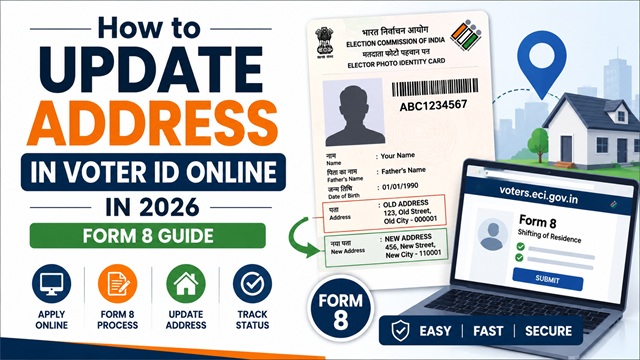
If you have moved to a new house or a new city, you need to update your address in your Voter ID Card. Voting with an incorrect address in your voter record can create problems on polling day - you may be assigned the wrong polling booth or find your name missing from the local electoral roll.
The address update process is handled online through voters.eci.gov.in using Form 8. It is free and takes only a few minutes to submit.
Same Constituency or Different Constituency - What Changes?
This is the most important thing to understand before you start. The process depends on whether you have moved within the same Assembly Constituency or to a different one.
| Your Move | What Happens to Your Voter Record | Form to Use |
|---|---|---|
| Moved within the same Assembly Constituency (same area, different street or building) | Only your address is updated. Your constituency, booth number, and serial number may also change. | Form 8 - select Shifting of Residence > Within Assembly Constituency |
| Moved to a different Assembly Constituency (different area, town, or city) | Your name is deleted from the old constituency electoral roll and added to the new one. A new EPIC card is issued. | Form 8 - select Shifting of Residence > Outside Assembly Constituency |
Your Assembly Constituency is determined by your residential address. If you are not sure whether your old and new addresses fall in the same constituency, search both addresses on electoralsearch.eci.gov.in and compare the constituency names shown.
Documents Required for Address Update
You need one self-attested proof of your new address. The following documents are accepted under Form 8 at voters.eci.gov.in:
- Aadhaar card showing the new address
- Water, electricity, or gas connection bill for the new address (at least 1 year old)
- Current passbook of a nationalised or scheduled bank or post office showing new address
- Indian Passport with new address
- Revenue Department's land owning records, including Kisan Bahi
- Registered rent or lease deed (for tenants)
- Registered sale deed (for own house)
Important: The address proof can be in the name of the applicant or in the name of a parent, spouse, or adult child already enrolled as an elector at the same new address.
How to Update Address Online - Step by Step (Form 8)
- Go to voters.eci.gov.in and log in with your registered mobile number and password.
- On the dashboard, click Form 8 under the Correction of Entries or Shifting of Residence section.
- Select Shifting of Residence from the application type options.
- Choose either:
- Within Assembly Constituency - if you moved within the same constituency, or
- Outside Assembly Constituency - if you moved to a different constituency
- Your State, District, and Assembly Constituency are auto-filled based on your current voter record. Verify them.
- Click Next.
- Enter your Aadhaar number, mobile number, and email ID. Click Next.
- Enter your new complete address with house number, street, area, town, PIN code, district, and state.
- Upload a self-attested copy of your address proof document (scan or clear photo of the document). Click Next.
- Fill in the Declaration section confirming the details are true and correct.
- Enter the captcha code and click Submit.
- An Acknowledgement Number (Reference ID) is generated. Save it to track your application.
After submission, your application is assigned to the local Booth Level Officer (BLO) for field verification of your new address. Once verified and approved by the Electoral Registration Officer, your voter record is updated and a new EPIC card with the corrected address is dispatched to your new address via Speed Post.
How to Update Address Offline
If you prefer to apply in person:
- Download Form 8 from voters.eci.gov.in or collect it from your nearest Electoral Registration Officer’s office or Booth Level Officer.
- Fill the form in BLOCK LETTERS in black ink.
- Select Shifting of Residence and tick the appropriate sub-option (within or outside constituency).
- Attach a self-attested copy of your new address proof.
- Submit at your ERO office or hand it to your BLO directly.
- Collect the acknowledgement receipt with your Reference Number.
What Happens After You Submit?
- For within same constituency: Your address is updated in the electoral roll. A new EPIC card reflecting the updated address is dispatched.
- For different constituency: Your name is removed from the old constituency roll and added to the new one after BLO verification. A new EPIC card is issued for your new constituency.
- Once approved, you can also download your updated e-EPIC from voters.eci.gov.in immediately without waiting for the physical card. If your name or other personal details also need fixing, you can do that in the same Form 8 submission - the complete process is covered in the Voter ID correction guide.
How to Check Address Update Application Status
- Go to voters.eci.gov.in and log in.
- Click Track Application Status on the dashboard.
- Enter your Reference ID received at the time of submission.
- Click Submit. The current status is displayed.
You can also call the national Voter Helpline at 1950 (toll-free) with your Reference ID for a status update.
Can Tenants Update Address in Voter ID?
Yes. Tenants living in rented houses can update their Voter ID address using a registered rent agreement, lease deed, utility bill, or other accepted residence proof documents.
The Election Commission allows voters to register at their ordinary place of residence even if they do not own the property.
During BLO verification, the officer may visit the rented address to confirm residence.
Official Portals and Useful Links
- Voters’ Services Portal - voters.eci.gov.in (Submit Form 8 online)
- Download Form 8 PDF - voters.eci.gov.in
- Electoral Roll Search - electoralsearch.eci.gov.in
- All ECI Forms - eci.gov.in
National Voter Helpline: 1950 (Toll-free, All States)
Disclaimer: This article is for informational purposes only. Processes are governed by the Election Commission of India and are subject to change. Always refer to voters.eci.gov.in for the latest official information.
Add new comment