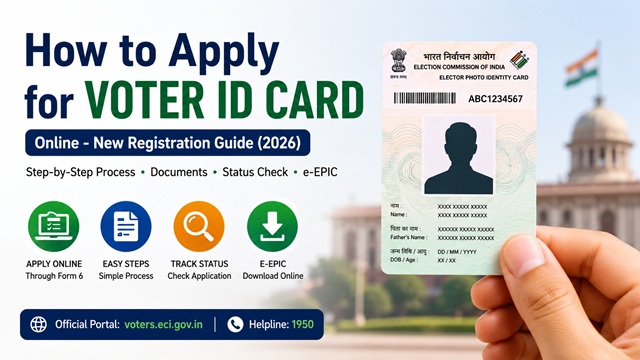
How to Apply for Voter ID Card Online - New Registration Guide (2026)
A Voter ID Card, officially called the Elector’s Photo Identity Card (EPIC), is issued by the Election Commission of India to every eligible citizen registered as a voter. Getting one is free, fully online, and straightforward. Once your name is added to the electoral roll, the physical EPIC card is delivered to your address via Speed Post at no cost.
The entire process - from filling the form to tracking your application - is handled through the official Voters&rsquo Services Portal at voters.eci.gov.in, managed by the Election Commission of India.
Who is Eligible to Apply for a Voter ID Card?
Every Indian citizen who meets all of the following conditions can apply:
- Must be a citizen of India
- Must be 18 years of age or above on the qualifying date. The qualifying dates are 1st January, 1st April, 1st July, and 1st October of the year. If you turn 18 on or before any of these dates, you can apply.
- Must be ordinarily resident at the address where you are applying
- Must not have been declared of unsound mind by a competent court
- Must not be disqualified from voting under any law
Can you apply before turning 18? Yes. If you will turn 18 on or before the next qualifying date (1st January, 1st April, 1st July, or 1st October), you can apply in advance. Your name will be added to the electoral roll from the relevant qualifying date.
Students: You can register either at your parents' permanent address or at your hostel or mess address where you currently live. Both are accepted.
Documents Required
You need two types of documents. All documents must be self-attested.
Proof of Age (any one)
- Birth certificate issued by a Municipal Authority or local body
- Class 10 or Class 12 mark sheet or school certificate showing date of birth
- Indian Passport
- PAN card
- Aadhaar card (date of birth must be mentioned)
- Driving licence
- MNREGA Job Card
- Bank or Post Office passbook with photograph and date of birth
If none of the above documents is available, you can submit any other document and appear personally before the Electoral Registration Officer (ERO) for verification.
Proof of Ordinary Residence (anyone)
- Aadhaar card
- Indian Passport
- Driving licence
- Bank or Post Office passbook with photograph and current address
- Ration card
- Latest water, telephone, electricity, or gas connection bill in the name of the applicant or a family member at the same address
- Income Tax assessment order
- Indian Postal Service identity card
The address proof can be in the name of the applicant or in the name of a parent, spouse, or adult child already enrolled as an elector at the same address.
Photograph
- One recent passport-size colour photograph (4.5 cm × 3.5 cm) with white background
- Both edges of the face must be clearly visible with eyes open
- Do not sign across or on the photograph
How to Apply for Voter ID Online - Step by Step (Form 6)
The application for new voter registration is submitted in Form 6 on the official Voters’ Services Portal.
- Go to voters.eci.gov.in.
- Click Login if you already have an account, or click Register to create a new account. Registration requires your mobile number and email address. Create a password and verify via OTP.
- After logging in, click on New Registration (Form 6) from the services listed on the dashboard.
- Fill in Form 6 with the following details:
- Personal details: Full name (in English and local language), date of birth, gender (Male / Female / Third Gender), father's name or mother's name
- Aadhaar number: Enter if available. If you do not have an Aadhaar, select the appropriate declaration box.
- Current address: Complete address with PIN code where you ordinarily reside
- Assembly Constituency: The portal auto-suggests based on your PIN code. Verify and confirm.
- Relative’s details: Details of a family member already enrolled in the same constituency (if applicable)
- Upload your documents:
- Passport-size photograph
- Proof of Age (self-attested scan or photo)
- Proof of Residence (self-attested scan or photo)
- Review all details carefully. Errors in name spelling or date of birth are common and will require a correction later using Form 8, so take your time here. If you later need to correct any details, you can do so through the same portal using the correction process.
- Submit the form. An Acknowledgement Number (Reference ID) is generated immediately. Save this number - you will need it to track your application status.
After submission, a Booth Level Officer (BLO) may visit your address to verify your residence. Once verified and approved by the Electoral Registration Officer, your name is added to the electoral roll and the physical EPIC card is dispatched to your address via Speed Post free of cost.
How to Apply via Voter Helpline App
The Election Commission of India’s official Voter Helpline App is available on Google Play Store and Apple App Store. It offers the same Form 6 registration service on your phone.
- Download the Voter Helpline app. It is published by ECI-IT - verify the publisher before downloading.
- Register or log in with your mobile number.
- Tap on New Registration or Apply to Vote.
- Fill in Form 6 with the same details as above.
- Upload your photograph, age proof, and address proof.
- Submit. Your Acknowledgement Number is displayed and also sent via SMS.
How to Apply Offline
If you prefer to apply in person, download Form 6 from eci.gov.in/download-forms, fill it in block letters, attach self-attested copies of your photograph, age proof, and residence proof, and submit it at:
- Your nearest Booth Level Officer (BLO)
- Your Electoral Registration Officer’s (ERO) office
- Voter Registration Centres set up during Special Summary Revision periods
The BLO for your area can be found through the Voter Helpline App or by calling the national Voter Helpline at 1950.
What Happens After You Submit the Application?
After submitting Form 6, the following process takes place:
- Your application is assigned to the Booth Level Officer (BLO) of your area for field verification.
- The BLO may visit your address to verify residence. Be available or ensure a family member is present.
- The Electoral Registration Officer (ERO) reviews the application and the BLO's report.
- If approved, your name is added to the electoral roll of your Assembly Constituency.
- Your EPIC card is printed and dispatched to your registered address via Speed Post under proper acknowledgement, free of cost.
- You will also be able to download your e-EPIC (digital Voter ID) from voters.eci.gov.in once your registration is confirmed. The e-EPIC is a PDF version of your EPIC that is equally valid as the physical card and can be stored on your phone.
How Long Does It Take to Get a Voter ID Card?
The total time from application to receiving your physical EPIC card depends on how quickly the BLO completes field verification and the ERO approves your application. Here is the typical timeline:
| Stage | Typical Time |
|---|---|
| BLO field verification of your address | 1-4 weeks after submission |
| ERO review and approval | 2-6 weeks after BLO report |
| Name added to electoral roll | After ERO approval |
| e-EPIC available to download | Shortly after the name is added to the roll |
| Physical EPIC card dispatched via Speed Post | After printing - delivered within 1-2 weeks of dispatch |
| Total expected time | 15 days to 3 months, depending on your state and delivery mode |
The Election Commission has introduced a fast-track delivery system under which EPIC can be delivered within 15 days of approval in many states. During elections and peak registration periods, processing may take longer. You can track your application status at any time on voters.eci.gov.in using your Reference ID or call the Voter Helpline at 1950 for an update.
How to Check Voter ID Application Status
You can track your Form 6 application using the Acknowledgement Number received at the time of submission:
- Go to voters.eci.gov.in and log in.
- Go to Track Application Status.
- Enter your Reference ID / Acknowledgement Number and submit.
- The current status of your application is displayed.
You can also track via the Voter Helpline App using the same Reference ID, or call the national Voter Helpline at 1950 (toll-free, all states).
What to Do If Your Voter ID Application is Rejected?
Sometimes Form 6 applications are rejected by the Electoral Registration Officer. The rejection reason is communicated to you via SMS on your registered mobile number or shown on your application status page. Common reasons for rejection include:
- BLO could not verify your residence at the given address - you were not present during the field visit
- Documents uploaded are blurred, incomplete, or not self-attested
- Your name is already registered in the electoral roll of another constituency
- Age proof document does not clearly show date of birth
- Address in the proof document does not match the address filled in Form 6
If your application is rejected, take these steps:
- Check the rejection reason on voters.eci.gov.in under Track Application Status using your Reference ID.
- Correct the issue - update your documents, ensure your address proof matches exactly, or arrange to be present for BLO verification on the next visit.
- Submit a fresh application in Form 6 on the portal. There is no penalty for reapplying.
- If your name is already in another constituency and you have moved, you do not need Form 6. Instead, use Form 8 to shift your registration to your new address.
- For any difficulty, call the national Voter Helpline at 1950 or visit your nearest Electoral Registration Officer’s office for assistance.
Official Portals and Useful Links
- Voters’ Services Portal - voters.eci.gov.in (Apply online, Form 6)
- Download Form 6 PDF - voters.eci.gov.in
- All ECI Forms Download - eci.gov.in
- Electoral Roll Search - electoralsearch.eci.gov.in
- Election Commission of India - eci.gov.in
National Voter Helpline: 1950 (Toll-free, All States)
Disclaimer: This article is for informational purposes only. Processes and rules are governed by the Election Commission of India and are subject to change. Always refer to voters.eci.gov.in for the latest official information.
Add new comment