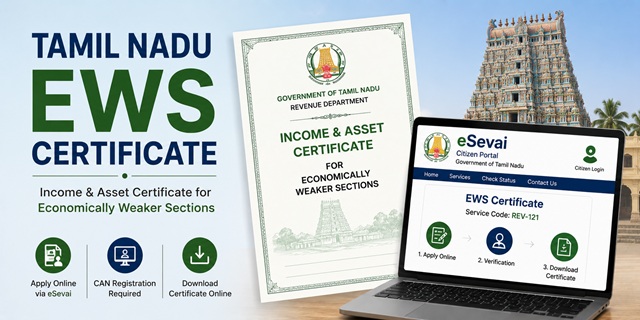
The EWS Certificate in Tamil Nadu is officially called the Income and Asset Certificate for Economically Weaker Sections and carries the service code REV-121 in the Tamil Nadu government's revenue services system. It is issued by the Tahsildar (also spelled Thasildhar in Tamil Nadu) to general category residents of Tamil Nadu who meet the income and asset limits prescribed by the Government of India.
With this certificate, eligible residents can claim 10% reservation in central and state government jobs, IITs, NITs, central universities, NEET All India Quota seats, Tamil Nadu state government jobs, and admissions to state colleges including TNEA (Tamil Nadu Engineering Admissions) and other state entrance-based admissions.
Applications are submitted through the Tamil Nadu e-Sevai Citizen Portal at tnesevai.tn.gov.in, through any of the 10,443 eSevai centres (Common Service Centres) across Tamil Nadu, or offline at the nearest Tahsildar office.
Eligibility Criteria
To be eligible for an EWS certificate in Tamil Nadu, all of the following conditions must be satisfied:
- You must be a permanent resident of Tamil Nadu and belong to the general (unreserved) category. You must not belong to SC, ST, OBC, MBC, or BC (Backward Class) categories as per the Tamil Nadu state classification
- Your family's gross annual income from all sources must be below Rs. 8 lakh for the financial year preceding the year of application. Income includes salary, agriculture, business, profession, rent, and any other source
- Your family must not own 5 acres of agricultural land or more
- Your family must not own a residential flat of 1,000 sq ft or more
- Your family must not own a residential plot of 100 sq yards or more in a notified municipality
- Your family must not own a residential plot of 200 sq yards or more outside notified municipalities
All four asset conditions must be satisfied along with the income condition. Income is always calculated on a gross basis. "Family" includes the applicant, parents, spouse, children below 18 years, and unmarried siblings below 18 years.
An important point specific to Tamil Nadu: the state has its own extensive classification of backward communities. Candidates belonging to BC, MBC, DNC (Denotified Communities), or any SC or ST community in Tamil Nadu are not eligible for EWS benefits. Only those in the Forward (FC) or General category who are not covered under any of these backward community lists are eligible.
CAN: Tamil Nadu's Unique Registration Requirement
Tamil Nadu's eSevai system requires every applicant to have a CAN (Citizen Access Number) before applying for any revenue certificate including the EWS certificate. CAN is a unique identification number assigned to each citizen in the Tamil Nadu government's service delivery system.
If you do not have a CAN, you must register for one first. CAN registration is done on the eSevai citizen portal at tnesevai.tn.gov.in. During CAN registration, you provide your personal details, Aadhaar number, and mobile number. An OTP is sent to verify your mobile. Once the CAN is created, it is linked to your profile permanently. You use this CAN number for all future eSevai service applications.
If you already have a CAN from a previous application (income certificate, nativity certificate, or any other service), you use the same CAN for the EWS application as well.
Documents Required
Keep the following documents ready before starting the application:
- Aadhaar Card of the applicant (mandatory for CAN registration and OTP verification)
- Ration Card showing family members and residence in Tamil Nadu
- Income proof: Salary slips or Form 16 for salaried persons; Income Tax Return; or a self-declaration of income for farmers and self-employed persons
- Patta Chitta (land ownership document): Tamil Nadu's official land record that shows agricultural land owned by the family. Patta and Chitta were merged into a single document in 2015. If your family owns agricultural land, obtain the Patta Chitta from the eServices portal at eservices.tn.gov.in or from the Tahsildar office. If no agricultural land is owned, submit a self-declaration
- Property documents: Sale deed or property tax receipt showing area of residential property owned by family members. If no property is owned, include this in a self-declaration
- Residence proof: Ration Card, Aadhaar Card, or any document showing Tamil Nadu address
- PAN Card of the applicant and earning family members
- Passport-size photograph of the applicant
- Self-declaration affidavit: Stating total family income from all sources is below Rs. 8 lakh and that asset limits are not exceeded
All documents must be in PDF or JPEG format for upload on the eSevai citizen portal.
How to Apply Online Through eSevai Citizen Portal
The online self-application process through the eSevai citizen portal allows residents to apply from home without visiting a government office or eSevai centre.
- Go to tnesevai.tn.gov.in and click on Citizen Login
- If you are a new user, click New User or register at tnesevai.tn.gov.in/Citizen/Registration.aspx. Enter your mobile number. An OTP is sent to verify your number. Complete registration to create your login credentials
- Log in with your credentials and captcha
- In the Services tab, select Department Wise, then click Revenue Department
- Select REV-121 Issuance of Income and Asset Certificate for EWS from the list. This opens a new browser tab
- Click Proceed
- In the search section, look up your CAN (Citizen Access Number). You can search by name, Aadhaar number, mobile number, or ration card number. If you find your CAN, select it using the radio button. Your mobile number is auto-filled. Click Generate OTP and enter the OTP received
- If you do not have a CAN, click Register CAN and complete the CAN registration process first with your personal and Aadhaar details
- After CAN verification, the application form opens with your personal details auto-filled. Verify all details carefully
- Fill in income details from all sources separately and asset details for all family members
- Upload all required documents within the portal's file size limits
- Pay the application fee of Rs. 60 online through net banking, UPI, or debit card
- Submit the application. An acknowledgement number is generated. Save this for tracking
- Once the Tahsildar approves the certificate, download it from the portal using your acknowledgement number
How to Apply Through an eSevai Centre (CSC)
Tamil Nadu has about 10,443 eSevai centres (Common Service Centres) across the state. Citizens who cannot apply on their own can visit the nearest eSevai centre.
- Locate the nearest eSevai centre in your area. The eSevai helpline at 18004251333 can help you find the nearest centre
- Carry your Aadhaar card, ration card, income proof, Patta Chitta if applicable, property documents if applicable, and passport-size photograph
- Tell the eSevai operator you need the EWS certificate (REV-121)
- The operator submits the application through the eSevai portal on your behalf using the operator login
- You provide your CAN number or the operator registers a CAN for you if you do not have one
- Pay the government fee of Rs. 60 plus the eSevai centre's service charge at the counter
- Collect the acknowledgement receipt from the operator after submission
How to Apply Offline at the Tahsildar Office
For applicants who prefer to apply without using the portal:
- Visit your nearest Tahsildar office (Taluk office)
- Obtain the EWS Income and Asset Certificate application form from the counter
- Fill in all details carefully including family income from all sources and all land or property held by family members. Affix a passport-size photograph on the form
- Attach self-attested photocopies of all required documents. Provide your mobile number on the form to receive SMS alerts on application status
- Submit the completed application at the receiving counter. Carry original documents as they may be cross-verified on the spot
- A reference number is given after submission. Keep it for tracking
- Carry original documents on all visits to the office as documents are cross-verified with originals
- The Tahsildar office will notify you of an approximate date for certificate collection. Collect the certificate by signing in the registry on that date
Verification Process in Tamil Nadu
After your application is submitted, the following verification process takes place:
- The Village Administrative Officer (VAO) verifies your village or area accounts, land records, and confirms your address and residence details
- The Revenue Inspector (RI) also conducts a local enquiry independently to verify income sources and property details
- The Deputy Tahsildar conducts a separate discreet enquiry and recommends the application to the Tahsildar
- The Tahsildar reviews all enquiry reports and decides on issuance. If everything is in order, the Tahsildar approves the certificate
- After issuance, the certificate is uploaded to the district website. It carries the Tahsildar's declaration, the applicant's photograph, and a valid timeline
- Certificates are subject to cancellation if any document or information provided is found to be fabricated
Application Fee
The application fee for the EWS certificate (REV-121) in Tamil Nadu is Rs. 60. This is payable online through the eSevai citizen portal during application. If you apply through an eSevai centre, the operator adds a service charge over this fee. The total charge at an eSevai centre depends on the specific centre's service rate.
Processing Time
The EWS certificate in Tamil Nadu is typically issued within 7 to 21 working days of application submission. Straightforward applications with complete documents where the VAO and Revenue Inspector's enquiries are completed quickly are processed within 7 to 10 working days. Applications requiring more detailed local enquiry or re-verification of documents can take up to 21 working days. The applicant receives an SMS notification when the certificate is ready.
Validity of the EWS Certificate in Tamil Nadu
The EWS certificate is valid for one financial year (April 1 to March 31). It must be renewed every year by applying fresh with updated income documents for the previous financial year. For NEET and JEE counselling in June or July, apply for a fresh certificate after April 1 of that year. For Tamil Nadu state admissions through TNEA and other state processes, confirm the exact validity requirement in the admission notification.
How to Track Application Status
To check the status of your EWS certificate application:
- Go to tnedistrict.tn.gov.in
- Enter your acknowledgement number on the right side of the homepage in the status check field
- Click Search to view your application status
You can also track through the eSevai citizen portal by logging in and checking your application history.
How to Verify and Download the Certificate
To verify an issued certificate:
- Go to tnedistrict.tn.gov.in/tneda/VerifyCerti.xhtml
- Enter your certificate number and captcha. Click Search. Certificate details appear if genuine
To download the certificate:
- Go to tnedistrict.tn.gov.in/mislogin/DownloadCertificate.xhtml
- Enter your application or certificate details to download the PDF
Helpline
For any queries related to the EWS certificate application, status, or eSevai centre issues in Tamil Nadu, contact the TNeGA helpline at 18004251333 (toll free) or send an email to [email protected].
Add new comment