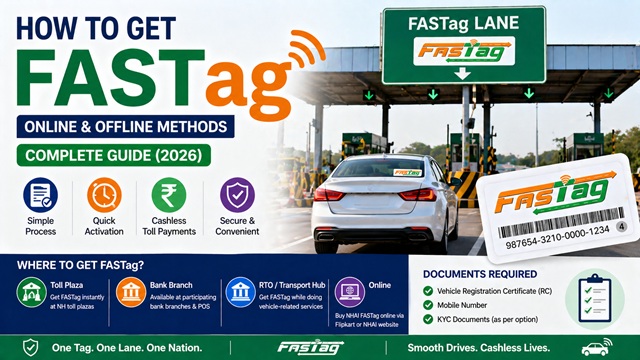
Getting a FASTag is straightforward and takes less than 30 minutes at most locations. You can get it offline at any National Highway toll plaza, bank branch, RTO, or transport hub. You can also get NHAI FASTag online through Flipkart or the NHAI website. All you need is your vehicle's Registration Certificate (RC) and a mobile number.
This guide covers every method to get FASTag, what documents you need, the KYC options available, what the charges are, and what to do once you have your FASTag in hand. As of October 2025, over 11 crore active FASTags are in use across India, recording 26.9 crore transactions worth Rs 4,781 crore in a single month, confirming it as the standard for highway toll payment in India.Before You Start - What You Need to Know
There are two types of FASTag available in India:
- Bank-issued FASTag: Issued by any of the 32 banks certified by IHMCL. The FASTag wallet is linked to that specific bank. Examples include HDFC Bank FASTag, ICICI Bank FASTag, SBI FASTag, Axis Bank FASTag, and others.
- NHAI FASTag (Bank-neutral): Issued by NHAI itself. No bank is linked at the time of purchase. You choose your bank later by linking an existing account through the MyFASTag App. This gives you flexibility to link any of the 32 participating banks and other financial institutions.
Both types work at all FASTag-enabled toll plazas across India. The choice depends on which bank you prefer and where you want to buy. For most users, getting FASTag from their existing bank is the simplest approach.
Documents Required to Get FASTag
As confirmed on nhai.gov.in, FASTag issuance follows RBI's Pre-paid Payment Instrument (PPI) guidelines. There are three KYC options:
Option 1: Minimum KYC FASTag
This is the simplest option with minimal paperwork:
- Copy of your vehicle's Registration Certificate (RC).
- Your mobile number, verified with OTP.
- Self-declaration of your name and the unique identification number of any one Officially Valid Document (OVD) such as Aadhaar, PAN, Voter ID, Passport, or Driving Licence.
Wallet limit with Minimum KYC: Maximum Rs 10,000 can be loaded per month and Rs 1,00,000 per financial year.
Option 2: Full KYC FASTag
This gives you a higher wallet limit and is recommended for frequent highway users:
- Copy of your vehicle's Registration Certificate (RC).
- Mobile number verified with OTP.
- One valid Address Proof: Aadhaar card, Driving Licence, Voter ID, or Passport.
- One valid ID Proof or PAN card.
- One passport-size photograph (colour or black and white).
Wallet limit with Full KYC: Balance can go up to Rs 1 Lakh at any point in time.
Option 3: FASTag Linked Directly to Savings Bank Account
This is the simplest option of all. If you link your FASTag directly to your existing savings bank account, only a copy of your vehicle RC is required. No separate KYC document is needed. Toll deductions happen directly from your bank account, so there is no separate wallet to manage or recharge.
Charges for Getting FASTag
| Component | Amount | Notes |
|---|---|---|
| Tag cost | Maximum Rs 100 including GST | The government has regulated this as the maximum price. Some banks issue it at a lower price or free with new vehicles. |
| Security deposit | Rs 200 (usual) | Refundable when you close the FASTag account. Varies by vehicle class and issuing bank. |
| First recharge or minimum balance | Rs 200 (usual) | This is loaded into your FASTag wallet as usable balance for toll payments. Varies by bank. |
| Total initial outlay | Approximately Rs 500 | Combined cost of tag, deposit, and first recharge. Varies by bank and vehicle class. |
After the initial purchase, you only need to recharge the wallet as per your usage. The physical FASTag sticker is valid for 5 years. The minimum recharge amount depends on the issuing bank. Some banks allow small recharges, while others may have higher minimum limits..
All Methods to Get FASTag
| Method | Where | FASTag Type Available | Best For |
|---|---|---|---|
| NH Toll Plaza | POS counter at any National Highway toll plaza | Bank-issued or NHAI FASTag | Immediate need while travelling |
| Bank Branch or Bank POS | Over 40,000 POS locations and selected bank branches | Bank-issued FASTag of that bank | Users who prefer their existing bank |
| RTO or Transport Hub | Regional Transport Offices and state transport hubs | Bank-issued FASTag | Getting FASTag along with vehicle registration |
| Online via Flipkart | flipkart.com | NHAI FASTag (bank-neutral) | Car/Jeep/Van (Class 4) owners who want home delivery |
| Online via Bank Portal or App | Respective bank websites and mobile apps | Bank-issued FASTag | Existing bank customers who prefer digital process |
| MyFASTag App | Google Play Store or Apple App Store | NHAI FASTag (bank-neutral) | Smartphone users who want to buy and manage digitally |
Method 1: Get FASTag at a National Highway Toll Plaza
This is the most convenient method if you are already on a highway or need FASTag urgently. Every NH toll plaza has a Point-of-Sale (POS) counter where you can get a FASTag immediately. You can also get NHAI FASTag at select toll plaza POS locations.
- Locate the FASTag POS counter at the toll plaza: Look for the FASTag POS counter or help desk near the toll booths. It is usually clearly marked with FASTag signage.
- Carry your RC copy and documents: Hand over your vehicle RC copy and your KYC documents based on which option you choose (Minimum KYC, Full KYC, or savings account linking).
- Fill the application form: The POS operator will provide a simple form. Fill in your vehicle registration number, mobile number, and other basic details.
- Verify your mobile number with OTP: An OTP is sent to your registered mobile number. Enter it to complete verification.
- Pay the charges: Pay the tag cost, security deposit, and first recharge amount. Cash, UPI, and card payments are accepted at most toll plaza POS counters.
- Get your FASTag affixed: The POS operator affixes the FASTag sticker on the inside of your windshield in the correct position. Do not attempt to affix it yourself; improper placement leads to scanning failures and possible blacklisting.
- Test the tag: The operator activates your FASTag on the spot. You can verify activation by passing through a FASTag lane at the same toll plaza or by checking the balance on the MyFASTag App.
Important: FASTag must be affixed on the inner side of the windshield, centrally at the top, behind the rear-view mirror. Carrying the FASTag in your hand or pocket without affixing it to the windscreen leads to class mismatch and blacklisting.
Method 2: Get FASTag at a Bank Branch or Bank POS Location
Over 40,000 Point-of-Sale locations have been set up by the 32 certified banks and Non-Banking Financial Institutions across India. This includes bank branches, select petrol pumps, vehicle service centres, and other authorised locations. This method is ideal if you want a FASTag from your existing bank so that the wallet is integrated with your banking relationship.
- Find the nearest POS location: Use the Search Nearby POS feature on the MyFASTag App or visit fastag.ihmcl.com to find authorised POS locations near you. You can search by state, city, bank, or PIN code.
- Visit the POS with your documents: Carry your vehicle RC copy and KYC documents.
- Fill the application form: Provide your vehicle details, mobile number, and KYC information.
- Complete OTP verification: Verify your mobile number with the OTP received.
- Pay the charges: Pay the tag cost, security deposit, and first recharge at the counter.
- Collect your FASTag and get it affixed: The operator affixes the sticker on your windshield and activates it on the spot.
Method 3: Get FASTag at an RTO or Transport Hub
FASTags are also available at Regional Transport Offices (RTOs) and state transport hubs. This is particularly convenient when you are registering a new vehicle. As confirmed on nhai.gov.in, FASTag issuance at RTOs ensures that vehicles get FASTag at the time of registration itself.
- Visit your nearest RTO or state transport hub.
- Ask for FASTag issuance at the designated counter.
- Submit your vehicle RC copy and KYC documents.
- Pay the applicable charges and collect your FASTag.
- Get the sticker affixed on your vehicle's windshield.
For new vehicles, many dealers now include FASTag issuance as part of the vehicle delivery process itself. Check with your vehicle dealer when taking delivery.
Method 4: Get NHAI FASTag Online via Flipkart
As confirmed on nhai.gov.in, NHAI FASTag is available for purchase on Flipkart for vehicle Class 4 (Car, Jeep, Van category). This option gives you the bank-neutral NHAI FASTag, which you can later link to any of the 32 participating banks through the MyFASTag App.
- Go to flipkart.com and search for NHAI FASTag.
- Select the official NHAI FASTag listing and add it to your cart.
- Complete the purchase and provide your delivery address.
- Once the FASTag arrives by post, download the MyFASTag App from Google Play Store or Apple App Store.
- Register your FASTag on the app by entering your vehicle registration number and the FASTag number printed on the sticker.
- Link the FASTag to your preferred bank account through the app.
- Affix the sticker on the inside of your windshield as per the instructions provided in the package.
- Recharge your FASTag wallet and you are ready to use.
Note: The online Flipkart method is currently available only for vehicle Class 4 (Car/Jeep/Van). As per NHAI's updated rules, effective 1 February 2026, FASTags purchased online are activated only after the bank completes VAHAN-based vehicle validation before dispatch. This means the tag you receive by post is already activated and ready to affix and use.
Method 5: Get FASTag Online via Your Bank's Portal or App
Most of the 32 certified banks and Non-Banking Financial Institutions allow existing customers to apply for FASTag directly through internet banking or their mobile banking app. This is the most convenient method for users who are already customers of a FASTag-issuing bank.
- Log in to your bank's internet banking portal or mobile banking app.
- Look for FASTag or ETC Services under the cards, payments, or vehicles section.
- Select Apply for New FASTag.
- Enter your vehicle registration number and upload a copy of your RC.
- Complete KYC verification if prompted (for Full KYC, submit address proof and PAN).
- Link the FASTag wallet to your existing bank account or set up a prepaid wallet.
- Pay the tag cost, security deposit, and first recharge online.
- The bank dispatches your FASTag sticker by post to your registered address.
- On receiving the sticker, affix it on your windshield as per the instructions provided.
- Activate the tag through your bank's portal or app if activation is required.
Major banks offering FASTag include HDFC Bank, ICICI Bank, SBI, Axis Bank, IDFC First Bank, Kotak Mahindra Bank, Yes Bank, Bank of Baroda, Punjab National Bank, Paytm Payments Bank, Airtel Payments Bank, and others. Visit your bank's official website for the exact process on their portal.
Method 6: Buy FASTag via MyFASTag App
The MyFASTag App is NHAI's official mobile application available on Android and iOS. You can use it to purchase NHAI FASTag directly without visiting any physical location.
- Download MyFASTag from Google Play Store (Android) or Apple App Store (iOS). Search for MyFASTag by NHAI.
- Open the app and go to the NHAI FASTag section on the home screen.
- Select Buy New FASTag.
- Enter your vehicle registration number and other required details.
- Upload a copy of your vehicle RC.
- Complete KYC verification on the app.
- Pay the charges online through the app.
- NHAI dispatches your FASTag sticker by post.
- On receipt, affix the sticker on your windshield and link it to your preferred bank account through the app.
How to Affix FASTag Correctly on Your Windshield
Proper affixation of FASTag on the windshield is critical. Incorrect placement causes scanning failures at toll plazas and can result in blacklisting. Follow these steps carefully:
- Clean the inside of your windshield thoroughly before affixing. Use a clean, dry cloth to remove dust and moisture. Do not use a wet cloth.
- Peel off the backing of the FASTag sticker carefully.
- Affix the sticker on the inner side of the windshield at the top centre, positioned behind the rear-view mirror.
- Press firmly and evenly to ensure the sticker adheres completely without any air bubbles or loose edges.
- Do not affix the FASTag on the outer surface of the windshield.
- Do not carry a FASTag in your hand or pocket while passing through a toll. The tag must be physically affixed on the windshield at all times when the vehicle is in use.
- Do not try to remove and reapply a FASTag once it is stuck. The RFID chip inside can be damaged. If you need a replacement, contact your issuing bank.
How to Activate Your FASTag After Getting It
As per NHAI's updated rules effective 1 February 2026, FASTag activation now happens only after the vehicle details are validated through the VAHAN database. The earlier process that allowed activation first and verification later has been discontinued. This change applies to all new FASTag issuances, including those bought online.
What this means for you practically:
- At a toll plaza POS or bank branch: The operator validates your vehicle details through VAHAN before activating the tag on the spot. If your vehicle is on VAHAN, activation happens during your visit itself. If VAHAN data is unavailable, the operator validates using your RC before activation.
- Online purchase (Flipkart or bank portal): Your bank completes VAHAN-based validation before dispatching the tag. The tag is activated before it reaches you. Once you affix it, it is ready to use.
- For NHAI FASTag received by post: If any additional activation step is required, complete it through the MyFASTag App at fastag.ihmcl.com by entering your FASTag number and vehicle registration number.
- For new vehicles with RFID tag pre-fitted: Contact the POS of the respective issuing agency to confirm activation status. With the VAHAN-based process now mandatory, pre-fitted tags should be activated before vehicle delivery.
KYV (Know Your Vehicle) removed: NHAI has discontinued the Know Your Vehicle (KYV) post-activation requirement for Car, Jeep, and Van category FASTags with effect from 1 February 2026. Users no longer face post-activation follow-ups or delays due to KYV verification. For existing FASTags already issued to cars, KYV is also no longer mandatory unless a specific complaint is raised, such as a loose tag, incorrect issuance, or suspected misuse.
What to Do After Getting FASTag
Once your FASTag is affixed and activated, follow these steps to ensure smooth usage:
- Recharge your wallet: Ensure your FASTag wallet has sufficient balance before you start your journey. You can recharge via UPI, net banking, debit or credit card, or cash at any toll plaza POS. The MyFASTag App also supports recharging.
- Save your FASTag number: Note down the FASTag number printed on the sticker and also your vehicle registration number linked to it. You will need these for customer care queries.
- Enable SMS alerts: Ensure your registered mobile number receives toll deduction alerts. Every successful FASTag transaction sends an SMS confirmation.
- Download the MyFASTag App: Even if you have a bank-issued FASTag, the MyFASTag App from NHAI at fastag.ihmcl.com is useful for checking real-time balance status (Green for sufficient, Orange for low, Red for blacklisted), finding nearby POS locations, and accessing highway helplines.
- Check your tag status before long journeys: Always check your balance and tag status before starting a highway trip. A blacklisted or low-balance tag at a toll results in double toll charges in cash.
Things to Keep in Mind
- One FASTag is issued per vehicle. If you have two vehicles, you need two separate FASTags. Using a FASTag meant for one vehicle on another vehicle causes a class mismatch and the tag gets blacklisted.
- FASTag is mandatory for all four-wheelers and above in India since 1 January 2021. Driving on National Highways without a valid FASTag results in double toll charges in cash.
- The physical FASTag sticker is valid for 5 years. You only need to recharge the wallet as per your usage during these 5 years.
- If you sell your vehicle, close your FASTag account with your bank and get the security deposit refunded. The new owner must get a fresh FASTag issued for the vehicle.
- Never buy FASTag from unauthorised agents or third-party sellers. Always get it from official toll plaza POS counters, certified bank branches, RTOs, or through official online channels.
- FASTag works seamlessly across all states. You do not need a different FASTag when travelling from one state to another. One FASTag works at all enabled NH toll plazas across India.
Conclusion
Getting FASTag is quick, simple, and costs approximately Rs 500 in total, including the refundable security deposit. For most users, the easiest method is visiting the nearest toll plaza POS or their bank branch with just the vehicle RC copy. If you prefer an online route, the NHAI FASTag is available on Flipkart and through the MyFASTag App for vehicles in the Car, Jeep, and Van categories.
Once you have FASTag affixed and activated, keep your wallet sufficiently funded and check the balance before every highway trip. For any query or issue, call the national FASTag helpline at 1033 or visit fastag.ihmcl.com.
Add new comment