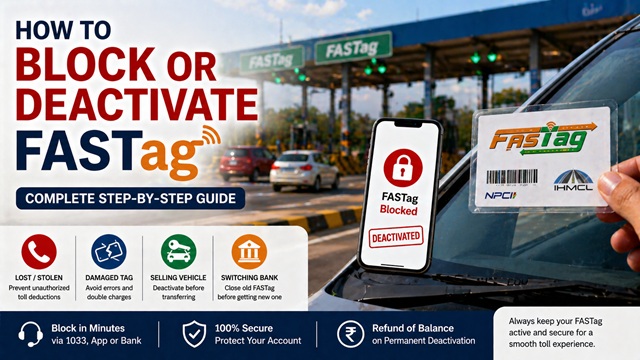
FASTag is India's RFID-based electronic toll collection system, mandated by the Ministry of Road Transport and Highways (MoRTH) for all four-wheelers on national highways. It is issued and managed by the National Highways Authority of India (NHAI) through its subsidiary Indian Highways Management Company Limited (IHMCL).
If your FASTag is lost, stolen, damaged, or you are selling your vehicle, you must block or deactivate it immediately to stop unauthorised toll deductions. This guide covers every official method available in 2026.
What Does Blocking a FASTag Mean?
When you block a FASTag, you stop all toll deductions linked to that tag immediately. The tag gets flagged in India's National Electronic Toll Collection (NETC) system - the central platform run by IHMCL and supported by the National Payments Corporation of India (NPCI) - so no toll plaza across India can process a charge on it.
There are two levels of blocking:
- Temporary block (hotlisting/blacklisting): The tag is placed on a block list in the NETC system. Any toll plaza scan returns it as invalid. This is reversible; you can unblock and get a replacement tag.
- Permanent deactivation: The FASTag account is fully closed. The remaining wallet balance is refunded. You need a brand new FASTag for the vehicle.
When Should You Block or Deactivate Your FASTag?
You must block or deactivate your FASTag in any of these situations:
- Lost FASTag: Someone may misuse the RFID sticker; block it immediately to prevent fraudulent toll charges.
- Stolen FASTag: Theft of your windshield sticker or vehicle can result in unauthorised deductions from your linked account.
- Damaged tag: A torn, scratched, or non-functional sticker causes errors at toll plazas and may lead to double charges. Deactivate and get a replacement.
- Selling or transferring your vehicle: As per NHAI guidelines, you must deactivate the FASTag before handing over the vehicle to prevent the new owner from charging tolls to your account.
- Switching to a different issuing bank: Close your old FASTag account before opening a new one with another bank.
- Vehicle category upgrade: If your vehicle's class changes, deactivate the current tag and get a new one mapped to the correct category.
- Unauthorised deductions noticed: Block the tag immediately and raise a dispute with your issuing bank.
Important: Do not delay. The NETC system processes hotlisting within minutes, but every minute of delay creates a window for misuse.
All Official Methods at a Glance
| Method | Best For | Availability | Works For |
|---|---|---|---|
| NHAI Helpline 1033 | Fastest immediate block | 24x7 | All banks |
| My FASTag App (IHMCL) | Self-service via smartphone | 24x7 | Most banks |
| Bank App / Net Banking | Self-service via bank portal | 24x7 | Issuing bank only |
| Bank Branch / POS | Permanent closure and refund | Branch hours | Issuing bank only |
| Bank Customer Care | Bank-specific queries and refunds | Varies by bank | Issuing bank only |
Method 1 - Block via NHAI Helpline 1033
The NHAI FASTag helpline 1033 is the quickest and most universal method. It works regardless of which bank issued your FASTag. The helpline operates 24 hours a day, 7 days a week and is free to call from any network across India.
Keep the following details ready before calling:
- Vehicle registration number (number plate)
- Registered mobile number linked to the FASTag.
- FASTag ID or wallet number (printed on the sticker or welcome kit)
- Reason for blocking: lost/stolen / damaged / vehicle sale.
Step-by-step process:
- Dial 1033 from your registered mobile number (speeds up verification).
- Follow the IVR menu and select the FASTag services or hotlisting option.
- Provide your vehicle registration number or 20-digit FASTag ID.
- Complete OTP verification. An OTP is sent to your registered mobile number.
- State your reason for blocking clearly: lost, stolen, damaged, or vehicle sale.
- The executive initiates the block in the NETC system in real time.
- Note the complaint or ticket reference number provided, keep it for all follow-ups.
Tip: If you do not remember your FASTag ID, your vehicle registration number alone is sufficient for the executive to locate your account.
Method 2 - Block via My FASTag App (IHMCL)
The My FASTag app is the official application developed by IHMCL, available on Google Play Store (Android) and Apple App Store (iOS). This app works for FASTag accounts issued by multiple banks and lets you manage, block, recharge, and view transactions from one place.
Step-by-step process:
- Download and open the My FASTag app published by IHMCL.
- Log in with the mobile number registered to your FASTag. Verify with the OTP sent to that number.
- On the home dashboard, tap Manage FASTag or select your vehicle.
- Select Block / Hotlist FASTag (label may vary by app version).
- Choose the reason: Lost / Stolen / Damaged / Vehicle sold.
- Confirm with the OTP sent to your registered number.
- Save the success confirmation and reference number displayed on screen.
Tip: Through this app, you can also review your transaction history to check for unauthorised toll deductions before the tag was blocked - screenshot this data for dispute records.
Method 3 - Block via Bank App or Net Banking
Every bank that issues FASTag provides a way to block it through their own mobile banking app or internet banking portal. This is a self-service option with no waiting on hold.
General steps (same across most banks):
- Log in to your bank's official mobile app or net banking portal.
- Navigate to FASTag Services - usually found under Payments, Vehicles, or Value Added Services.
- Select the correct vehicle by registration number if you have multiple vehicles.
- Click Block, Hotlist, or Deactivate.
- Confirm with OTP or MPIN. Save the confirmation reference number.
Bank-wise Official FASTag Portals and Customer Care Numbers
| Bank | Official FASTag Portal / App | Customer Care |
|---|---|---|
| State Bank of India (SBI) | fastag.onlinesbi.sbi / YONO App | 1800 11 2211 |
| HDFC Bank | HDFC Bank App → Payments → FASTag | 1800 120 2443 |
| ICICI Bank | iMobile Pay → FASTag Services | 1860 120 7777 |
| Axis Bank | Axis Mobile App → FASTag | 1860 419 5555 |
| Paytm Payments Bank | paytm.com/fastag / Paytm App | 0120 4456 456 |
| IDFC First Bank | IDFC First Bank App → FASTag | 1800 10 888 |
| Kotak Mahindra Bank | Kotak App → Payments → FASTag | 1860 266 2666 |
| Yes Bank | Yes Mobile App → FASTag | 1800 1200 |
| Bank of Baroda | Bob World App → FASTag Services | 1800 5700 |
| Punjab National Bank (PNB) | PNB ONE App → FASTag | 1800 180 2222 |
| Union Bank of India | Union Bank App → FASTag | 1800 208 2244 |
| Canara Bank | Canara Bank App → FASTag | 1800 425 0018 |
Note: If you cannot find the FASTag section in your bank's app, use the app's search bar and type "FASTag." If still not visible, call the bank's customer care or dial NHAI 1033.
Method 4 - Visit Bank Branch or POS Point
For permanent deactivation and balance refund, some banks require a written request at the branch. This is especially needed when:
- You are selling the vehicle and want full account closure with a balance refund.
- Your KYC documents need updating before account closure.
- You want to upgrade from one FASTag category to another.
You can also get a replacement FASTag at NHAI FASTag Points of Sale at toll plazas, bank branches, and Common Service Centres (CSC) across India.
Documents to carry to the branch:
- Government-issued photo ID: Aadhaar card, PAN card, Passport, or Driving Licence
- Vehicle Registration Certificate (RC)
- Original FASTag sticker (if available, even if damaged)
- Deactivation request form (the branch will provide this)
- Bank account details for balance refund: passbook or cancelled cheque
Important: Before visiting the branch, call NHAI 1033 or your bank's customer care first to initiate an immediate hotlist (temporary block). Then visit the branch within 2-3 days for formal permanent deactivation. This protects you from fraud in the interim period.
Method 5 - Call Your Bank's FASTag Customer Care
If you know your issuing bank, calling their dedicated FASTag helpline directly is often faster for bank-specific issues like refunds and account closures.
Details to keep ready before calling:
- Vehicle registration number.
- Registered mobile number linked to FASTag.
- FASTag ID or wallet number (from sticker or welcome kit)
- Last 4 digits of the linked bank account (for identity verification)
- Reason for blocking.
Fraud Alert: Never share your full bank account number, CVV, UPI PIN, net banking password, or OTP with anyone claiming to be a customer care executive. Genuine NHAI or bank agents will never ask for these. If asked, hang up immediately and report to your bank's fraud helpline or at cybercrime.gov.in. You can also call the National Cyber Crime Helpline at 1930.
How to Deactivate FASTag When Selling Your Vehicle
This is the most overlooked step when selling a car. As per NHAI guidelines, the responsibility to deactivate the FASTag lies with the seller (current registered owner) before handing over the vehicle.
If you skip this step, the new owner may continue to use the FASTag and toll charges will be deducted from your linked bank account even after the vehicle is no longer yours.
Step-by-step process for vehicle sale:
- Initiate FASTag hotlisting before the handover - use any of the five methods listed above. Complete this before the physical handover of the vehicle.
- Remove the FASTag sticker from the windshield - carefully peel it off. FASTag stickers are intentionally designed to be non-transferable; removing them damages the RFID chip, which is a built-in security feature.
- Apply for permanent closure and balance refund - contact your issuing bank for formal account closure. The remaining wallet balance will be refunded to your linked account.
- Inform the new owner - the new owner must register a fresh FASTag in their name, linked to their own bank account. They can get one at any bank branch, Common Service Centre (CSC), or NHAI toll plaza POS.
Legal Note: Under the Central Motor Vehicles (Amendment) Rules notified by MoRTH, FASTag is compulsory for all four-wheelers. Any vehicle without a valid FASTag or with a blocked or invalid FASTag is charged double the applicable toll fee at every national highway toll plaza.
Hotlisting vs Permanent Deactivation - Key Differences
| Feature | Hotlisting (Blacklisting) | Permanent Deactivation |
|---|---|---|
| Purpose | Immediate block to stop fraud | Full account closure |
| When to use | Lost, stolen, or suspected fraud | Vehicle sale, issuer change, tag upgrade |
| Effect at toll plaza | Tag flagged invalid; double toll charged | Same as hotlisting; account also closed |
| Wallet balance | Frozen (not refunded yet) | Refunded to linked bank account |
| Reversible? | Yes - can be unblocked; replacement tag issued | No - account permanently closed |
| Processing time | Minutes (real-time in NETC) | 2–7 working days for full closure and refund |
| New FASTag needed? | Yes - a replacement tag is issued | Yes - mandatory for the vehicle |
Best Practice: In case of loss or theft, always hotlist first to get immediate protection, then decide whether to permanently deactivate. Do not wait, hotlisting stops unauthorised use instantly.
Wallet Balance Refund After FASTag Deactivation
When you permanently deactivate your FASTag, the remaining wallet balance is refunded. Here is how it works:
- Prepaid FASTag wallet balance (non-bank-linked prepaid tags): Refunded to the registered bank account via NEFT or IMPS within 5-7 working days of closure confirmation.
- Bank-linked FASTag (savings account directly linked): Your bank account is the direct source; no separate wallet refund is needed. Deductions stop immediately upon blocking.
- Security deposit (collected at NHAI POS or toll plaza issuance, typically Rs. 100–200): This is refundable. Request it explicitly when closing the account at the branch or via customer care.
How to Track Your Refund
- Note the deactivation reference number given at the time of closure.
- If the refund has not arrived after 7 working days, call your issuing bank's FASTag customer care with this reference number.
- Alternatively, raise a grievance at the NHAI Grievance Portal (nhai.gov.in) or call 1033.
- For Ministry-level escalation, file a complaint at CPGRAMS (pgportal.gov.in) under the Ministry of Road Transport & Highways.
- For financial disputes unresolved by the bank, approach the RBI Banking Ombudsman (bankingombudsman.rbi.org.in).
What to Do After Blocking Your FASTag
- Verify the block is active: Call NHAI 1033 or check the My FASTag app or IHMCL portal to confirm the tag status shows "Blocked" or "Hotlisted."
- Check transaction history: Review the last 30 days of transactions on the My FASTag app or your bank's FASTag section for any unauthorised deductions.
- Raise a dispute for unauthorised charges: If any fraudulent deductions appear, file a dispute with your issuing bank, providing the block reference number and the disputed transaction ID. You can also report it at the NHAI Grievance Portal.
- Apply for a replacement FASTag: Get a new FASTag through your bank's branch, bank app, Common Service Centre, or NHAI FASTag POS at toll plazas.
- Affix the new FASTag correctly: Place it on the inner side of the windshield, centred at the top behind the rear-view mirror, as per NHAI installation guidelines. Do not place it on the dashboard.
- Verify the new tag is linked to your RC: Confirm the vehicle registration number is correctly mapped in the NETC system via the IHMCL portal or the Parivahan portal (parivahan.gov.in).
Add new comment