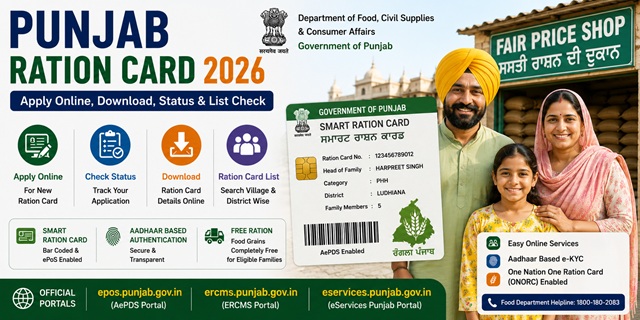
Punjab distributes food grains completely free of cost to both AAY and PHH ration card holders - one of the few states in India where ration is Rs. 0 for all NFSA beneficiaries as of January 2026. The state has over 39 lakh Smart Ration Cards linked to 16,576 Fair Price Shops across all 23 districts including the newly formed Malerkotla district. Punjab also has a unique rule - for NFSA cards, only the eldest adult female member (HoFN) of the family can access online ration card services. All services are managed through the AePDS system at epos.punjab.gov.in and the ERCMS portal at ercms.punjab.gov.in.
Punjab uses a Smart Ration Card system with 16,576 Fair Price Shops connected to ePoS (electronic Point of Sale) machines. All services are managed through:
- AePDS Portal: epos.punjab.gov.in - live ration card data, beneficiary details, FPS list
- ERCMS Portal: ercms.punjab.gov.in - ration card management, online services
- eServices Punjab: eservices.punjab.gov.in - online application for new ration card
Key Details at a Glance
| Detail | Information |
|---|---|
| Issuing Authority | Dept. of Food, Civil Supplies and Consumer Affairs, Govt. of Punjab |
| AePDS Portal | epos.punjab.gov.in |
| ERCMS Portal | ercms.punjab.gov.in |
| Online Application | eservices.punjab.gov.in |
| Total Ration Cards | 39,05,916 (live data, epos.punjab.gov.in) |
| Total Fair Price Shops | 16,576 |
| Monthly Entitlement (PHH) | 5 kg wheat per person per month - free |
| Monthly Entitlement (AAY) | 35 kg per family per month - free |
| Toll Free Helpline | 1800-300-11007 |
| PDS Helpline | 1967 |
| Department Address | Anaj Bhawan, Sector 39-C, Chandigarh - 160036 |
Types of Ration Card in the State
| Type | Who Gets It | Monthly Entitlement | Cost (Jan 2026) |
|---|---|---|---|
| AAY (Antyodaya Anna Yojana) | Poorest of the poor - no stable income, widows, elderly with no support, disabled | 35 kg per family per month | Free (Rs. 0) |
| PHH (Priority Household) | Low-income families identified under NFSA criteria | 5 kg wheat per person per month | Free (Rs. 0) |
| Non-NFSA (APL) | Families above NFSA eligibility who need a ration card as identity/address proof | No food subsidy | No subsidy |
The price chart confirmed on epos.punjab.gov.in for January 2026 shows AAY and PHH food grains at Rs. 0 - both categories receive ration completely free of cost.
Important Rule - HoFN (Head of Family as per NFSA)
Punjab has a unique rule confirmed on the official ERCMS portal at ercms.punjab.gov.in:
- For NFSA cards (AAY and PHH): The HoFN (Head of Family as per NFSA) is generally the eldest adult female member of the family. Only the HoFN can register and access online ration card services for NFSA schemes. The HoFN must have Aadhaar seeded and verified.
- For Non-NFSA cards: The Head of Family (HoF) - not necessarily female - can register for online services. The HoF must also have Aadhaar seeded and verified.
- Other Aadhaar-verified family members (other than HoF/HoFN) can only view the ration card. All modifications require HoF/HoFN login.
Who Can Apply
- Must be a permanent resident of Punjab
- Must be at least 18 years old to apply as head of family
- The family must not already hold a valid ration card anywhere in India
- Newly married couples without a ration card can apply
- Families with a newborn can add the member to an existing card
- Left-out members (existing family members not yet on any ration card) can apply for inclusion
Documents You Need to Apply
- Aadhaar cards of all family members (mandatory - must be seeded and verified)
- Proof of residence in Punjab - electricity bill, water bill, or rent agreement
- Passport-size photograph of the head of household
- Mobile number linked to Aadhaar
- For newly married spouse: marriage certificate
- For newborn: birth certificate
- Old ration card number if converting from paper card to smart card
How to Apply Online
- Go to eservices.punjab.gov.in.
- Register by creating a username and password if you are a new user, then log in.
- Search for the New Ration Card service in the citizen services section.
- Fill in the application form with complete family details, Aadhaar numbers of all members, and address.
- Upload scanned copies of required documents.
- Submit and note your Application Number for tracking.
- You can also visit any Sewa Kendra to apply with assistance.
How to Check Application Status
- Go to eservices.punjab.gov.in.
- Click Check Your Application Status on the homepage, or log in and click Track Application Status under View Status of Application.
- Enter your Application Number.
- Your current status is displayed.
How to Check the Ration Card List
- Go to epos.punjab.gov.in.
- Under Reports section, click Beneficiary Details.
- Select your District from all 23 districts of Punjab.
- Select your Block or Town.
- Select your Village or Ward.
- Select your Fair Price Shop (FPS).
- The complete list of ration card holders under that FPS is displayed.
You can also check RC Drawl Status (whether ration has been collected this month) by clicking RC Drawl Status on the same portal.
How to Check Beneficiary Details and Ration Transactions
Punjab’s AePDS portal provides full transparency on ration transactions:
- Go to epos.punjab.gov.in/SRC_Trans_Int.jsp.
- Enter your Smart Ration Card number (12-digit).
- Your complete transaction history is displayed showing when, where, and how much ration was collected.
Note on old ration card numbers: If your old card number is like ‘FAZ1234567’, replace the first 3 letters with 03000 and search with ‘030001234567’. If still not found, contact your local depot holder for your new Smart Ration Card number.
How to Download Your Smart Ration Card
Via ERCMS Portal
- Go to ercms.punjab.gov.in.
- Log in using your 12-digit Ration Card Number and Aadhaar-verified credentials (HoFN for NFSA cards).
- Access your ration card details and download as PDF.
Via DigiLocker
- Go to digilocker.gov.in or open the DigiLocker app.
- Log in with your Aadhaar-linked mobile number.
- Search for Ration Card and select the issuer as Food, Civil Supplies and Consumer Affairs Department, Punjab.
- Enter your ration card number and district.
- Click Get Document. Your Punjab Smart Ration Card is saved in DigiLocker.
How to Add or Remove a Family Member
- Go to ercms.punjab.gov.in and log in using the HoFN (for NFSA cards) or HoF (for non-NFSA cards) credentials.
- Select the relevant modification service - Add Member or Remove Member.
- For adding: enter the new member’s Aadhaar number, name, relationship, and upload supporting documents.
- For removing: select the member, choose the reason, and upload supporting document.
- Submit and note the acknowledgement number.
You can also visit any Sewa Kendra for assisted member addition or removal.
How to Link Aadhaar
Aadhaar seeding and verification is mandatory for all members, especially the HoFN. All Aadhaar seeding for Punjab Ration Cards is handled through the AePDS system at epos.punjab.gov.in:
- Visit your designated Fair Price Shop with Aadhaar cards of all family members
- Ask the FPS dealer to do Aadhaar seeding on the ePoS device
- Each member provides their fingerprint biometric for authentication
- An ONORC eKYC report is available at epos.punjab.gov.in/ONRC_eKYC.jsp
For the complete guide: How to Link Ration Card with Aadhaar Card
Using Your Card in Another State (ONORC)
Punjab NFSA ration card holders can collect their food grain entitlement from any Fair Price Shop anywhere in India under the One Nation One Ration Card (ONORC) scheme. The Portability Details report is available on epos.punjab.gov.in showing all ONORC transactions. Only your Aadhaar number is needed at any FPS.
For complete details: One Nation One Ration Card (ONORC) Complete Guide.
How to File a Grievance
- Toll Free Helpline: 1800-300-11007
- PDS Helpline: 1967
- Grievance on AePDS: Available under the Grievance section at epos.punjab.gov.in
- Department Address: Anaj Bhawan, Sector 39-C, Chandigarh - 160036
Official Portals and Useful Links
- AePDS Punjab - epos.punjab.gov.in (Beneficiary list, RC details, transactions)
- ERCMS Punjab - ercms.punjab.gov.in (Online services, member updates)
- eServices Punjab - eservices.punjab.gov.in (Apply for new ration card)
- Check Beneficiary and Transaction Details - epos.punjab.gov.in
- ONORC Portability Details - epos.punjab.gov.in
- ONORC eKYC - epos.punjab.gov.in
- Download e-Ration Card - DigiLocker
- Check Aadhaar Seeding Status - nfsa.gov.in
Toll Free Helpline: 1800-300-11007
PDS Helpline: 1967
Address: Anaj Bhawan, Sector 39-C, Chandigarh - 160036
Disclaimer: This article is for informational purposes only. Prices and processes are subject to change by the Punjab Government. Always refer to epos.punjab.gov.in for the latest official information.
नवी प्रतिक्रिया द्या