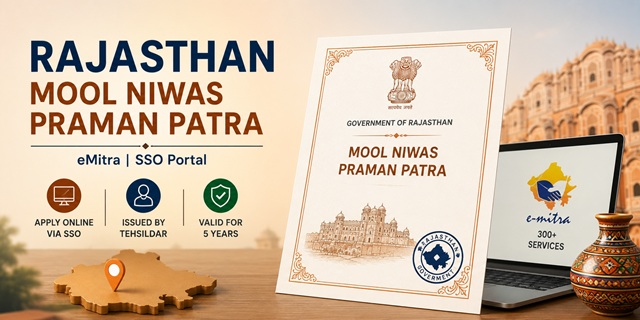
The Domicile Certificate in Rajasthan is officially known as the Mool Niwas Praman Patra (मूल निवास प्रमाण पत्र) and is also referred to as a Bonafide Certificate on the eMitra and SSO portals. This certificate serves as official proof that a person is a permanent resident of Rajasthan and is often required for admission to educational institutions, government jobs, state government schemes, scholarships, and other services where Rajasthan domicile status must be established.
The certificate is issued by the Tehsildar of the applicant's jurisdiction. Citizens can apply online through the emitra.rajasthan.gov.in portal using Citizen Login, allowing them to complete the entire application process from home by paying the prescribed government fee of Rs. 30. Those who are not comfortable applying online can visit any nearby eMitra Kiosk, where an operator can submit the application on their behalf for an additional service charge.
To access eMitra services, applicants must first log in through Rajasthan's Single Sign-On (SSO) platform at sso.rajasthan.gov.in. The SSO system primarily uses Jan Aadhaar, Rajasthan Government's family identity card, for citizen registration and authentication. If you face any issues while registering or logging in through Jan Aadhaar, you can update your family details on the Jan Aadhaar portal at janaadhaar.rajasthan.gov.in or seek assistance at an eMitra Kiosk.
eMitra is Rajasthan Government's integrated citizen service platform that provides access to 300+ government services, including applications for Mool Niwas Certificates, caste certificates, income certificates, utility services, and various departmental services. Once approved, the Domicile Certificate remains valid for 5 years. The usual processing time is 7 to 15 working days, depending on verification requirements and the workload at the concerned revenue office. After approval, applicants can download the certificate online using their Transaction ID and Aadhaar Number.
- eMitra Portal: emitra.rajasthan.gov.in
- Rajasthan SSO: sso.rajasthan.gov.in
- Jan Aadhaar: janaadhaar.rajasthan.gov.in
- Offline Application Form: Rajasthan Bonafide Offline Application Form PDF
- Helpline: 181 | 0141-5153222
Mool Niwas vs Bonafide Certificate - Same Document
Many applicants get confused between the terms Mool Niwas Certificate, Bonafide Certificate, and Domicile Certificate. In Rajasthan, all three terms generally refer to the same document used to establish permanent residency within the state.
Mool Niwas Praman Patra is the official Hindi name commonly used by Tehsildar offices and revenue authorities. On the other hand, when applying through the SSO or eMitra portal, the service is usually listed as Bonafide Certificate. Therefore, if you are searching for the service online, look for "Application Form for Bonafide Certificate" on the eMitra portal.
Regardless of the name used, the certificate issued is treated as proof of Rajasthan domicile and remains valid for 5 years from the date of issue.
Eligibility Criteria
You may apply for a Rajasthan Mool Niwas (Domicile) Certificate if you satisfy any of the following conditions:
- You were born in Rajasthan and can provide supporting proof of birth within the state.
- You have been continuously residing in Rajasthan for at least 5 years and can provide acceptable residence proof.
- Your parents are permanent residents of Rajasthan and hold valid proof of domicile.
- You are a woman married to a permanent resident of Rajasthan and are applying on the basis of your spouse's domicile status.
What is Jan Aadhaar and Why It Is Used
Jan Aadhaar is Rajasthan Government's unified family identity system. It functions as a single family database where details of all household members are linked to one unique 10-digit Jan Aadhaar Number. The system is designed to simplify access to government schemes and citizen services by maintaining a verified family profile.
You can think of Jan Aadhaar as Rajasthan's version of a family ID system, similar to Him Parivar ID in Himachal Pradesh or Parivar Pehchan Patra (PPP) in Haryana.
For most online government services in Rajasthan, including applications for Mool Niwas Certificates, citizens are required to access the SSO portal using their Jan Aadhaar-linked profile. Once registered on sso.rajasthan.gov.in, you can seamlessly access eMitra services without creating separate accounts for different departments.
If your Jan Aadhaar details are incorrect, family members are missing, or you encounter errors during SSO registration, you should first update your profile through janaadhaar.rajasthan.gov.in or visit an eMitra Kiosk for assistance before applying.
Citizen Login vs eMitra Kiosk
Applicants can choose either to submit the application themselves through Citizen Login or seek assistance from an eMitra operator. The main differences are explained below:
| Mode | Fee | How |
|---|---|---|
| Citizen Login (Self-Apply) | Rs. 30 (government fee only) | Register on sso.rajasthan.gov.in, access emitra.rajasthan.gov.in, and submit the application yourself from home |
| eMitra Kiosk (Operator-Assisted) | Rs. 40 to Rs. 100 (government fee plus operator service charges) | Visit the nearest eMitra Kiosk where the operator completes and submits the application on your behalf |
| Tehsildar/SDM Office (Offline) | Nominal fee at counter | Obtain the application form, fill it manually, attach documents, and submit it to the concerned office |
Documents Required
Before starting the application, keep all required documents ready. Providing clear and valid documents helps avoid delays during verification.
- Passport-size photograph of the applicant.
- Identity Proof (any one): Aadhaar Card, Voter Identity Card, Passport, Driving Licence, or PAN Card.
- Address / Residence Proof (any one): Electricity Bill, Water Bill, Ration Card, Property Tax Receipt, Rent Agreement, Bank Statement containing the current address, or a certificate issued by the Gram Panchayat, Municipal Corporation, or other local authority.
- Proof of Length of Residence: Certificate issued by the local Tehsildar, copy of parents' domicile certificate, or a duly executed affidavit/statement confirming residence in Rajasthan.
- Age Proof (if required): Birth Certificate, School Certificate, Passport, or any other government-issued document containing date of birth.
- Marriage Certificate (for women applying on the basis of marriage to a permanent resident of Rajasthan).
How to Apply Online via Citizen Login (Home Application)
- Applicants who want to apply for Domicile Certificate of Rajasthan Government will have to go to sso.rajasthan.gov.in and click Registration.

- Select Citizen category. Register using Jan Aadhaar or Google.

- Fill Username, Password, Mobile Number or Email. Click Register.

- Log in to SSO with Username and Password. If two-step verification is enabled, enter the OTP sent to your mobile.

- From the dashboard, search for and click on E-Mitra.

- In eMitra, click Services → Avail Service. Search for "Application form for Bonafide Certificate" or "Domicile Certificate".
- Fill the application form: Name, Father's Name, Date of Birth, Permanent Address, Aadhaar Number, and Purpose of Certificate.
- Upload all required documents: Aadhaar Card, Address Proof, Passport-size Photograph, and Affidavit/Declaration.
- Pay Rs. 30 online via Debit Card, Credit Card, Net Banking, or UPI.
- A Transaction ID/Receipt Number is generated. Note it for status tracking and certificate download.
- SMS notification is sent when the certificate is approved.
- Download from eMitra using Transaction ID and Aadhaar Number.
How to Apply via eMitra Kiosk
If you do not want to apply online yourself or are facing difficulty using the SSO/eMitra portal, you can visit any nearby eMitra Kiosk. The kiosk operator will complete the entire application process on your behalf and help upload the required documents.
- Visit your nearest eMitra Kiosk (Common Service Centre).
- Inform the operator that you want to apply for a Mool Niwas Praman Patra (Domicile / Bonafide Certificate).
- Carry all required original documents and supporting proofs for verification.
- The operator will fill out the application form on the eMitra portal and upload the necessary documents on your behalf.
- Pay the applicable fee (generally Rs. 40 to Rs. 100, including government charges and operator service fees). After submission, collect the acknowledgement receipt containing your Transaction ID.
- You can later track the status of your application online through emitra.rajasthan.gov.in using the Transaction ID printed on the receipt.
How to Apply Offline at Tehsildar/SDM Office
Applicants who prefer the traditional method can also submit their application offline through the concerned revenue office. This option is useful for people who are unable to access online services or require assistance with document verification.
- Visit your nearest Tehsildar Office, SDM (Sub-Divisional Magistrate) Office, or District Collector's Office.
- Obtain the Bonafide Certificate application form from the office counter, or download it in advance from the official link: Rajasthan Bonafide Offline Application Form PDF.
- Fill in all required details carefully and attach self-attested photocopies of the necessary documents.
- Submit the completed application form along with the prescribed fee and collect the acknowledgement slip containing your Receipt Number or reference number.
- The concerned Tehsildar verifies the information and supporting documents. Once verification is completed successfully, the certificate is generally issued within 7 to 15 working days.
Check Application Status
After submitting your application, you can easily track its progress online without visiting any government office.
- Visit emitra.rajasthan.gov.in.
- Click on the Application Status option available on the homepage.
- Enter your Application ID, Transaction ID, or Registration Number.
- Click the search option to view the latest status of your Mool Niwas Praman Patra application.
Download Certificate
Once your application has been approved, the certificate can be downloaded online from the eMitra portal without visiting the Tehsildar office.
- Go to emitra.rajasthan.gov.in.
- Click on Download Certificate.
- Enter your Transaction ID and Aadhaar Number, then click Get Details.
- Your approved Mool Niwas Praman Patra will appear on the screen and can be downloaded in PDF format for future use.
Processing Time and Validity
Under normal circumstances, the certificate is issued after successful verification by the concerned revenue authorities. The expected processing timeline and validity period are provided below:
| Detail | Information |
|---|---|
| Processing Time | 7 to 15 working days |
| Validity | 5 years from the date of issue |
| Issuing Authority | Tehsildar of the respective Tehsil |
Note: After the validity period expires, a fresh certificate may be required. If you are applying for government schemes, admissions, scholarships, or recruitment processes, always ensure that your certificate is valid at the time of submission.
Jan Aadhaar Error - How to Fix
Sometimes applicants may face issues while registering on SSO or accessing eMitra services due to incorrect or outdated Jan Aadhaar details. In most cases, the problem can be resolved easily.
- Visit janaadhaar.rajasthan.gov.in and update your profile details, family information, or Aadhaar-linked records if required.
- If you are unable to resolve the issue yourself, visit the nearest eMitra Kiosk. The operator can help correct Jan Aadhaar-related issues and complete the registration process on your behalf.
Important Links
The following official links may be useful during the application process:
- eMitra Portal - emitra.rajasthan.gov.in
- Rajasthan SSO - sso.rajasthan.gov.in
- Jan Aadhaar - janaadhaar.rajasthan.gov.in
- Offline Application Form PDF
Helpline
If you need assistance regarding SSO registration, eMitra services, application status, or certificate download, you may contact the official helpline numbers below:
- 181 (Rajasthan Government Helpline)
- 0141-5153222 (eMitra Helpdesk)
వ్యాఖ్యలు
Moolnivasi
Moolnivasi banbana he
వ్యాఖ్యానించండి