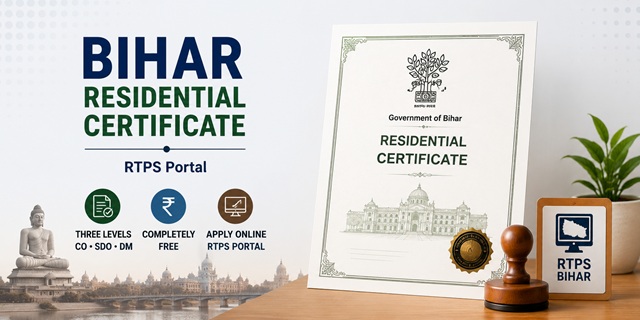
In Bihar, the Domicile Certificate is officially called Residential Certificate (आवासीय प्रमाण-पत्र) and is issued under the General Administration Department (GAD) through the RTPS (Right to Public Services) portal at serviceonline.bihar.gov.in. The portal runs on NIC ServicePlus and uses MeriPehchaan (National Single Sign-On) for login. Bihar is one of the few states where the Residential Certificate is issued completely free - no application fee at any level. Three levels of issuance are available: Block Level (Circle Officer/CO), Sub-Division Level (SDO), and District Level (DM). For most purposes, the Block Level (CO) certificate is sufficient. To get an SDO or DM level certificate, you must first have the lower-level certificate - the Reference Number and Token Number from the CO level certificate are required to apply at SDO level, and similarly SDO certificate is needed for DM level. The issued certificate is delivered via SMS download link, email attachment, DigiLocker, ServicePlus inbox, or can be collected from the RTPS Public Service Center.
- Bihar RTPS Portal: serviceonline.bihar.gov.in
- RTPS Homepage: serviceonline.bihar.gov.in/RTPS
- Apply Block Level (CO): RTPS → General Administration Dept → Issuance of Residential Certificate → Block Level
- Track Application Status: serviceonline.bihar.gov.in → Citizen → Track Application Status
- Download Certificate: serviceonline.bihar.gov.in → Citizen → Download Certificate
- Helpdesk Email: [email protected]
Three Levels of Residential Certificate in Bihar
Bihar's Residential Certificate is issued at three administrative levels. Understand which level you need before applying:
| Level | Issuing Authority | Hindi Name | When Needed |
|---|---|---|---|
| Block Level | Circle Officer (CO) / Revenue Officer (RO) | अंचल स्तर | General purposes - educational admissions, scheme benefits, most job applications |
| Sub-Division Level | Sub-Divisional Officer (SDO) | अनुमंडल स्तर | State government jobs requiring SDO-level certificate, higher court documents |
| District Level | District Magistrate (DM) | जिला स्तर | Central government services, NDA/UPSC applications, DM-level requirement |
Important escalation rule: To apply at SDO level, you must first have the Block Level (CO) certificate. Enter its Reference Number and Token Number on the SDO application. Similarly, you need the SDO certificate to apply at DM level. Apply in this sequence: CO level first → SDO level → DM level.
Fee
The Residential Certificate in Bihar is completely free of cost at all three levels - Block, SDO, and DM. No application fee is charged by the Bihar Government under the RTPS portal. If applying through CSC/Kiosk, a nominal service charge may apply but the government fee is zero.
Eligibility Criteria
- Whose name is on the voter list in Bihar
- Minor applicants whose parents are residents of Bihar
- Women married to a Bihar resident
- Owns land, house, or immovable property in Bihar
- Has been residing continuously in Bihar for at least 3 years
Documents Required
- Annexure-I - the self-declaration form as required in the Residential Certificate application form
- Identity Proof: Aadhaar Card, Voter ID, or Ration Card
- Proof of Residence: Electricity Bill, Water Bill, or Telephone Bill
- Birth Certificate
- Land ownership document (if applying on basis of property ownership)
- Passport-size colour photograph
Application Methods
Bihar RTPS offers multiple ways to apply for Residential Certificate:
- Without Login: Apply directly using the Department-wise service link on serviceonline.bihar.gov.in without creating an account
- With Login (MeriPehchaan): Register on serviceonline.bihar.gov.in using MeriPehchaan National Single Sign-On, then apply through Menu → Apply for Services → View All Available Services
- Through Executive Assistant (EA) at RTPS Counter: Visit the Public Service Center and the EA submits the application on your behalf either online or offline
- Through Kiosk: Submit at RTPS Kiosks available across Bihar
- Through CSC (Common Service Centre): CSC operator submits on serviceonline.bihar.gov.in on your behalf
How to Apply Online (Without Login)
- Go to serviceonline.bihar.gov.in.
- In the left sidebar, click Apply Online.
- Go to RTPS Services → General Administration Department → Issuance of Residential Certificate.

- Select the level: Block Level (for most purposes), Sub-Division Level, or District Level.
- The application form opens. Fill in all required details: Applicant Name, Gender, Type of Service, Father's Name, Mother's Name, address, period of residence, and attach Annexure-I.
- Upload all required documents.
- No fee is required. Submit the form.
- An Application Reference Number and Token Number are generated. Note both - they are required for status tracking, downloading the certificate, and for applying at the next higher level.
How to Apply with MeriPehchaan Login
- Go to serviceonline.bihar.gov.in and click Register Yourself from the Citizen section.
- Click Sign Up for MeriPehchaan. Fill in mobile number, name, date of birth, and password. Complete registration.
- After login, go to Menu → Apply for Services → View All Available Services.
- Search for Residential Certificate and select the required level.
- Fill the form and submit. Certificate is sent to your registered email and mobile via SMS download link.
How to Apply via RTPS Public Service Center / Executive Assistant
- Visit the nearest RTPS Public Service Center (Block/Sub-Division/District office).
- Meet the Executive Assistant (EA) at the RTPS Counter.
- The EA fills the Residential Certificate application online or offline on your behalf and submits it on serviceonline.bihar.gov.in.
- Collect the acknowledgement with Application Reference Number and Token Number.
- No government fee. The EA may charge a nominal service charge.
- Certificate is issued and can be collected from the Public Service Center or downloaded from the portal.
Certificate Delivery Options
Once the Residential Certificate is issued and digitally signed by the designated officer, it is delivered through:
- SMS: A download link is sent to the registered mobile number
- Email Attachment: Certificate PDF sent to registered email ID
- DigiLocker: Certificate available in DigiLocker linked to your Aadhaar
- ServicePlus Inbox: Available in dashboard if applied after login
- Portal Download: From serviceonline.bihar.gov.in → Citizen → Download Certificate
- RTPS Counter/CSC/Kiosk: Physical collection if applied through these centres
Check Application Status
- Go to serviceonline.bihar.gov.in.
- In the Citizen section, click Track Application Status.
- Choose to track by Application Reference Number or by OTP/Application Details.
- Enter the Reference Number or OTP with application information and captcha.
- Click Submit. Current status of the Residential Certificate application is displayed.
Download Certificate
- Go to serviceonline.bihar.gov.in.
- In the Citizen section, click Download Certificate.
- Select service type as RTPS from the dropdown.
- Enter Applicant Name and Application Reference Number. Click Download Certificate.
- The digitally signed Bihar Residential Certificate downloads in PDF.
Important Links
Helpline
- Email: [email protected]
వ్యాఖ్యానించండి