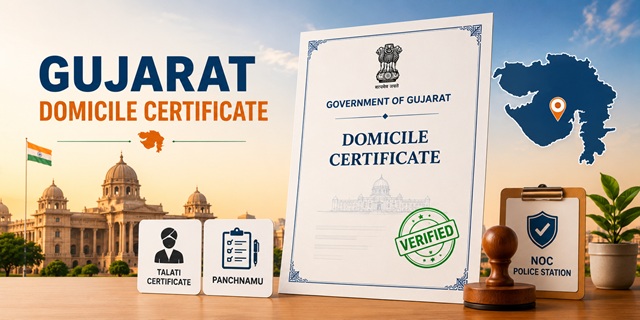
The Gujarat Domicile Certificate is issued by the Mamlatdar - the head of the Taluka (sub-district) revenue administration. Apply online at digitalgujarat.gov.in - the Digital Gujarat Portal which provides 100+ government services. The service is also available on the Digital Gujarat Mobile App. Offline applications are submitted at the Taluka Seva Sadan (Taluka service centre at the Mamlatdar office). Three documents are unique to Gujarat's domicile certificate process: Talati Certificate (certificate from the village-level revenue officer), Panchnamu (an on-site inspection report by the Talati or revenue inspector), and NOC from Police Station. The Mamlatdar or Jan Seva Kendra operator handles the application. Processing time is 15 working days. Validity is lifetime.
- Digital Gujarat Portal: digitalgujarat.gov.in
- Citizen Login: digitalgujarat.gov.in/login
- Service Description: digitalgujarat.gov.in/service-description
- Ahmedabad Mamlatdar Office: Near RTO, Ashram Road, Ahmedabad PIN 380027
- Ahmedabad Helpline: 079-27551681 | 1800-233-5500
- Morbi / All Talukas: Respective Taluka Mamlatdar Office, Taluka Seva Sadan
Eligibility Criteria
- Born in Gujarat and residing in the state for 10 years
- Women married to a permanent domicile resident of Gujarat
- Persons in Gujarat Government's permanent service
What is Talati Certificate
The Talati is the village-level revenue officer in Gujarat - equivalent to the Patwari in North India. The Talati Certificate is an official endorsement from the Talati of your village or ward confirming your residential status in the area. It is issued after the Talati verifies local land records, voter list entries, and community knowledge of your residence. Without the Talati Certificate, the Mamlatdar will not process the domicile application.
What is Panchnamu
Panchnamu is a field inspection report prepared by the Talati or Revenue Inspector who visits the applicant's declared residence and records the observations in the presence of local witnesses (Panchas). The Panchnamu verifies actual physical residence at the declared address - it confirms that the applicant genuinely lives at the stated location. Both Talati Certificate and Panchnamu together form the community-level and field-level verification layer for Gujarat's domicile certificate.
Documents Required
Any one Residence Proof:
- Ration Card, Electricity Bill, Telephone Bill, Voter Identity Card, Passport, Bank Passbook, Post Office Account Passbook, Driving Licence, Government-issued Photo Identity Card, or Latest Water Bill
Any one Identity Proof:
- Voter ID/Election Card, PAN Card, Passport, Aadhaar Card, Driving Licence, Government Identity Card, any Government Document with applicant's photo, or Educational Institution Photo ID Card
Other Documents:
- Talati Certificate - mandatory (certificate from village/ward-level Talati)
- Panchnamu - field inspection report by Talati or Revenue Inspector
- NOC from Police Station - No Objection Certificate from the local police station
- Affidavit - self-declaration of residence
- Character Certificate
- Residence proof for last 10 years (old bills, ration card, voter list entries)
- Parent's Job/Business Proof
- Birth Certificate (for domicile by birth applicants only)
How to Apply Online at Digital Gujarat Portal
- Visit digitalgujarat.gov.in and click Register.

- Enter mobile number, email, and create a password.

- After registration, log in with Mobile Number or Email ID and Password. (Registration is free - fees apply only to specific services.)

- Complete the citizen profile after first login. An incomplete or unverified profile may cause applications to remain pending.
- Click Request a New Service. Search for Domicile Certificate and click Apply.
- Fill the detailed Domicile Certificate application form with personal details, residence details, and eligibility basis.
- Upload all required documents in PDF format - Talati Certificate, Panchnamu, NOC, residence proof, identity proof, affidavit.
- Pay the application fee online and submit. An Acknowledgement/Reference Number is generated. Note it.
- Respective officials verify the application and documents. The Mamlatdar of your Taluka issues the digitally signed Domicile Certificate after verification.
How to Apply via Jan Seva Kendra / CSC
- Jan Seva Kendra (also called CSC - Common Service Centre) operates at the Mamlatdar Office / Taluka Seva Sadan.
- Visit with all original documents including pre-obtained Talati Certificate, Panchnamu, and NOC from Police Station.
- The Jan Seva Kendra agent fills and uploads the application on digitalgujarat.gov.in.
- Pay the service fee. Collect the acknowledgement receipt with Reference Number.
- Certificate issued within 15 working days. Download from digitalgujarat.gov.in after approval.
How to Apply at Mamlatdar Office (Offline)
- Visit the Mamlatdar Office of your Taluka during office hours.
- Submit the application form with all required documents to the revenue section.
- The Mamlatdar's office coordinates with the Talati for field verification if not already done.
- Certificate issued and available at the Mamlatdar office or via digitalgujarat.gov.in after approval.
Digital Gujarat Mobile App
The Domicile Certificate service is also available on the Digital Gujarat Mobile App. Download from Google Play Store or Apple App Store by searching "Digital Gujarat". The mobile app allows application submission, status tracking, and certificate download from your phone.
Check Application Status
- Log in to digitalgujarat.gov.in and click Track Application Status.
- Enter your Application Number and click Search.
- Status options: Under Process (verification ongoing), Approved (ready for download), Rejected (with reason).
- After login, the dashboard shows all requested, approved, rejected, pending, and returned applications.
Download Certificate
- Log in to digitalgujarat.gov.in.
- Click My Services and select the approved Domicile Certificate application.
- Click Download Certificate. Or go to View Certificate, enter your Acknowledgement/Reference Number, and click Download PDF.
- The digitally signed Gujarat Domicile Certificate downloads in PDF.
Fee and Processing Time
| Application Mode | Fee | Processing Time |
|---|---|---|
| Digital Gujarat Portal (Online) | Rs. 20 to Rs. 100 (nominal) | 15 working days |
| Jan Seva Kendra / CSC | Rs. 20 to Rs. 100 + service charge | 15 working days |
| Mamlatdar Office (Offline) | As applicable at counter | 15 working days |
Validity: Lifetime
Important Links
- Digital Gujarat Portal - digitalgujarat.gov.in
- Citizen Login - digitalgujarat.gov.in
- Domicile Service Description - digitalgujarat.gov.in
Helpline
- Digital Gujarat Portal Helpdesk: 1800-233-5500
- Ahmedabad Mamlatdar Office: 079-27551681
వ్యాఖ్యలు
ગુજરાતી
આધાર કાર્ડ
pan card
ગુજરાતી
આધાર કાર્ડ
Domicile
Im come from ahamdabad
వ్యాఖ్యానించండి