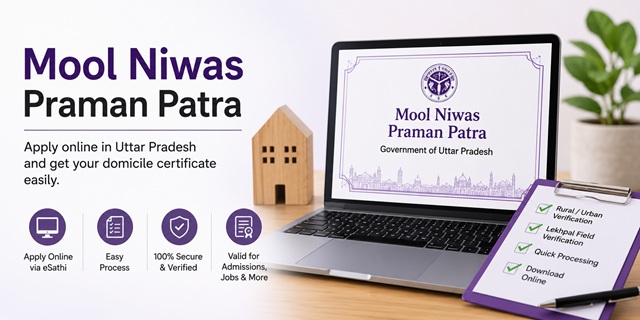
In Uttar Pradesh, the domicile certificate is officially called Niwas Praman Patra (निवास प्रमाण पत्र). It comes in two types. The Samanya Niwas Praman Patra (Ordinary Residence Certificate) proves your current address where you presently live. The Mool Niwas Praman Patra (Permanent Domicile Certificate) proves your permanent ancestral residence in Uttar Pradesh. For state quota admissions, UP government jobs, scholarships, and welfare schemes, you need the Mool Niwas Praman Patra specifically.
The Revenue Department issues both certificates through the Tehsildar. You apply online at edistrict.up.gov.in through the eSathi portal at esathi.up.gov.in.
Three things make the UP domicile certificate process different from other states. First, Aadhaar e-KYC is mandatory , the portal pulls your name and photo directly from UIDAI after OTP verification, so you do not enter these manually. Second, Family ID is compulsory, you cannot proceed without it. Third, you must select Rural (Gramin) or Urban (Nagariya) at the very start of the application, this selection decides whether a Lekhpal or a Revenue Inspector visits your address for field verification.
| Resource | Link |
|---|---|
| eDistrict UP Portal | edistrict.up.gov.in |
| eSathi UP Portal (Login and Apply) | esathi.up.gov.in |
| Check Application Status | edistrict.up.gov.in/status |
| Self Declaration Form | Download Self Declaration PDF |
| Helpline | 0522-2304706 |
| [email protected] |
Niwas Praman Patra vs Mool Niwas Praman Patra
Many applicants become confused while applying on the eSathi portal because Uttar Pradesh provides two different residence-related certificates. Although both certificates are issued by the Revenue Department, their purpose is completely different. Selecting the wrong certificate can result in rejection during admissions, recruitment, scholarship verification, or document scrutiny.
Before submitting your application, it is important to understand which certificate is required for your specific purpose.
| Certificate | Hindi Name | Purpose |
|---|---|---|
| Ordinary Residence Certificate | Samanya Niwas Praman Patra | Used as proof of your current residential address in Uttar Pradesh. It is generally required for address verification, local administrative purposes, and certain government schemes. |
| Domicile Certificate | Mool Niwas Praman Patra | Used as proof of permanent residence or domicile status in Uttar Pradesh. It is commonly required for state quota admissions, UP government recruitments, scholarships, reservations, and various state welfare schemes. |
If you are applying for NEET UP State Quota Counselling, UPSSSC Recruitment, UPPSC Examinations, Uttar Pradesh Scholarships, State Government Jobs, or Reservation Benefits, you should apply specifically for the Mool Niwas Praman Patra (Domicile Certificate) through the eSathi portal.
Applicants should carefully verify the certificate type while filling out the online application form, as both services are available separately on the portal.
Eligibility Criteria
An applicant must satisfy any one of the following conditions to apply for a Uttar Pradesh Mool Niwas Praman Patra:
- The applicant was born in Uttar Pradesh and has ancestral residence within the state.
- The applicant has been continuously residing in Uttar Pradesh for at least 3 years.
- The applicant's parents or legal guardians are permanent residents of Uttar Pradesh.
- The applicant is a government employee posted and residing in Uttar Pradesh.
- The applicant is married to a permanent resident of Uttar Pradesh and is residing within the state.
Important: Uttar Pradesh generally requires a minimum residence period of only 3 years for domicile-related purposes, which is considerably lower than the requirement followed by several other states. In many cases, applicants whose parents are permanent residents of Uttar Pradesh may also be eligible even if they are currently residing outside the state due to employment, education, or other valid reasons.
Documents Required
Applicants should keep all supporting documents ready before starting the online application process. The issuing authority may request additional documents during verification if required.
- Self Declaration Form (download, print, fill, and upload after signing)
- Ration Card showing family residence details
- Latest Electricity Bill or other valid residential proof
- Voter Identity Card (EPIC)
- Educational documents issued by a Uttar Pradesh institution, such as School Transfer Certificate (TC), Marksheet, or Passing Certificate (if available)
- Recent passport-size photograph of the applicant
- Aadhaar Card for identity verification and e-KYC purposes (the Aadhaar number should be linked with an active mobile number to receive OTP)
- Family ID (Ek Parivar Ek Pehchan), which is mandatory while applying for the Uttar Pradesh Domicile Certificate through the online portal
Providing clear and readable document copies helps avoid delays during verification and increases the chances of faster certificate approval.
What is Family ID and Why It Is Mandatory
The Family ID (Ek Parivar Ek Pehchan) is a unique 12-digit identification number issued to families residing in Uttar Pradesh. The system has been developed by the Uttar Pradesh Government to create a unified family database and facilitate the delivery of government services and welfare schemes.
Under this system, all eligible family members are linked to a single Family ID, allowing departments to verify household information digitally and reduce the need for repeated document submissions.
For applications submitted through the eSathi portal, the Uttar Pradesh Government has made the Family ID mandatory for obtaining a Mool Niwas Praman Patra (Domicile Certificate). During the application process, the Family ID details are used for verification and record matching.
If your family has not yet been registered under the scheme, you should first create a Family ID through the official portal before starting the domicile certificate application process.
You can register online at familyid.up.gov.in and obtain your Family ID after successful registration and verification.
Rural vs Urban: Choose the Correct Category While Applying
While filling out the Uttar Pradesh Domicile Certificate application on the eSathi portal, applicants must select either Rural (Gramin) or Urban (Nagariya). This selection determines which revenue authority will verify your application and conduct field verification.
Choosing the wrong category can result in unnecessary delays, repeated verification requests, or rejection of the application. Therefore, applicants should select the category based on their actual residential location.
- Rural (Gramin): Select this option if your residence falls within a village, Gram Panchayat area, or any rural locality. In such cases, the Lekhpal of the concerned revenue village generally carries out the field verification process.
- Urban (Nagariya): Select this option if your residence is located within the jurisdiction of a Nagar Panchayat, Nagar Palika Parishad, Municipal Council, or Municipal Corporation. Verification is usually conducted by the Revenue Inspector or the designated urban revenue authority.
- Select according to your actual place of residence: The choice should be based on where you currently reside and not on the location of the district headquarters, tehsil headquarters, or nearest city.
Before submitting the application, carefully verify whether your address falls under a rural or urban administrative area. Selecting the correct category helps ensure faster verification and timely issuance of the domicile certificate.
How to Apply Online at eSathi Portal
- To apply for Uttar Pradesh Government's Domicile Certificate, an Applicant will have to visit edistrict.up.gov.in and click on Citizen Login (eSathi).

- The portal redirects to esathi.up.gov.in.

- Click New User Registration (नवीन उपयोगकर्ता पंजीकरण).

- Fill the registration form with name, address, mobile number, and email ID.

- A PIN is sent to the registered mobile number. Log in with Login ID and PIN.

- Change the PIN and set your own password on first login.
- Select Domicile Certificate / Niwas Praman Patra from the services list.

- Enter your Aadhaar Card number. An OTP is sent to your Aadhaar-linked mobile number. Enter the OTP for e-KYC verification. Your name and photo auto-populate from UIDAI after successful e-KYC.

- Enter your Family ID (mandatory).
- Select Rural (Gramin) or Urban (Nagariya) based on your actual place of residence.
- Fill personal and contact details in the application form.
- Attach all required documents - Self Declaration, Ration Card, Electricity Bill, Voter ID, Aadhaar.
- Pay Rs. 15 service fee online.
- Submit. An Application Number is generated. Note it for tracking.
- After approval from Tehsildar Office, download the certificate from the portal.
How the Verification Process Works After Submission
Once you submit your Uttar Pradesh Domicile Certificate application through the eSathi portal, it does not get approved immediately. The application is forwarded to the concerned revenue authorities for verification of your residence details and supporting documents. The verification process depends on whether you selected Rural (Gramin) or Urban (Nagariya) during application submission.
- For Rural (Gramin) Applicants: The application is assigned to the concerned Lekhpal of your village or gram panchayat area. The Lekhpal verifies the information provided in the application and may conduct a field visit to confirm your residence status.
- For Urban (Nagariya) Applicants: Verification is generally carried out by the Revenue Inspector or the designated revenue official responsible for the municipal area.
- Document Verification: During the verification stage, officials may examine documents such as Family ID details, Aadhaar information, voter records, ration card details, electricity bills, educational records, and other supporting documents submitted with the application.
- Residence Confirmation: Revenue officials may verify whether the applicant or the applicant's family genuinely resides at the declared address and satisfies the domicile requirements prescribed by the Uttar Pradesh Government.
- Additional Clarifications: If any discrepancy, missing document, or mismatch is found, the concerned authority may seek further clarification or ask for additional supporting documents before processing the application further.
- Final Approval: After successful verification, the verification report is forwarded to the competent authority, usually the Tehsildar, for final scrutiny and approval. Once approved, the domicile certificate is generated digitally and made available for download.
Important: Keep your mobile number active and regularly track your application status on the eDistrict portal. If any objection or document deficiency is raised during verification, responding promptly can help avoid unnecessary delays in certificate issuance.
Check Application Status
- To check the Status of applied Domicile Certificate, Applicant will have to Open the edistrict.up.gov.in and click Application Status.

- Enter the Application Number and click Search.

- Status shows current stage: Submitted, Under Lekhpal Verification, Under Tehsildar Review, or Approved.
- If stuck at Lekhpal stage for more than 7 days, contact the local Lekhpal directly to check if additional documents are needed.
How to Download the Domicile Certificate
- Log in to esathi.up.gov.in with your Login ID and Password.
- Click on Nistarit Aavedan (निस्तारित आवेदन) - this shows all approved applications.
- Select the Domicile Certificate from the list.
- Click View Certificate and download the digitally signed PDF.
- The digitally signed certificate from eSathi is legally valid across India for educational admissions, government jobs, and all official purposes.
Fee and Processing Time
| Application Mode | Fee | Processing Time |
|---|---|---|
| Online (eSathi Portal yourself) | Rs. 15 | 15 to 20 working days |
| CSC / Jan Seva Kendra | Minimum Rs. 30 (govt + service charge) | 15 to 20 working days |
Validity and Important Points
- Validity is lifetime - no renewal needed for most purposes.
- Some UP state schemes may require a certificate not older than 3 years for fresh applications - check scheme-specific requirements.
- Carry original documents for verification if Lekhpal visits.
- Check all certificate details for accuracy immediately after downloading - name spelling, father's name, address.
- Keep a scanned PDF copy stored safely in Google Drive or email.
- Ensure Aadhaar is linked to your active mobile number before applying - e-KYC OTP will go to this number.
- Ensure Family ID is created before applying at familyid.up.gov.in.
Important Links
- eDistrict UP Portal - edistrict.up.gov.in
- eSathi UP Portal - esathi.up.gov.in
- Family ID Registration - familyid.up.gov.in
- Self Declaration Form PDF
Helpline
- eDistrict / eSathi UP Helpline: 0522-2304706
- Email: [email protected]
వ్యాఖ్యలు
Rampant
आवश्यक दस्तावेज (Documents Required)ऑनलाइन आवेदन करते समय आपको निम्नलिखित दस्तावेजों की स्कैन कॉपी या फोटो अपलोड करनी होगी:पहचान प्रमाण: आधार कार्ड या वोटर आईडीमूल निवास प्रमाण: राशन कार्ड, बिजली का बिल, या संपत्ति के कागजातपरिवार/राज्य डेटा: जन आधार कार्ड (विशेषकर राजस्थान के लिए)पासपोर्ट साइज फोटोस्वप्रमाणित घोषणा पत्र (Self-Declaration Form)
Nivas praman Patra
Hamen nivas praman Patra banana hai
Mulay nibas
Me mulay nibas download kar raha hu tho isme password mag rahe hai iska password kya hai
Shaadi ke aadhar par bna niwas mulniwas hota hai
Koi mahila ki shaadi bihar se up me hui hai up ke pati ke pate se niwas bn gya hai kya mai ise government job me mulniwasi hone ka dawa kar sakti hu
వ్యాఖ్యానించండి