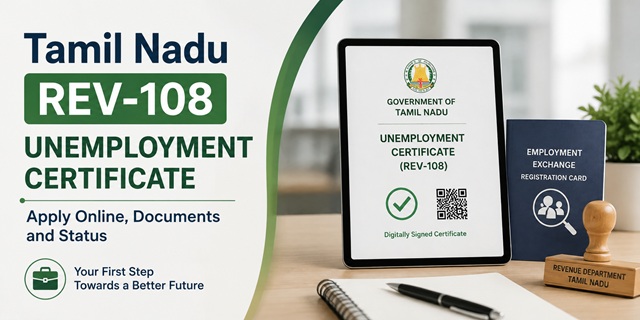
Most people open the REV-108 form and discover halfway through that they cannot finish it.
That is because two of the required documents are things you have to obtain first, from two different places, before you touch this application at all.
- An Employment Card, which means registering at the employment exchange
- A Family Income Certificate, which is a separate certificate under REV-103
Get those two in hand and REV-108 takes fifteen minutes. Start without them and you will be stuck.
This guide covers the full sequence, what the certificate actually unlocks, and how to apply on the portal or at a centre.
Quick Facts
| Detail | Information |
|---|---|
| Service code | REV-108 |
| Issuing department | Revenue Department, Government of Tamil Nadu |
| Issued by | Tahsildar |
| Apply at | tnesevai.tn.gov.in or tnega.tn.gov.in |
| Fee | Rs 60 |
| Processing time | Around 15 working days |
| Needed before you apply | CAN Number, Employment Card, Family Income Certificate |
| Verification chain | VAO, then RI, then Tahsildar |
| Photo size limit | Around 50 KB |
| Status by SMS | Send acknowledgement number to 155250 |
| e-Sevai Centres | 10,443 across Tamil Nadu |
| Certificate format | Digitally signed PDF with QR code |
Two Things You Must Get First
This is the section that saves you a wasted attempt.
1. Employment Card, from the employment exchange
You must be registered with the employment exchange and hold a valid registration card before applying for this certificate. It is on the document list, and the guidance is to carry the original valid employment registration card when you apply.
Tamil Nadu has reorganised its employment exchanges into District Employment and Coaching cum Guidance Centres, effectively career centres, and registration is done through the Department of Employment and Training.
How registration works:
- Register on the Department of Employment and Training portal with your name, date of birth, father's name and mobile number.
- Log in with the user ID and password created.
- Complete four sections: personal details, contact details, qualification details and skill details.
- Submit. The portal generates your Employment Exchange Registration Number.
One rule to know. No candidate may register at more than one employment exchange. Registering twice does not improve your chances and creates a problem in your record.
A side benefit. Registered candidates can access coaching and guidance through the District Employment and Coaching cum Guidance Centres. Since you have to register anyway, use what the registration gives you.
2. Family Income Certificate, which is REV-103
The document list requires a Family Income Certificate. In Tamil Nadu that is a separate certificate with its own service code, REV-103, on the same portal.
So the order is: apply for REV-103 first, wait for it to be issued, then apply for REV-108 using it.
Plan for the time. REV-103 itself takes around fifteen working days, and REV-108 takes about the same. If you need the Unemployment Certificate for a deadline, count backwards from that date and allow for both.
Our separate guide covers how to apply for the Tamil Nadu Income Certificate under REV-103.
The full sequence
- Register at the employment exchange and obtain your Employment Card
- Create your CAN Number on the e-Sevai portal
- Apply for REV-103, the Family Income Certificate, and wait for it
- Apply for REV-108, the Unemployment Certificate
What the Certificate Actually Gets You
This is not a document you obtain for its own sake. It unlocks specific things.
- Bank loans to start a business. This is the main use. Unemployed youth holding a valid employment registration card need this certificate for self-employment and to obtain a bank loan to start their own business.
- Scholarships from the Employment and Training Department.
- Compassionate ground appointments, where a government post is filled on compassionate grounds.
- Government welfare schemes and financial aid that require proof of unemployment status.
- Job assistance programmes run by the state.
Note what the first use tells you. The certificate is aimed at people trying to start something, not only at people waiting for a job. If you are applying for a self-employment loan, this is the document the bank will ask for, alongside your employment registration card.
Documents Required
This is the official list.
| Document | What it proves |
|---|---|
| Photo | Identity. Keep it around 50 KB. |
| Any address proof | Where you live. Aadhaar, ration card or a utility bill. |
| Educational qualification proof | What you have studied |
| Transfer Certificate | That you have left the institution and completed your education |
| Family Income Certificate | Household income. This is REV-103. |
| Self-declaration of applicant | Your own statement, generated by the portal |
| Employment Card | That you are registered with the employment exchange |
| Other documents | As required by the office in your case |
Why the Transfer Certificate is on the list
People find this one odd, but the logic is straightforward.
The certificate is meant for educated unemployed youth. The educational qualification proof shows what you studied. The Transfer Certificate shows that you have finished and left, which is what separates an unemployed graduate from a student still enrolled.
Obtain the TC from the last institution you attended, whether school, college or a technical institute.
The Self-Declaration Form
You do not write this yourself. The portal generates it once you complete CAN registration.
- Download the auto-generated form.
- Print it.
- Sign it by hand.
- Scan the signed copy.
- Upload it with your application.
An unsigned form is the most common upload rejection. Sign before scanning.
Watch the photo size
The photograph should be kept small, around 50 KB. A photo taken on a modern phone will be several megabytes and will fail the upload. Resize it before you start, or use an e-Sevai Centre where the operator handles it.
Step Zero: The CAN Number
You cannot open the REV-108 form without one.
CAN stands for Citizen Access Number. It is your unique identity on the Tamil Nadu e-Sevai system, linked to your Aadhaar and mobile number, holding your details so you do not re-enter them for every service.
How to create it
- Go to tnesevai.tn.gov.in and click New User Sign Up.
- Create your account with name, mobile number and email.
- Log in and open the CAN registration section.
- Enter your Aadhaar number. If a CAN already exists against it, the system shows it.
- If not, click Register CAN, fill in your details and verify the OTP.
- Your CAN Number is generated. Note it down. It is permanent.
The OTP goes to your Aadhaar-linked mobile. If that number is old or inactive, no OTP arrives and you cannot register. Update it at an Aadhaar centre first.
If you applied for REV-103 already, you have a CAN. Use the same one. Do not create a second.
How to Apply Online
- Open tnesevai.tn.gov.in and click Citizen Login.
- Log in with your credentials, or with your mobile number and OTP.
- Click Services in the left menu.
- Choose Department Wise, then Revenue Department.
- Click REV-108 Unemployment Certificate.
- Click Proceed.
- Search for your CAN Number and select it when your record appears.
- Your mobile number auto-fills. Click Generate OTP, enter it and confirm.
- Fill the application form with your educational details, employment registration details and the purpose of the certificate.
- Click Upload and attach your scanned documents.
- Select Make Payment and pay Rs 60 by card, net banking or UPI.
- Click Confirm Payment.
- Save the acknowledgement. Your Application Number is on it. Screenshot it too.
The acknowledgement number is your handle on everything after this. Status checks, follow-ups and complaints all need it.
How to Apply at an e-Sevai Centre
Tamil Nadu has 10,443 e-Sevai Centres. An operator completes the application for you.
Find your nearest centre
Use the locator at tnega.tn.gov.in/csclocation.
What to carry
- Your CAN Number, if you already have one
- Aadhaar card and your Aadhaar-linked mobile phone
- Original valid Employment Card
- Family Income Certificate, meaning your REV-103
- Educational qualification certificates
- Transfer Certificate
- Signed self-declaration form
- Address proof
- Passport size photograph
Why this route is often easier here
- Several documents to scan. This application has more attachments than most, and the operator handles the formats.
- The photo size limit. Operators resize photographs correctly as a matter of routine.
- Immediate help if the OTP or the portal misbehaves.
Collect your acknowledgement receipt before leaving, and check that the Application Number is printed on it.
The Fee
Rs 60, paid during the application by card, net banking or UPI.
Downloading the approved certificate is free. You do not pay again at the end.
At an e-Sevai Centre, ask about the charge before the operator begins and take a receipt.
What Happens After You Apply
Your application passes through three officers. Knowing where it sits tells you who to follow up with.
Stage 1: VAO, the Village Administrative Officer
The VAO carries out ground level verification, checking your details and the documents you have submitted.
Be available. If nobody can be found when the VAO comes, the file stalls.
If the VAO has not come within about 7 working days, go to the Taluk office with your Application ID rather than waiting.
Stage 2: RI, the Revenue Inspector
The RI reviews the VAO's field report and forwards it. This is a desk stage, usually quicker than the field visit, but it is where incomplete reports sit quietly.
Stage 3: Tahsildar
The Tahsildar approves and issues the digitally signed certificate with a QR code.
The whole process takes around 15 working days.
If it gets stuck
- Check the status first. There is no point calling the Tahsildar when the file is with the VAO.
- Visit or call the Taluk office with your Application ID.
- If nothing moves, raise a complaint on your District Collector's grievance portal.
How to Check Your Status
On the portal
- Log in to tnesevai.tn.gov.in.
- Click Check Status.
- Enter your Application Number, date and applicant name.
- Click Search.
The result shows whether the file is at the VAO, RI or Tahsildar stage.
By SMS
Send your acknowledgement number to 155250. The first SMS is free, and your operator charges around Rs 1 for each one after that.
On the e-District portal
You can also enter your acknowledgement number at tnedistrict.tn.gov.in.
Downloading Your Certificate
- Log in and click Check Status.
- Enter your Application Number, date and name, then search.
- When approved, a Download Certificate link appears.
- The digitally signed PDF with a QR code downloads.
Downloading is free, and the certificate does not need attestation. A bank, an employer or a government office can scan the QR code and verify it instantly.
If the download fails, use Google Chrome, make sure a PDF reader is installed, and try from a desktop if mobile is not working.
Problems People Run Into
- Starting without an Employment Card. Register at the employment exchange first. The card is a required document.
- Starting without a Family Income Certificate. That is REV-103, a separate application that takes its own fifteen working days.
- Registering at more than one employment exchange. No candidate is allowed to do this, and it creates a problem in your record.
- Photo too large. Keep it around 50 KB. A phone photo will be far bigger.
- No Transfer Certificate. Obtain it from the last institution you attended before starting the application.
- Unsigned self-declaration form. Print, sign by hand, scan the signed copy, then upload.
- No OTP during CAN registration. Your Aadhaar-linked mobile is the issue, not the portal.
- Creating a second CAN. If you applied for REV-103, use the same CAN.
- VAO not visiting. Contact the Taluk office with your Application ID.
- Leaving it until a deadline. Two certificates in sequence, at roughly fifteen working days each, does not fit into a loan or scheme deadline you remembered last week.
Before You Start: A Checklist
- Employment Card, valid and in original
- Family Income Certificate, meaning REV-103, already issued
- CAN Number created and noted
- Aadhaar-linked mobile active and with you
- Educational qualification certificates, scanned
- Transfer Certificate, scanned
- Self-declaration form, downloaded, printed, signed and scanned
- Address proof, scanned
- Photograph, around 50 KB
- Rs 60 and a payment method
Other Tamil Nadu Revenue Certificates
The same portal, the same CAN and the same three-officer chain handle these too.
| Code | Certificate |
|---|---|
| REV-101 | Community Certificate |
| REV-102 | Nativity Certificate |
| REV-103 | Income Certificate |
| REV-104 | First Graduate Certificate |
| REV-105 | Deserted Woman Certificate |
| REV-106 | Agricultural Income Certificate |
| REV-107 | Family Migration Certificate |
| REV-108 | Unemployment Certificate |
| REV-109 | Widow Certificate |
| REV-116 | Residence Certificate |
Add new comment