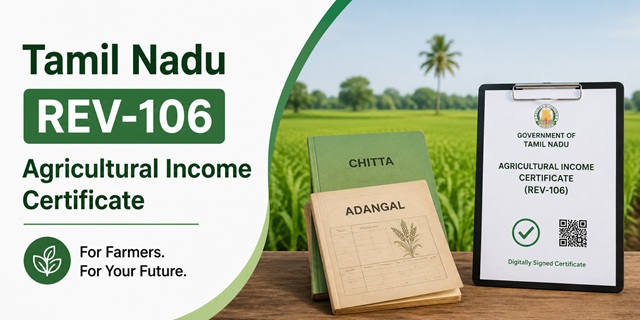
Tamil Nadu State is one of the few states that issues a separate certificate for agricultural income. If your income comes mainly from farming, you do not apply under the general Income Certificate. You apply under REV-106.
And here is the part most people get wrong: you do not have to own the land. The official document list includes proof of lease and an NOC from the landholder, which means tenant farmers can apply too.
This article guide covers who qualifies, what Adangal and Chitta actually are, both ways to apply, and what to do when your file gets stuck with the VAO.
Quick Facts
| Detail | Information |
|---|---|
| Service code | REV-106 |
| Issuing department | Revenue Department, Government of Tamil Nadu |
| Issued by | Tahsildar |
| Apply at | tnesevai.tn.gov.in or tnega.tn.gov.in |
| Fee | Rs 60 |
| Processing time | 15 working days |
| Required first | CAN Number |
| Verification chain | VAO, then RI, then Tahsildar |
| Tenant farmers eligible | Yes, with lease proof and landholder NOC |
| Status by SMS | Send acknowledgement number to 155250 |
| e-Sevai Centres | 10,443 across Tamil Nadu |
| Certificate format | Digitally signed PDF with QR code |
REV-106 or REV-103? Pick the Right One
Tamil Nadu runs two separate income certificate services, and applying under the wrong code wastes your fee and your time.
| REV-106 | REV-103 | |
|---|---|---|
| Certificate | Agricultural Income Certificate | Income Certificate |
| For whom | People whose income comes mainly from farming | Everyone else, including salaried and business income |
| Key documents | Adangal and Chitta, land records | Salary certificate, income proof |
The simple test. If the bulk of your household income comes from land you cultivate, apply under REV-106. If it comes from a salary, a business or mixed sources, apply under REV-103.
Our separate guide covers the Tamil Nadu Income Certificate under REV-103.
Most states do not make this distinction at all. They issue one income certificate and expect farmers to fit into it. Tamil Nadu recognising agricultural income as its own category is why the document list here looks so different.
You Do Not Have to Own the Land
This is the biggest misunderstanding about REV-106, and the official document list settles it.
The prescribed documents include Proof of Lease, meaning an NOC from the landholder. That requirement only makes sense if people who farm land belonging to someone else are expected to apply.
So two groups can apply:
- Landowners, who provide their Chitta and Adangal for the land they own and cultivate
- Tenant farmers, who provide the lease proof and an NOC from the person who owns the land, along with the land records
Why this matters. A large number of cultivating households in Tamil Nadu farm land they do not own. Many of them assume an Agricultural Income Certificate is closed to them and never apply, which means they miss out on the loans, subsidies and scheme benefits the certificate unlocks.
If you are a tenant farmer, talk to the landholder early. The NOC is the one document you cannot produce yourself, and it is the step most likely to hold up your application.
What the Certificate Is Used For
- Agricultural loans from banks and cooperative societies
- Farmer welfare schemes and subsidies that require proof of agricultural income
- Crop insurance and input subsidy claims
- Educational admissions and scholarships where income from farming must be established
- Government scheme eligibility where the source of income matters, not just the amount
- Legal and revenue matters requiring proof of income from land
The distinction from a general income certificate is deliberate. Many farmer schemes are open only to people who actually derive income from cultivation. A general income certificate proves how much you earn. REV-106 proves how much you earn from farming, which is what those schemes need.
Documents Required
This is the official list.
| Document | Who needs it |
|---|---|
| Photo | Everyone |
| Any address proof | Everyone |
| Last one year Adangal | Everyone |
| Self-declaration of applicant | Everyone |
| Chitta | Everyone |
| Proof of lease, NOC from the landholder | Tenant farmers |
| Other documents | As required by the office |
What Adangal and Chitta actually are
These two are the heart of the application, and people outside Tamil Nadu often have not heard of them.
Chitta is a land record maintained by the Revenue Department. It records who holds the land, its extent, and its classification, whether wetland or dryland. It answers the question whose land is this.
Adangal is the crop record. It shows what was actually cultivated on that land, season by season. It answers the question what was grown here.
Together they establish your agricultural income. The Chitta shows the land, the Adangal shows the farming. Neither alone is enough, which is why both appear on the list.
Note the words "last one year"
The requirement is not simply an Adangal. It is the last one year Adangal.
Get a current extract. An old copy sitting in your file from three years ago does not meet the requirement, and this is a common reason applications come back. Obtain a fresh one covering the most recent year before you apply.
About Aadhaar
Aadhaar does not appear separately on the list, and that is not an oversight. Your Aadhaar is already verified at the CAN stage, before you can even open the REV-106 form. By the time you reach the document upload, the system already holds your Aadhaar-verified identity.
You will still need your Aadhaar-linked mobile with you, because the OTP goes there.
The Self-Declaration Form
You do not write this yourself. The portal generates it once you complete CAN registration.
- Download the auto-generated form.
- Print it.
- Sign it by hand.
- Scan the signed copy.
- Upload it with your application.
An unsigned form is the most common upload rejection. Sign before scanning.
Step Zero: The CAN Number
You cannot open the REV-106 form without one.
CAN stands for Citizen Access Number. It is your unique identity on the Tamil Nadu e-Sevai system, linked to your Aadhaar and mobile number, holding your personal details so you do not re-enter them for every service.
How to create it
- Go to tnesevai.tn.gov.in and click New User Sign Up.
- Create your account with name, mobile number and email.
- Log in and open the CAN registration section.
- Enter your Aadhaar number. If a CAN already exists against it, the system shows it.
- If not, click Register CAN, fill in your details, and verify the OTP.
- Your CAN Number is generated. Note it down. It is permanent.
The OTP goes to your Aadhaar-linked mobile number. If that number is old or inactive, no OTP arrives and you cannot register. Update it at an Aadhaar centre first.
Already have a CAN? Search for it rather than creating a second one. Duplicate records cause problems later.
How to Apply Online
- Open tnesevai.tn.gov.in and click Citizen Login.
- Log in with your credentials, or with your mobile number and OTP.
- Click Services in the left menu.
- Choose Department Wise, then Revenue Department.
- Click REV-106 Agricultural Income Certificate. Check the code before you click, since REV-103 next to it is the general Income Certificate.
- Click Proceed.
- Search for your CAN Number. Select it using the radio button when your record appears.
- Your mobile number auto-fills. Click Generate OTP, enter the OTP and confirm.
- Fill the application form with your agricultural income details, land details and the purpose of the certificate.
- Click Upload and attach your scanned documents.
- Select Make Payment and pay Rs 60 by card, net banking or UPI.
- Click Confirm Payment.
- Save the acknowledgement. Your Application Number is on it. Screenshot it too.
The acknowledgement number is your handle on everything after this. Status checks, follow-ups and complaints all need it.
How to Apply at an e-Sevai Centre
Tamil Nadu has 10,443 e-Sevai Centres, and for a farmer this is often the better route.
Find your nearest centre
Use the locator at tnega.tn.gov.in/csclocation.
What to carry
- Your CAN Number, if you already have one
- Aadhaar card and your Aadhaar-linked mobile phone
- Chitta
- Last one year Adangal
- Signed self-declaration form
- Address proof
- Lease proof and landholder NOC, if you are a tenant farmer
- Passport size photograph
Why this route suits farmers
- No scanner needed. The operator scans your Chitta and Adangal, which are often larger documents that do not photograph well.
- Fewer format rejections. Operators handle these applications daily.
- Immediate help if the portal misbehaves or the OTP fails.
Get the acknowledgement receipt before you leave, and check that the Application Number is printed on it.
What the Fee Covers
The fee is Rs 60, paid at the time of application by card, net banking or UPI.
Downloading the approved certificate is free. You do not pay again at the end.
At an e-Sevai Centre, ask about the charge before the operator begins, and take a receipt. Fee structures for centre-assisted applications are published district by district, so it is worth confirming locally rather than assuming.
What Happens After You Apply
Your application does not go straight to the Tahsildar. It passes through a chain of three officers, and knowing where it sits tells you who to follow up with.
Stage 1: VAO, the Village Administrative Officer
The VAO carries out ground level verification. For an agricultural income certificate that usually means checking the land, the cultivation and the records you have submitted.
Be available. If nobody can be found when the VAO comes, the file stalls.
If the VAO has not come within about 7 working days, go to the Taluk office with your Application ID rather than waiting.
Stage 2: RI, the Revenue Inspector
The RI reviews the VAO's field report and forwards it. This is a desk stage, usually quicker than the field visit, but it is where incomplete reports sit quietly.
Stage 3: Tahsildar
The Tahsildar approves and issues the digitally signed certificate with a QR code.
The full process takes 15 working days from the date of application.
If it gets stuck
- Check the status first. There is no point calling the Tahsildar when the file is with the VAO.
- Visit or call the Taluk office with your Application ID.
- If nothing moves, raise a complaint on your District Collector's grievance portal.
How to Check Your Status
On the portal
- Log in to tnesevai.tn.gov.in.
- Click Check Status.
- Enter your Application Number, date and applicant name.
- Click Search.
The result shows whether the file is at the VAO, RI or Tahsildar stage.
By SMS
Send your acknowledgement number to 155250. The first SMS is free, and your operator charges around Rs 1 for each one after that.
For anyone in a village with patchy internet, this is the more practical option.
On the e-District portal
You can also enter your acknowledgement number at tnedistrict.tn.gov.in.
Downloading Your Certificate
- Log in and click Check Status.
- Enter your Application Number, date and name, then search.
- When approved, a Download Certificate link appears.
- The digitally signed PDF with a QR code downloads.
Downloading is free, and the certificate does not need attestation. Any bank, office or institution can scan the QR code to verify it instantly. If someone insists on separate attestation of a digitally signed certificate, they are asking for something the system has already replaced.
If the download fails, use Google Chrome, make sure a PDF reader is installed, and try from a desktop if mobile is not working.
Problems People Run Into
- Clicking REV-103 instead of REV-106. They sit next to each other in the Revenue Department list. Read the code and the service name.
- Submitting an old Adangal. The requirement is the last one year Adangal. Get a fresh extract.
- Assuming you need to own the land. Tenant farmers can apply with lease proof and a landholder NOC.
- Leaving the NOC to the last minute. It is the one document you cannot produce yourself.
- No OTP during CAN registration. Your Aadhaar-linked mobile is the issue, not the portal. Update it at an Aadhaar centre.
- Unsigned self-declaration form. Print, sign by hand, scan the signed copy, then upload.
- Poor scans of Chitta and Adangal. These are the documents the VAO actually reads. A blurred scan invites rejection. Use a centre if you cannot scan properly.
- VAO not visiting. Contact the Taluk office with your Application ID.
- Applying just before a deadline. Fifteen working days plus the risk of one rejection does not fit into a loan or admission deadline you remembered last week.
Before You Start: A Checklist
- CAN Number created and noted
- Aadhaar-linked mobile active and with you
- Chitta, obtained and scanned
- Last one year Adangal, current extract, scanned
- Self-declaration form, downloaded, printed, signed and scanned
- Address proof and photograph, scanned
- Lease proof and landholder NOC, if you farm someone else's land
- Rs 60 and a payment method
Other Tamil Nadu Revenue Certificates
The same portal, the same CAN and the same three-officer chain handle these too.
| Code | Certificate |
|---|---|
| REV-101 | Community Certificate |
| REV-102 | Nativity Certificate |
| REV-103 | Income Certificate |
| REV-104 | First Graduate Certificate |
| REV-105 | Deserted Woman Certificate |
| REV-106 | Agricultural Income Certificate |
| REV-107 | Family Migration Certificate |
| REV-108 | Unemployment Certificate |
| REV-109 | Widow Certificate |
| REV-116 | Residence Certificate |
Add new comment