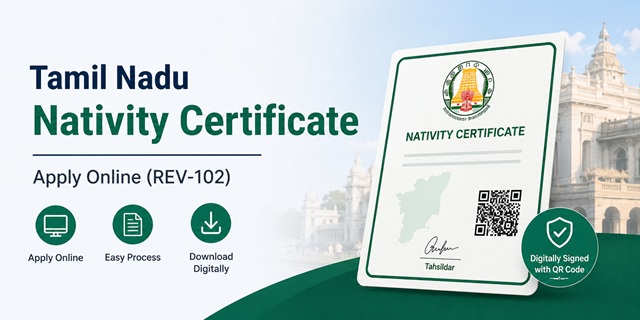
If you need a certificate proving that you are a native resident of Tamil Nadu, the Tamil Nadu Nativity Certificate is the document issued by the Revenue Department for this purpose. It is commonly required for admission under state quotas, educational scholarships, government recruitment, and other benefits where proof of Tamil Nadu nativity is mandatory.
The certificate is issued online through the Tamil Nadu e-District system and can be applied for either through an e-Sevai Centre or directly through the TNeGA portal. Before applying, you must have a valid Citizen Access Number (CAN), which serves as the unique identifier for availing Tamil Nadu e-Governance services.
Many people confuse a Nativity Certificate with a Residence Certificate. However, the two serve different purposes. A Residence Certificate proves your current place of residence, while a Nativity Certificate establishes that you or your family belong to Tamil Nadu by origin. If you only need proof of address, read our detailed guide on Tamil Nadu Residence Certificate.
Quick Facts
| Detail | Information |
|---|---|
| Certificate name | Tamil Nadu Nativity Certificate |
| Issued by | Revenue and Disaster Management Department, Government of Tamil Nadu |
| Application mode | Online through e-Sevai Centres or TNeGA portal |
| Official portal | tnega.tn.gov.in |
| e-District Portal | tnedistrict.tn.gov.in |
| Fee | Rs 60 |
| Processing time | Usually 15 to 30 days |
| Required first | CAN Number |
| Verification chain | Village Administrative Officer (VAO) → Revenue Inspector (RI) → Tahsildar |
| Status by SMS | Send your acknowledgement number to 155250 |
| e-Sevai Centres in Tamil Nadu | 10,443+ |
| Centre locator | tnega.tn.gov.in/csclocation |
| Certificate format | Digitally signed PDF with QR code |
| Attestation needed | No |
| Download mode | Online through e-Sevai account after approval |
| Validity | Generally accepted as permanent unless particulars change |
Nativity or Residence? Check Before You Pay
Many applicants apply for the wrong certificate because the names sound similar. However, a Nativity Certificate and a Residence Certificate serve different purposes under the Tamil Nadu Revenue Department. Choosing the wrong service can lead to unnecessary fees, delays, and even rejection by the institution requesting the document.
| Nativity Certificate | Residence Certificate | |
|---|---|---|
| Service Code | REV-102 | REV-116 |
| Purpose | Establishes that a person belongs to Tamil Nadu by birth or qualifying residence | Confirms that a person currently resides at a specific address |
| Common Uses | TNEA counselling, state quota admissions, scholarships, government recruitment, reservation benefits | Address proof for educational institutions, banks, government schemes, and other services |
| Verification Focus | Birth details or long-term residence history within Tamil Nadu | Present place of residence |
A simple way to decide: if an authority wants proof that you are from Tamil Nadu, apply for a Nativity Certificate. If it only requires proof of your current address, a Residence Certificate is usually sufficient.
If you need address-based proof instead, read our detailed guide on Tamil Nadu Residence Certificate (REV-116).
Nativity by Birth or Nativity by Residence? Choose Carefully
During the application process, applicants must select either Nativity by Birth or Nativity by Residence. This choice affects the documents required, the information you must provide, and the level of verification carried out by revenue authorities.
Nativity by Birth
Select this option if you were born in Tamil Nadu and can provide documentary evidence showing your place of birth within the state.
This is generally the simpler category. Applicants choosing Nativity by Birth are usually not required to provide a detailed history of previous residences because the claim is based primarily on birth within Tamil Nadu.
Common supporting documents include:
- Birth Certificate showing place of birth in Tamil Nadu
- SSLC or School Leaving Certificate mentioning place of birth
- Transfer Certificate issued by a recognised educational institution
- Other government records establishing birth within Tamil Nadu
Nativity by Residence
Select this category if you were not born in Tamil Nadu but have established long-term residence within the state and satisfy the eligibility conditions prescribed by the Revenue Department.
This category requires more detailed verification. Revenue authorities may examine your residence history and supporting records before approving the certificate.
Applicants are generally required to provide previous address details in descending chronological order (most recent residence first). Information commonly required includes:
- District
- Taluk
- Revenue Village
- Street Name
- Door Number
- From Date and To Date
- PIN Code
Prepare your address history before starting the application. Old ration cards, voter records, educational certificates, utility bills, rental agreements, and other residence-related documents can help establish continuity of residence and avoid delays during VAO and Revenue Inspector verification.
Many applications remain pending because applicants enter approximate dates or leave gaps in their residence history. Ensuring that your address timeline is complete and consistent with your supporting documents can significantly improve the chances of smooth approval.
Step Zero: Get Your CAN Number First
Before you can apply for a Tamil Nadu Nativity Certificate (Service Code REV-102), you must have a valid Citizen Access Number (CAN). The Tamil Nadu e-Sevai system uses this number to identify applicants and fetch their profile details across multiple government services.
You cannot proceed with the Nativity Certificate application without a CAN Number. Whether you apply online yourself or through an e-Sevai Centre, CAN registration is the first step.
What is a CAN Number?
CAN (Citizen Access Number) is a unique identification number issued through the Tamil Nadu e-Sevai platform. It links your personal profile with your Aadhaar, mobile number, and other citizen service records, reducing the need to enter the same information repeatedly for different government services.
Once generated, the CAN Number can be used for multiple e-District and Revenue Department services offered through Tamil Nadu's e-Governance system.
How to Create a CAN Number
- Visit tnesevai.tn.gov.in.
- Click New User Sign Up below the login section.
- Create your user account using your mobile number and email address.
- Log in and open the CAN Registration module.
- Enter your Aadhaar number and proceed with verification.
- If a CAN already exists against your Aadhaar, the system will display it.
- If no CAN exists, select Register CAN.
- Fill in the required personal details and complete OTP verification.
- Your Citizen Access Number (CAN) will be generated instantly.
Important: OTP verification is generally sent to the mobile number linked with your Aadhaar. If the Aadhaar-linked mobile number is inactive or incorrect, complete the update process through UIDAI before attempting CAN registration.
Already have a CAN Number? Do not create a second profile. Use the existing CAN and update your information through the Edit CAN Details option whenever necessary.
Documents Required for Tamil Nadu Nativity Certificate
Keeping all documents ready before starting the application can help avoid delays during VAO, Revenue Inspector, and Tahsildar verification. Ensure that uploaded files are clear, readable, and in the format accepted by the portal.
Documents Generally Required for All Applicants
- Aadhaar Card
- Signed Self-Declaration Form
- Recent Passport-Size Photograph
- Address Proof such as Ration Card, Voter ID, Electricity Bill, or other acceptable residence proof
Additional Documents for Nativity by Birth
- Birth Certificate showing place of birth in Tamil Nadu, or
- School Transfer Certificate (TC), or
- SSLC / School Leaving Certificate indicating place of birth
Additional Documents for Nativity by Residence
- Residence-related records covering the qualifying period of stay in Tamil Nadu
- Old ration cards
- School or college records
- Utility bills
- Rental agreements, where applicable
- Parents' records or other supporting documents that help establish long-term residence in the state
Understanding the Self-Declaration Form
The Self-Declaration Form is one of the most frequently misunderstood requirements during the application process.
You do not need to draft the declaration manually. The e-Sevai system generates the form automatically after CAN registration.
Follow these steps carefully:
- Download the Self-Declaration Form generated by the portal.
- Print the form.
- Sign it manually.
- Scan the signed copy clearly.
- Upload the scanned document while submitting the application.
Do not upload an unsigned declaration. Revenue authorities frequently return applications when the declaration form is uploaded without a signature.
Ways to Apply for a Tamil Nadu Nativity Certificate
The Tamil Nadu Government provides multiple channels for submitting a Nativity Certificate application. Applicants can choose the option that best suits their comfort level and access to digital facilities.
| Application Method | Suitable For | Expected Cost |
|---|---|---|
| e-Sevai Portal | Applicants comfortable with online forms and document uploads | Rs 60 government fee |
| e-Sevai Centre | Applicants who need assistance with document scanning, uploading, or application submission | Rs 60 government fee plus service centre charges |
| TNeGA Services | Finding nearby e-Sevai Centres, accessing citizen services, and managing digital certificates | Depends on the service used |
If you are unsure where to apply, use the official e-Sevai Centre locator at tnega.tn.gov.in/csclocation to find the nearest authorised centre in your district.
Method 1: Apply Online Through the e-Sevai Portal (Self Application)
If you have a CAN Number, internet access, and scanned documents, you can apply for the Tamil Nadu Nativity Certificate yourself through the official e-Sevai portal without visiting any government office.
-
Visit the e-Sevai Portal
Open tnesevai.tn.gov.in and click Citizen Login. -
Login to Your Account
Sign in using your registered mobile number and OTP or your existing login credentials. -
Open Revenue Department Services
Click Services from the left-side menu.
Select Department Wise Services and then choose Revenue Department. -
Select Nativity Certificate Service
Find and click REV-102 – Nativity Certificate.
Make sure you select REV-102 because several other Revenue Department services appear on the same page. -
Fetch Your CAN Details
Enter your CAN Number and click Search.
Your basic information linked to the CAN database will be displayed automatically. -
Select the Correct Nativity Category
This is the most important step.- Select Nativity by Birth if you were born in Tamil Nadu.
- Select Nativity by Residence if you were not born in Tamil Nadu but have been residing in the state for the required period.
-
Fill the Application Form
Verify and complete all personal details including:- Name
- Father's / Mother's Name
- Mobile Number
- Email ID
- Current Address
-
Enter Residence History (Only for Nativity by Residence)
If you selected Nativity by Residence, provide your previous addresses in reverse chronological order (latest first).
For each address enter:- District
- Taluk
- Revenue Village
- Street Name
- Door Number
- PIN Code
- From Date
- To Date
-
Upload Required Documents
Upload all supporting documents in clear PDF, JPG, or PNG format. -
Review the Application
Carefully verify all information before submission, especially:- Name spelling
- Selected category
- Address history
- Uploaded documents
- Mobile number
-
Pay the Application Fee
Click Make Payment and pay the prescribed fee of Rs 60 using UPI, Debit Card, Credit Card, or Net Banking. -
Download the Acknowledgement Receipt
After successful payment, the system generates an acknowledgement receipt containing your Application Number.
Download and save this receipt carefully because it is required for status tracking and future reference.
Important: Do not close the page immediately after payment. Wait until the acknowledgement receipt is generated successfully.
Method 2: Apply Through the TNeGA Portal
The Tamil Nadu e-Governance Agency (TNeGA) portal acts as the central gateway for various citizen services and helps applicants access e-Sevai services, locate service centres, and obtain information related to government certificates.
- Visit tnega.tn.gov.in.
- Navigate to citizen services and e-Sevai-related sections available on the portal.
- If applying online, proceed to the linked e-Sevai citizen portal and complete the Nativity Certificate application process under REV-102.
- If you need assistance, use the portal's services to locate the nearest authorised e-Sevai Centre.
- You can also access information regarding digital certificates, e-Governance services, and service delivery mechanisms operated by TNeGA.
In simple terms: TNeGA is the parent platform, while the actual Nativity Certificate application is processed through the e-Sevai system operated under it.
Method 3: Apply Through an e-Sevai Centre (Operator Assisted)
If you are not comfortable using online services, do not have a scanner, printer, or stable internet connection, you can visit an authorised e-Sevai Centre where an operator will complete the application on your behalf.
Step 1: Find the Nearest e-Sevai Centre
- Visit tnega.tn.gov.in/csclocation.
- Select your district.
- Choose the relevant Taluk or Block if required.
- View the list of nearby authorised e-Sevai Centres.
- Select the most convenient centre and visit during working hours.
Step 2: Carry Required Documents
Take the following documents with you:
- Aadhaar Card
- CAN Number (if already created)
- Signed Self-Declaration Form
- Passport-size Photograph
- Birth Certificate / SSLC Certificate / Transfer Certificate (for Nativity by Birth)
- Residence proof documents (for Nativity by Residence)
- Mobile phone for OTP verification
Step 3: Submit the Application
- Tell the operator that you want to apply for a Nativity Certificate (REV-102).
- Provide your CAN Number.
- Hand over the required documents for scanning and uploading.
- Inform the operator whether the application is:
- Nativity by Birth, or
- Nativity by Residence
- Verify all details entered before final submission.
Step 4: Complete OTP Verification and Payment
- Provide the OTP received on your mobile number if required.
- Pay the prescribed government fee of Rs 60.
- The centre may additionally charge a small service fee.
- Always collect a payment receipt.
Step 5: Collect the Acknowledgement Receipt
- After successful submission, collect the acknowledgement receipt.
- Verify your name and mobile number.
- Check that the Application Number is printed correctly.
- Keep the receipt safely for status tracking and future reference.
Why many people choose this method: The centre operator handles scanning, uploading, and technical formalities, reducing the chances of document upload errors and application mistakes.
What Happens After You Submit the Application?
After you submit your Nativity Certificate application, it does not get approved immediately. The application moves through three levels of verification before the certificate is issued.
Understanding these stages helps you know where your application is pending and whom to contact if there is a delay.
Stage 1: Verification by the Village Administrative Officer (VAO)
The first level of verification is carried out by the Village Administrative Officer (VAO).
The VAO examines the details submitted in your application and may conduct a field verification to confirm your address, residence history, or nativity claim.
What you should do:
- Keep your mobile number active.
- Be available at the address mentioned in the application.
- Keep supporting documents ready if the VAO requests verification.
If the VAO cannot complete verification due to incorrect address details or applicant unavailability, the application may remain pending.
Stage 2: Scrutiny by the Revenue Inspector (RI)
After VAO verification is completed, the application moves to the Revenue Inspector (RI).
The RI reviews the verification report submitted by the VAO and checks whether all required information and supporting evidence are available.
If clarification is needed, the file may be sent back for additional verification.
Stage 3: Final Approval by the Tahsildar
The final decision is taken by the Tahsildar.
After reviewing the reports submitted by the VAO and RI, the Tahsildar approves or rejects the application.
If approved, the system generates the digitally signed Nativity Certificate with QR Code.
The complete process generally takes around 15 to 30 days, though timelines may vary depending on the district and verification workload.
What If Your Application Is Delayed?
- Check the current application status first.
- Identify whether the application is pending with the VAO, RI, or Tahsildar.
- Contact the concerned Taluk Office with your Application Number.
- If the delay is excessive, you may submit a grievance through the district administration's grievance mechanism.
How to Check Tamil Nadu Nativity Certificate Status
You can track your application through multiple official channels.
Method 1: Check Status on the e-Sevai Portal
- Visit tnesevai.tn.gov.in.
- Log in to your account.
- Click Check Status.
- Enter your Application Number.
- Provide the required applicant details.
- Click Search.
The portal displays the latest status of your application and the stage at which it is currently pending.
Method 2: Check Status Through SMS
If you do not want to log in to the portal, you can check the status through SMS.
- Open the SMS application on your mobile phone.
- Type your acknowledgement number.
- Send it to 155250.
The system sends a status update to your mobile number.
Method 3: Check Status Through the e-District Portal
- Visit tnedistrict.tn.gov.in.
- Open the application status tracking section.
- Enter your acknowledgement number.
- Submit the details to view the current application status.
How to Download the Tamil Nadu Nativity Certificate
Once your application is approved, you can download the certificate online.
- Visit tnesevai.tn.gov.in.
- Log in using your registered credentials.
- Open the Check Status section.
- Enter your Application Number and search.
- If the application has been approved, a Download Certificate option will appear.
- Click the download link to save the certificate PDF.
The downloaded certificate contains a digital signature and QR Code that can be used by institutions to verify authenticity.
No additional attestation is normally required for a digitally signed certificate.
Common Uses of the Tamil Nadu Nativity Certificate
The Nativity Certificate is commonly required to establish that an individual belongs to Tamil Nadu for educational, employment, and welfare purposes.
- Tamil Nadu Engineering Admissions (TNEA)
- State quota admissions in educational institutions
- Scholarships reserved for Tamil Nadu students
- Government recruitment and employment opportunities
- State-specific welfare schemes
- Educational concessions and benefits
- Various government verification processes where nativity proof is required
Students should apply well before admission deadlines because verification and approval may take several weeks.
Common Problems and Their Solutions
| Problem | Possible Solution |
|---|---|
| Selected wrong service code | Apply through REV-102 for Nativity Certificate. REV-103 is for Income Certificate. |
| OTP not received during CAN registration | Check whether your Aadhaar-linked mobile number is active and request OTP again. |
| Application rejected due to documents | Review the rejection reason and upload the correct supporting documents. |
| Unsigned Self-Declaration Form | Print, sign, scan, and upload the signed declaration form. |
| VAO verification delay | Contact the concerned Taluk Office with your Application Number. |
| Certificate download issue | Use an updated browser and ensure that PDF viewing is enabled. |
| Incorrect residence history details | Prepare address records carefully before filling the application. |
| Applied for Residence Certificate instead of Nativity Certificate | Nativity Certificate uses REV-102, while Residence Certificate uses REV-116. |
Add new comment