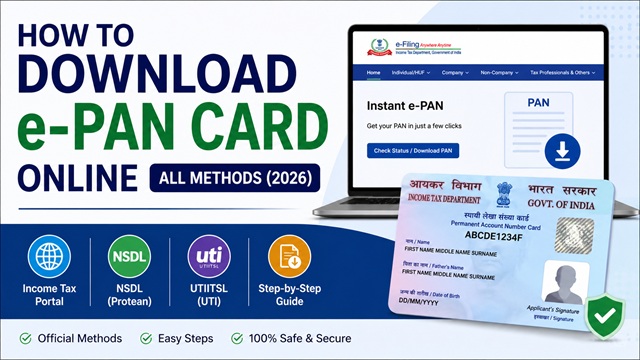
An e-PAN is a digitally signed PDF version of your Permanent Account Number (PAN) Card issued by the Income Tax Department of India. It is equally valid as the physical PAN card for all purposes - opening bank accounts, filing income tax returns, KYC verification, and financial transactions.
There are four official ways to download your e-PAN in 2026. The method you use depends on how your PAN was allotted - whether through Instant e-PAN, Protean (NSDL), or UTIITSL. All methods are free except downloading from UTIITSL if your application was processed by them.
Before You Download - Know Where Your PAN Was Allotted
| How PAN Was Applied | Download Method | Fee |
|---|---|---|
| Instant e-PAN on incometax.gov.in (Aadhaar-based) | Income Tax portal - Pre-Login (Method 1) | Free |
| Instant e-PAN - after registering on e-Filing portal | Income Tax portal - Post-Login (Method 2) | Free |
| Applied via Protean (NSDL) - Form 49A | Protean e-PAN download (Method 3) | Free (within 30 days of allotment) / Rs. 8.26 after that |
| Applied via UTIITSL - Form 49A | UTIITSL e-PAN download (Method 4) | Rs. 72 (inclusive of GST) |
If you are not sure where your PAN was allotted, try Method 1 first. It works for all Instant e-PAN holders. If that does not work, try Method 3 or Method 4.
Method 1 - Download e-PAN Without Login (Pre-Login) via Income Tax Portal
This method is for those who got their PAN through the Instant e-PAN service on the Income Tax e-Filing portal. No login or registration is required. This is a free service available 24x7 at incometax.gov.in.
- Go to www.incometax.gov.in.
- On the homepage, click Instant e-PAN under the Quick Links section.
- On the e-PAN page, click Check Status / Download PAN.
- Enter your 12-digit Aadhaar number and click Continue.
- On the OTP Validation page, enter the 6-digit OTP received on your Aadhaar-linked mobile number and click Continue. The OTP is valid for 15 minutes. You have 3 attempts.
- On the Current Status of your e-PAN request page, click Download e-PAN to download the PDF.
The downloaded PDF is your official e-PAN. It is digitally signed by the Income Tax Department and is valid as proof of PAN for all purposes.
Method 2 - Download e-PAN After Login (Post-Login) via Income Tax Portal
If you have registered on the e-Filing portal after receiving your Instant e-PAN, you can download it after logging in.
- Go to www.incometax.gov.in and log in with your User ID (PAN) and password.
- On your Dashboard, click Services > View / Download e-PAN.
- On the Enter Aadhaar Number page, enter your 12-digit Aadhaar number and click Continue.
- Enter the 6-digit OTP received on your Aadhaar-linked mobile and click Continue. OTP is valid for 15 minutes.
- Your e-PAN is displayed. Click Download e-PAN.
Note: To register on the e-Filing portal after receiving Instant e-PAN, go to incometax.gov.in > Register > select Taxpayer > enter your PAN (which is your User ID) and follow the registration steps. Your email ID from Aadhaar KYC must be validated during registration.
Method 3 - Download e-PAN via Protean (NSDL)
If your PAN was allotted through Protean eGov Technologies (formerly NSDL) using Form 49A, download your e-PAN from their portal.
Direct URL: onlineservices.nsdl.com/paam/ReprintEPan.html
- Go to the Protean e-PAN download page at the URL above.
- Enter your PAN, Aadhaar number, date of birth, and the GSTIN (if applicable).
- Select whether you want to receive OTP on your Aadhaar-linked or PAN-linked mobile number.
- Enter the captcha and click Submit.
- Enter the OTP received and validate.
- Click Download e-PAN.
Fee: Protean provides free e-PAN download within 30 days of PAN allotment. After 30 days, a nominal fee applies (Rs. 8.26 inclusive of taxes per download as per Protean's schedule). Payment can be made online via debit card, credit card, or net banking.
Method 4 - Download e-PAN via UTIITSL
If your PAN was issued through UTIITSL, download your e-PAN from their portal.
Direct URL: www.pan.utiitsl.com > e-PAN Card Download
- Go to www.pan.utiitsl.com.
- Click on Apply for e-PAN Card only / Download e-PAN.
- Enter your PAN, date of birth, and GSTIN (if applicable).
- Enter the captcha and submit.
- Complete OTP verification on your registered mobile number.
- Pay the applicable fee of Rs. 72 (inclusive of GST) via debit card, credit card, or net banking.
- Download the e-PAN PDF after payment confirmation.
As per the UTIITSL portal, the e-PAN is sent to the applicant's email address on record with the Income Tax Department at Rs. 72 inclusive of GST. For delivery of a physical PAN card, a separate charge of Rs. 107 applies (for Indian address).
How to Open the e-PAN PDF - Password
The e-PAN PDF is password protected. You cannot open it without entering the correct password. The password format is different depending on how your PAN was allotted:
| PAN Allotment Method | e-PAN PDF Password | Format |
|---|---|---|
| Instant e-PAN (Aadhaar-based, from incometax.gov.in) | Date of Birth as per Aadhaar | DDMMYYYY (Example: 15081990 for 15 August 1990) |
| Protean (NSDL) - Form 49A | Date of Birth of the applicant | DDMMYYYY (Example: 15081990) |
| UTIITSL - Form 49A (Individual) | Date of Birth of the applicant | DDMMYYYY (Example: 15081990) |
| Non-individual entities (Company, Firm, Trust) | Date of Incorporation / Formation | DDMMYYYY (Example: 01042015 for 1 April 2015) |
Tip: If you are entering the date correctly but the PDF still does not open, try without any spaces or hyphens. The password is exactly 8 digits in DDMMYYYY format with no separators.
Is e-PAN Valid as Proof of Identity?
Yes. As per the Income Tax Department, an e-PAN is a valid form of PAN and is equally accepted as the physical PAN card for all purposes including:
- Filing income tax returns
- Opening bank accounts and demat accounts
- KYC verification for financial institutions
- Quoting PAN for high-value financial transactions
- Aadhaar-PAN linking
You do not need to get a physical PAN card if you have an e-PAN. The e-PAN is a digitally signed document from the Income Tax Department and carries the same legal weight.
How to Get a Physical PAN Card After Downloading e-PAN
If you want a physical (plastic) PAN card after receiving your e-PAN:
- Via UTIITSL: Go to pan.utiitsl.com and request a physical PAN card for Rs. 50 (Indian address) or Rs. 959 (foreign address). This is available for those whose PAN was processed through UTIITSL or obtained via Instant e-PAN.
- Via Protean: Go to onlineservices.nsdl.com and request a reprint for applicable charges.
The physical card is delivered by India Post Speed Post to your Aadhaar-registered address.
Official Portals for e-PAN Download
- Income Tax e-Filing Portal - incometax.gov.in (Instant e-PAN, pre-login and post-login download)
- Protean (NSDL) e-PAN Download
- UTIITSL PAN Portal - pan.utiitsl.com
Income Tax Helpline: 1800 103 0025 / 1800 419 0025 (Monday to Friday, 08:00-20:00 hrs)
Protean / NSDL PAN Helpline: +91-20-27218080 (All days, 07:00-23:00 hrs)
Disclaimer: This article is for informational purposes only. Fees and processes are subject to change by the Income Tax Department, Protean, and UTIITSL. Always refer to incometax.gov.in for the latest official information.
Add new comment