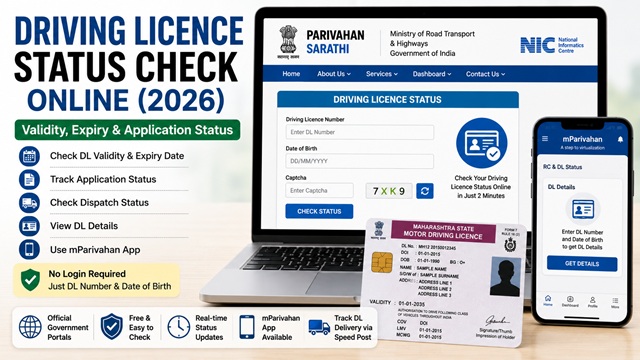
You can check your Driving Licence (DL) status online for free through the official Parivahan and Sarathi portals managed by the Ministry of Road Transport and Highways (MoRTH) and NIC.
Whether you want to check if your Driving Licence is valid, verify its expiry date, track a new DL application, confirm dispatch status, or view vehicle classes endorsed on your licence, all of this can now be done online in just a few minutes.
Many applicants remain confused about how to check DL validity, what to do if records are not found online, how long status updates take, and whether digital DLs on mParivahan or DigiLocker are legally valid.
To make the process easier, this guide explains the complete step-by-step Driving Licence status check process according to the latest 2026 Parivahan guidelines.
In this article, you will learn how to check DL validity online, track application and dispatch status, use mParivahan, recover missing records, understand common status messages, and avoid mistakes while checking details.
| Service | Details |
|---|---|
| Service Name | Driving Licence Status Check |
| Portal | Parivahan / Sarathi |
| Application Fee | Free |
| Login Required | No |
| Required Details | DL Number + Date of Birth |
| Check Validity | Yes |
| Check Expiry Date | Yes |
| Track Dispatch Status | Yes |
| Mobile App Support | mParivahan |
What You Can Check Online
- Whether your driving licence is valid or expired
- Expiry date of your DL
- Vehicle classes endorsed on your DL
- Status of a new DL application or renewal application
- Dispatch status - whether your DL smart card has been sent
- Name, date of birth, and address registered on DL
- RTO details where DL was issued
Method 1 - Check DL Status on Parivahan Portal (Quickest Way)
This is the fastest method. No login needed. Works for any driving licence issued anywhere in India.
Direct URL: parivahan.gov.in/rcdlstatus
- Go to parivahan.gov.in/rcdlstatus.
- Enter your Driving Licence Number in the DL Number field. Your DL number is printed on your driving licence card. It typically starts with the state code followed by RTO code and a number (example: DL0420110012345).
- Enter your Date of Birth in the DD/MM/YYYY format.
- Enter the captcha shown on screen.
- Click Check Status.
- Your driving licence details are displayed, including name, validity, vehicle class, and issuing RTO.
What you see in the result:
- Name of the licence holder
- Date of Birth
- DL Number
- Date of Issue
- Date of Validity (expiry date) - most important for checking if DL is still valid
- Vehicle classes authorised (MCWG, LMV, etc.)
- Issuing RTO name and state
- Current status (Active, Expired, Suspended, etc.)
Method 2 - Check Application Status on Sarathi Portal
If you recently applied for a new DL or renewal and want to track the application, use the Sarathi portal. As per parivahan.gov.in:
Portal: sarathi.parivahan.gov.in
- Go to sarathi.parivahan.gov.in.
- Select your State from the dropdown.
- On your state page, look for Application Status in the top menu or under the Driving Licence section.
- Enter your Application Number and Date of Birth.
- Enter the captcha and click Submit.
- The current status of your application is displayed.
Common application status messages:
| Status | What It Means |
|---|---|
| Application Submitted | Your online form has been received. Appointment not yet booked or pending. |
| Appointment Booked | You have booked a test or document verification date at the RTO. |
| Under Process at RTO | RTO is reviewing your documents after your visit. |
| Approved - DL Generated | Your DL has been approved and the smart card is being prepared. |
| Dispatched | DL smart card has been sent via Speed Post. Track on indiapost.gov.in. |
| Delivered | DL card has been delivered to your address. |
| Returned Undelivered | India Post could not deliver. Contact your RTO or update your address. |
Method 3 - Check DL Details via mParivahan App
The mParivahan app is the official mobile app by MoRTH and NIC for all vehicle and driving licence-related services. It is available on Android (Google Play Store) and iOS (Apple App Store).
- Download the mParivahan app from Google Play Store or Apple App Store. The app is published by NIC - verify the publisher before downloading.
- Open the app. On the home screen, tap RC and DL Status.
- Tap DL Details.
- Enter your Driving Licence Number and Date of Birth.
- Tap Get Details.
- Your DL details are displayed, including validity, vehicle class, and issuing authority.
Additional feature: The mParivahan app also stores a digital copy of your DL, which is valid for showing to traffic police. MoRTH has notified that digital DL on mParivahan is accepted as a valid document across all states.
How to Find Your Driving Licence Number
If you have your physical DL card, the number is printed on the front of the card. It is usually a 15-16 character alphanumeric code.
The format is: State Code + RTO Code + Year + Unique Number
Example: DL04 20110012345
- DL = Delhi state code
- 04 = RTO code within Delhi
- 2011 = Year of issue
- 0012345 = Unique serial number
If you do not have your DL and cannot find the number, check your DigiLocker account at digilocker.gov.in where your DL may be available if previously fetched.
How to Track DL Smart Card Dispatch
Once your DL is approved, the smart card is sent via India Post Speed Post. As per parivahan.gov.in, to track dispatch:
- First check your application status on the Sarathi portal (Method 2 above). When status shows Dispatched, a consignment number is provided.
- Go to indiapost.gov.in and enter the consignment number to track delivery.
If your DL was returned undelivered, contact your issuing RTO to arrange redelivery or update your address before requesting a fresh dispatch.
What If Your DL Details Are Not Found Online?
If you enter your correct Driving Licence number and date of birth but get a "not found" or "no record" result, it usually means:
- Your DL was issued in an older format before Sarathi was fully implemented and the records have not yet been digitised on the portal
- You entered the DL number incorrectly - recheck spacing and characters
- Your DL details are registered in a different state’s database
As per parivahan.gov.in: "Driving Licence details need to be migrated from RTO to the Sarathi portal by your concerned RTO. If the Driving Licence details are not found, please consult your RTO/Department."
In such cases, visit your issuing RTO with your original DL to get the records updated on the portal.
Official Portals for DL Status Check
- Check DL Status - parivahan.gov.in
- Check Application Status - sarathi.parivahan.gov.in
- Licence and Registration Details - parivahan.gov.in
- Track DL Dispatch - India Post Speed Post Tracker
- DigiLocker - Digital DL Download
- Parivahan Sewa - parivahan.gov.in
Parivahan Helpdesk: 0120-2459171
Disclaimer: This article is for informational purposes only. Always refer to parivahan.gov.in and sarathi.parivahan.gov.in for the latest official information.
Add new comment