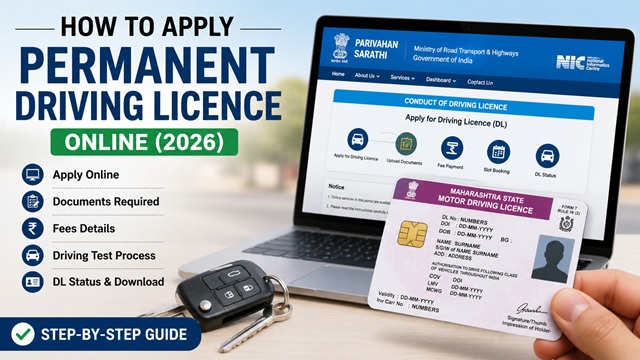
If your Learner's Licence (LL) has been completed for 30 days, you can now apply for a Permanent Driving Licence (DL) online through the official Sarathi Parivahan portal. A permanent DL allows you to legally drive a motor vehicle on public roads across India without supervision.
Many applicants remain confused about the permanent DL application process, driving test procedure, required documents, online fees, appointment booking, and how long it takes to receive the licence after passing the test.
To make the process easier, this guide explains the complete step-by-step procedure to apply for a Permanent Driving Licence online in 2026 according to the latest guidelines available on Sarathi Parivahan and the Ministry of Road Transport and Highways (MoRTH) portal.
In this article, you will learn about eligibility conditions, required documents, DL fees, online application steps, driving test rules, DL validity, DigiLocker download process, common mistakes to avoid, and official links.
Also read: How to Apply for Learner's Licence Online.
| Service | Details |
|---|---|
| Licence Type | Permanent Driving Licence |
| Application Mode | Online |
| Official Portal | sarathi.parivahan.gov.in |
| Minimum LL Holding Period | 30 Days |
| Learner Licence Validity | 6 Months |
| Driving Test | Mandatory |
| DL Fee | ₹200 Per Vehicle Class |
| DL Validity | 20 Years or Till Age 50 |
| Status Check | Available Online |
Who Cannot Apply for a Permanent Driving Licence?
You cannot apply for a permanent Driving Licence in the following situations:
- Your Learner's Licence has expired
- 30 days have not yet passed since the Learner's Licence was issued
- You are applying for a different vehicle category than the one mentioned in your LL
- Your Learner's Licence was suspended or cancelled
- You submitted incorrect or fake documents during the application process
- You fail to meet the medical requirements prescribed under the Motor Vehicles Act
Before You Apply - Checklist
As per parivahan.gov.in and the official Permanent Licence page at parivahan.gov.in/permanent-license:
- You must hold a valid Learner’s Licence for the same class of vehicle
- At least 30 days must have passed from the date your LL was issued
- Your Learner’s Licence must still be valid (within 6 months) - you cannot apply after it expires
- You must have practised driving sufficiently and be ready for the driving test
- You must bring a vehicle of the type for which you are applying for the driving test at the RTO
Fee for Permanent Driving Licence
As per the official fee schedule at parivahan.gov.in:
- Rs. 200 per class of vehicle for a new permanent driving licence
- If applying for both two-wheeler (MCWG) and car (LMV) together: Rs. 200 × 2 = Rs. 400
- States may add a small online convenience fee
Payment is made online through the Sarathi portal at the time of application using debit card, credit card, UPI, or net banking.
Documents Required
As per the official Form 2 available at parivahan.gov.in:
- Learner’s Licence - original and a copy
- Proof of Age (same as LL application - Aadhaar, passport, school certificate, voter ID, PAN card, birth certificate)
- Proof of Address (Aadhaar, passport, voter ID, electricity/water bill not older than 3 months, ration card, bank passbook)
- Medical Certificate Form 1 (self-declaration) - if below 40 years
- Medical Certificate Form 1A (from a registered doctor) - if 40 years and above. Source: parivahan.gov.in
- Passport-size photographs
- Fee receipt (generated at time of online payment)
Step-by-Step: How to Apply for Permanent Driving Licence Online
As per the official steps confirmed at parivahan.gov.in:
- Go to sarathi.parivahan.gov.in.
- Select your State from the dropdown. Always select the state where your Learner's Licence was issued. The permanent DL is issued from the same RTO as your LL in most states.
- On your state’s page, click Apply for Driving Licence under the Driving Licence menu. Also shown as New Driving Licence in some states.
- Enter your Learner’s Licence Number and Date of Birth and click OK or Proceed.
- Your personal details pre-filled from the LL are displayed. Verify them for accuracy.
- Fill in the application form:
- Confirm the class of vehicle you want to drive (MCWOG, MCWG, LMV, or combination)
- Address details
- Emergency contact
- Fill in the Medical Certificate details (Form 1 or Form 1A depending on your age).
- Upload the required documents: Proof of Age, Proof of Address, and a photograph.
- Click Next to proceed.
- Pay the fee of Rs. 200 per class online. A fee receipt is generated. Save or print it.
- Book an appointment at your RTO for the driving test. Select your preferred date and time slot from the available calendar.
- Print or save the Application Acknowledgement Slip. It shows your application number, appointment date, time, RTO address, and a list of documents to bring.
Common Mistakes to Avoid While Applying for Permanent DL
Many Driving Licence applications get delayed because of small mistakes made during the online process. Avoid the following errors while applying:
- Entering an incorrect Learner's Licence number or date of birth
- Selecting the wrong RTO or state during application
- Uploading blurred or invalid documents
- Booking an appointment after the Learner's Licence expiry date
- Missing the driving test appointment slot
- Bringing a vehicle without valid insurance or registration for the driving test
- Applying for the wrong vehicle category
- Failing to carry original documents during verification at the RTO
What Happens at the RTO on Driving Test Day
On your appointment day, carry the following as confirmed on parivahan.gov.in:
- Application Acknowledgement Slip (printout)
- Fee receipt (printout)
- Original Learner’s Licence
- Original documents for Proof of Age and Proof of Address
- Original Medical Certificate (Form 1 or Form 1A)
- Passport-size photographs
- A vehicle of the class you are applying for - you must bring your own vehicle for the driving test. For example, bring a car if applying for LMV, or a bike if applying for MCWG. The vehicle must be in working condition and insured.
At the RTO on test day:
- Submit your documents at the counter for verification by the RTO officer.
- Appear for the driving test conducted by the Motor Vehicle Inspector. The test evaluates:
- Basic vehicle control - starting, stopping, gear changes
- Turning and reversing
- Road sense and following traffic signals
- Parking
- If you pass the test, the RTO officer approves your application. Your Driving Licence is either issued on the spot (as a smart card) or sent to your address by post within a few days, depending on the state.
- If you fail the test, you can re-appear. Contact your RTO for the next available test slot. You do not need to pay the fee again for the re-test.
Tips to Pass the Driving Test at RTO
The driving test checks whether you can safely control the vehicle and follow traffic rules. The following tips may help you pass the test more confidently:
- Always wear a seat belt while driving a car
- Use indicators properly before turning
- Check mirrors before changing direction
- Avoid sudden braking or stalling the vehicle
- Maintain proper clutch and gear control
- Follow traffic signs and lane discipline carefully
- Practise reverse parking and slope control beforehand
- Remain calm and follow the examiner's instructions carefully
How Long Does It Take to Get the Driving Licence?
| Stage | Typical Time |
|---|---|
| Online application to appointment date | Depends on RTO slot availability - usually 7-15 days |
| DL issued after passing test | Same day (some states) or sent by post within 7-30 days |
| Digital DL available on DigiLocker | Usually within 24-48 hours of approval |
How to Check Your Driving Licence Application Status
After applying, track your application status at:
- Go to the DL status page at the link above.
- Enter your Application Number or Driving Licence Number and Date of Birth.
- Enter the captcha and click Check Status.
You can also check status through Sarathi: sarathi.parivahan.gov.in → Select State → Driving Licence → Application Status.
Validity of Permanent Driving Licence
As per the Motor Vehicles Act, 1988:
- A permanent driving licence is valid for 20 years from the date of issue or until the holder reaches the age of 50 years, whichever is earlier.
- After age 50, it must be renewed every 5 years.
- A DL for a transport vehicle (commercial use) is valid for 3 years and must be renewed every 3 years.
- A DL issued in any state of India is valid across all states and union territories.
Download Your Driving Licence Digitally via DigiLocker
Once your DL is approved, you can access it on your phone through DigiLocker:
- Download the DigiLocker app or go to digilocker.gov.in.
- Log in with your Aadhaar-linked mobile number.
- Search for Driving Licence under the Ministry of Road Transport and Highways issuer.
- Enter your DL number and date of birth to fetch your DL.
The digital DL on DigiLocker is valid for all purposes including traffic checks by police. You do not need to carry the physical card.
Official Portals
- Sarathi Parivahan - Apply for Driving Licence
- Check DL Application Status
- Download Form 2 (DL Application Form)
- Driving Licence Fee Schedule
- DigiLocker - Download Digital DL
Parivahan Helpdesk: 0120-2459171
Disclaimer: This article is for informational purposes only. Processes and fees vary by state and are subject to change by MoRTH. Always refer to sarathi.parivahan.gov.in for the latest official information.
Add new comment