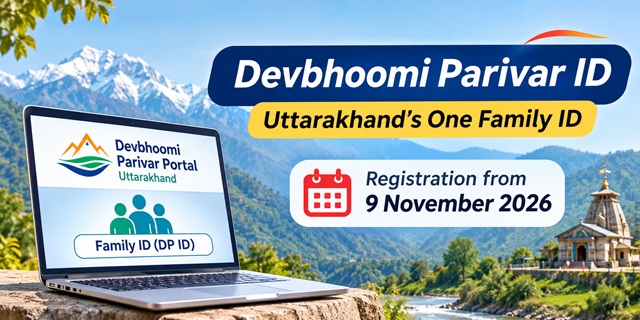
The Government of Uttarakhand has launched the Devbhoomi Parivar Portal to create a unified digital record for families across the state. Through this platform, each registered family will receive a unique eight-digit Devbhoomi Parivar ID (DP ID), linking its members' details with government records and welfare schemes.
Chief Minister Pushkar Singh Dhami launched the portal on 2 November 2026. However, family registration is scheduled to begin on 9 November 2026, when the Uttarakhand Devbhoomi Parivar Act, 2026 comes into effect. Until then, residents can explore the portal, review the required documents and check the available schemes.
This guide explains how the Devbhoomi Parivar ID works, who can register, which documents the portal accepts, how to create and manage a family record, and how to check eligibility for government schemes. It also includes the scheme and service list currently displayed on the portal.
Devbhoomi Parivar Portal: Quick Answers
- What is it? The Uttarakhand government's digital family registration portal. It creates a unified family record and provides a unique Family ID to each registered family.
- What is the DP ID? An eight-digit number assigned to a family. All registered members are linked to this ID.
- When does registration start? 9 November 2026. The portal was launched on 2 November, but registration begins on 9 November.
- Who can register? Families that meet the residence and other eligibility conditions under the Uttarakhand Devbhoomi Parivar Act, 2026.
- What documents are required? Aadhaar for e-KYC and one accepted proof of Uttarakhand address. Additional documents may be needed for particular schemes or services.
- Where can I register? Through the official portal or a Common Service Centre (CSC).
- What can I do after registration? View family details, check scheme eligibility, apply for available schemes, track applications and manage family members.
- Helpline: 1800-180-2525 (toll-free, 24 hours).
What Is the Devbhoomi Parivar Portal?
The Devbhoomi Parivar Portal is an online platform developed by the Government of Uttarakhand to maintain a common digital record of families living in the state. It brings family-related information from different government departments into one place.
At present, departments maintain separate records for different schemes and services. For example, one department may have your ration card details, another may maintain your pension record, and a third may hold your scholarship information. This often means that families have to submit similar documents repeatedly when they apply for government benefits.
The Devbhoomi Parivar system aims to reduce this repeated paperwork. It connects relevant government records to create a consolidated family profile. Departments can use the verified information to identify eligible beneficiaries and process applications more efficiently.
The Planning Department of the Government of Uttarakhand manages the portal. You can read its official explanation on the About Us page.
The portal draws information from several government databases, including records related to Panchayati Raj, ration cards, health, electricity supply through UPCL, revenue, education, water supply and IFMS. Families can review the available information and request corrections wherever necessary.
What Can You Do on the Devbhoomi Parivar Portal?
The portal provides several services for residents, family members and government departments. Some services are available from the home page, while others require a citizen login.
- Register Family: Create a family profile and obtain a unique Devbhoomi Parivar ID.
- Check Eligibility: Find out which government schemes may match your family's details. You can use the eligibility checker without registering first.
- Apply for Schemes: View suitable schemes and submit applications through the portal.
- Track Application: Check the progress of applications submitted through the platform.
- View Family Record: See the details of registered family members and the benefits received by the family.
- Update Family Details: Add or remove a member, merge two family records or split one family into separate records.
- Receive Notifications: Get updates related to government schemes and services.
The state has also announced mobile applications for Android and iOS. Check the official portal for the current app links and availability.
What Is the Devbhoomi Parivar ID (DP ID)?
The Devbhoomi Parivar ID, also called the DP ID, is a unique eight-digit identification number assigned to a registered family. Instead of giving every member a separate family identity, the portal links all members to one common family record.
The DP ID helps the government connect family information with records maintained by different departments. It can also help departments identify eligible beneficiaries for welfare schemes, subsidies, pensions and other public services.
The family record is designed to reflect important life events, such as births, deaths and marriages. Information from relevant government records can help keep the family database updated, subject to verification and the applicable portal process.
The system can make several tasks easier for families:
- You can use an existing verified family record instead of submitting the same information repeatedly.
- Pre-filled information from government databases can reduce manual data entry and related mistakes.
- Departments can use verified information to process applications and identify eligible beneficiaries.
- You can view your family's record and request corrections when information is incorrect.
- The government can use consolidated information to improve the planning and delivery of welfare schemes.
However, having a DP ID does not automatically make a family eligible for every government scheme. Each scheme continues to follow its own eligibility conditions.
When Does Devbhoomi Parivar Registration Start? Important Dates
The Government of Uttarakhand introduced the Devbhoomi Parivar Bill in the Assembly in March 2026. The Bill later received the Governor's assent and became the Uttarakhand Devbhoomi Parivar Act, 2026.
The portal was launched on 2 November 2026. Its registration notice states that the Act and the family registration process will take effect from 9 November 2026.
| Date | Event |
|---|---|
| 10 March 2026 | The state government introduced the Devbhoomi Parivar Bill in the Uttarakhand Legislative Assembly during the budget session. Read the News On AIR report. |
| 7 May 2026 | The Governor gave assent to the Bill passed by the Assembly. |
| 11 May 2026 | The state published the law in the Gazette as Uttarakhand Act No. 11 of 2026. |
| 2 November 2026 | Chief Minister Pushkar Singh Dhami launched the Devbhoomi Parivar Portal. |
| 9 November 2026 | The Act comes into effect and family registration is scheduled to begin on the portal. |
Therefore, the portal's launch date and the registration start date are not the same. Residents can explore the platform before 9 November, but the portal's notice says that family registration will not be available before the effective date.
Use the time before registration begins to collect your documents and check the details of your family members.
Who Can Register? Uttarakhand Residence Rule and Head of Family
The Devbhoomi Parivar ID is intended for families that meet the residence and other conditions prescribed under the Uttarakhand Devbhoomi Parivar Act, 2026. The portal also asks applicants to provide their Uttarakhand domicile details.
Important distinction: The portal's field labelled "Domicile of Uttarakhand" and the legal definition of a resident under the Act should not automatically be treated as the same thing. The Act's residence framework includes a continuous 15-year residence condition, along with specified provisions for certain government employees and their families. Temporary residence, education or employment in the state alone should not be assumed to establish eligibility.
Applicants should check the final registration instructions and the applicable provisions of the Act when submitting their details. The portal's eligibility checker also asks for Uttarakhand domicile information.
Who Is the Head of Family?
Every family record has a Head of Family, commonly shown as HOF on the portal. This person manages the family profile and handles requests such as adding members, removing members, merging family records and splitting a family.
The Bill introduced in March 2026 provided for the senior-most woman member of the family who is at least 18 years old to be recorded as the Head of Family. The final procedure and any applicable exceptions should be checked against the Act, rules and portal instructions when registration opens.
Documents and Details Required for Devbhoomi Parivar ID
The portal provides an official document list divided into mandatory and optional documents. Keep the required documents ready before starting the registration process.
Mandatory Documents
- Aadhaar Card: The portal uses Aadhaar for electronic KYC verification.
- One proof of Uttarakhand address: You can use any one of the accepted documents listed below.
Accepted address proof documents:
- Voter ID (EPIC)
- Ration Card
- Parivar Register
- Driving Licence
- Passport
- Electricity bill
- Water bill
- Gas bill
- Property documents
- Notarised rent agreement
- Bank documents
- Residence or Domicile Certificate
- Employer certificate or a copy of the service book, for full-time state government employees and pensioners
A Residence or Domicile Certificate is one of the accepted address documents. The portal's list also accepts several other forms of address proof. However, the document used for address verification does not by itself replace the residence eligibility conditions prescribed under the Act.
Optional Documents
The portal lists the following documents as optional. You may need them when a particular government scheme or service requires additional verification.
- Birth certificate
- Caste certificate
- Certificate of Permanent Residence of Uttarakhand
- Death certificate
- Divyang certificate
- Employment ID, for state government employees and pensioners
- Highest education certificate
- Labour card
- Marriage certificate
- PAN Card
- Class 10 marksheet
- Class 12 marksheet
Seven Details Required for Family Members
The portal asks for seven basic details about each family member. Keep this information ready to complete the family profile without unnecessary delays.
- Aadhaar number
- Domicile of Uttarakhand
- Caste category
- Relationship with the Head of Family
- Nature of occupation
- Educational qualification
- Average annual income
Enter the information carefully and make sure it matches the relevant identity and supporting documents. Incorrect information can create problems during KYC or scheme verification.
How to Register Your Family on the Devbhoomi Parivar Portal
Family registration is scheduled to begin on 9 November 2026. Once the registration facility becomes available, residents can use the citizen login page to create their family profile.
- Open the official portal: Visit the Devbhoomi Parivar Citizen Login page. Select the Citizen tab.
- Sign up: Select Sign Up and enter your name and mobile number as requested.
- Search for your family: The portal provides options to search using your mobile number, ration card details, or your name, date of birth and gender.
- Enter your Aadhaar number: Provide the Aadhaar details required to start electronic verification.
- Verify the OTP: Enter the OTP sent to your registered mobile number to complete the verification step.
- Review the pre-filled family record: The portal may display information already available in government databases. It refers to this information as the Golden Database. Check the details of each member carefully.
- Correct and complete the information: Update incorrect details and fill in all mandatory fields requested by the portal.
- Submit the registration: After completing the required information and verification, submit the form.
After successful registration, the portal creates your DP Family ID. Save the eight-digit ID and keep it available for future logins and family-related services.
The portal does not display a registration fee on the pages described in its instructions. If you use a CSC, ask the operator whether a service charge applies before proceeding with the service.
Where Can You Register? Online or Through a CSC
The portal provides two ways to register a family. You can complete the process yourself or visit a Common Service Centre if you need assistance.
- Online self-registration: Visit the official portal using a mobile phone or computer. This option is suitable if you can complete the online form, access your mobile for OTP verification and use the required digital services.
- Registration through a Common Service Centre: Visit a CSC and ask the operator to help create your family record. Carry Aadhaar, an accepted address proof and your mobile phone for OTP verification.
The portal also announces that Family ID services are available in all districts of Uttarakhand. If you need help with the registration process, a CSC can assist you with the online steps.
How to Log In to the Devbhoomi Parivar Portal
After creating your family record, you can use the citizen login facility to view and manage your information.
Open the official login page. The page displays four login categories:
- Citizen: For registered citizens and family members.
- Operator: For authorised CSC operators.
- Officials: For government officials.
- Organization: For authorised organisations.
Citizens can use either of the following login methods:
Login Using DP ID
- Select the Citizen tab.
- Enter your eight-digit DP ID.
- Select Get Details.
- Complete the OTP verification.
- Select Sign In to access your family dashboard.
Login Using Mobile Number
- Open the citizen login page.
- Select the Mobile + OTP option.
- Enter your registered mobile number.
- Enter the OTP received on your phone.
- Complete the login process to access your account.
You do not need to create a new account every time you visit the portal. Use the same registered details or DP ID for subsequent logins.
How to View Your Family Details on the Portal
After logging in, the Head of Family can access the family dashboard and review the details available in the registered family record.
- Log in using the Head of Family's credentials.
- Open the family dashboard to view the overview of the registered family.
- Select the View Record tab.
- Check the details displayed for each family member.
Every family member should check their personal details for accuracy. If you find an incorrect entry, use the available update option to request a correction.
A changed detail may appear as unverified until the portal or the department responsible for that information completes the required verification. Therefore, submitting a correction does not necessarily mean that the record changes immediately.
How to Add or Remove a Family Member
The Head of Family manages member-related requests through the Manage Your Family section. The portal provides different procedures depending on why a person needs to be added or removed.
- Adding a family member: Open Manage Your Family and select Add Member. The portal asks whether the person has Aadhaar. If the person has Aadhaar, the system uses Aadhaar OTP verification. If the person does not have Aadhaar, the portal provides a mobile OTP and physical KYC route. The Head of Family then confirms the request through an OTP sent to their own mobile number.
- Joining an existing family: A person who is not already registered in another family can sign up and request to join an existing family. The Head of Family receives an OTP-based approval request.
- Adding a newborn baby: When the state registers a birth, the system can link the child to the mother's or father's family. The Head of Family receives a notification and verifies the details to complete the process.
- Recording the death of a member: The Head of Family can add the relevant death information and select Dead under life status. The entry becomes permanent after the required verification or benefit-related process.
- Adding an orphan through an institution: An authorised institution can log in as the Head of Family and record the relationship as Guardian. The portal uses OTP verification for confirmation.
The member form can ask for personal, family, address and socio-economic information. Aadhaar, mobile number and bank details are among the important details used in the family record.
How to Merge or Split a Family on the Devbhoomi Parivar Portal
Sometimes two registered family records need to be combined. In other cases, a family may need to separate into two records. The portal provides separate options for these situations.
How to Merge Two Family Records
- The Head of Family logs in and opens Manage Your Family.
- Select Merge Family.
- Enter the Aadhaar numbers of both Heads of Family and complete the required OTP verification.
- Select the new Head of Family.
- Set the relationship of each member with the new Head of Family.
- Select the reason for merging the two records.
- Upload supporting documents, if available or required.
- Review how the merger may affect the family's scheme eligibility.
- Confirm and submit the request.
- The concerned officer checks the request and verifies the details. After approval, both Heads of Family receive an SMS and email notification.
How to Split One Family into Two Records
- The Head of Family opens Manage Your Family after logging in.
- Select Split Family.
- Choose the reason for splitting the family.
- Select the members who will move to the new family record.
- Enter the new address and upload supporting documents, where required.
- Select the new Head of Family and define the relationships between members.
- Enter the Aadhaar number of the existing Head of Family and complete OTP verification.
- Review the possible effect of the split on scheme eligibility.
- Submit the request for approval.
- The designated official reviews the application. The portal sends an SMS and email after the decision.
If you cannot complete the family-splitting process online, the portal also provides an option to submit the request in person to the concerned officials.
How to Check Scheme Eligibility and Apply Through the Portal
One of the main purposes of the Devbhoomi Parivar Portal is to help families find government schemes and services that may match their personal and financial circumstances.
The portal displays a total of 133 schemes and services across 15 categories. However, the category-wise figures shown on its Schemes page add up to 131 entries. The detailed list below follows the 131 category entries displayed on that page.
You can browse the available categories on the official Schemes page.
| Category | Number of Entries Shown |
|---|---|
| Education and Scholarships | 29 |
| Agriculture | 19 |
| Pension and Social Security Support | 17 |
| Women and Child Development | 16 |
| Animal Husbandry | 13 |
| Employment and Skill Development | 7 |
| Entrepreneurship and Small Businesses | 6 |
| Housing and Shelter | 6 |
| Rural Development | 4 |
| Healthcare and Insurance | 4 |
| Sports and Culture | 3 |
| Tourism | 3 |
| Service | 2 |
| Youth Development and Empowerment | 1 |
| Utility and Sanitation | 1 |
| Total of category entries | 131 |
Step 1: Check Which Government Schemes You May Qualify For
You can use the eligibility checker from the portal's home page. You do not need to create a DP ID just to try this facility.
- Open the Devbhoomi Parivar home page.
- Select Check My Eligibility.
- The portal opens a form titled "Provide basic details to find eligible schemes for you and your family".
- Select your gender and enter your date of birth. The portal calculates your age automatically.
- Enter your marital status, caste category, Divyang status, scheme type and Uttarakhand domicile details.
- Provide your educational qualification, occupation and annual income.
- Select your BPL status.
- Choose Find Eligible Schemes to view the schemes matching the details you entered.
The portal marks gender, date of birth and BPL status as required fields. Providing the other applicable details can help the system return more relevant results. You can select Reset Form if you want to start again.
You can also check eligibility for a friend or relative. The concerned person must complete the mobile OTP verification required by the portal.
Step 2: Apply for a Suitable Scheme
After checking eligibility, registered citizens can use their family account to proceed with scheme applications.
- Log in using your DP ID or registered mobile number.
- Open the schemes section and review the schemes that match your details.
- Check the scheme information and its eligibility conditions.
- Select the scheme for which you want to apply.
- Provide the required information and complete the application process shown on the portal.
- Give the required consent before the portal shares your information with the concerned department.
The portal states that it shares family information with a department only after the applicant gives consent during the application process. If the details entered do not match the available KYC information, the portal may prevent submission until the mismatch is corrected.
You can apply for more than one scheme if you meet the eligibility conditions of each scheme. If a department rejects an application, the portal information says that you can apply again. However, a fresh application must still meet the scheme's rules and the department's requirements.
Complete List of Schemes and Services on the Devbhoomi Parivar Portal
The following tables reproduce the scheme and service entries displayed under the portal's 15 categories. They help residents understand which programmes and services they can explore through the platform.
Keep these points in mind while reading the list:
- What you get: Cash means financial assistance. Kind means goods, training or other non-cash support. Subsidy means that a part of a cost is supported. Service refers to an official service rather than a financial benefit.
- Names ending in three dots: The portal shortens some long scheme names on its screen. These entries are shown in the same shortened form. Open the relevant scheme on the official portal to view its full name.
- Repeated entries: Some scheme names appear more than once on the portal because the entries relate to different versions, categories or course groups. The repeated entries are retained below.
The department names, scheme names, benefit types and frequencies below follow the portal's displayed information. Inclusion in this list does not mean that every family automatically qualifies. Each scheme has its own eligibility and application conditions.
Education and Scholarships - 29 Entries
| Scheme or Service | Department Shown on Portal | What You Get | How Often |
|---|---|---|---|
| Rajya Yogyata Chatravriti/SCERT | School Education Department | Cash | Monthly |
| Sainik School Ghorakhal Chhatravrit yojana | School Education Department | Cash | Monthly |
| Rashtriya Indian Military College (RIMC) Scholarship yojana | School Education Department | Cash | Monthly |
| Post Matric Scholarship for SCs (CSS) - Group 3 Graduate and Post Graduate courses | Ministry of Social Justice and Empowerment | Cash | Annually |
| Programme for Development of Scheduled Tribes (Pre Matric Scholarship) | Ministry of Tribal Affairs | Cash | Annually |
| Pradhan Mantri Poshan Shakti Nirman Scheme (CSS) | Ministry of Education | Kind | Daily |
| Balikawo ko Shiksha Protsahan (Cycle) scheme (Girl Education Promotion (Bicycle Scheme) | School Education Department | Cash | One-Time |
| PM Young Achievers Scholarship Award Scheme for Vibrant India (PM YASASVI) for OBC (the portal lists this 5 times) | Ministry of Social Justice and Empowerment | Cash | Annually |
| National Fellowship & Scholarship For Higher Education Of Scheduled Tribe (ST) Students (the portal lists this 2 times) | Ministry of Tribal Affairs | Cash | Annually |
| Pradhan Mantri Uchchatar Shiksha Protsahan (PM-USP) Yojana (CS) - Interest Subsidy | Ministry of Education | Cash | One-Time |
| Post Matric Scholarship for SCs (CSS) - Group 4 All post matriculation (Post Class) | Ministry of Social Justice and Empowerment | Cash | Annually |
| Mukhyamantri Alpasankhyak Medhavi Balika Protsahan Yojana | Minority Welfare Department | Cash | Event Based |
| Pre-Matric Scholarship Scheme For Minority-Uttarakhand - Class 9 - 10 | Minority Welfare Department | Cash | Monthly |
| Pre-Matric Scholarship For ST Students (Center Sector)-Uttarakhand | Ministry of Social Justice and Empowerment | Cash | Annually |
| Pre-Matric Disability Scholarship (State Sector)-Uttarakhand | Social Welfare Department | Cash | Monthly |
| Pre-Matric Scholarship For SC Students (Center Sector)-Uttarakhand | Ministry of Education | Cash | Annually |
| Pradhan Mantri Uchchatar Shiksha Protsahan (PM-USP) Yojana (CS) | Ministry of Education | Cash | Annually |
| PM Young Achievers Scholarship Award Scheme for Vibrant India (PM YASASVI) for EBC | Ministry of Social Justice and Empowerment | Cash | Annually |
| Post Matric Scholarship for SCs (CSS) - Group 2 Other Professional Courses | Ministry of Social Justice and Empowerment | Cash | Annually |
| Programme for Development of Scheduled Tribes (Pre Matric Scholarship) | Ministry of Tribal Affairs | Cash | Monthly |
| Pre-Matric Scholarship For SC & ST Students (State Sector)-Uttarakhand | Social Welfare Department | Cash | Annually |
| Post-Matric Scholarship For ST Students-Uttarakhand | Social Welfare Department | Cash | Annually |
| Post Matric Scholarship for SCs (CSS) - Group 1 Degree and post Graduate Level | Ministry of Social Justice and Empowerment | Cash | Annually |
| Doctor Shivanand Nautiyal Scholarship Scheme/SCERT | School Education Department | Cash | Monthly |
Agriculture - 19 Entries
| Scheme or Service | Department Shown on Portal | What You Get | How Often |
|---|---|---|---|
| Mukhyamantri Krishi Vikas Yojana | Agriculture Department | Cash and Kind | Event Based |
| Sub-Mission on Agriculture Mechanization | Ministry of Agriculture & Farmers Welfare | Cash | Not shown |
| Hamara Ped Hamara Dhan | Forest Department | Kind | Event Based |
| Scheduled Caste/Scheduled Tribe Dominant Villages - Agricultural Development Program | Agriculture Department | Cash and Kind | Event Based |
| Pradhan Mantri Kisan Samman Nidhi (PM-KISAN) (CS) | Ministry of Agriculture & Farmers Welfare | Cash | Every 4 months |
| Crop Insurance Scheme: Pradhan Mantri Fasal Bima Yojana (CS) | Ministry of Agriculture & Farmers Welfare | Cash | Event Based |
| Mukhyamantri Ekikrat Bagwani Vikas Yojana | Horticulture Department | Kind | Event Based |
| Sub-Mission on Agricultural Mechanization (SMAM), the Custom Hiring Centre (CHC) | Ministry of Agriculture & Farmers Welfare | Cash and Kind | Not shown |
| Pradhan Mantri Kisan Urja Suraksha Evam Utthan Maha Abhiyan | Ministry of New and Renewable Energy (MNRE) | Cash | Annually |
| Mission Apple Scheme | Horticulture Department | Cash | One-Time |
| Udyano Ke Gherbaad Ki Yojana (Fencing of orchards Scheme) | Horticulture Department | Cash and Kind | One-Time |
| Deendayal Upadhay Sahkarita Kisan Kalyan Yojana | Co-operative Department | Kind | One-Time |
| e-NAM (National Agriculture Market) | Ministry of Agriculture & Farmers Welfare | Cash | Not shown |
| Pradhan Mantri Kisan Maan-Dhan Yojana (PM-KMY) | Ministry of Agriculture & Farmers Welfare | Cash | Monthly |
| Sub-Mission on Agricultural Mechanization (SMAM) Scheme | Ministry of Agriculture & Farmers Welfare | Kind | Not shown |
| Paramparagat Krishi Vikas Yojana (PKVY) | Department of Agriculture | Cash | Not shown |
| Per Drop More Crop | Ministry of Agriculture & Farmers Welfare | Cash | One-Time |
| Krishi Avasarchan Nidhi Yojana (Agriculture Opportunity Fund Scheme) | Agriculture Department | Kind | Event Based |
Pension and Social Security Support - 17 Entries
| Scheme or Service | Department Shown on Portal | What You Get | How Often |
|---|---|---|---|
| Pradhan Mantri Shram Yogi Mandhan Yojana (PM-SYM) | Ministry of Labour and Employment | Cash | Monthly |
| Indira Gandhi National Disability Pension Scheme (IGNDPS) (the portal lists this 2 times) | Ministry of Rural Development | Cash | Monthly |
| Vriddhavastha Pension Yojana | Social Welfare Department | Cash | Monthly |
| Indira Gandhi National Old Age Pension Scheme (IGNOAPS) (the portal lists this 2 times) | Ministry of Rural Development | Cash | Monthly |
| Teelu Rauteli Pension Yojana | Social Welfare Department | Cash | Monthly |
| Swatantrata Sainik Samman Pension Scheme | Ministry of Home Affairs | Cash | Monthly |
| Shilpiyo Hetu Pension Yojana | Handloom and Handicraft Department | Cash | Event Based |
| Divyang Bharan Poshan Anudaan | Social Welfare Department | Cash | Monthly |
| Indira Gandhi National Widow Pension Scheme (the portal lists this 2 times) | Ministry of Rural Development | Cash | Monthly |
| Divyang Pension Yojana | Social Welfare Department | Cash | Monthly |
| Bauna Pension Yojana | Social Welfare Department | Cash | Monthly |
| Kisan Pension Yojana | Social Welfare Department | Cash | Monthly |
| Vidhwa Pension Yojana (Widow Pension Scheme) | Social Welfare Department | Cash | Monthly |
| Parityakta Pension For Deserted Destitute Unmarried Women And Wife Of Mentally Retarted | Social Welfare Department | Cash | Monthly |
Women and Child Development - 16 Entries
| Scheme or Service | Department Shown on Portal | What You Get | How Often |
|---|---|---|---|
| Nanda Gaura Yojana (the portal lists this 2 times) | Women Empowerment and Child Development Department | Cash | Event Based |
| Mission Vatsalya - Activity within Child Protection Scheme - Sponsorship | Ministry of Women & Child Development | Cash | Monthly |
| National Nutrition Mission | Ministry of Women & Child Development | Kind | Monthly |
| Mukhyamantri Satat Aajivika Yojna | Women Empowerment and Child Development Department | Cash and Kind | Event Based |
| Pradhan Mantri Matru Vandana Yojana (PMMVY) | Ministry of Women & Child Development | Cash | Event Based |
| Supplementary Nutrition Scheme | Women Empowerment and Child Development Department | Kind | Daily |
| Mukhyamantri Mahila Satat Aajivika Yojana | Women Empowerment and Child Development Department | Cash and Kind | Event Based |
| Shaadi Anudaan Yojana - for daughters of deprived widows | Social Welfare Department | Cash | One-Time |
| Mukhyamantri Mahalaxmi Yojana | Women Empowerment and Child Development Department | Kind | Event Based |
| Shaadi Anudaan Yojana | Social Welfare Department | Cash | One-Time |
| Mission Vatsalya - Activity within Child Protection Scheme - Foster Care | Ministry of Women & Child Development | Cash | Monthly |
| Uttarakhand Mahila Samekit Vikas Yojana (UMSVY) | Women Empowerment and Child Development Department | Cash and Kind | Event Based |
| Chief Minister Women's Nutrition Scheme | Women Empowerment and Child Development Department | Kind | Monthly |
| Mukhyamantri Bal Poshan Yojana - Bal Palash | Women Empowerment and Child Development Department | Kind | Weekly |
| Mukhyamantri Mahila Poshan Yojana | Women Empowerment and Child Development Department | Kind | Event Based |
Animal Husbandry - 13 Entries
| Scheme or Service | Department Shown on Portal | What You Get | How Often |
|---|---|---|---|
| Bakri Palan Yojana for ST | Animal Husbandry Department | Kind | One-Time |
| Gau Palan Yojana for SC | Animal Husbandry Department | Kind | One-Time |
| Mahila Bakri Palan Yojana | Animal Husbandry Department | Kind | Event Based |
| Pashupalko Ko Ling Vargikarat Veerya Hetu Anuddan Yojana (Grant for Sex-Sorted Sem... | Animal Husbandry Department | Kind | One-Time |
| Bhed Palan Yojana for SC | Animal Husbandry Department | Kind | One-Time |
| Broiler Farm ki Sthapna Yojana | Animal Husbandry Department | Kind | One-Time |
| Bakri Palan Yojana for GEN | Animal Husbandry Department | Kind | One-Time |
| Gau Palan Yojana for ST | Animal Husbandry Department | Kind | One-Time |
| Bhed Palan Yojana for ST | Animal Husbandry Department | Kind | One-Time |
| Chief Minister Ghasiyari Kalyan Yojana | Co-operative Department | Kind | Event Based |
| Kukkut (Poultry) Valley ki Sthapna Yojana | Animal Husbandry Department | Kind | One-Time |
| Bakri Palan Yojana for SC | Animal Husbandry Department | Kind | One-Time |
| Goat Valley in Convergence with State Goat Policy and District Plan | Animal Husbandry Department | Kind | One-Time |
Employment and Skill Development - 7 Entries
| Scheme or Service | Department Shown on Portal | What You Get | How Often |
|---|---|---|---|
| Pradhan Mantri Kaushal Vikas Yojana (PMKVY) - Short Term Trainings | Ministry of Skill Development and Entrepreneurship | Cash and Kind | One-Time |
| National Apprenticeship Promotion Scheme | Ministry of Skill Development and Entrepreneurship | Cash and Kind | Monthly |
| Pradhan Mantri Kaushal Vikas Yojana (PMKVY) - Recognition of Prior Learning | Ministry of Skill Development and Entrepreneurship | Cash | One-Time |
| Mukhyamantri Alpsankhyak Protsahan Yojana | Minority Welfare Department | Cash | Event Based |
| Motorcycle Taxi Yojana | Co-operative Department | Kind | One-Time |
| Jan Shikshan Sansthan | Ministry of Skill Development and Entrepreneurship | Kind | One-Time |
| Pradhan Mantri Kaushal Vikas Yojana (PMKVY) - Special Projects | Ministry of Skill Development and Entrepreneurship | Cash and Kind | One-Time |
Entrepreneurship and Small Businesses - 6 Entries
| Scheme or Service | Department Shown on Portal | What You Get | How Often |
|---|---|---|---|
| Bee keeping Scheme (Madhumakkhi Paalan Yojna) | Horticulture Department | Cash and Kind | Event Based |
| Mukhyamantri Swarojgar Yojna - Nano (MSY Nano) | MSME (Micro, Small, and Medium Enterprises) Department | Subsidy | One-Time |
| Prime Ministers Employment Generation Programme (PMEGP) | Ministry of Micro, Small and Medium Enterprises | Cash | One-Time |
| Mukhyamantri Mahila Swyam Sahayata Samuh Sashaktikaran Yojana | Rural Development Department | Cash | Event Based |
| Udhyamita, Kaushal avam Navachar - (Uttarakhand Devbhumi Udyamita Yojana) | Social Welfare Department | Kind | One-Time |
| Mukhyamantri Swarojgar Yojna (MSY) | MSME (Micro, Small, and Medium Enterprises) Department | Kind | Event Based |
Housing and Shelter - 6 Entries
| Scheme or Service | Department Shown on Portal | What You Get | How Often |
|---|---|---|---|
| Pradhan Mantri Awas Yojana (PMAY-U) (CSS) - EWS | Ministry of Housing and Urban Affairs | Cash and Kind | One-Time |
| Pradhan Mantri Awaas Yojana - Gramin (PMAYG) | Ministry of Housing and Urban Affairs | Kind | Event Based |
| Pradhan Mantri Awas Yojana (PMAY-U) (CSS) - MIG-I | Ministry of Housing and Urban Affairs | Cash and Kind | One-Time |
| Pradhan Mantri Awas Yojana (PMAY-U) (CSS) - MIG-II | Ministry of Housing and Urban Affairs | Cash and Kind | One-Time |
| PM SVANidhi Yojana | Ministry of Housing and Urban Affairs | Cash and Kind | Event Based |
| Pradhan Mantri Awas Yojana (PMAY-U) (CSS) - LIG | Ministry of Housing and Urban Affairs | Cash and Kind | One-Time |
Rural Development - 4 Entries
| Scheme or Service | Department Shown on Portal | What You Get | How Often |
|---|---|---|---|
| The Mahatma Gandhi National Rural Employment Guarantee Act (MGNREGA) | Ministry of Rural Development | Cash | Event Based |
| Deen Dayal Upadhyay Grameen Kaushalya Yojana | Ministry of Rural Development | Kind | Event Based |
| Mukhyamantri Udyamashala Yojana (Rural Business Incubators) | Rural Development Department | Kind | Event Based |
| Deendayal Antyodaya Yojana - National Rural Livelihoods Mission (DAY-NRLM) | Ministry of Rural Development | Cash and Kind | Event Based |
Healthcare and Insurance - 4 Entries
| Scheme or Service | Department Shown on Portal | What You Get | How Often |
|---|---|---|---|
| Pradhan Mantri Suraksha Bima Yojana (PMSBY) | Ministry of Health and Family Welfare | Cash and Kind | Event Based |
| Pradhan Mantri Jivan Jyoti Bima Yojana (PMJJBY) | Ministry of Health and Family Welfare | Cash and Kind | One-Time |
| Mukhyamantri Swasthya Bima Yojana (MSBY) | Medical Health and Family Welfare Department | Cash and Kind | Event Based |
| Nikshay Mitra Yojana | Medical Health and Family Welfare Department | Cash and Kind | Monthly |
Sports and Culture - 3 Entries
| Scheme or Service | Department Shown on Portal | What You Get | How Often |
|---|---|---|---|
| Pandit Deendayal Upadhyay National Welfare Fund for Sportspersons (PDUNWFS) | Ministry of Sports and Youth Welfare | Cash and Kind | One-Time |
| Mukhyamantri Udiyaman Khiladi Unnayan Yojana | Sports Department | Cash | Monthly |
| Mukhyamantri Khiladi Protsahan Chhatravritti Yojana | Sports Department | Cash and Kind | Event Based |
Tourism - 3 Entries
| Scheme or Service | Department Shown on Portal | What You Get | How Often |
|---|---|---|---|
| Atithi Uttarakhand Grih Awas (Home Stay) Panjikaran Yojana | Tourism Department | Kind | One-Time |
| Deen Dayal Upadhyaya Grih Awas (Home Stay) Vikas Yojana | Tourism Department | Kind | One-Time |
| Veer Chandra Singh Garhwali Paryatan Swarojgar Yojana | Tourism Department | Kind | One-Time |
Service - 2 Entries
| Scheme or Service | Department Shown on Portal | What You Get | How Often |
|---|---|---|---|
| Registration of Marriage | Home Department Uttarakhand | Service | Not applicable |
| Acknowledgement of Registered Marriage | Home Department Uttarakhand | Service | Not applicable |
Youth Development and Empowerment - 1 Entry
| Scheme or Service | Department Shown on Portal | What You Get | How Often |
|---|---|---|---|
| Mission Vatsalya - Activity within Child Protection Scheme - After Care | Ministry of Women & Child Development | Cash | Monthly |
Utility and Sanitation - 1 Entry
| Scheme or Service | Department Shown on Portal | What You Get | How Often |
|---|---|---|---|
| Swachh Bharat Mission (Gramin) (CSS) - PHASE II | Ministry of Jal Shakti | Cash and Kind | One-Time |
How to Track Your Application on the Devbhoomi Parivar Portal
After submitting a scheme application, you can use the portal to check its status. The dashboard also separates applications you have submitted from schemes in which your family is already enrolled.
- Log in to the Devbhoomi Parivar Portal using your DP ID or registered mobile number.
- Open the My Schemes section.
- Select Applied to view the schemes for which you have submitted applications.
- Select Enrolled to view schemes in which your family is already receiving benefits.
- Open the relevant entry to check the available application information.
The portal's home page also provides a Track Application service for checking application progress.
Data Privacy and Your Rights on the Devbhoomi Parivar Portal
The Devbhoomi Parivar Portal stores family-related information, including personal and socio-economic details. Since this information can be sensitive, residents should understand how the portal says it collects, uses and protects data.
According to the portal's Privacy Policy, the following arrangements apply:
- The Planning Department of the Government of Uttarakhand acts as the data fiduciary and is responsible for the data handled through the portal.
- The portal may collect information directly from users, government databases, local bodies and field verification agencies.
- Information may be shared with Uttarakhand government departments, Government of India agencies and statutory authorities for lawful and specific purposes.
- The stated security measures include role-based access, encryption, audit trails, security audits and backups.
- Residents can view their information, request corrections and raise grievances through the available process.
- The privacy policy refers to the Digital Personal Data Protection Act, 2023, the Information Technology Act, 2000 and the Uttarakhand Devbhoomi Parivar Act, 2026 as relevant legal frameworks.
If you have a concern about the use of your personal information, refer to the grievance arrangements and the Grievance Officer details notified by the Planning Department.
You can also read the portal's Terms and Conditions to understand the conditions for using the platform.
Devbhoomi Parivar Portal Helpline and Contact Details
If you face a problem while registering, logging in, updating family information or checking scheme eligibility, you can contact the portal's support team.
- Toll-free helpline: 1800-180-2525 (24 hours)
- Email: [email protected]
- Office address: Devbhoomi Parivar, Uttarakhand Secretariat, Vishwakarma Building, 412, 4th Floor, 4 Subhash Road, Dehradun, Uttarakhand - 248001.
- Online help: Visit the portal's official FAQ page.
Before contacting support, keep your DP ID, registered mobile number and relevant application details ready. These details can help the support team understand your issue more quickly.
Add new comment