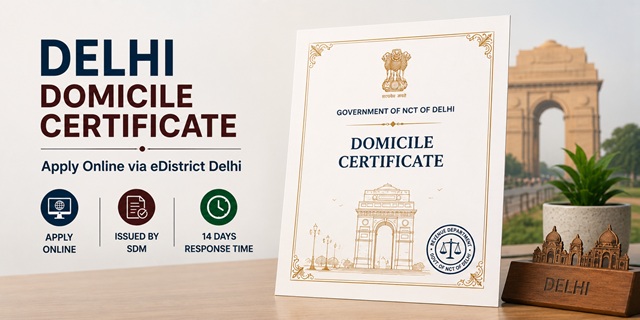
The Delhi Domicile Certificate is issued by the Sub-Divisional Magistrate (SDM) or the Deputy Commissioner's Office under the Revenue Department of the Government of NCT of Delhi. Apply online at edistrict.delhigovt.nic.in or visit the SDM office from 10:00 AM to 1:00 PM on any working day. The certificate is completely free with a response time of 14 days. Two things unique to Delhi: first, all documents must be attested by a Gazetted Officer - not self-attested. You must provide the Gazetted Officer's Contact Number and a copy of their Identity Card. Second, your photograph is captured via web camera at the time of online application submission or during office verification - it must match your Aadhaar photo. Aadhaar is not compulsory - if unavailable, any one of PAN, Passport, Driving Licence, or Voter Card works. But if Aadhaar is used, the name must exactly match the applicant's name. Minimum residence: 3 years continuous stay in Delhi.
- Delhi eDistrict Portal: edistrict.delhigovt.nic.in
- Revenue Delhi (Official Domicile page): revenue.delhi.gov.in/domicile-certificate
- Contact Details (SDM offices): edistrict.delhigovt.nic.in/contact-details
- Track Application: edistrict.delhigovt.nic.in → Track Your Application
- Helpline: 011-23935730
- Office Hours (SDM/DC): 10:00 AM to 1:00 PM (Working Days)
Eligibility Criteria
- Continuous residence in Delhi for at least 3 years
- Name on the voter list of Delhi
- Women married to a permanent Delhi resident
- For minors: certificate is issued based on parents' residence in Delhi. The minor need not have their own 3-year residence - parent's domicile is used.
Gazetted Officer Attestation - Mandatory
Unlike most other states where self-attestation is accepted, Delhi requires all documents to be attested by a Class I Gazetted Officer. Required information:
- Contact number of the attesting Gazetted Officer
- Copy of the Gazetted Officer's Identity Card
Gazetted Officers include: Central/State Government officers of Class I/Group A level, professors, doctors working in government hospitals, senior bank officers, etc. Get all photocopies attested before visiting the SDM office or submitting online.
Web Camera Photo Requirement
The Delhi domicile certificate application has a unique photo capture step:
- Online submission: The photograph is captured via web camera on your device at the time of application submission on edistrict.delhigovt.nic.in
- Office verification: If applying offline or visiting the SDM office, the photo is captured at the counter
- The captured photograph must match the photo on your Aadhaar Card
- Ensure your device camera is working before starting the online application
Aadhaar Rules - Critical
- Aadhaar is not compulsory for Delhi Domicile Certificate. If Aadhaar is unavailable, any one of PAN Card, Passport, Driving Licence, or Voter Card is accepted as identity proof
- If Aadhaar is used, the name on the Aadhaar must exactly match the applicant's name in the application form
- Aadhaar must reflect Delhi address. If your Aadhaar shows a different state address, update it at the nearest Aadhaar Seva Kendra before applying
Documents Required
All documents must be attested by a Class I Gazetted Officer with their Contact Number and ID Card copy:
- Completed application form (duly self-attested AND Gazetted Officer attested)
- Identity Proof: Aadhaar Card (if name matches) OR any one of PAN Card, Passport, Driving Licence, Voter Card
- Self-Declaration in prescribed Proforma. For minors (below 18 years): Self-Declaration from parent/major guardian
- Residential Proof (present address): Voter Card, Electricity Bill, Water Bill, or Telephone Bill
- Proof of Date of Birth: Birth Certificate, School Certificate, or Passport
- Proof of 3 years continuous stay in Delhi: Education Certificate, Electricity Bill, House Tax receipt, or Water Bill showing Delhi address across the 3-year period
- Contact Number and copy of Identity Card of the Class I Gazetted Officer who attested the documents
How to Apply Online at eDistrict Delhi
- Go to edistrict.delhigovt.nic.in.
- Click Apply Service → Register if you are a new user.
- Select Document Type: Aadhaar Card (recommended) or another identity document. Enter your 12-digit Aadhaar number and Captcha. Click Continue.
- An OTP is sent to your Aadhaar-linked mobile. Verify. Fill personal details. An Access Code and Password are generated. Note both.
- Log in with your User ID and Password.
- Under Apply Online, click Apply for Services. Select Department of Revenue → Issuance of Domicile Certificate. Click Apply.
- Your basic personal details from Aadhaar appear. Click Edit Details to correct any mismatch or click Continue if correct.
- Fill the complete application form with all required details.
- Web camera photo capture: Allow the portal to access your device camera. Your photo is captured live - ensure it matches your Aadhaar photo.
- Upload all required documents: Gazetted Officer attested copies of identity proof, address proof, residence proof, DOB proof, 3-year stay proof, and Self-Declaration. All files in PDF/JPG format under 1 MB each.
- Submit. An Application Number is generated. Note it.
- Certificate issued within 14 days. Download from the portal after approval.
How to Apply Offline at SDM/DC Office
- Download the Domicile Certificate application form from revenue.delhi.gov.in/domicile-certificate.
- Fill the form carefully and get it attested by a Class I Gazetted Officer along with all documents.
- Visit the SDM Office of your area or the Deputy Commissioner's Office between 10:00 AM and 1:00 PM on any working day.
- Find your area's SDM contact at edistrict.delhigovt.nic.in/contact-details.
- Submit the form with Gazetted Officer attested documents. Photo is captured at the counter.
- Collect the acknowledgement with Application Number. Certificate issued within 14 days.
Check Application Status
- Go to edistrict.delhigovt.nic.in.
- Click Track Your Application on the right side of the homepage.
- Select Department: Revenue from dropdown.
- Select Applied For: Issuance of Domicile Certificate.
- Enter Application Number, Name, and Captcha. Click Search.
- If status shows "Pending for Verification" for more than 7 days: visit the nearest SDM office with your Acknowledgement slip and original documents to expedite verification.
Download Certificate
- Go to edistrict.delhigovt.nic.in.
- Click Print/Download Certificate on the right side of the homepage.
- Select Department: Revenue.
- Select Applied For: Issuance of Domicile Certificate.
- Enter Application Number, Date of Birth, and Captcha. Click Continue.
- The digitally signed Delhi Domicile Certificate downloads as PDF.
Fee and Processing Time
| Detail | Information |
|---|---|
| Fee | No fee required |
| Response Time | 14 working days |
| Issuing Authority | Sub-Divisional Magistrate (SDM) of applicant's area |
| Office Hours | 10:00 AM to 1:00 PM (Working Days) |
Important Links
- Delhi eDistrict Portal - edistrict.delhigovt.nic.in
- Domicile Certificate - revenue.delhi.gov.in
- SDM Contact Details - edistrict.delhigovt.nic.in
Helpline
- 011-23935730
নতুন কমেন্ট যুক্ত করুন