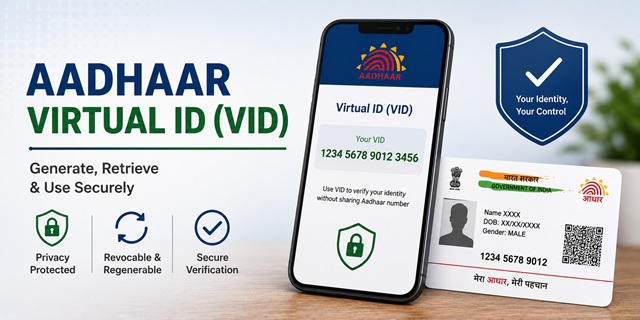
Aadhaar Virtual ID (VID) is a 16-digit temporary number that UIDAI lets you use in place of your actual 12-digit Aadhaar Card number when you need authentication or eKYC. The key privacy benefit: no one who receives your VID can reverse-engineer it to find your actual Aadhaar number. This is confirmed directly from the official UIDAI FAQ at uidai.gov.in - "It is not possible to derive Aadhaar number from VID." One important rule before locking your Aadhaar number: generate a VID first. If you lock your Aadhaar without a VID and then need authentication, you will have no way to authenticate without unlocking. VID has no expiry date - it stays valid until you generate a new one, which automatically revokes the old one. You can generate, retrieve, or change your VID through the myAadhaar portal, mAadhaar app, or by sending an SMS to 1947 from your registered mobile number.
- VID Generator (myAadhaar): myaadhaar.uidai.gov.in/VID-Generator
- VID FAQs (UIDAI): uidai.gov.in/VID-FAQ
- SMS Service: Send SMS to 1947 from your Aadhaar-registered mobile
- UIDAI Helpline: 1947 (Toll Free)
Key Facts About VID
| Feature | Detail |
|---|---|
| VID Length | 16 digits |
| Type | Temporary, revocable, random number mapped to Aadhaar |
| Expiry | No expiry defined - valid until you generate a new one |
| Can Aadhaar be derived from VID? | No - it is cryptographically impossible |
| Active VIDs at one time | Only one - generating a new VID revokes the previous one |
| Where to generate | myAadhaar portal, mAadhaar app, SMS to 1947 |
| Registered mobile required | Yes - OTP goes to Aadhaar-registered mobile |
| Must generate before locking Aadhaar? | Yes - mandatory if you plan to lock your Aadhaar number |
Why VID Matters - The Privacy Angle
Every time you share your Aadhaar Card number with a service provider - for SIM verification, hotel check-in, bank KYC, or any other service - that organisation records your 12-digit Aadhaar number permanently. Over time, your Aadhaar number gets stored in dozens of databases. VID solves this by giving each interaction a disposable number. The service provider authenticates you using the VID just as they would with your Aadhaar number, but they only see the VID. They cannot link it back to your Aadhaar or find out your actual number. When you generate a new VID the old one becomes invalid, making any previously recorded VID useless.
How to Generate VID on myAadhaar Portal
- Go to myaadhaar.uidai.gov.in/VID-Generator.
- Enter your 12-digit Aadhaar number.
- Enter the security captcha code displayed on screen.
- Select Generate VID from the options shown.
- Click Send OTP. An OTP is sent to your Aadhaar-registered mobile number.
- Enter the OTP and click Submit.
- Your 16-digit VID is displayed on screen and also sent via SMS to your registered mobile number. Save it.
If you already have a VID and want to generate a fresh one, the same steps apply - select Generate VID and the old one is automatically revoked.
How to Retrieve Your Existing VID
If you have already generated a VID and want to see it again without generating a new one:
- Go to myaadhaar.uidai.gov.in/VID-Generator.
- Enter your Aadhaar number and captcha.
- Select Retrieve VID from the options.
- Complete OTP verification.
- Your current VID is sent to your Aadhaar-registered mobile number via SMS.
How to Generate or Retrieve VID via mAadhaar App
- Open the mAadhaar app and enter your 4-digit PIN.
- Go to My Aadhaar from the bottom menu.
- Tap on VID Generator.
- Select Generate VID or Retrieve VID.
- Complete OTP verification.
- Your VID is displayed within the app and sent via SMS.
How to Generate VID via SMS
For those without internet access, UIDAI's SMS service on 1947 allows VID generation and retrieval. This service is confirmed from uidai.gov.in/aadhaar-services-on-sms. Send SMS from your Aadhaar-registered mobile number only:
| Action | SMS Format | Send To |
|---|---|---|
| Generate new VID | GVID [last 4 digits of Aadhaar] | 1947 |
| Retrieve existing VID | RVID [last 4 digits of Aadhaar] | 1947 |
Example: If your Aadhaar Card ends in 4321, send GVID 4321 to 1947 to generate a new VID. Your VID is sent back via SMS.
When to Use VID Instead of Aadhaar Number
- SIM card purchase or re-issue: Use VID for Aadhaar-based KYC at mobile stores instead of sharing your actual Aadhaar number
- Hotel check-in: Use VID when hotels ask for Aadhaar-based identity verification
- Bank KYC: If a bank accepts VID for eKYC, use it to avoid disclosing your Aadhaar number in bank records
- Any service provider asking for Aadhaar authentication: If the agency is Aadhaar-enabled (AUA registered with UIDAI), VID works in place of Aadhaar for all authentication and eKYC transactions
- When Aadhaar is locked: If you have locked your Aadhaar number, VID is the only way to authenticate without unlocking
VID and Aadhaar Locking - Critical Rule
When you lock your Aadhaar number, no one including you can use the 12-digit Aadhaar number for authentication. But services requiring Aadhaar authentication do not stop. VID becomes the only way to authenticate while Aadhaar is locked. The official UIDAI lock/unlock FAQ states that a VID must be pre-generated before locking your Aadhaar number. If you lock Aadhaar without generating a VID first, you will be unable to perform any authentication until you unlock Aadhaar.
Correct sequence: Generate VID first, then lock Aadhaar number. Keep your VID saved.
What Happens When You Generate a New VID
- The new 16-digit VID is generated and sent to your registered mobile via SMS
- Your previous VID is immediately revoked and becomes invalid
- Any service provider who recorded your old VID can no longer use it for authentication
- Only one VID can be active for your Aadhaar at any time
Official Links
- Generate or Retrieve VID - myaadhaar.uidai.gov.in
- What is VID - uidai.gov.in
- Aadhaar Services on SMS - uidai.gov.in
- All Aadhaar Services - uidai.gov.in
- myAadhaar Portal - myaadhaar.uidai.gov.in
UIDAI Helpline: 1947 (Toll Free)
Email: [email protected]
Related articles:
How to Lock and Unlock Aadhaar Biometrics
Aadhaar App Complete Guide
How to Verify Aadhaar Card Online
Disclaimer: This article is for informational purposes only. Always refer to uidai.gov.in for the latest official information on VID.
వ్యాఖ్యానించండి