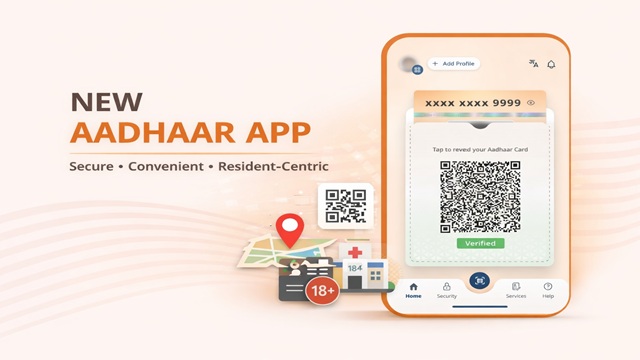
At India's scale, a digital identity system is not merely a technological achievement but it is a matter of public trust, good governance and citizen empowerment. Reaffirming this vision, the Unique Identification Authority of India (UIDAI) has launched a new, advanced Aadhaar Mobile App that places control, consent and convenience firmly in the hands of residents.
The app is designed as a key pillar of India's Digital Public Infrastructure, enabling secure, paperless and privacy-first identity verification for everyday use cases.
Why the New Aadhaar App Is Important?
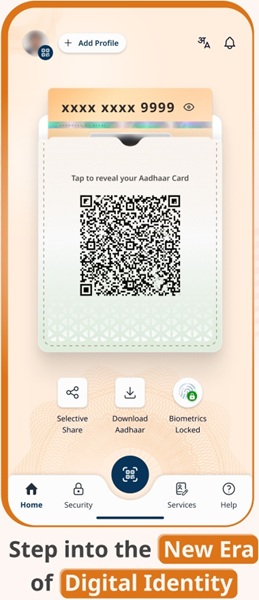
With over a billion Aadhaar holders, UIDAI has focused on building an identity platform that prioritises data minimisation, transparency and trust. According to the Ministry of Electronics and Information Technology (MeitY), the new Aadhaar App enables residents to share only the minimum required information for any service, in full alignment with the Digital Personal Data Protection (DPDP) Act.
Key Features of the New Aadhaar App
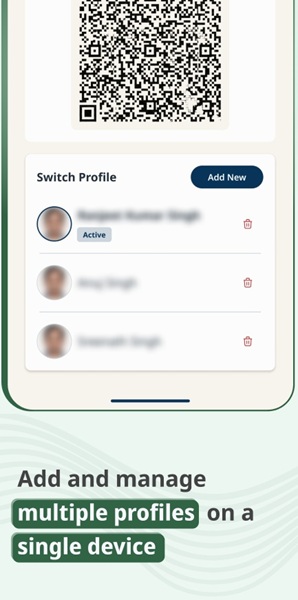
1. Mobile Number UpdateA major convenience introduced through the new Aadhaar App is the ability to update the registered mobile number directly from the app. Earlier, residents had to visit Aadhaar Seva Kendras or enrolment centres for this service. 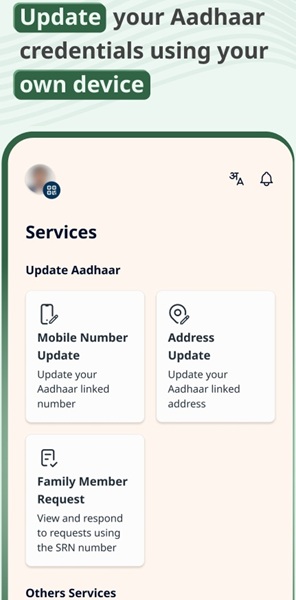 This feature ensures uninterrupted access to Aadhaar-based services such as OTP authentication, online verification and digital document downloads. 2. Address UpdateResidents can also update their address details using the Aadhaar App. The digital address update process reduces paperwork, saves time and eliminates the need for repeated physical visits. UIDAI has indicated that additional demographic update services will be rolled out in future versions of the app, further strengthening self-service capabilities. 3. Selective Credential SharingOne of the most important features of the new Aadhaar App is selective data sharing. Residents can share only specific identity attributes, such as name, age or photograph, depending on the requirement of the service provider. 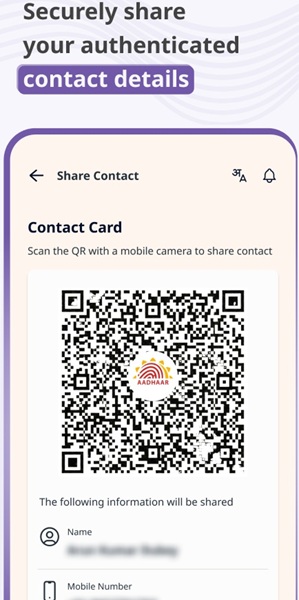 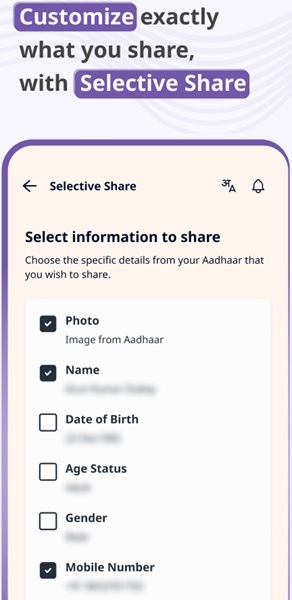 4. Offline Verification via QR CodesThe app supports Offline Verification Seeking Entities (OVSE). Verifiers generate a QR code, which Aadhaar holders scan to securely share verified identity details without revealing their Aadhaar number or requiring continuous internet connectivity. This feature is particularly useful for locations with limited network access and ensures Aadhaar numbers are never stored by third parties. 5. Face Verification & Proof of PresenceThe app includes optional face verification to confirm proof of presence. This feature enhances security and reduces impersonation risks during identity verification processes. It is useful for scenarios such as service onboarding, visitor verification and attendance-based identity confirmation. 6. Biometric Lock and UnlockResidents can now lock or unlock their Aadhaar biometrics with a single click from the app. This ensures that biometric authentication cannot be misused without the Aadhaar holder's consent. 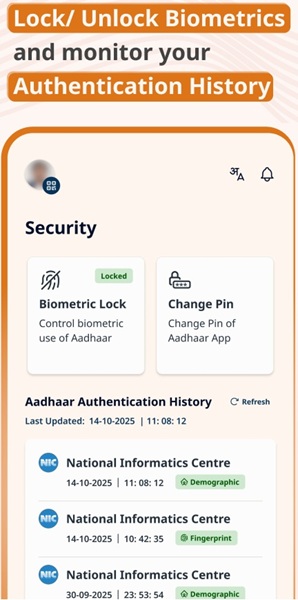 7. Authentication History TrackingThe app allows users to view their Aadhaar authentication history, providing transparency into when and where Aadhaar-based verification has been performed. 8. One Family – One AppThe Aadhaar App supports management of up to five Aadhaar profiles on a single device, provided they are linked to the same registered mobile number. This enables families to manage Aadhaar services conveniently from one smartphone. |
Real-Life Use Cases of the Aadhaar App
The new Aadhaar App is designed to support a wide range of practical, everyday scenarios, including :-
- Hotel check-ins using QR-based offline verification.
- Age verification for cinema ticket bookings.
- Hospital visitor and attendant verification.
- Gig worker and service partner onboarding.
- Secure proof of presence for various services.
Future Updates Planned for the Aadhaar App
UIDAI has clarified that the newly launched Aadhaar App is part of a long-term roadmap aimed at expanding self-service, privacy-focused and resident-centric features. While mobile number and address update services are already available, several additional enhancements are planned in upcoming versions of the app.
Future updates are expected to introduce more demographic and biometric update services, allowing residents to manage their Aadhaar details digitally with minimal dependence on physical enrolment centres.
UIDAI is also working on expanding the scope of offline and QR-based verification use cases across more sectors such as education, banking, public distribution systems and government service delivery.
Further improvements in security, user experience and consent management are planned to strengthen trust and ensure compliance with evolving data protection frameworks. These updates will continue to reinforce Aadhaar's role as a secure, inclusive and future-ready digital identity platform.
Download the New Aadhaar App
The official Aadhaar App is available on both major mobile platforms:
- Google Play Store: Download Aadhaar App (Android)
- Apple App Store: Download Aadhaar App (iOS)
Conclusion
The launch of the new Aadhaar App marks a significant milestone in India's journey toward a secure, inclusive and privacy-first digital identity ecosystem. By enabling consent-based data sharing, offline verification, biometric security and family-level convenience, UIDAI has strengthened Aadhaar's role as a trusted foundation of Digital India.
With residents firmly in control of their identity, the Aadhaar App demonstrates how large-scale technology can remain human-centric, transparent and built on trust.
Add new comment