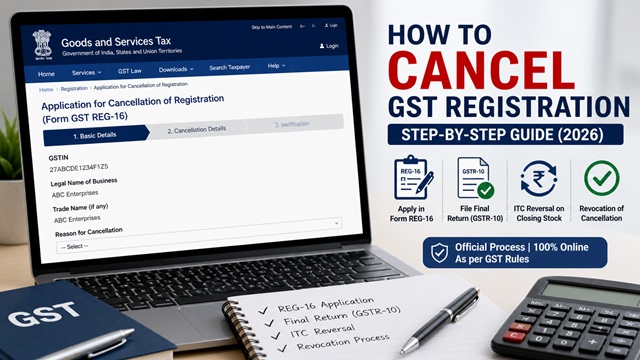
If your business turnover falls below the GST registration threshold, you close your business, or you are no longer liable to pay GST, you can cancel your GST registration online. This process is called voluntary cancellation and is done by filing Form GST REG-16 on the official GST portal.
After cancellation, you must also file a Final Return in Form GSTR-10 within three months. This guide covers the complete process step by step, sourced exclusively from the official GST portal manuals.
Who Can Apply for GST Cancellation?
As per Section 29 of the CGST Act, 2017, the following registered persons can apply voluntarily for cancellation of their GST registration:
- Any registered taxpayer other than those registered on a suo moto basis by a Tax Official.
- Businesses whose annual aggregate turnover has fallen below the GST registration threshold.
- Businesses that have been discontinued, wound up, or amalgamated with another entity.
- Businesses that have transferred their business entirely to another person.
- Businesses that have changed their constitution resulting in a change of PAN.
Who cannot apply for voluntary cancellation:
- Taxpayers whose GSTIN is under suspension may be required to resolve pending compliance issues before applying, depending on the reason for suspension.
- Composition taxpayers with pending returns - clear all dues before applying
Valid Reasons for GST Registration Cancellation
When you file Form REG-16, you must select one of the following six reasons from the dropdown on the GST portal. These are the only officially accepted reasons as per the official GST portal manual at tutorial.gst.gov.in:
- Change in constitution of business leading to change in PAN - for example, a proprietorship converting to a private limited company
- Ceased to be liable to pay tax - your turnover has fallen below the applicable GST threshold
- Discontinuance of business or closure of business - you are shutting down the business entirely
- Transfer of business on account of amalgamation, merger, demerger, sale, leased or otherwise - the business has been sold or merged
- Death of Sole Proprietor - in case of death of the sole proprietor of a proprietorship firm (added to the portal as a separate option)
- Others - any other valid reason not covered above
What to Do Before Applying for Cancellation
Before you apply for cancellation, complete the following steps to avoid complications:
- File all pending GST returns - all GSTR-1 and GSTR-3B returns up to the date of cancellation must be filed. You cannot apply for cancellation if returns are pending.
- Pay all outstanding tax, interest, and late fees - clear all dues in your Electronic Liability Ledger.
- Calculate ITC reversal on closing stock - any ITC availed on inputs, semi-finished goods, finished goods, and capital goods held in stock on the date of cancellation must be reversed. This is reported in Form GSTR-10.
- Take stock of all closing inventory - you need to declare the value of closing stock while filing the cancellation application.
When You Should Not Cancel GST Registration
- If your business is temporarily inactive but will restart soon.
- If you still need to claim Input Tax Credit (ITC).
- If you are planning to cross the GST threshold again.
- If cancellation may impact existing contracts or compliance.
How to Cancel GST Registration Online - Step by Step
The application is filed in Form GST REG-16. Follow these steps exactly as described in the official GST portal user manual at tutorial.gst.gov.in:
- Go to www.gst.gov.in and log in with your GST credentials.
- Go to Services > Registration > Application for Cancellation of Registration.
- The Form REG-16 opens. It has three tabs: Basic Details, Cancellation Details, and Verification.
Tab 1 - Basic Details
- The Basic Details tab is pre-filled with your registered address. Verify it.
- Fill in your Address for Future Correspondence or check the option Address same as above to use the principal place of business address.
- Click SAVE & CONTINUE. The Basic Details tab turns blue with a tick mark confirming completion.
Tab 2 - Cancellation Details
- Select the Reason for Cancellation from the dropdown list (all six reasons are listed in Section 2 above).
- Enter the Date from which registration is to be cancelled.
- If the reason is Transfer, Merger, or Change in Constitution, enter the GSTIN of the transferee entity. The portal will auto-populate the trade name.
- Enter the details of your closing stock - the value of inputs, semi-finished goods, finished goods, and capital goods held on the date of cancellation.
- The portal assists in calculating ITC to be reversed based on the details entered. The taxpayer is responsible for ensuring accuracy. You must offset this liability from your Electronic Cash Ledger, Electronic Credit Ledger or both.
- Upload any supporting document if required.
- Click SAVE & CONTINUE. The Cancellation Details tab turns blue with a tick mark.
Tab 3 - Verification
- Check the Verification statement box to declare that all information provided is true and correct.
- Select the name of the Authorised Signatory from the dropdown list.
- Sign the application using DSC (Digital Signature Certificate), E-Sign (Aadhaar OTP-based), or EVC (Electronic Verification Code sent to registered mobile/email).
- Click SUBMIT WITH DSC / E-SIGN / EVC. The application is submitted.
- An Application Reference Number (ARN) is generated and sent to your registered email and mobile number within 15 minutes.
Important: Once the application for cancellation is submitted, your GSTIN status changes to Suspended immediately. You cannot issue tax invoices or collect GST during the suspension period.
What Happens After You Apply?
After submission of Form REG-16, the following sequence of events takes place:
- Your GSTIN status changes to Suspended on the date you submit the application.
- The application is assigned to the concerned Jurisdictional Tax Officer for processing.
- If the Tax Officer is satisfied, they issue an Order for Cancellation in Form GST REG-19. This is the official cancellation order.
- Once REG-19 is issued, your GSTIN is formally Cancelled with effect from the date you specified.
- If the Tax Officer has queries, they may issue a Show Cause Notice in Form GST REG-17 requesting clarification. You must respond within 7 working days using Services > Registration > Application for Filing Clarifications.
- If the Tax Officer is not satisfied, they may issue an Order for Rejection in Form GST REG-05. You can appeal against this within 3 months.
Checking application status: Go to Services > Registration > Track Application Status on the GST portal and enter your ARN.
Withdrawing a cancellation application: If you change your mind after submitting Form REG-16, you can withdraw the application as long as the Tax Officer has not yet taken any action on it (status shows as “ Pending for Processing”). To withdraw: Log in > Services > User Services > View My Submissions > click the Withdraw button against the application > click Confirm. Once the Tax Officer has initiated action, the Withdraw button is no longer available.
How to File Final Return GSTR-10 After Cancellation
After your GST registration is cancelled or surrendered, you must file a Final Return in Form GSTR-10. This is mandatory:
- GSTR-10 must be filed within three months from the date of cancellation or the date of order of cancellation, whichever is later.
- It is a statement of stocks held on the day immediately before the effective date of cancellation.
- It declares the ITC involved in closing stock (inputs and capital goods) to be reversed or paid by the taxpayer.
- GSTR-10 cannot be filed without discharging all tax liabilities declared in the return.
- GSTR-10 cannot be revised once filed.
- It can be filed using DSC or EVC.
Who is exempt from filing GSTR-10
- Input Service Distributors (ISD).
- Non-resident taxable persons.
- Persons paying tax under Section 10 (Composition Scheme).
- Persons required to deduct TDS under Section 51.
- Persons required to collect TCS under Section 52.
- Online Information and Database Access or Retrieval (OIDAR) Services providers.
Steps to file GSTR-10:
- Log in to the GST portal at www.gst.gov.in. Your login remains active even after cancellation for this purpose.
- Go to Services > Returns > Final Return.
- The GSTR-10 form is displayed. Enter the details of your closing stock as on the cancellation date.
- Pay the ITC reversal amount using your Electronic Cash or Credit Ledger.
- Verify and sign using DSC or EVC.
- Submit. You will receive a confirmation ARN.
Late filing of GSTR-10:If GSTR-10 is not filed within the due date, a notice may be issued by the Tax Officer directing the taxpayer to file the return within a specified period.. If not filed even after that, the officer assesses the liability and issues a final order.
Suo Moto Cancellation by Tax Officer - What It Means
Apart from voluntary cancellation by the taxpayer, a Tax Officer can also cancel your registration on their own, called Suo Moto Cancellation. As per the official GST portal FAQ at tutorial.gst.gov.in, the Tax Officer can initiate Suo Moto Cancellation if:
- A taxpayer other than a composition taxpayer has not filed returns for a continuous period of six months.
- A composition taxpayer has not filed returns for a continuous period of three consecutive tax periods.
- The taxpayer supplies goods or services without issuing an invoice with intent to evade tax.
- The taxpayer issues invoices without actual supply of goods or services, leading to wrongful ITC claims.
- The taxpayer collects GST but fails to pay it to the government beyond three months from the due date.
- The taxpayer obtains registration through fraud, wilful misstatement, or suppression of facts.
Process for Suo Moto Cancellation
- The Tax Officer issues a Show Cause Notice (SCN) in Form GST REG-17.
- Your GSTIN is Suspended from the date the SCN is issued.
- You must reply within 7 working days using Services > Registration > Application for Filing Clarifications.
- If no response is given within 7 working days, the Tax Officer can proceed with cancellation and issue an order in Form GST REG-19.
- If you file all pending returns after receiving the SCN, the system auto-drops the cancellation proceedings and your status reverts to Active - even if you have not responded to the SCN.
How to Revoke (Reverse) a Cancelled GST Registration
If your GST registration was cancelled by a Tax Officer (Suo Moto cancellation), you can apply for Revocation of Cancellation using Form GST REG-21. This option is not available for voluntary cancellations applied by the taxpayer themselves.
Time limits for filing revocation application
| When You Apply | Process |
|---|---|
| Within 90 calendar days from the date of cancellation order | Normal revocation process. Application directly assigned to Jurisdictional Officer. |
| After 90 days but within 270 calendar days | A warning message is shown. You must provide a Reason for Condonation of Delay. Application forwarded to Competent Authority. Only if the delay is condoned, it proceeds for approval. |
| Beyond 270 days | Revocation application cannot be filed on the portal. You must approach the Appellate Authority. |
Steps to file revocation application (Form REG-21)
- Go to www.gst.gov.in and log in using your earlier credentials.
- Before filing, you must authenticate Aadhaar or upload e-KYC documents. Navigate to My Profile to complete this if not done.
- Go to Services > Registration > Application for Revocation of Cancelled Registration.
- Enter the reason for revocation in the Reason for Revocation of Cancellation field.
- Upload supporting documents if applicable.
- Enter the OTP sent to the email address of the Authorised Signatory and click VALIDATE OTP.
- Submit. You will receive an ARN confirmation within 15 minutes at your registered email and mobile.
Important notes on revocation
- If revocation is approved for a Regular GSTIN, any Composition GSTIN registered under the same PAN will also be converted to Regular.
- You cannot apply for revocation of a cancelled Composition GSTIN if you are already registered as a Regular taxpayer under the same PAN.
- Once revocation is approved, your GSTIN status changes from Cancelled back to Active and all portal access is restored immediately.
GST Helpdesk: 1800-103-4786 (as listed on gst.gov.in)
Disclaimer: This article is for informational purposes only. All procedures are subject to change by GSTN, CBIC, and the Government of India. Always verify the latest process at gst.gov.in.
Add new comment