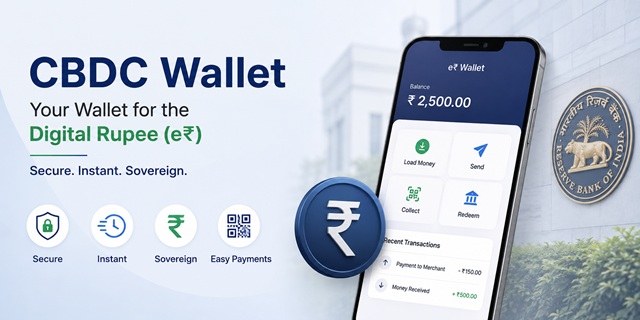
A CBDC wallet is more than just another payment application. It is a digital wallet that stores the Digital Rupee (e₹), India's Central Bank Digital Currency (CBDC), on your mobile phone.
Unlike a UPI app, a CBDC wallet holds Digital Rupee that you have already loaded from your bank account. Once the wallet is funded, payments are made using the e₹ balance stored in the wallet rather than directly debiting your bank account for every transaction. This gives the Digital Rupee a cash-like experience in digital form.
The Reserve Bank of India (RBI) currently offers the Retail Digital Rupee (e₹-R) through participating banks and authorised entities under its ongoing pilot programme. Each participating institution provides its own Digital Rupee wallet application, and eligible customers can register using their linked bank account and registered mobile number.
This guide explains everything you need to know about the CBDC wallet, including supported bank apps, eligibility, registration, wallet setup, loading and redeeming Digital Rupee, making payments, QR code compatibility, wallet recovery, security features, and account closure.
If you want to understand what the Digital Rupee (e₹) is before setting up a wallet, read our detailed guide: Digital Rupee (e₹): What CBDC Is and How It Works.
Quick Facts
| Detail | Information |
|---|---|
| What it is | A mobile wallet for storing and using the Digital Rupee (e₹) |
| Availability | Through participating banks and authorised entities under the RBI pilot |
| Supported platforms | Android and iOS |
| Bank account required | Yes, with a participating institution offering the Digital Rupee wallet |
| KYC requirement | Existing bank KYC is generally used during onboarding |
| Registration | Uses the registered mobile number linked to your bank account and the participating institution's verification process |
| Minimum balance | None |
| Interest on wallet balance | Not applicable |
| Charges | No RBI charges for using the Digital Rupee wallet |
| Service availability | 24 hours a day, 7 days a week |
| Accepted QR codes | CBDC QR codes and interoperable UPI QR codes |
| If your phone is lost | The wallet can be restored on a new device using the registered mobile number, subject to the wallet provider's process |
| Support | Available through the wallet provider or the participating bank's customer care |
Participating Banks Offering CBDC Wallets
The Retail Digital Rupee (e₹-R) is currently available through participating banks under the Reserve Bank of India's (RBI) ongoing CBDC pilot programme. If your bank is part of the pilot, you can download its official Digital Rupee (e₹) wallet app, complete the registration process, and start using the Digital Rupee for eligible transactions.
Always download the wallet only from the official Google Play Store or Apple App Store, or through your bank's official website. Never install CBDC wallet apps from third-party websites or unofficial app stores.
| Bank | Official App Name | Google Play | Apple App Store |
|---|---|---|---|
| State Bank of India | eRupee by SBI | Download | Download |
| ICICI Bank | Digital Rupee by ICICI Bank | Download | Download |
| HDFC Bank | HDFC Bank Digital Rupee | Download | Download |
| Axis Bank | Axis Mobile Digital Rupee | Download | Download |
| Kotak Mahindra Bank | Digital Rupee by Kotak Bank | Download | Download |
| IDFC FIRST Bank | IDFC FIRST Bank Digital Rupee | Download | Download |
| IndusInd Bank | Digital Rupee by IndusInd Bank | Download | Download |
| YES BANK | YES PAY Next (Digital Rupee Wallet) | Download | Download |
| Punjab National Bank | PNB Digital Rupee | Download | Download |
| Bank of Baroda | bob World Digital Rupee | Download | Download |
| Union Bank of India | Digital Rupee by UBI | Download | Download |
| Canara Bank | Canara Digital Rupee | Download | Download |
| Indian Bank | Indian Bank Digital Rupee | Download | Download |
| Bank of India | Bank of India Digital Rupee | Download | Download |
| Bank of Maharashtra | eRupee by Bank of Maharashtra | Download | Download |
| IDBI Bank | IDBI eRupee | Download | Download |
| UCO Bank | UCO Digital Rupee | Download | Download |
| Federal Bank | Federal Bank Digital Rupee | Download | Download |
| Karnataka Bank | Karnataka Bank Digital Rupee | Download | Download |
Important: The list of participating banks may expand as the Reserve Bank of India extends the Digital Rupee pilot. Before downloading an app, verify that your bank currently supports the Digital Rupee (e₹) through its official website or customer support.
YES Bank Users Should Know This
YES Bank currently provides the Digital Rupee wallet through its YES PAY Next application instead of a separate standalone app. After signing in, open My Digital Rupee Wallet to access Digital Rupee services such as loading money, scanning QR codes, making payments, receiving payments, and redeeming your wallet balance back to your linked bank account.
Can You Use Another Bank's CBDC Wallet?
No. You can generally register only with the participating bank where you maintain an eligible account and fulfil the bank's onboarding requirements. For example, SBI customers must use the SBI Digital Rupee app, ICICI Bank customers must use the ICICI Digital Rupee app, and HDFC Bank customers must use the HDFC Bank Digital Rupee app.
If your bank is not currently participating in the RBI's Digital Rupee pilot, you will need to wait until it joins the programme before you can open a CBDC wallet through that bank.
If you are new to the Digital Rupee, you may also find it helpful to read our guide on What is the Digital Rupee (e₹) and How Does India's CBDC Work? before setting up your wallet.
What You Need Before Opening a CBDC Wallet
Before you begin the registration process, keep a few things ready. Most participating banks follow a similar onboarding process, although some steps may vary slightly from one wallet provider to another.
- An eligible account with a participating bank. You must have an account with the bank whose Digital Rupee (e₹) wallet you want to use. Existing customer records and KYC are generally used during onboarding, making the registration process faster.
- Your registered mobile number. The mobile number linked to your bank account must be active and inserted in the phone on which you are registering the Digital Rupee wallet.
- Your debit card, if required. Some participating banks may ask you to verify your identity using your debit card or other account credentials during the registration process.
- A compatible smartphone. Make sure your Android or iPhone meets the minimum operating system requirements specified by your bank's Digital Rupee application. Using an outdated operating system may lead to installation or registration issues.
Why Does the CBDC Wallet Verify Your SIM Instead of Sending an OTP?
Many users are surprised when the Digital Rupee (e₹) wallet asks for SMS permissions instead of simply sending an OTP. This is a normal part of the registration process followed by many participating wallet providers.
During onboarding, the wallet may verify your registered mobile number by sending an SMS from your device. This confirms that the registered SIM card is present in the phone being used for registration and helps strengthen the security of the wallet.
Why is SIM verification used?
An OTP confirms that you can receive messages on a mobile number. SIM verification provides an additional layer of assurance by confirming that the registered SIM card is physically present in the device where the Digital Rupee wallet is being activated.
Before starting the registration process, keep these points in mind:
- Allow SMS and phone permissions when requested by the Digital Rupee application. Registration may not complete if these permissions are denied.
- Use the phone containing your registered SIM card. The wallet should be activated on the device where the registered mobile number is currently active.
- Select the correct SIM card if your phone uses two SIMs. Choosing the wrong SIM may cause the verification process to fail.
- Your mobile operator may charge a standard SMS fee for the verification message, depending on your mobile plan.
SBI Offers Two Types of Digital Rupee Wallets
Most participating banks currently provide a single Digital Rupee (e₹) wallet for retail users. State Bank of India (SBI), however, offers two different wallet types under the Digital Rupee pilot, depending on the customer's onboarding method and intended use.
| Feature | Bank Account Linked (Full KYC Wallet) | Aadhaar Linked (Minimum KYC Wallet) |
|---|---|---|
| Eligibility | Customers with an eligible SBI savings or current account | Eligible users onboarded through Aadhaar-based minimum KYC under approved pilot use cases |
| Registration requirement | Linked bank account and applicable verification, including debit card where required | Aadhaar-based onboarding as permitted under the pilot |
| Primary purpose | Everyday Digital Rupee (e₹) transactions | Selected government or institutional payment programmes |
| Usage | Regular wallet functionality | Subject to the conditions of the applicable programme or pilot |
The Aadhaar-linked minimum KYC wallet serves a specific purpose. It is designed for approved pilot use cases, including selected government or institutional benefit programmes where Digital Rupee payments are issued directly to eligible beneficiaries. It should not be viewed as a simplified version of the standard retail wallet available to all users.
Where programmable Digital Rupee is used, the issuing organisation may define conditions such as the validity period, permitted geographical area, eligible merchant categories, or designated merchants. These conditions depend on the specific pilot or scheme under which the Digital Rupee is issued.
If you are receiving a government benefit through a programmable Digital Rupee wallet, always check the instructions issued by the sponsoring department or participating bank to understand where and how the funds can be used.
How to Register a CBDC Wallet
Although the user interface may differ slightly from one participating bank to another, the registration process is broadly similar across most Digital Rupee (e₹) wallet applications.
- Download the official Digital Rupee app. Install the e₹ wallet only from the Google Play Store, Apple App Store, or your bank's official website. Before installing, verify that the developer name matches your bank.
- Grant the required permissions. During setup, the app may request permissions such as SMS, phone, or notifications to complete mobile number verification and enable wallet functionality. Denying the required permissions may prevent registration.
- Accept the terms and conditions. Read and accept the user agreement before proceeding.
- Verify your registered mobile number. Select the SIM card linked to your participating bank account. On dual-SIM phones, ensure you choose the correct SIM for verification.
- Complete bank authentication. Depending on your bank, you may be asked to verify your identity using your debit card, account details, or another authentication method provided by the bank.
- Create your wallet security credentials. Set your wallet PIN (or MPIN) and, where supported, enable biometric authentication such as fingerprint or Face ID for faster and more secure access.
- Complete wallet activation. After successful verification, your Digital Rupee wallet will be activated and linked to your eligible bank account, allowing you to load and redeem e₹.
If all verification steps are completed successfully, the wallet is generally activated within a few minutes. However, the exact time may vary depending on the participating bank and network conditions.
How to Load Money into Your CBDC Wallet
Loading money into a Digital Rupee wallet is similar to withdrawing cash from your bank account. The selected amount is debited from your linked bank account and credited to your wallet as Digital Rupee (e₹).
- Open your Digital Rupee (e₹) wallet application.
- Select Load Money or the equivalent option provided by your bank.
- Enter the amount you wish to load into the wallet.
- Select your linked bank account, if prompted.
- Authenticate the transaction using your wallet PIN, biometric authentication, or any other security method supported by your bank.
- Once the transaction is successful, the Digital Rupee balance will appear in your wallet and will be available for payments immediately.
Available 24×7. The Reserve Bank of India allows participating institutions to provide Digital Rupee services around the clock. Depending on your wallet provider, you can generally load, redeem, send, and receive Digital Rupee at any time, including weekends and bank holidays.
How much money should you keep in the wallet? Since the Digital Rupee does not earn interest, it is generally advisable to keep only the amount you expect to use for day-to-day payments. For long-term savings, a savings bank account remains more appropriate because it may earn interest according to your bank's policy.
How to Pay Using Your CBDC Wallet
The Digital Rupee (e₹) wallet supports multiple payment methods. Depending on how you initiate the transaction, the payment follows a different settlement process.
1. Scan a CBDC QR Code
This is the native Digital Rupee payment method. When both the payer and the merchant use compatible CBDC wallets, the payment is completed directly between the two Digital Rupee wallets using central bank money.
Because the transaction takes place entirely within the CBDC ecosystem, it does not require a debit from your bank account at the time of payment. Once completed, the payment is final in accordance with the Digital Rupee transaction process.
2. Scan a UPI QR Code
Most participating Digital Rupee wallets also support interoperable UPI QR codes, allowing you to pay at millions of merchants that already accept UPI payments without requiring a dedicated CBDC QR code.
Although you are paying from your Digital Rupee wallet, the transaction follows the interoperability framework supported by the participating institutions. This allows Digital Rupee users to make payments at a much wider network of merchants while continuing to use their e₹ balance.
3. Send Money to Another Wallet User
You can also transfer Digital Rupee directly to another person who has a compatible CBDC wallet by using the supported transfer options provided by your wallet application, such as a registered mobile number, wallet identifier, or QR code, depending on the participating bank.
What If You Do Not Have the Exact Denomination?
Although the Digital Rupee is token-based and available in denominations similar to physical currency, you do not need to worry about carrying the exact denomination for every payment.
The wallet automatically manages the required denominations during a transaction. For example, if you make a payment of ₹15 while holding a ₹20 denomination, the wallet adjusts the balance automatically and returns the remaining value to your wallet.
Payments are also supported up to two decimal places. This means you can pay amounts such as ₹15.75 without any manual calculation or denomination matching.
The wallet performs the necessary calculations automatically, making Digital Rupee payments as convenient as using any modern digital payment application.
How to Receive Digital Rupee
Receiving Digital Rupee from another user is straightforward. The exact screen names may vary slightly between participating banks, but the overall process remains similar.
- Open your Digital Rupee (e₹) wallet.
- Select Receive, Collect, or the equivalent option available in your wallet.
- Generate your QR code or use the wallet details provided by the application.
- Ask the sender to scan your QR code or initiate the transfer using the supported payment option.
- Once the transaction is completed successfully, the Digital Rupee is credited to your wallet immediately.
Digital Rupee wallet transfers are generally available throughout the day, including weekends and holidays, subject to the services offered by the participating institution.
How to Redeem Digital Rupee Back to Your Bank Account
Redeeming Digital Rupee is the opposite of loading money into your wallet. During redemption, the selected amount is removed from your Digital Rupee wallet and credited back to your linked bank account.
- Open your Digital Rupee wallet.
- Select Redeem.
- Enter the amount you want to transfer back to your linked bank account.
- Confirm the transaction.
- Authenticate using your wallet PIN, biometric authentication, or another security method supported by your bank.
Participating institutions generally provide redemption services around the clock, allowing users to move funds between their Digital Rupee wallet and linked bank account whenever the service is available.
Before closing or deregistering your wallet, redeem the entire wallet balance. Most wallet providers require the balance to be zero before the wallet can be closed permanently.
What Happens If You Lose Your Phone?
Losing your mobile phone does not automatically mean losing your Digital Rupee. The Reserve Bank of India states that the Digital Rupee wallet can be restored on another device using the registered mobile number, subject to the wallet provider's recovery process.
If your phone is lost or stolen, take the following steps immediately:
- Contact your mobile operator and block the SIM card to prevent unauthorised use.
- Obtain a replacement SIM with the same registered mobile number.
- Install the same Digital Rupee wallet application provided by your participating bank on your new device.
- Complete the verification process using your registered mobile number and follow the wallet recovery instructions.
- Contact your bank's customer care immediately if you notice any suspicious activity or face difficulties restoring the wallet.
Keep your wallet PIN, device PIN, and biometric authentication secure. Never share your wallet credentials with anyone. If your device is lost, report it promptly and replace the registered SIM card as soon as possible to minimise security risks.
How to Close or De-register Your CBDC Wallet
If you no longer want to use your Digital Rupee (e₹) wallet, de-register it properly instead of simply uninstalling the application. Removing the app from your phone does not automatically close your wallet.
- Redeem your entire wallet balance to your linked bank account. Most participating wallet providers require the wallet balance to be zero before de-registration.
- Open the Profile, Settings, or the equivalent menu available in your Digital Rupee app.
- Select De-register Wallet, Close Wallet, or the corresponding option provided by your bank.
- Review the confirmation message and proceed with the de-registration request.
- Authenticate the request using your wallet PIN, biometric authentication, or another security method supported by your wallet provider.
Important: If your wallet contains a balance, redeem the funds before initiating the de-registration process. Certain programme-specific or programmable Digital Rupee wallets may also have additional conditions based on the issuing organisation's guidelines.
Is the CBDC Wallet Safe?
The Digital Rupee has been designed with multiple security measures by the Reserve Bank of India and participating institutions. While no digital system can eliminate every risk, following basic security practices makes using a CBDC wallet safe for everyday transactions.
- Issued by the Reserve Bank of India. The Digital Rupee (e₹) is legal tender and a direct liability of the Reserve Bank of India.
- Protected through secure wallet infrastructure. Participating institutions implement security controls, authentication, and encryption to protect wallet transactions.
- Wallet recovery is supported. If your mobile phone is lost, you can generally restore your wallet on another device using your registered mobile number, subject to your wallet provider's recovery process.
- Transaction alerts. Most participating institutions send transaction notifications through SMS, in-app notifications, or other supported channels whenever a financial transaction takes place.
Your biggest responsibility is protecting your wallet credentials. Never share your wallet PIN, device PIN, OTP, or biometric authentication with anyone. Enable screen lock and biometric authentication wherever your device supports them.
Common CBDC Wallet Problems and Their Solutions
- SIM verification fails. Ensure the registered mobile number is active, SMS permissions are allowed, and the correct SIM card is selected on dual-SIM devices.
- The app does not install or crashes. Update your phone's operating system and install the latest version of the Digital Rupee app available for your bank.
- Your bank is not participating. You can register only with a participating bank or authorised institution offering the Digital Rupee wallet under the RBI pilot.
- The merchant does not display a CBDC QR code. Where supported by your wallet provider, you may also be able to pay by scanning interoperable UPI QR codes.
- A payment failed or was not completed. Raise a dispute through the Digital Rupee app or contact your participating bank's customer care with the transaction reference.
- You changed your registered mobile number. Contact your bank before changing the mobile number linked to your wallet, as you may need to complete the registration process again.
- You cannot de-register the wallet. Make sure the wallet balance is zero. If the wallet contains programme-specific or programmable Digital Rupee issued under a special scheme, additional conditions may apply before closure.
How to Get Help
If you face any issue while using your Digital Rupee wallet, the Reserve Bank of India advises users to contact their participating bank or raise the issue through the wallet application.
- Use the Help or Support section available inside your Digital Rupee wallet application to report transaction-related issues.
- Contact your participating bank's customer care for registration, wallet recovery, account linking, or transaction support.
- Some banks also provide dedicated Digital Rupee support channels. Check your bank's official website or wallet application for the latest Digital Rupee support email address, helpline number, and operating hours.
When reporting a problem, keep your transaction reference number, registered mobile number, and any SMS or in-app notification related to the transaction ready. These details help the bank investigate your request more quickly.
Best Practices for Using a CBDC Wallet
- Keep only the amount you plan to spend. The Digital Rupee does not earn interest like a savings account.
- Review transaction notifications regularly. Immediately report any unauthorised transaction to your bank.
- Keep your mobile operating system and wallet application updated. Updates often include important security improvements and bug fixes.
- Protect your wallet PIN. Never share it with anyone or use an easily guessable PIN.
- If your phone is lost, block the SIM card immediately through your telecom operator and then restore your wallet on a new device using your registered mobile number.
- Download wallet applications only from official app stores. Avoid installing APK files or applications obtained from unofficial websites.
Add new comment