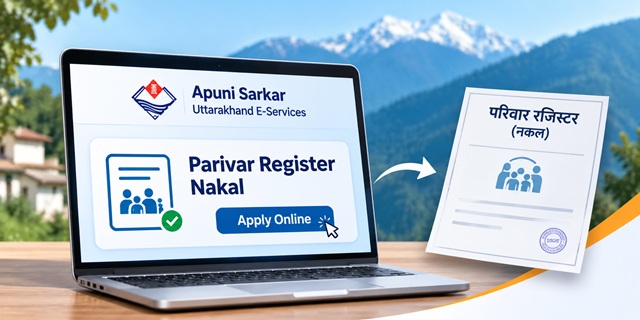
Need a copy of your family details recorded in the Gram Panchayat register? You can apply online for Uttarakhand Parivar Register Nakal (परिवार रजिस्टर नकल) through the state's Apuni Sarkar portal. The service allows eligible applicants to request an official copy of their family's entry without making repeated visits to the Gram Panchayat office.
The application goes to the Gram Panchayat Vikas Adhikari (GPVA), who checks the family record and processes the request. The portal lists an estimated service time of 3 days. You can also search existing family-register entries online without logging in, which helps you check whether your family's details are already recorded.
This guide explains how to apply for Parivar Register Nakal online in Uttarakhand, the documents required, application charges, how to search old family records, how to track your application and what to do if a family member's name is missing or incorrect.
Uttarakhand Parivar Register Nakal: Quick Overview
Parivar Register Copy Service Details |
|
|---|---|
| Service Name | Copy of Pariwar Register (परिवार रजिस्टर प्रतिलिपि) |
| State | Uttarakhand |
| Department | Panchayati Raj Department |
| Online Portal | Apuni Sarkar |
| Issuing Authority | Gram Panchayat Vikas Adhikari (GPVA/VPDO) |
| Application Mode | Online, CSC and e-District Centre |
| Service Fee | ₹40 at CSC/EDC; online applicants should check the additional service charge shown during payment |
| Estimated Processing Time | 3 days, as displayed in the service listing |
| Identity Proof | Aadhaar Card or Voter ID, as listed in the service requirements |
| Other Documents | Applicant photograph and prescribed application form |
| Helpline | 1905 (Apuni Sarkar/CM Helpline assistance) |
| Official Website | eservices.uk.gov.in |
What Is Parivar Register in Uttarakhand?
The Parivar Register, also known as the Family Register or Kutumb Register, is a record maintained by the Gram Panchayat for families registered in a village. It contains the details of the family head and other members belonging to that family.
The register helps identify family relationships and provides a record of the people included in a particular household. Government departments may ask for its certified copy when they need to verify family membership or related details.
Depending on the available digital record, a family-register entry may contain information such as:
- Name of the Family Chief or head of the family.
- Father's or husband's name.
- Date of birth and gender.
- District, tehsil, development block, Gram Panchayat and village.
- Religion, caste and sub-caste details, where recorded.
- Names of other family members.
- Relationship of each member with the Family Chief.
- Age, occupation and educational details, where available.
- Date on which a member's entry was recorded.
The information displayed may differ depending on the age and completeness of the digitised record. Therefore, check the actual family entry instead of assuming that every record contains all these fields.
Uttarakhand has digitised family-register records through its e-District and Apuni Sarkar systems. This is why the portal provides separate search facilities for older e-District records and newer family applications.
Who Issues the Parivar Register Nakal?
The Gram Panchayat Vikas Adhikari (GPVA/VPDO) is the officer responsible for processing and issuing the Parivar Register copy service listed on Apuni Sarkar.
When you submit an online application, the request goes to the concerned Gram Panchayat for verification. The GPVA checks the available family-register information and takes a decision on the application.
Do not confuse a family-register copy with a simple online search result. The search page only displays the available family information. For an official copy, you must apply through the designated service.
Where Is Parivar Register Nakal Required?
A Parivar Register copy can be useful whenever a government department or local authority needs to verify a family's recorded members and village details.
Some common situations where applicants may be asked to submit it include:
- Pension applications: Certain social welfare pension services require family-related information. Rural applicants may be asked for a family-register copy, depending on the particular service.
- Government welfare services: Some applications require proof of family membership or details of household members.
- Certificates and local verification: An office may ask for the copy when verifying family or residence-related information.
- Devbhoomi Parivar ID: The Parivar Register is among the documents that may be used to establish family or address details under the applicable registration process.
- Family-related records: It may help when an authority needs to verify the names and relationships recorded in a village family register.
Acceptance depends on the rules of the department or service where you submit the document. A Parivar Register copy does not automatically replace every other certificate or proof. Confirm the document requirements with the concerned office before applying.
How to Get Parivar Register Nakal in Uttarakhand
Residents can use different channels to request a copy of their family's entry. Choose the method that is convenient for you.
1. Apply Online Through Apuni Sarkar
You can submit the application yourself through the Apuni Sarkar Portal. You need an account, the required documents in digital format and access to an online payment method.
2. Apply Through a CSC or e-District Centre
If you are not comfortable completing the online application, visit a nearby Common Service Centre (CSC) or e-District Centre (EDC). The operator can help you fill in the application and upload the documents.
The service listing shows a fee of ₹40 for applications submitted through CSC or EDC. Confirm the amount with the centre before submitting your request.
3. Contact Your Gram Panchayat
You can also approach the Gram Panchayat Vikas Adhikari of the village where your family is registered. Ask the officer about the application procedure and whether the office accepts a written request or directs applicants to the online service.
If you currently live in another town or district, you should still identify the Gram Panchayat where your family entry exists. The record is associated with that village, not necessarily your present residential address.
Documents Required for Parivar Register Nakal
Before applying, keep the documents listed on the Apuni Sarkar service page ready. The portal's service requirements include the following:
| Document | Requirement |
|---|---|
| Applicant's photograph | Required |
| Identity proof | Aadhaar Card or Voter ID, as listed in the service requirements |
| Application form | Required |
| Application addressed to VPDO/GPVA | Listed in the service documents |
| Application addressed to ADO | Shown as an optional document in the service listing |
Keep a clear photograph or scanned copy of each document. The details should be readable, and the information in your application should match the family record as closely as possible.
If the name, relationship or other information in the register is incorrect, the GPVA may require you to get the entry corrected through the separate family-editing service before issuing the requested copy.
Note: The portal's document list displays some identity documents in both required and optional categories. Follow the mandatory upload fields shown in the live application form and confirm any doubt with the concerned GPVA or CSC operator.
How to Apply Online for Parivar Register Nakal Through Apuni Sarkar
Follow these steps to submit your application through the Uttarakhand Apuni Sarkar Portal.
Step 1: Open the Apuni Sarkar Website
Visit the official website: https://eservices.uk.gov.in/.
The portal provides access to citizen services offered by different departments of the Uttarakhand Government. You can use the language option available on the website to switch between English and Hindi.
Step 2: Register as a New User
If you do not already have an Apuni Sarkar account, open the New User Registration page.
Enter the information requested in the registration form, which may include:
- Email address.
- First name and last name.
- Gender and date of birth.
- Mobile number.
- District and tehsil.
- Residential address.
Verify your mobile number using the OTP and complete the registration process. Keep your login details safe because you will need them to access your citizen account.
Step 3: Login to Your Citizen Account
Open the Apuni Sarkar Login Page and select the Citizen option.
- Enter your User ID and password.
- Complete the captcha displayed on the screen.
- Click the Login button.
- After successful authentication, open your citizen dashboard.
The portal may also display alternative sign-in options such as DigiLocker/Meri Pehchaan or Jan Parichay. If you forget your password, use the Forgot Password facility available on the login page.
Step 4: Find the Copy of Pariwar Register Service
After logging in, open the List of Services or use the portal's search facility.
Search for Copy of Pariwar Register. The service is listed under the Panchayati Raj Department.
Open View Details before applying. Check the required documents, application fee, processing time and responsible officer. Then select Apply Now if the application facility is available.
Step 5: Fill in the Application Form
Enter the information requested in the application form. Keep the following village details ready because they help identify the correct family-register entry:
- District.
- Development block.
- Gram Panchayat.
- Village name.
- Family Chief's name.
Use the spelling of the Family Chief's name as it appears in the existing register, wherever possible. Review all the information before moving to the next step.
Step 6: Upload the Required Documents
Upload your photograph, identity proof and application form in the fields provided. Make sure that the documents are clear and that the complete information is visible.
If a document is not readable or the wrong file is uploaded, the officer may ask for clarification or reject the application.
Step 7: Pay the Application Fee
Proceed to the payment page and check the amount displayed by the portal. Available online payment options may include credit card, debit card, UPI and net banking.
Before completing payment, verify the service name and final payable amount. Save the payment receipt for future reference.
Step 8: Submit the Application
After completing the form, uploading the documents and paying the applicable fee, submit the application.
The portal generates an application reference number. Save this number because you will need it to track the application and download the certificate after approval.
Step 9: Wait for Verification by the GPVA
Your application is forwarded for processing by the concerned Gram Panchayat Vikas Adhikari. The officer checks the available family-register entry and the documents submitted with your request.
The service listing shows an estimated completion time of 3 days. This is the displayed service timeline, not a guarantee that every application will be completed within exactly three days. Verification issues or incomplete documents may cause delays.
Step 10: Download Your Parivar Register Nakal
Once the application is approved and the certificate is issued, open the Download Certificates page.
Follow the available download option. The portal allows certificate retrieval using the 16-digit Application ID or the mobile number used during application, followed by OTP verification where required.
Download and save the issued copy. You can also keep a printed version if the department or office where you need to submit it asks for one.
Parivar Register Nakal Fee and Processing Time
The Apuni Sarkar service listing provides the fee and estimated completion time for the Copy of Pariwar Register service.
| Particular | Details |
|---|---|
| Department | Panchayati Raj Department |
| Service | Copy of Pariwar Register |
| Fee at CSC/EDC | ₹40 |
| Additional online service charge | The supplied portal details indicate ₹30 over the department fee; confirm the final amount on the payment screen |
| Payment Options | Credit card, debit card, UPI and net banking, as available |
| Estimated Processing Time | 3 days |
| Processing Officer | Gram Panchayat Vikas Adhikari |
The amount payable through an online application may differ from the amount charged at a CSC or EDC because of additional service charges. Always rely on the final amount displayed before payment rather than assuming that every application channel has the same total cost.
The three-day timeline is an estimate. Applications that require additional verification may take longer.
How to Check Your Family Name in the Register Without Login
You do not always need to create an account just to check whether your family appears in the digital family register. Apuni Sarkar provides public search pages where you can look for existing family records without logging in.
There are two separate search facilities: the older e-District family search and the newer family application search. If you cannot find your village or family on one page, try the other.
Method 1: Search Old e-District Family Records
Open the Old e-District Family Search page.
- Select your district.
- Choose the development block.
- Select your Gram Panchayat.
- Choose your village.
- Enter the Family Chief's name if the search field is available.
- Click Search.
- Check the results and select View against the relevant family entry.
The results may display the Application ID, Family Chief's name and father or husband's name. Open the View option to see the available family-register details and members.
Method 2: Search New Family Applications
Open the New Family Search page.
Select the district, block, Gram Panchayat and village. You can also use the Family Chief's name to narrow down the results, where the search field is available.
This page relates to family applications recorded through the newer Apuni Sarkar system. Therefore, some villages may show no results here even though their older family records appear on the e-District search page.
The newer search page also provides access to the old e-District search. If you do not find your family on one page, check the other before assuming that your family is missing from the register.
Is the Online Family Search Result an Official Parivar Register Nakal?
No. The public search page is useful for checking the available family information, but its View option should not be treated as the official issued copy.
The displayed family details may not include an official signature or seal, and the search result is not a substitute for the Copy of Pariwar Register service.
If a government department, bank or other authority asks for an official family-register copy, apply through the designated service and download the issued document.
Privacy reminder: Family search pages may display personal information about other households. Use these facilities only for a legitimate purpose and avoid saving or sharing details belonging to other families.
How to Track Parivar Register Nakal Application Status
After submitting your application, you can check its progress through the Apuni Sarkar application-tracking facility.
- Open the Track Application page.
- Enter your Application ID.
- Click Search to view the available status.
- Check whether the application is pending, issued or rejected.
- If the certificate has been issued, visit the Download Certificates page.
The portal may also send SMS notifications to the registered mobile number as the application moves through the processing stages. Keep your application ID and registered mobile number available.
How to Verify an Issued Parivar Register Certificate
If an office or another authority needs to verify the authenticity of an issued certificate, the Apuni Sarkar portal provides a certificate-verification facility.
Visit the Verify Certificate page and follow the instructions displayed there.
What to Do If Your Name Is Missing or Incorrect in the Parivar Register?
Sometimes the problem is not the copy application. The family register itself may have an incomplete or incorrect entry. For example, your family may not appear in the village record, a person's name may be misspelled, or a new family member may need to be added.
In such cases, applying for another copy will not correct the underlying record. You should use the separate Panchayati Raj service that matches your situation.
| Service | When to Use It | Documents Listed in the Service Details |
|---|---|---|
| Add New Family | Your family does not have an entry in the register. | Photograph, application addressed to ADO, self-declaration form, land registry or documents showing 15 years of residence, recent electricity or water bill, identity proof and residence certificate issued by the Gram Pradhan or Sarpanch. |
| Editing of Family | A recorded name or detail is incorrect, or a member needs to be added or removed. | Photograph, application addressed to ADO, identity proof, application form and residence certificate. Birth, death or marriage certificate, RoR copy, Aadhaar and Voter ID are listed as supporting or optional documents where applicable. |
| Seperation of Family | Some members need a separate family-register entry. | Photograph, application addressed to ADO, notarised affidavit, documents showing 15 years of residence, recent electricity or water bill or ration card, identity proof and residence certificate from the Gram Pradhan or Sarpanch. |
The portal uses the spelling Seperation of family in its service listing. If you cannot find the service using the standard spelling, try searching with the wording displayed on the portal.
The service information also lists a Pariwar Register cancellation document from the previous location as an optional supporting document in certain cases involving a family moving from another place.
How to Add a New Family to the Register
If your family does not appear in the village family register, look for the Add New Family service under the Panchayati Raj Department.
Prepare the photograph, self-declaration, identity proof, residence-related documents and the application addressed to the ADO as listed in the service requirements.
The service details refer to documents establishing 15 years of residence. Check the exact acceptable documents and upload requirements on the portal before submitting the application.
How to Correct a Name or Add a Family Member
Use the Editing of Family service if an existing entry needs correction or a family member needs to be added or removed.
For changes related to birth, death or marriage, keep the relevant certificate ready. The service may also require identity proof, an application addressed to the ADO and a residence certificate from the Gram Panchayat or Sarpanch.
How to Apply for Separation of Family
If some members of an existing family need a separate entry in the Parivar Register, check the Seperation of Family service on Apuni Sarkar.
The listed documents include a notarised affidavit, residence-related documents, identity proof and a residence certificate. The exact requirements should be checked in the service details before applying.
The addition, editing and separation services are different from a simple copy request. Their applications involve additional scrutiny and should not be used when you only need a copy of an existing, correct family entry.
Parivar Register and Devbhoomi Parivar ID: What Is the Difference?
The Parivar Register and Devbhoomi Parivar ID are two different records. They should not be treated as interchangeable documents.
| Parivar Register | Devbhoomi Parivar ID |
|---|---|
| A family record maintained through the Gram Panchayat system. | A separate family identification system introduced by the Uttarakhand Government. |
| Records the Family Chief and other members of the family. | Provides a unique family identification number under the state's system. |
| Copy is issued through the Panchayati Raj service. | Registration is handled through the separate Devbhoomi Parivar portal. |
| May be used as supporting family or address information where accepted. | Provides a separate family ID for the applicable government services. |
The Devbhoomi Parivar Portal is separate from Apuni Sarkar. The Parivar Register may be relevant when establishing family or address details, but the documents accepted for Devbhoomi Parivar registration should be checked on that portal.
Do not assume that obtaining a Parivar Register copy automatically creates a Devbhoomi Parivar ID. You must complete the separate registration process if you are required to obtain that ID.
Can People Living in Cities Apply for Parivar Register Nakal?
The Parivar Register service discussed in this guide relates to Gram Panchayat family records. It is not a general municipal household register service for every urban area.
If you currently live in Dehradun, Haldwani, Haridwar or another town but your family is recorded in a village, use the details of the original Gram Panchayat while searching or applying.
Keep the following information ready:
- District where the family is registered.
- Development block.
- Gram Panchayat name.
- Village name.
- Name of the Family Chief.
If you cannot locate the record, try both public search pages. You can also contact the GPVA of the concerned village or seek assistance through the Apuni Sarkar helpline.
For households registered in urban local bodies, check the document requirements of the particular department or service. Do not assume that an urban household can obtain the same Gram Panchayat family-register copy.
Common Problems While Applying for Parivar Register Nakal
| Problem | What You Should Do |
|---|---|
| Family not visible on the new search page | Try the old e-District family search. Older digitised records may appear there. |
| Village shows no search results | Check the district, block, Gram Panchayat and village selection. Then try the other search page. |
| Family is not recorded | Check the Add New Family service instead of applying for a copy of a record that does not exist. |
| Name or relationship is incorrect | Use the Editing of Family service and provide supporting documents where applicable. |
| Cannot find the service | Search using the portal's wording: Copy of Pariwar Register. |
| Payment fails | Check the application or payment status before attempting another payment to avoid duplicate transactions. |
| Application is rejected | Read the status message or SMS, identify the reason and contact the GPVA if clarification is required. |
| Forgot Apuni Sarkar password | Use the Forgot Password option on the login page and follow the password-reset instructions. |
Apuni Sarkar Helpline and Contact Details
If you face a problem with registration, online payment, application tracking or certificate download, use the official Apuni Sarkar help facilities.
| Particular | Details |
|---|---|
| Portal | Apuni Sarkar |
| Helpline | 1905 |
| Portal Agency | Information Technology Development Agency (ITDA), Government of Uttarakhand |
| ITDA Address | IT Park, Sahastradhara Road, Dehradun, Uttarakhand |
| Service-Issuing Officer | Gram Panchayat Vikas Adhikari of the concerned Gram Panchayat |
| Official Contact | Visit Apuni Sarkar |
For a problem involving your actual family entry, the concerned Gram Panchayat Vikas Adhikari is the relevant officer because that officer processes the copy service. For portal login or technical problems, use the Apuni Sarkar help facility.
Important Links
| Service or Facility | Official Link |
|---|---|
| Apuni Sarkar Portal | Click Here |
| New User Registration | Register Here |
| Citizen Login | Login Here |
| List of Services | View Services |
| Old e-District Family Search | Search Old Records |
| New Family Search | Search Family Records |
| Track Application Status | Track Application |
| Download Certificate | Download Nakal |
| Verify Certificate | Verify Certificate |
| Devbhoomi Parivar Portal | Visit Portal |
Add new comment