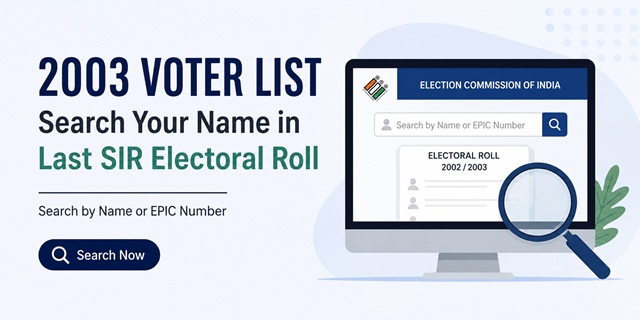
The Election Commission of India (ECI) has introduced a dedicated Last SIR Electoral Roll Search facility that allows citizens to search electoral roll records from the last Special Intensive Revision (SIR), corresponding to the final electoral rolls of 2002 or 2003, depending on the state or Union Territory.
The facility has generated significant public interest because many people are trying to verify whether their names, or the names of their parents, grandparents, or relatives, appeared in older voter lists. In several cases, citizens are using these records to trace historical voter registration details and family electoral records.
Unlike the regular voter search available on the National Voters' Service Portal, the Last SIR search specifically accesses archived electoral roll data supplied by the offices of the respective Chief Electoral Officers (CEOs).
If you want to check whether a name appeared in the 2002 or 2003 voter list, you can now search online through the official Election Commission portal. Depending on the state selected, the system may either display results directly or redirect you to the concerned State CEO website.
Quick Highlights
| Service Name | Last SIR Electoral Roll Search |
| Provided By | Election Commission of India (ECI) |
| Purpose | Search voter records from the last Special Intensive Revision |
| Records Covered | Final Electoral Rolls of 2002 or 2003, depending on the state |
| Search Methods | Search by Elector Details and Search by EPIC Number |
| Registration Required | No |
| User Charges | Free |
| Official Portal | voters.eci.gov.in |
What Is the Last SIR Electoral Roll Search?
The Last SIR Electoral Roll Search is an online facility made available through the Election Commission of India to help citizens search historical electoral roll records prepared during the last Special Intensive Revision (SIR).
For most states, the available records relate to electoral rolls published in 2002 or 2003. The exact year varies because the data has been provided by the respective Chief Electoral Officers of each state and Union Territory.
The facility is different from the regular voter search service used to check current voter registration status. Instead, it allows users to determine whether a person's name appeared in the electoral roll during the last SIR revision available for that state.
The Election Commission has clarified that the electoral roll data displayed through this facility is hosted exactly as received from the concerned state authorities. The preparation, revision and correction of electoral rolls remain the responsibility of the respective Chief Electoral Officers under the Representation of the People Act, 1950.
Why Are People Searching the 2002–2003 Voter List?
Interest in older voter lists has increased significantly because many citizens want to verify historical electoral records that existed before later revisions of the voter database.
People commonly search these records to:
- Verify whether their name appeared in the electoral roll during 2002 or 2003.
- Locate the voter records of parents, grandparents or other family members.
- Confirm historical voter registration details.
- Check old Assembly Constituency and Polling Station records.
- Access archived electoral roll information maintained by state election authorities.
Since electoral rolls have undergone multiple revisions over the years, many citizens find it useful to access older records that existed during the last Special Intensive Revision.
Who Can Search Records in the Last SIR Electoral Roll?
The Last SIR search facility is publicly accessible and does not require registration or login.
Any citizen can search available electoral roll records by entering the required information. However, search results depend on the availability of records supplied by the concerned state election authorities.
The portal can be used by:
- Existing voters.
- Former voters.
- Family members searching historical voter records.
- Researchers studying electoral data.
- Citizens verifying old electoral roll entries.
Two Ways to Search the 2003 Voter List Online
The Election Commission currently provides two search options for locating records in the Last SIR Electoral Roll database.
Method 1: Search by Elector Details
This is the most commonly used method because many people no longer possess their old voter identity card numbers.
Under this option, users can search using details such as:
- Elector Name
- Age
- Relative Name
- District
- Assembly Constituency
- Polling Station Details
The search can also be performed using the native language of the concerned state.
Method 2: Search by EPIC Number
If the voter's old EPIC (Elector Photo Identity Card) number is available, this method is generally faster and more accurate.
The search typically requires:
- State Name
- EPIC Number
- Captcha Verification
Because EPIC numbers are unique voter identifiers, this method often produces more precise results than name-based searches.
Details You Should Keep Ready Before Starting
Although a basic search can be performed using limited information, keeping additional details ready can significantly improve the chances of finding the correct record.
- Elector's full name.
- Father's, Mother's, Husband's or Wife's name.
- Approximate age in 2002 or 2003.
- District.
- Assembly Constituency.
- Polling Station details.
- Old EPIC Number, if available.
It is also advisable to try alternative spellings because many historical electoral records contain spelling variations and transliteration differences.
How to Search Your Name in the 2003 Voter List Online (Step-by-Step)
Step 1: Open the Last SIR Search Portal
Visit the official Last SIR Electoral Roll Search page:
https://voters.eci.gov.in/searchInSIR/
Step 2: Choose the Search Method
Select either:
- Search by Elector Details, or
- Search by EPIC Number.
Step 3: Select Your State
Choose the state where the voter was registered during the last SIR electoral roll period.
The search will be performed within the database of the selected state.
Step 4: Enter Elector Details or EPIC Number
Provide the available voter information.
For name-based searches, enter the elector's name, age and relative details. For EPIC-based searches, enter the voter ID number.
Step 5: Complete Captcha Verification
Enter the captcha code displayed on the screen and proceed with the search.
Step 6: View the Search Result
If a matching record is available, the portal may display details such as:
- Elector Name
- Relative Name
- Age
- Assembly Constituency
- Polling Station
- Part Number
- Serial Number
If no result is found, try alternative spellings and provide additional details to improve search accuracy.
Why Does the Portal Redirect to a State CEO Website?
Many users notice that after selecting a state, the system redirects them to the website of the concerned Chief Electoral Officer (CEO).
This behaviour is normal and forms part of the official process.
Although the Election Commission provides the central search interface, the actual electoral roll records remain under the control of the respective state election authorities.
As a result, some states display results directly through their CEO portals instead of through the main ECI website.
This does not indicate an error. It simply means that the historical electoral roll data is being accessed from the official state database.
How to Improve Your Search Results if No Record Is Found
Failure to locate a record on the first attempt does not necessarily mean that the voter was absent from the electoral roll.
If no result appears, try the following:
- Use alternative spellings of the name.
- Search in the state's native language.
- Add District information.
- Select the correct Assembly Constituency.
- Enter the Relative Name.
- Adjust the age slightly.
- Use additional filtering fields available on the portal.
The Election Commission itself advises users to provide additional details when broad searches do not return the desired result.
Can You Download the 2003 Voter List PDF?
In many cases, users want access to the complete electoral roll rather than a single voter record.
Availability of archived electoral roll PDFs varies from state to state. Some Chief Electoral Officer websites provide access to electoral roll PDFs, while others offer searchable databases instead.
If the concerned CEO website provides PDF records, you may be able to:
- Select the Assembly Constituency.
- Choose the Part Number.
- Open the relevant electoral roll PDF.
- Locate the required voter entry using the serial number or name.
Availability depends entirely on the records maintained by the concerned state election authority.
Can the 2003 Voter List Be Used as Proof?
The presence of a person's name in the 2002 or 2003 electoral roll establishes that the individual appeared in the voter list during that period.
However, acceptance of electoral roll records depends on the purpose for which they are being submitted.
- Some authorities may accept electoral roll entries as supporting evidence.
- Additional documents may still be required.
- Acceptance varies depending on departmental rules and requirements.
Citizens should always verify document requirements with the concerned authority before relying solely on an electoral roll entry.
Important Points About Last SIR Electoral Roll Data
- The data relates to the last Special Intensive Revision available for the state.
- Records generally correspond to the final electoral rolls of 2002 or 2003.
- Data is displayed as received from the concerned Chief Electoral Officer.
- Spellings and electoral details may differ from current voter records.
- Search results depend on the historical data available with the state election authorities.
Add new comment