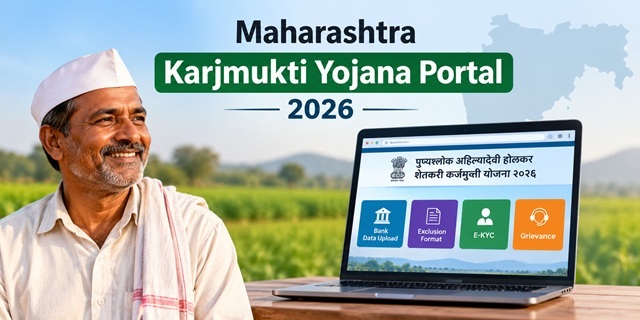
Many farmers in Maharashtra are looking for the official website of the Punyashlok Ahilyadevi Holkar Shetkari Karjmukti Yojana and want to know where they can check whether their names appear on the beneficiary list.
As of 15 October 2026, the official portal is flrs.maharashtra.gov.in. Its homepage provides four main options: Bank Data Upload, Exclusion Format, E-KYC and Grievance. However, the homepage does not display a public beneficiary list or a search option to find an individual farmer's name.
This guide explains the options available on the FLRS portal, where farmers can check the beneficiary list, and how to complete Aadhaar authentication. Each process is explained step by step to make it easier to follow.
Quick Facts
| Detail | Information |
|---|---|
| Official Portal | flrs.maharashtra.gov.in |
| Name Displayed on the Portal | पुण्यश्लोक अहिल्यादेवी होळकर शेतकरी कर्जमुक्ती योजना २०२६ |
| Government | Government of Maharashtra; the portal is designed and developed by MahaIT |
| Options Available on the Homepage | Bank Data Upload, Exclusion Format, E-KYC and Grievance |
| Public Beneficiary List | No public beneficiary list or name-search option is displayed on the homepage |
| Where to Check the Beneficiary List | Bank branch, village cooperative society or gram panchayat |
| Aadhaar Authentication | Through the nearest Aaple Sarkar Seva Kendra, as specified in the scheme information |
| Support Email | [email protected] |
| Last Checked | 15 October 2026 |
This article focuses on the official portal, its available options and the processes related to beneficiary information and Aadhaar authentication. For more details about eligibility and scheme benefits, read our Punyashlok Ahilyadevi Holkar Shetkari Karjmukti Yojana guide.
Is flrs.maharashtra.gov.in the Official Website?
Yes. flrs.maharashtra.gov.in is the official portal for the Punyashlok Ahilyadevi Holkar Shetkari Karjmukti Yojana 2026. Its web address ends in maharashtra.gov.in, and the homepage displays the scheme's full name in Marathi. The portal also credits MahaIT for its design and development.
Several other websites may describe themselves as the official website of this scheme or provide links to older loan waiver portals. To avoid confusion, start with the FLRS portal linked above and verify any additional website through an official Maharashtra government source before entering personal information.
How to Verify the Official Portal
- Open the website address in your browser's address bar.
- Check the complete domain name. The official portal discussed in this article is flrs.maharashtra.gov.in.
- Be cautious if a different website asks for your Aadhaar details, bank information or payment. A website using a familiar scheme name is not necessarily an official government portal.
Is the Yojana Available on the Aaple Sarkar Portal?
Farmers often search for the Punyashlok Ahilyadevi Holkar Shetkari Karjmukti Yojana on Aaple Sarkar or MahaOnline. However, the dedicated portal discussed in this article is flrs.maharashtra.gov.in.
The Aaple Sarkar portal is a separate government service portal. The scheme was not found there during the check described for this article, so farmers should use the dedicated FLRS website for portal-related information.
Aaple Sarkar is also relevant to the Aadhaar authentication process described in the scheme information. According to that information, farmers need to visit an Aaple Sarkar Seva Kendra for authentication. This refers to a physical service centre, not an online login. The steps for this process are explained later in this guide.
What Can You Find on the FLRS Portal Homepage?
The FLRS homepage displays the scheme name and four main tabs. Each tab has a different purpose, although the homepage does not explain every function in detail.
| Portal Tab | What It Shows |
|---|---|
| Bank Data Upload | This is the initially selected tab. It displays two cards labelled Annexure A and Annexure B. |
| Exclusion Format | A separate tab is available, but its purpose is not explained on the homepage. |
| E-KYC | A separate tab related to Aadhaar-based verification. |
| Grievance | A separate tab for grievance-related services. |
One important point for farmers: the homepage does not display a public application form, beneficiary list or option labelled Search Your Name. Therefore, you should not expect to find your name simply by opening the homepage. The relevant process for checking beneficiary information is explained separately in this article.
Bank Data Upload: Annexure A and Annexure B
The first tab on the FLRS portal is Bank Data Upload. It contains two options, Annexure A and Annexure B, which are labelled for accessing the loan waiver and loan incentive portals, respectively.
| Option | Name Displayed on the Portal | Status When Checked |
|---|---|---|
| Annexure A | Access Loan Waiver Portal | Appeared active |
| Annexure B | Access Loan Incentive Portal | Appeared greyed out |
Based on the labels, Annexure A leads to the loan waiver portal, while Annexure B relates to the loan incentive portal. When we checked the website, the first option appeared active and the second appeared greyed out.
Both options appear under Bank Data Upload, suggesting that they are intended for banks or authorised officials rather than serving as a public login for farmers. Farmers looking to check their beneficiary status should not confuse these options with a personal account or name-search facility.
E-KYC Tab on the FLRS Portal
E-KYC refers to electronic verification of a person's identity. In the context of the Punyashlok Ahilyadevi Holkar Shetkari Karjmukti Yojana, Aadhaar authentication is an important step described in the scheme information.
The FLRS homepage includes a separate E-KYC tab. However, we did not find a visible option on the homepage that allows farmers to complete the entire process from home. The instructions discussed in this guide direct farmers to an Aaple Sarkar Seva Kendra for Aadhaar authentication.
Before visiting a centre, confirm the applicable process through an official scheme notice or the relevant authorities. Do not enter your Aadhaar details on an unfamiliar website claiming to provide E-KYC for this scheme.
What Is the Exclusion Format Tab?
The FLRS homepage also contains an Exclusion Format tab beside Bank Data Upload. However, the homepage does not explain its purpose or clearly identify who is expected to use it.
Farmers should not assume that this option is meant for checking their names or completing Aadhaar authentication. For help with a beneficiary-related issue, check the official instructions or use the portal's Grievance option, where applicable.
Is the Beneficiary List Available on the FLRS Portal?
The FLRS homepage we checked did not display a public beneficiary list or a search box for finding an individual farmer's name. Its four main tabs are Bank Data Upload, Exclusion Format, E-KYC and Grievance.
According to the scheme information used for this guide, beneficiary lists are made available district-wise and bank-wise and displayed at local offices, including bank branches, village cooperative societies and gram panchayats. As lists may be released in different rounds, check the date of the list before drawing any conclusion about your status.
How to Check the Karjmukti Yojana Beneficiary List
If you cannot find your name through the online portal, follow these steps to check the list locally.
- Visit your crop loan bank branch. Ask the bank to show you the beneficiary list for the Punyashlok Ahilyadevi Holkar Shetkari Karjmukti Yojana.
- Check with your village cooperative society or gram panchayat. According to the scheme information discussed here, beneficiary lists may also be displayed at these local offices.
- Check your details carefully. Look for your name and verify the relevant bank and loan details against the information on the list.
- Check the list's date. Ask whether a newer list has been issued, particularly if your name does not appear on the copy available to you.
- Ask about the next step if your name appears. Confirm the Aadhaar authentication procedure with the bank or relevant scheme authority before visiting a Seva Kendra.
What Should You Do If Your Name Is Missing?
If your name does not appear on the beneficiary list, do not assume immediately that you are ineligible. First, ask the relevant bank or authority to clarify your status.
- Contact your bank branch. Ask whether your loan details were submitted and whether any discrepancy needs correction.
- Check for a newer beneficiary list. Your details may not appear in the particular list you checked.
- Raise the issue if it remains unresolved. You can contact the support email listed for the portal or check the Grievance tab on the official FLRS website for the available complaint procedure.
When contacting the authorities, explain the issue clearly and keep any relevant bank or loan records available. Use only the official contact details and follow the instructions provided by the responsible department.
Aadhaar Authentication at the Aaple Sarkar Seva Kendra
If your name appears on the beneficiary list, the next step is to complete Aadhaar authentication, as instructed under the scheme. According to the scheme information discussed in this guide, farmers listed for the Punyashlok Ahilyadevi Holkar Shetkari Karjmukti Yojana should visit their nearest Aaple Sarkar Seva Kendra for this process. The loan account is credited with the applicable waiver after the required steps are completed.
Steps to Complete Aadhaar Authentication
- Find your nearest Seva Kendra. Identify an Aaple Sarkar Seva Kendra that can assist with the scheme's authentication process.
- Carry your Aadhaar card. Ask the centre whether you need any additional documents or loan-related details.
- Explain your purpose. Tell the staff that your name appears on the Karjmukti Yojana beneficiary list and that you need to complete Aadhaar authentication.
- Follow the instructions. Allow the authorised staff to guide you through the applicable process.
- Keep the acknowledgement. If the centre provides a receipt or confirmation slip, keep it safely for future reference.
Before visiting, confirm the current procedure with the relevant bank or scheme authority so you know which documents to carry and what to expect.
Important Safety Precautions
- Do not pay anyone to add your name to the beneficiary list. Do not trust agents who promise to include your name in exchange for money or guarantee approval of the loan waiver.
- Ask about any service fee. The FLRS homepage does not display a fee for this process. If someone asks you to pay, request the applicable official fee details and a receipt before proceeding.
How to Use the Grievance Tab on the FLRS Portal
The FLRS portal includes a Grievance tab for grievance-related services. It may be relevant if you need help with an issue concerning your beneficiary details or loan information. Check the available instructions to confirm whether your particular issue can be submitted through this option.
Steps to Access the Grievance Section
- Open the official FLRS portal.
- Click the Grievance tab on the homepage.
- Review the page that opens and follow the instructions provided for submitting a complaint, if a form is available.
If you cannot access the grievance form or are unsure how to proceed, contact your bank branch first. You can also write to the portal's listed support email, [email protected], to ask where your issue should be directed.
How to Avoid Fake Karjmukti Yojana Websites
When a government scheme attracts public attention, unofficial websites and messages may claim to offer beneficiary searches or faster loan waiver approval. Farmers should verify the website before sharing personal information or making payments.
- Use the official portal. The FLRS website discussed in this guide is flrs.maharashtra.gov.in.
- Protect your personal details. Do not enter your Aadhaar number, bank account information or OTP on an unfamiliar website claiming to check your beneficiary status.
- Never pay for guaranteed inclusion. Be cautious of anyone who promises to add your name to the list or speed up the loan waiver in exchange for money.
- Be careful with calls and messages. Do not share an OTP with anyone who claims that your loan waiver is ready to be credited.
If you lose money to an online fraud, call the national cybercrime helpline at 1930 as soon as possible. You can also report the incident through the official National Cyber Crime Reporting Portal.
FLRS Portal Helpdesk and Contact Details
The FLRS portal lists a support email address for scheme-related queries. However, the homepage we checked did not display a helpline number.
| Contact Detail | Information Displayed on the Portal |
|---|---|
| Support Email | [email protected] |
| Helpline Number | Not displayed on the homepage checked |
If you contact support by email, describe your issue clearly and include only the information necessary to explain it, such as your district and the nature of the problem. Do not email your Aadhaar number, OTP, bank account details or other sensitive personal information.
Add new comment