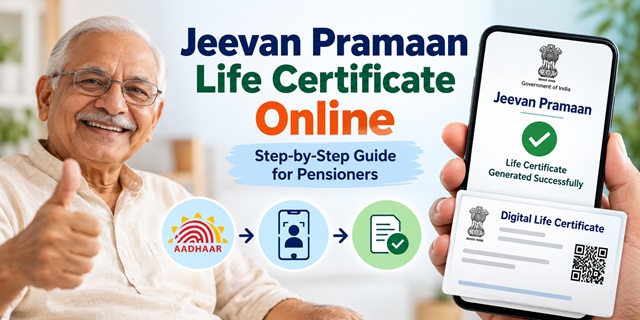
Retired employees often need to submit a Life Certificate to continue receiving their monthly pension. Earlier, pensioners generally had to visit their bank, post office or pension office and prove that they were alive. This process could become difficult for elderly people, especially those who had moved to another city or could not travel easily.
To make this process easier, the Government of India introduced Jeevan Pramaan, an Aadhaar-based Digital Life Certificate service. Pensioners can use biometric or face authentication to generate their certificate without personally visiting their Pension Disbursing Agency, provided the concerned pension authority supports the service.
In this guide, you will learn what a Life Certificate is, who can submit it, when it is required, how to generate Jeevan Pramaan online, how to download the certificate in PDF format, and how to check its status.
What is a Life Certificate and Jeevan Pramaan?
A Life Certificate is an official declaration that confirms a pensioner is alive. Government pensioners generally need to submit it to their Pension Disbursing Agency, such as a bank, post office or treasury, to continue receiving their pension.
Jeevan Pramaan is the Government of India's Digital Life Certificate (DLC) service. The Ministry of Electronics and Information Technology introduced this Aadhaar-based facility in November 2014 to make life certificate submission easier for pensioners.
Under this system, the pensioner provides the required pension details and completes Aadhaar-based biometric authentication. The system then generates a Digital Life Certificate with a unique identification number called the Jeevan Pramaan ID or Pramaan ID.
The certificate is stored in the Jeevan Pramaan repository. The concerned Pension Disbursing Agency can access it electronically instead of asking the pensioner to submit a physical copy.
Difference Between a Physical Life Certificate and a Digital Life Certificate
| Physical Life Certificate | Digital Life Certificate (Jeevan Pramaan) |
|---|---|
| The pensioner submits a prescribed certificate to the bank, treasury or other authorised office. | The pensioner generates the certificate through Aadhaar-based authentication. |
| Submission may require a visit to the concerned office or certification by an authorised officer. | The certificate can be generated through a supported mobile application, centre or assisted service. |
| The pensioner receives an acknowledgement from the receiving office, where applicable. | The system generates a unique Pramaan ID and sends an acknowledgement by SMS. |
| The pensioner follows the physical submission process prescribed by the pension authority. | The certificate becomes electronically available to the concerned Pension Disbursing Agency. |
Important: Jeevan Pramaan is an additional facility. It does not make the traditional method compulsory to replace. Pensioners can continue using the physical Life Certificate method if their pension authority permits it.
Who Can Submit a Digital Life Certificate?
Jeevan Pramaan is designed for pensioners receiving pensions from Central Government, State Government and other government organisations. It also supports eligible pensioners whose Pension Sanctioning Authority and Pension Disbursing Agency are connected to the system.
The following categories may use the facility, subject to the applicable pension authority's arrangements:
- Central Government pensioners: Retired employees receiving pension through an authorised bank or other pension disbursing agency.
- State Government pensioners: Retired state government employees whose pension authority supports Jeevan Pramaan.
- Defence pensioners: Eligible retired defence personnel whose pension authority accepts Digital Life Certificates.
- Public Sector Undertaking pensioners: Pensioners of eligible government-owned organisations and public sector enterprises.
- EPS pensioners: Eligible pensioners receiving pension under the Employees' Pension Scheme, 1995 (EPS-95).
- Other government organisation pensioners: Pensioners of other participating government bodies and institutions.
However, being a government pensioner does not automatically guarantee access to Jeevan Pramaan. The concerned Pension Sanctioning Authority (PSA) must be onboarded on the Jeevan Pramaan system, and the pensioner's details must match the records maintained by the authority.
You can check the participating authorities through the official Jeevan Pramaan agency and authority list.
When Should Pensioners Submit Their Life Certificate?
The submission deadline depends on the pension scheme and the authority responsible for paying the pension. Pensioners should not assume that the same annual deadline applies to every category.
Central Government Pensioners
Under the regular annual Life Certificate schedule for Central Government pensioners:
- Pensioners below 80 years of age can submit their Life Certificate during November every year.
- Pensioners aged 80 years or above can submit it from 1 October every year. This gives super-senior pensioners an additional month to complete the process.
These dates relate to the Central Government pensioners' annual submission arrangement. Pensioners should check the latest instructions issued by the Department of Pension and Pensioners' Welfare and their Pension Disbursing Agency for the relevant year.
EPS-95 Pensioners
EPS-95 pensioners follow a different validity arrangement. According to the EPFO Pension Manual, the Jeevan Pramaan submitted by an EPS pensioner remains valid for one year from the date of submission.
For example, if an EPS pensioner successfully submits a Digital Life Certificate on 15 March, its one-year validity runs from that submission date. The pensioner should submit a fresh certificate before the existing one expires.
State Government and Other Pensioners
State Government pensioners and pensioners of other organisations should follow the schedule prescribed by their respective pension authorities. Some authorities may follow the November annual submission window, while others may prescribe a different validity period or schedule.
Therefore, before checking the Life Certificate last date, identify the pension scheme under which you receive your pension and confirm the applicable instructions with your bank, treasury or pension office.
Different Ways to Submit a Life Certificate in India
Pensioners do not always need to travel to a bank or government office to submit their Life Certificate. The Jeevan Pramaan system provides several ways to generate a Digital Life Certificate.
1. Through a Mobile Phone Using Face Authentication
A pensioner with a compatible smartphone can use the Jeevan Pramaan Face Authentication facility. The mobile phone camera captures the pensioner's face and completes the required Aadhaar-based authentication through the supported application.
This method does not require an external fingerprint scanner or iris device. It is particularly useful for pensioners who want to complete the process from home.
2. Through Fingerprint or Iris Authentication
A pensioner can visit an authorised Jeevan Pramaan Centre, CSC, bank or other participating office. The operator enters the pension details and captures the pensioner's fingerprint or iris through a supported registered biometric device.
After successful Aadhaar authentication, the system generates the Digital Life Certificate.
3. Through India Post Payments Bank Doorstep Service
Pensioners who cannot travel can request a doorstep visit through India Post Payments Bank (IPPB). A postman or Gramin Dak Sevak can visit the pensioner's home and help generate the Digital Life Certificate using the supported authentication facility.
The service is available to eligible IPPB and non-IPPB customers, subject to the pension authority being active on the Jeevan Pramaan system.
4. Through a Bank, Post Office or Government Office
Pensioners can also visit a participating Pension Disbursing Agency or an authorised government office. The staff can assist with the Digital Life Certificate generation process.
5. Through a Computer or Laptop
The Jeevan Pramaan Windows application supports certificate generation using a compatible registered fingerprint or iris device. This option may be useful for pensioners who have the required computer setup and biometric equipment.
How to Generate Jeevan Pramaan Online Using a Mobile Phone?
A pensioner can generate a Digital Life Certificate through the official Jeevan Pramaan mobile application using face authentication. The process may look technical at first, but it becomes easier when followed one step at a time.
Requirements Before Starting
Keep the following details and facilities ready before opening the application:
- Aadhaar number or Virtual ID (VID).
- Mobile number for receiving OTP and certificate acknowledgement.
- Pension Payment Order (PPO) number.
- Pension bank account number.
- Name of the Pension Sanctioning Authority.
- Name of the Pension Disbursing Agency.
- Smartphone with a compatible operating system and camera.
- Internet connection.
The Aadhaar number should already be registered with the pension disbursing agency. The pensioner should also ensure that the name and other details match the pension records.
Step 1: Download the Required Applications
First, open the official Jeevan Pramaan website. Go to the Download section and select the application suitable for your mobile phone.
For Android face authentication, the official portal lists these requirements:
- Android 10 or above.
- Jeevan Pramaan mobile application.
- AadhaarFaceRD application from the official app store.
For iPhone users, the official portal lists iOS 14 or above and the required Jeevan Pramaan and Aadhaar Face RD applications.
You can visit the official Jeevan Pramaan application download page to check the latest requirements and download instructions.
Step 2: Open the Jeevan Pramaan Application
After installing the required applications, open the Jeevan Pramaan app. Follow the instructions displayed on the screen to start the pensioner registration or authentication process.
Enter the mobile number and Aadhaar-related details requested by the application. Complete the OTP verification if the application asks for it.
Step 3: Enter Pension Information
The application will ask for pension-related information. Enter the details carefully, including:
- Pensioner's name.
- PPO number.
- Pension account number.
- Pension type.
- Pension Sanctioning Authority.
- Pension Disbursing Agency.
- Bank name and other required details.
Think of this step as filling in a form at a bank. Every detail should match the pensioner's official records. Even a wrong PPO number or bank detail can cause the certificate to be rejected by the concerned authority.
Step 4: Complete Face Authentication
After entering the pension information, follow the face authentication instructions shown on the mobile screen.
- Allow the application to access the phone camera when requested.
- Keep the phone in front of your face at the distance indicated by the app.
- Make sure your face is clearly visible and the surrounding light is sufficient.
- Follow the on-screen instructions to complete face capture.
- Wait while the system processes the Aadhaar-based authentication.
If authentication is successful, the application proceeds to generate the Digital Life Certificate. If it fails, follow the instructions displayed on the screen and try again.
Step 5: Receive the Jeevan Pramaan ID
After successful authentication, the system generates the Digital Life Certificate and assigns it a unique Jeevan Pramaan ID, also called the Pramaan ID.
An acknowledgement SMS containing the certificate ID is sent to the mobile number provided during the process. Save this SMS because you will need the Pramaan ID when downloading the certificate later.
Step 6: Confirm the Certificate Details
Once the certificate is generated, keep the Pramaan ID safely and check the certificate details. If you find an error or receive a rejection message, contact the concerned Pension Disbursing Agency and follow its instructions.
Remember: Generating the certificate does not itself guarantee that the pension authority has accepted and processed it. The authority must process the Digital Life Certificate according to its rules.
How to Submit Life Certificate Online Through Jeevan Pramaan?
Many pensioners search for a way to submit their Life Certificate online without visiting a bank. Jeevan Pramaan makes this possible through electronic delivery of the Digital Life Certificate.
The process works in the following way:
- The pensioner enters the required pension and Aadhaar details through a supported Jeevan Pramaan application or authorised centre.
- The pensioner completes biometric or face authentication.
- The Jeevan Pramaan system generates the Digital Life Certificate and its unique Pramaan ID.
- The certificate is stored in the Life Certificate Repository.
- The participating Pension Disbursing Agency can access the certificate electronically.
- The agency processes the certificate according to the applicable pension rules.
In the normal Jeevan Pramaan process, the pensioner does not need to print the Digital Life Certificate and submit it physically to the bank or post office. The certificate is made available electronically to the participating agency.
However, if the pension authority asks for additional information or a separate declaration, the pensioner must follow those instructions.
How to Submit a Life Certificate Through Postman at Home?
Older pensioners and people who cannot travel can use the Digital Life Certificate service provided through India Post Payments Bank. Under this facility, a postman or Gramin Dak Sevak can visit the pensioner's home and help generate Jeevan Pramaan.
Steps to Request the Doorstep Service
- Contact your nearest post office or India Post Payments Bank access point.
- Ask for the Digital Life Certificate generation service.
- Alternatively, request a doorstep visit by a postman or Gramin Dak Sevak.
- Keep your Aadhaar number, mobile number and pension details ready.
- When the representative visits, provide the required information and complete the supported biometric authentication.
- After successful generation, note the Pramaan ID sent by NIC through SMS.
- Keep the acknowledgement for future reference.
IPPB states that its Digital Life Certificate service is available to both IPPB and non-IPPB customers. The pensioner's Pension Disbursing Agency must be active on the Jeevan Pramaan system.
You can read the service details on the official India Post Payments Bank Digital Life Certificate page.
IPPB Digital Life Certificate Charges
According to the IPPB service page, the bank charges ₹70, including GST and cess, for each successful Digital Life Certificate generation. It does not charge an additional doorstep visit fee for this DLC service.
These charges relate to the IPPB service and should not be treated as a universal fee for every Jeevan Pramaan Centre, bank or pension authority. Always check the current charges before requesting the service.
Documents and Details Required for Jeevan Pramaan
Jeevan Pramaan uses Aadhaar-based authentication, so the pensioner needs to keep certain identity and pension details ready. The following information is generally required:
| Information | Why It Is Required |
|---|---|
| Aadhaar Number or VID | For Aadhaar-based authentication. |
| Mobile Number | For OTP verification and receiving the Pramaan ID acknowledgement. |
| PPO Number | To identify the pensioner's Pension Payment Order. |
| Pension Account Number | To identify the account in which pension is credited. |
| Pension Type | To identify the applicable category of pension. |
| Pension Sanctioning Authority | To identify the authority that approved the pension. |
| Pension Disbursing Agency | To identify the bank, post office or other agency responsible for pension payment. |
| Bank Details | To match the pensioner's payment information. |
The pensioner should check every entry before completing authentication. Incorrect details can lead to rejection or delay in processing the certificate.
How to Download Life Certificate Online in PDF?
After successful generation of Jeevan Pramaan, the pensioner can download a PDF copy of the Digital Life Certificate from the official portal. The certificate can be kept as a personal record and used to check its details.
Steps for Jeevan Pramaan Certificate Download
- Open the official Jeevan Pramaan Pensioner Login page.
- Enter the Pramaan ID received through SMS after certificate generation.
- Request an OTP through the portal.
- Enter the OTP received on the registered mobile number.
- After successful login, open the available Digital Life Certificate record.
- Use the download option to save the certificate as a PDF file.
- Open the downloaded file and check the pensioner's details and certificate status.
Keep the downloaded PDF safely on your phone or computer. You may also take a printout for your personal records.
Important: Downloading the PDF is not the same as submitting it again to the bank. In the normal Jeevan Pramaan process, the certificate is made available electronically to the participating Pension Disbursing Agency.
How to Check Jeevan Pramaan Life Certificate Status?
After generating a Digital Life Certificate, pensioners often want to know whether the certificate has been accepted by the bank or pension authority. The official Jeevan Pramaan FAQ explains that pensioners can download their DLC to check its status.
Follow these steps:
- Visit the Jeevan Pramaan Pensioner Login page.
- Enter your Pramaan ID.
- Generate and enter the OTP received on your registered mobile number.
- Log in to access the Digital Life Certificate.
- Download the PDF and check the status and certificate details displayed in it.
What If the Life Certificate Is Rejected?
If you receive an SMS stating that your Digital Life Certificate has been rejected, do not assume that your pension has been permanently stopped.
First, contact the concerned Pension Disbursing Agency and ask why the certificate was rejected. The official Jeevan Pramaan FAQ identifies incorrect pension details as one possible reason for rejection.
If the details entered during generation were incorrect, generate a fresh Digital Life Certificate using the correct information and complete authentication again. If the problem continues, ask the pension disbursing agency to check the issue.
For assistance with Jeevan Pramaan technical issues, you can also contact the official helpdesk.
Life Certificate Fees and Validity
The cost and validity of a Life Certificate depend on the method used and the pension authority's rules. There is no single fee or validity period that should be assumed for every pensioner in India.
Life Certificate Generation Charges
- IPPB doorstep or access-point DLC service: IPPB currently lists a charge of ₹70, including GST and cess, for successful certificate generation. It states that no additional doorstep fee applies to this DLC service.
- CSC or other authorised centres: Charges, if any, should be confirmed with the service provider before generation.
- Bank or government office: Follow the applicable instructions and fee schedule of the concerned agency.
- Self-generation through the official application: Check the current official application instructions and any applicable service charges.
How Long Is a Digital Life Certificate Valid?
A Jeevan Pramaan certificate is not valid for a lifetime. Its validity depends on the rules prescribed by the Pension Sanctioning Authority.
For EPS-95 pensioners, the EPFO Pension Manual states that the Digital Life Certificate remains valid for one year from the date of submission. Other pensioners should follow the validity period and submission schedule prescribed by their respective pension authorities.
Once the existing certificate expires, the pensioner must generate and submit a fresh Life Certificate according to the applicable rules.
What Happens If a Pensioner Does Not Submit a Life Certificate?
A Life Certificate helps the pension authority confirm that the pensioner is alive and remains eligible for pension payments. If the pensioner does not submit it within the prescribed period, the pension disbursing agency may stop or hold further pension payments until the required certificate is received and processed.
The exact action depends on the applicable pension rules and the concerned authority's procedure.
If you missed the submission deadline, take the following steps:
- Contact your bank, treasury or Pension Disbursing Agency immediately.
- Ask whether your existing Life Certificate has expired or is still pending.
- Generate a fresh Digital Life Certificate through Jeevan Pramaan or submit a physical certificate, as permitted.
- Keep the Pramaan ID or physical submission acknowledgement safely.
- Confirm with the pension authority that it has received and processed the certificate.
If pension payments have been interrupted, ask the concerned agency about the procedure for restoring payment and releasing any admissible arrears. Do not assume that certificate generation alone automatically restores a pending pension payment.
Important Links for Life Certificate and Jeevan Pramaan
| Service | Official Link |
|---|---|
| Jeevan Pramaan Official Portal | Open Website |
| Download Jeevan Pramaan Application | Download Application |
| Life Certificate PDF Download | Pensioner Login |
| Jeevan Pramaan FAQs | Read FAQs |
| Jeevan Pramaan Centres and Agency Information | Check Agency List |
| IPPB Digital Life Certificate | View Service Details |
| EPFO Official Website | Visit EPFO |
| Department of Pension and Pensioners' Welfare | Visit Department Website |
Contact Details for Jeevan Pramaan
If you face a problem while generating or downloading your Digital Life Certificate, you can contact the Jeevan Pramaan helpdesk through the details published on its official portal.
| Service | Jeevan Pramaan - Digital Life Certificate |
| Helpline Number | 1800 111 555 |
| Email Address | [email protected] |
| Official Website | jeevanpramaan.gov.in |
For a certificate rejected by the pension authority, contact the concerned Pension Disbursing Agency first. For a technical problem with the Jeevan Pramaan application or portal, use the official helpdesk details above.
Add new comment