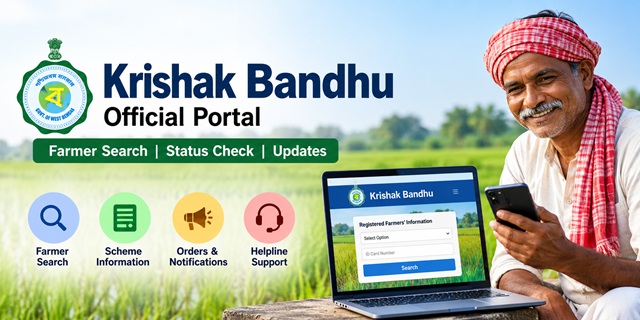
The Krishak Bandhu Portal is the official online platform for the West Bengal government's Krishak Bandhu farmer assistance programme, administered by the Department of Agriculture. Many users also search for the portal using terms such as Krishak Bondhu, Krishok Bondhu, or Krishak Bandhu WB, but all refer to the same government website. This guide explains the portal's key features, including farmer record search options, login access, mobile app support, beneficiary verification tools, and official contact details.
The portal supports the Krishak Bandhu scheme, which was launched by the Department of Agriculture in January 2019 and later revamped as Krishak Bandhu (Natun) on 17 June 2021. This article focuses specifically on the website, its services, and online tools. For scheme benefits, eligibility criteria, and programme details, refer to the official About Krishak Bandhu section on the portal.
Krishak Bandhu Portal at a Glance
| Detail | Information |
|---|---|
| Portal Name | Krishak Bandhu (কৃষক বন্ধু), also commonly searched as Krishak Bondhu or Krishok Bondhu |
| Managed By | Department of Agriculture, Government of West Bengal |
| Official Website | krishakbandhu.wb.gov.in |
| Primary Service | Registered Farmers' Information Search and Beneficiary Verification |
| Search Options Available | Voter ID Card, Aadhaar Number, Bank Account Number, KBID, Mobile Number, and Acknowledgement Number |
| Farmer Registration | Through the office of the Assistant Director of Agriculture (ADA) in the respective block |
| Mobile Application | Krishak Bandhu App available on Google Play Store |
| Languages Supported | Bengali and English |
| WhatsApp Support Number | 9830383383 |
What Each Menu Item on the Krishak Bandhu Portal Does
The Krishak Bandhu website displays six primary menu options in Bengali. Each section serves a different purpose, ranging from farmer record verification to scheme information, official notifications, and departmental login access. The table below explains the function of each menu item in simple terms.
| Menu Item | English Meaning | Purpose |
|---|---|---|
| কৃষক বন্ধু সম্পর্কিত | About Krishak Bandhu | Opens the About Krishak Bandhu page, which provides an overview of the programme, registration process, and key scheme information. |
| নথিভুক্ত কৃষকের তথ্য | Registered Farmers' Information | Opens the farmer search page, where registered farmers can search and verify their records. |
| কৃষি বিভাগ | Agriculture Department | Redirects to the official login portal used by authorised Agriculture Department officials. |
| আদেশ স্মারকলিপি এবং বিজ্ঞপ্তি | Orders, Memoranda and Notifications | Provides access to official government orders, memoranda, circulars, and notifications related to the programme. |
| কো অপারেটিভ ব্যাঙ্ক | Cooperative Bank | Opens the same login page for authorised cooperative bank users associated with the programme. |
| হেল্পলাইন | Helpline | Displays official support and contact details available on the Krishak Bandhu portal. |
Among these options, Registered Farmers' Information is the main public-facing tool used to search farmer records. The Agriculture Department and Cooperative Bank sections are restricted login areas, while the remaining menu items provide information, notifications, and support resources.
Krishak Bandhu Registration Online: What the Portal Actually Offers
One of the biggest points of confusion is whether farmers can register for Krishak Bandhu directly on the website. The answer is no. The portal does not provide a public online application form for farmer enrolment. The official About Krishak Bandhu page directs farmers to the office of the Assistant Director of Agriculture in their block for registration and scheme-related assistance.
Also, do not confuse the portal's separate Registration page with farmer registration. For beneficiary enrolment, follow the block-level process instead.
Step 1: Find the office of the Assistant Director of Agriculture in your block; your gram panchayat or block office can help you locate it.
Step 2: Tell the staff that you want to register under the Krishak Bandhu scheme.
Step 3: Ask which documents are required for your case, because the portal's About page does not provide a complete public document list.
Step 4: Submit the required details and documents as instructed by the agriculture office.
Step 5: If you receive an acknowledgement number, keep it safely because it can later be used to search your farmer record on the portal.
How to Check Krishak Bandhu Status Online
The Registered Farmers' Information page is the main public tool for checking a Krishak Bandhu beneficiary record. You can search using several different identifiers, so keep whichever one you have available before starting.
Step 1: Open the official Krishak Bandhu Portal on your phone or computer.
Step 2: Tap নথিভুক্ত কৃষকের তথ্য (Registered Farmers' Information), or open the farmer search page directly.
Step 3: Look for the dropdown marked Select Option.
Step 4: Choose the type of information you want to use for the search, such as Aadhaar, Voter ID, Mobile Number, Bank Account Number, KBID, or Acknowledgement Number.
Step 5: Enter the selected number carefully in the ID Card Number box exactly as it appears in your records.
Step 6: Submit the search request and check the farmer information shown on the screen.
Step 7: If no record appears, go back and try another available search option before contacting support.
Which Search Option Should You Use?
| Search Option | Use It When |
|---|---|
| Aadhaar Card | You have your Aadhaar number and want to search using your identity record. |
| Voter Card | You know the voter ID number linked with your farmer record. |
| Mobile Number | You remember the mobile number provided during registration. |
| Bank Account Number | You have the passbook for the bank account linked with the beneficiary record. |
| KBID | You already know your Krishak Bandhu ID. |
| Acknowledgement Number | You saved the acknowledgement number issued during registration. |
Enter every number exactly as recorded, without extra spaces or typing mistakes. If one search method does not return a result, try another identifier linked to the same farmer record before assuming that the registration is missing.
Krishak Bandhu Login: Should Farmers Use the Login Page?
Many visitors assume that the Krishak Bandhu login page is meant for checking payment status or viewing farmer details. However, the login page available on the portal is primarily intended for authorised users from the Agriculture Department and Cooperative Banks who manage farmer records and scheme-related data.
If your goal is simply to check your Krishak Bandhu record, payment details, or registration information, you do not need a username or password. Instead, use the Registered Farmers' Information page, which allows farmers to search their records directly using Aadhaar Number, Mobile Number, Voter ID, Bank Account Number, KBID, or Acknowledgement Number.
If you open the login page and are asked for credentials that you do not have, do not worry. This does not mean your registration has a problem. Simply return to the homepage and use the farmer search facility instead of the department login section.
Krishak Bandhu Mobile App: Features and Uses
In addition to the website, the scheme also offers an Android application called Krishak Bandhu. The app is designed to help registered farmers access various scheme-related services from their mobile phones without repeatedly visiting government offices.
According to the Google Play listing, the application has crossed one million downloads and was last updated on 19 August 2025. The app includes several tools that support farmer record management and document updates.
- Aadhaar update facility for eligible farmer records
- Land and Mouja selection options
- Document and photograph upload features
- User login and password recovery tools
- Farmer record management services linked to the scheme
If the mobile application is not working properly or fails to upload documents, farmers can continue using the official website or contact the Krishak Bandhu support team for assistance. The Department of Agriculture also publishes a dedicated privacy policy covering the use of the portal and mobile application.
Orders, Notifications and Official Forms Available on the Portal
The Krishak Bandhu portal maintains a section containing government orders, memoranda, notifications, SOPs, circulars, annexures, and operational documents related to the scheme. These documents are available in both Bengali and English and are primarily intended for administrative use.
Among the documents currently available on the portal are:
- Standard Operating Procedures (SOPs) issued during the initial launch of the scheme in 2019
- Clarification orders and implementation guidelines issued by the Agriculture Department
- Revised SOPs released after the introduction of Krishak Bandhu (Natun)
- Official annexures, formats and administrative forms
- Refund-related instructions and financial processing orders
- Operational guidelines for scheme implementation at field level
- Department orders issued up to August 2023
Most of these documents are written for officials responsible for implementing the programme. Farmers looking for simple answers may find the portal's Frequently Asked Questions (FAQ) section more useful. The portal also separately hosts the Revised SOP of the Krishak Bandhu (Assured Income) Scheme for reference.
Krishak Bandhu Helpline Number, WhatsApp Support and Contact Details
If you cannot find your farmer record, face technical issues on the portal, experience problems with the mobile application, or need guidance regarding registration, you can contact the official support channels listed on the website.
| Support Channel | Contact Details | Working Hours | |
|---|---|---|---|
| Portal Helpline | 8336957370, 6291720406 | 10:00 AM to 6:00 PM | [email protected] |
| Direct Helpdesk | 033-23570021 | 10:00 AM to 5:00 PM | [email protected] |
| WhatsApp Support | 9830383383 | Timing not specified | — |
For the best chance of getting assistance, contact the helpline during regular office hours and keep your Aadhaar Number, KBID, Mobile Number, or Acknowledgement Number ready before calling. These details help support staff locate your record quickly.
For security reasons, never share OTPs, banking passwords, debit card PINs, or UPI credentials with anyone claiming to represent the Krishak Bandhu portal.
Use the Correct Krishak Bandhu Website Address
The official website of the scheme is krishakbandhu.wb.gov.in. Farmers frequently search using terms such as Krishak Bandhu Portal, Krishak Bondhu Login, Krishok Bondhu Website, Krishak Bandhu Status Check, or Krishak Bandhu Farmer Search. Regardless of the spelling used, always verify that the website address ends with krishakbandhu.wb.gov.in before entering personal information.
Using the correct website helps protect your data and ensures that you access official farmer records, notifications, and support services provided by the Department of Agriculture, Government of West Bengal.
Comments
Khatm khatm
Khatm khatm
B
Hii
Kishak bandhu stats check
Voter id deya stats check
Keshan.bundun
Chak
Bengali
Sudip
Bengali
Votar ID diye kishok bondhu chek korlam not verified, date 04/11/26, time 9:-51
Add new comment