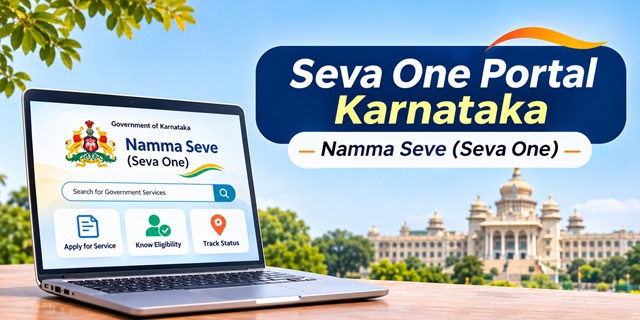
Karnataka residents can access services from multiple government departments through a common online platform called Seva One. The official portal displays the name Namma Seve (Seva One) and allows citizens to search for government services, check eligibility, submit applications and follow their application progress.
Many people still search for this platform using terms such as Seva Sindhu, Namma Seva or Seva Sindu. This can create confusion because the older Seva Sindhu website is also accessible. Although both portals are associated with Karnataka's online service delivery system, they have separate websites and login facilities.
This guide explains how the Seva One portal works, which government services it covers, how to register and log in, how to apply online, and how to check an application status. It also explains the difference between Seva One and Seva Sindhu, offline service options, available user manuals and official contact details.
Seva One Portal: Quick Information
Karnataka Seva One Portal Details | |
|---|---|
| Portal Name | Namma Seve (Seva One) |
| State | Karnataka |
| Managed By | Directorate of Electronic Delivery of Citizen Services (EDCS), Praja Seva Department |
| Purpose | Online access to government services from multiple departments |
| Total Services Displayed | 2,352 services |
| Single Sign-On Services | 1,086 services |
| Services Requiring Department Login | 1,266 services |
| Department Directory | View Departments and Services |
| Registration Mode | Online |
| Login Options | Mobile number or email ID with OTP or password |
| Application Tracking | Through the application status facility |
| Offline Service Channels | Grama One, Karnataka One, Bangalore One and Janasevaka |
| Official Website | https://sevaone.karnataka.gov.in/ |
| Helpline | 080-24410574 |
What Is Seva One (Namma Seve)?
Seva One is a common online platform developed to make Karnataka government services easier to access. Instead of searching for a different website for every department, citizens can use this portal to find available services and begin the application process from one place.
The official website displays the name Namma Seve (Seva One). It operates under the Directorate of Electronic Delivery of Citizen Services (EDCS), Praja Seva Department, Government of Karnataka.
The platform aims to make public service delivery more convenient through a cashless, faceless and paperless approach. Citizens can search for services, access application forms and use the available online facilities without making unnecessary visits to government offices.
Seva One also connects online services with physical service delivery channels. These include Grama One centres, Karnataka One centres, Bangalore One centres and Janasevaka doorstep services. This arrangement gives citizens different ways to access government facilities, depending on their location and convenience.
The portal also provides information about local events and employment opportunities, apart from its government service facilities.
Seva One vs Seva Sindhu: What Is the Difference?
One of the most common questions among Karnataka residents is whether Seva One and Seva Sindhu are the same portal. The confusion is understandable because both websites use similar government service branding and offer access to public services.
However, the two websites have separate portal addresses and their own login interfaces. The older Seva Sindhu website remains accessible, while Seva One operates as the Namma Seve common citizen service portal.
Seva One also displays Seva Sindhu branding in some parts of its interface. Its contact information and application status facilities use Seva Sindhu-related references as well. Therefore, users should follow the website and application instructions shown for the particular service they want to access.
| Comparison | Seva One | Seva Sindhu |
|---|---|---|
| Official Website | sevaone.karnataka.gov.in | sevasindhu.karnataka.gov.in |
| Name Displayed | Namma Seve (Seva One) | Seva Sindhu |
| Login Facility | Email ID or mobile number with OTP or password | Separate registration and login facility |
| Service Access | Common service search and department directory | Services and facilities available through the Seva Sindhu website |
| Application Status | Separate status options for different service categories | Track Your Application Status facility |
| Other Facilities | Department directory, e-Sign, user manuals and department contacts | Category-wise services, grievance links, RTI, Sakala and other facilities |
Which portal should you use? Start by searching for your required service on Seva One. If the service is available there, follow the instructions displayed on its application page. If the portal redirects you to a department website or the service is available through Seva Sindhu, continue through the relevant website.
Do not assume that an account created on one portal will automatically work on the other. The portals have separate login facilities, and the official websites do not clearly confirm universal account migration or shared login access.
What Services Can You Get on Seva One?
Seva One brings together services from different Karnataka government departments. The available facilities cover certificates, licences, welfare benefits, complaints, tax payments, utility services and other public services.
The portal's FAQ and service information identify several broad service categories.
- Certificates: Access services related to income, domicile, caste, birth, death and other certificates, subject to the availability of the relevant department service.
- Licences: Find licence-related services, including arms licences and other departmental licences.
- Ration Card Services: Access Public Distribution System and ration card-related facilities.
- Social Welfare Services: Find services related to old-age pensions, widow pensions, family pensions and other social security benefits.
- Public Complaints: Access complaint facilities for issues such as unfair prices, absent teachers and the non-availability of doctors.
- RTI Services: Find online Right to Information-related facilities.
- Registration and Land Services: Access links to relevant registration, land records and other e-governance services.
- Tax and Bill Payments: Find facilities related to property tax, government taxes, electricity bills and water bills.
- Government Scheme Information: Explore information about government schemes and available entitlements.
The department directory includes organisations such as the Agriculture Department, BESCOM, BMTC, Bangalore Water Supply and Sewerage Board (BWSSB), Bhoomi, Urban Property Ownership Records (UPOR), Department of Public Instructions, Department of Stamps and Registration, Directorate of Social Security and Pensions, and Directorate of Tourism.
You can explore the complete department list on the Seva One Departments and Services page. The portal displays the departments in multiple pages, so you may need to browse the directory to find the relevant department.
The homepage also provides a service search facility. Enter the name of a certificate, service or department to find relevant results. You can also use the available AI search option to explore services.
Which Seva One Services Work With a Single Login?
The number of services displayed on the Seva One homepage is an important detail for citizens. According to the portal's latest notice, it lists 2,352 services in total, but not all of them use the same login facility.
| Service Access Type | Number of Services | How It Works |
|---|---|---|
| Single Sign-On Services | 1,086 | Citizens can access these integrated services through the Seva One single sign-on facility. |
| Department Website Services | 1,266 | Citizens need to log in again on the respective department websites. |
| Total | 2,352 | Combined service count displayed on the portal. |
This distinction is important when you apply for a government service.
- If the service is integrated with Seva One, you can use the common login facility provided by the portal.
- If the service belongs to the remaining 1,266 services, Seva One may direct you to the concerned department's website. You may need to complete another login there.
Therefore, having a Seva One account does not mean that every service will open under the same login. Follow the instructions displayed after selecting the service.
You can also consult the department-wise user manuals to understand the application process for individual services.
How to Register on the Seva One Portal
Citizens need to create an account before using the online application facility for services that require Seva One login. The registration form asks for basic contact details and a password.
The portal also displays a notice explaining that ServicePlus uses DigiLocker for user identification and e-KYC. Depending on the process, it may redirect users to DigiLocker for verification.
Steps for New User Registration
- Visit the official Seva One website.
- Open the Apply for Service page.
- Click on the New user? Register here option.
- If the portal displays the Register Yourself notice, read the information about DigiLocker-based identification and e-KYC.
- Continue to open the Citizen Registration form.
- Enter your email ID and mobile number in the required fields.
- Create a password according to the conditions displayed on the registration page.
- The displayed password rules require at least 9 characters, including one uppercase letter, one lowercase letter, one number and one special character from the permitted list: ! @ # $ % ^ & *.
- Read the ServicePlus Terms of Use and select the agreement checkbox.
- Click on Submit to proceed with registration.
The registration form does not display a registration payment step. However, individual government services may have application or processing fees when you submit a request.
Before registering, use your own active mobile number and email ID. The portal may use these details for OTP verification and application-related communication.
Important: Keep your Aadhaar-linked mobile number available if the registration or e-KYC process redirects you to DigiLocker and asks for identity verification. Follow the instructions shown on the official verification page.
Seva One Login: How to Sign In?
After creating an account, you can sign in to the Seva One portal to access services that require citizen login. The login page accepts an email ID or mobile number and provides OTP and password-based access.
Steps to Login to Seva One
- Open the official Seva One login page.
- Enter your registered email ID or mobile number in the first field.
- For password login, enter your account password in the next field.
- If you want to use OTP login, click on Get OTP and enter the OTP received through the registered contact details.
- Enter the captcha displayed on the screen.
- Click on Submit to access your account.
If you cannot remember your password, use the Forgot Password option available on the login page. You can also choose OTP login instead of entering your password.
Can you use your old Seva Sindhu login details? The official portals do not clearly confirm that every existing Seva Sindhu account works on Seva One. You can try your existing email ID or mobile number using the OTP option. If the portal does not recognise your account, follow the new user registration process.
How to Check Your Eligibility Before Applying?
Not every government scheme or service is available to every citizen. Eligibility can depend on factors such as age, income, caste category, occupation, disability status and family circumstances.
Seva One provides a dedicated Know Your Eligibility facility that helps users identify services based on the information they enter. You can use this option before starting an application.
Steps to Use the Eligibility Checker
- Visit the Know Your Eligibility page.
- Check that Karnataka appears as the selected state.
- Choose the person or category for whom you want to find services under the Applying For option.
- Click on Next and follow the questions displayed on the screen.
- Provide the requested information, such as date of birth, gender, category and economic status.
- Answer other questions related to occupation, annual income, marital status, disability and educational qualification, wherever applicable.
- Continue through the questions and submit the information to search for matching services.
The eligibility checker may ask questions about:
- Date of birth and gender
- Category, including General, SC, ST and OBC
- Economic status, such as APL or BPL
- Marital status
- Occupation
- Annual income of the applicant, parents or family
- Benchmark disability status and type of disability
- Highest educational qualification
- Whether the applicant is an only girl child
- Availability of an Aadhaar card
- Whether the family has adults, senior citizens, children or infants
Some questions have a Skip this question option. Answer the relevant questions as accurately as possible to get more suitable results.
If you already know the name of the service, you can also use the Direct Search option available on the eligibility page instead of answering every question.
Remember: The eligibility checker helps identify potentially relevant services. It does not guarantee approval of a scheme benefit or certificate. The concerned department makes the final decision after checking the application and supporting documents.
How to Apply for a Government Service on Seva One?
Once you identify the required service, you can begin the application process through the portal. The exact form, documents, fee and verification requirements depend on the department that provides the service.
Online Application Process
- Open the portal: Visit the official Seva One website and sign in using your registered email ID or mobile number.
- Search for the service: Use the homepage search box or open the Departments and Services directory.
- Select the department: Choose the department responsible for the service you need.
- Open the application form: Select the required service and follow the instructions displayed on the page.
- Enter applicant details: Fill in the required personal, contact and service-related information carefully.
- Upload documents: Attach the documents requested by the concerned department. Check the file format and size requirements before uploading.
- Save the application if needed: If you cannot complete the form immediately, use the available save option. You can later check the View Incomplete Applications section after logging in.
- Pay the application fee: If the service requires payment, check the amount displayed on the portal and use an available payment method.
- Complete e-Sign: If the application asks for Aadhaar-based e-Sign, complete the verification process.
- Submit the application: Review the entered details and submit the completed form.
- Save the reference number: After submission, note the Application Reference Number (ARN) or acknowledgement number generated for your request.
The payment options displayed for applicable services may include debit cards, credit cards, net banking and Paytm. Available payment methods can depend on the service and the payment gateway shown during the application.
After submission, keep checking your registered mobile number and email ID for application-related messages. The concerned department may communicate updates, verification requirements or further instructions through these channels.
Can You Apply for More Than One Scheme or Service?
Yes. You can use the same Seva One account to submit applications for multiple services, provided the relevant services are available through the portal and you meet their application requirements.
You do not need to create a separate Seva One account for every scheme. Log in once, select the next service and complete its application separately.
Each application is treated as a separate request and may receive its own Application Reference Number. Maintain a record of every reference number along with the corresponding scheme or service name.
If you are searching for services for family members, use the Know Your Eligibility facility and select the appropriate applicant category. The available options can help you identify services relevant to yourself, children, spouse, parents or other family-related requirements.
How Does Aadhaar e-Sign Work on Seva One?
Some government applications require an electronic signature before submission. Seva One provides an e-Sign facility that uses Aadhaar-based OTP authentication.
According to the portal's e-Sign Process guide, users can complete the process through the following steps.
- Open the application that requires e-Sign and click on the e-Sign option.
- The portal redirects you to the e-Sign page.
- Enter your Aadhaar number in the required field.
- Click on Get OTP.
- An OTP is sent to the mobile number linked with your Aadhaar.
- If you do not receive the OTP, use the Resend OTP option.
- Enter the OTP and select the consent checkbox.
- Click on Submit to complete the e-Sign process.
Keep your Aadhaar-linked mobile phone active and accessible before starting the process. Without access to the registered mobile number, you may not be able to complete OTP-based authentication.
Only complete Aadhaar authentication on the official website or the authorised e-Sign page opened through the application. Never share your OTP with another person.
How to Check Seva One Application Status?
After submitting an application, you should keep its Application Reference Number (ARN) or acknowledgement number safe. You may need this number to check the progress of your request.
Seva One provides application status facilities through its website. The available status options are separated according to the department or service category.
Steps to Track an Application
- Visit the official Check Application Status page.
- Select the relevant application or department category from the available options.
- Enter your Application ID or reference number in the required field.
- Complete any additional verification shown on the screen.
- Click on Check Status to view the available application information.
Different Application Status Options
The portal provides separate options for certain categories of applications.
- Revenue Department: Use the Revenue Department application status option. The sample reference number displayed on the page begins with RD.
- Other Departments: Select the option for checking applications submitted to other departments.
- Student Bus Pass: Use the separate status option provided for student bus pass applications.
The exact tracking method may vary depending on the service. If the application redirects you to a department website, follow the tracking instructions available on that department's portal.
If you cannot find your reference number, first check the SMS messages and email received after submitting the application. If the number is still unavailable, contact the Seva One helpdesk and keep your registered mobile number and other application details ready.
How to Apply Offline Through Grama One, Karnataka One and Bangalore One?
Citizens who do not have access to a computer, smartphone or reliable internet connection can use the physical service delivery channels connected with Karnataka's citizen service system.
Seva One identifies Grama One, Karnataka One, Bangalore One and Janasevaka among its service delivery channels. These facilities allow citizens to access government services with assistance from an operator or through doorstep service, depending on the channel.
| Service Channel | How It Helps Citizens |
|---|---|
| Seva One Online Portal | Citizens can search for services and submit applications themselves through a mobile phone or computer. |
| Grama One | Village-level service centres where citizens can get assistance with government service applications. |
| Karnataka One | Citizen service centres that provide access to different government and utility-related services. |
| Bangalore One | Citizen service centres operating in Bengaluru for various public services. |
| Janasevaka | A doorstep service delivery channel through which citizens can request selected government services at their homes. |
How to Apply Through a Service Centre
- Visit a nearby Grama One, Karnataka One or Bangalore One centre that provides the required service.
- Tell the operator which government service you want to apply for.
- Provide the required information and supporting documents.
- Allow the operator to enter the application details through the authorised service centre login.
- Pay the applicable service charge, if any, after confirming the amount.
- Collect the acknowledgement or token number generated for your application.
Keep the acknowledgement number safe. You may need it when contacting the centre or department about your application.
You can also visit the Karnataka One official website to explore its available services. The Karnataka One helpdesk details displayed on its website are:
- Helpdesk Number: 080-42474411
- Email: [email protected]
Service charges may differ according to the service and delivery channel. Ask the operator about the applicable amount before making payment and collect a receipt.
Department-Wise Seva One User Manuals
Different government departments follow different application procedures. A certificate application may require different documents and information compared with a pension, licence or registration service.
To help citizens understand these requirements, Seva One provides a dedicated User Manual section. It contains instructions for services offered by different departments.
How to Find a User Manual
- Open the Seva One User Manual page.
- Find the department selection option on the page.
- Choose the department related to your required service.
- Check the manuals displayed for that department.
- Open the relevant manual and follow its instructions before submitting your application.
The department directory includes organisations and departments such as Revenue, Food, Civil Supplies and Consumer Affairs, Social Welfare, Labour, Health and Family Welfare, Higher Education, BESCOM, BWSSB, BBMP, KSRTC, Directorate of Social Security and Pensions, and Karnataka State Police.
The portal's user manual directory covers a wide range of departments and public bodies. The number of entries and available manuals may change as the portal adds or updates services.
Reading the relevant manual before applying can help you understand the required documents, application fields and department-specific instructions. It can also reduce mistakes that may delay the processing of your request.
Seva One Portal Helpline Number, Email and Office Address
If you face a technical problem while using Seva One, you can contact the helpdesk through the details displayed on the portal's Contact Us page.
| Contact Information | Details |
|---|---|
| Helpline Number | 080-24410574 |
| Working Days | Monday to Saturday |
| Working Hours | 10:00 AM to 6:00 PM |
| Holiday Schedule | Except government holidays |
| Email Address | [email protected] |
| Office | Directorate of Electronic Delivery of Citizen Services |
| Office Address | Suvarna Bhavana, BWSSB Building, 3rd Floor, 18th Cross, Malleshwaram, Bengaluru – 560055 |
For email complaints, include your Application Reference Number, registered mobile number and a short description of the problem. This information can help the support team understand your issue.
If your complaint concerns the processing of a particular certificate, pension, licence or other departmental service, you may also need to contact the concerned department directly.
Use the following official facilities to find additional information:
Common Seva One Login and Application Problems: How to Fix Them
Citizens may sometimes face technical problems while registering, logging in, uploading documents or submitting applications. Before contacting the helpdesk, check whether the issue can be resolved using the following steps.
1. Forgot Your Seva One Password
Open the login page and click on Forgot Password. Follow the instructions to reset your password. Alternatively, use the OTP login facility if it is available for your account.
2. OTP Is Not Received
Check whether your mobile phone has network coverage and whether you entered the correct registered number. Wait briefly and request another OTP if the portal provides a resend option.
Remember that Aadhaar e-Sign OTPs are sent to the mobile number linked with Aadhaar. This may be different from the mobile number registered on your Seva One account.
3. e-Sign Shows an Invalid Transaction Error
If the portal displays the message Invalid transaction for e-sign Process. Please try again, the e-Sign request may not have completed correctly. Follow the troubleshooting instructions provided by the portal. If the issue continues, try again using an updated browser or contact the helpdesk.
4. Seva One Website Does Not Open Properly
The portal's homepage lists older minimum browser compatibility information, including Internet Explorer 9 or above, Mozilla 50 or above and Chrome 52 or above. These are compatibility references published by the portal, not a recommendation to use outdated browsers.
For security and better performance, use an updated version of Chrome, Firefox or another supported modern browser. Clear the browser cache and reload the page if the problem continues.
5. Payment Failed or Money Was Deducted Twice
Do not immediately make another payment if the first transaction appears unsuccessful. Check the payment status and your bank or payment app transaction history first.
Keep the transaction date, amount, payment reference and application number ready before contacting the helpdesk. Follow the payment instructions displayed by the portal or the concerned department.
6. Application Is Incomplete
If you saved an application without submitting it, log in to your account and open View Incomplete Applications. Check whether the saved form is available and continue from the point where you stopped.
7. Required Service Is Not Available on Seva One
Not every service listed in the portal's overall service count uses the Seva One single sign-on facility. Some services require a separate login on the concerned department website.
Check the service details and follow the redirect if the portal sends you to another government website. You can also search the older Seva Sindhu portal or the relevant department's official website.
8. Application Status Is Not Updating
Check that you have entered the correct Application Reference Number and selected the right department or service category. Some services use separate tracking facilities. If the status remains unchanged, contact the department responsible for processing the application.
Security advice: Always check the website address before entering personal information. The official Seva One domain ends with karnataka.gov.in. Do not share your password, OTP, Aadhaar authentication code or banking details with unknown callers or unauthorised agents.
Add new comment