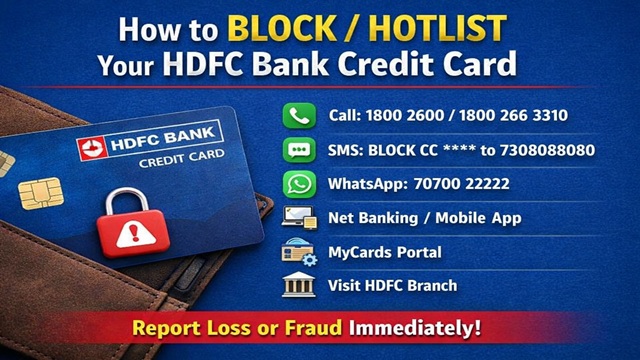
If your HDFC Bank Credit Card gets lost, or if any wrong transaction, misuse, or cyber fraud happens on your credit card, then how you can immediately BLOCK / HOTLIST your HDFC Bank Credit Card and prevent any further financial loss.
HDFC Bank provides multiple official methods through which customers can quickly hotlist their credit cards. Below, we are explaining each method step by step so that you can choose the most convenient option.
Method No. 1: Block Credit Card Through Call / IVRS
- HDFC Bank provides 24×7 customer care helpline numbers for credit card blocking.
- You can call any one of the official numbers given below:
- 18002600
- 18002663310
- After calling the number, you will hear an IVR voice.
- Follow the instructions carefully and press 1 for card blocking or fraud reporting.
- Confirm your credit card details as asked by the IVR.
- Once confirmed, your HDFC Credit Card will be hotlisted immediately.
Method No. 2: Block HDFC Credit Card via SMS
- You can also block your HDFC Credit Card by sending an SMS from your registered mobile number.
- Type the following SMS format: BLOCK CC XXXX
- Here, XXXX represents the last 4 digits of your credit card.
- Send this SMS to 7308080808.
- For example: BLOCK CC 1234
- After sending the SMS, your credit card will be hotlisted by the bank.
Method No. 3: Block Credit Card Through WhatsApp Banking
- HDFC Bank also provides WhatsApp Banking support for credit card services.
- From your WhatsApp number, send a message to 7070022222.
- Type Hotlist Card in the chat.
- Follow the on-screen options and instructions.
- After successful verification, your HDFC Credit Card will be blocked.
Method No. 4: Block Credit Card via Net Banking
- You can hotlist your HDFC Credit Card using HDFC Net Banking Portal.
- Login to your HDFC Bank Net Banking account.
- Go to the Credit Cards section.
- Select the credit card that you want to block.
- Click on the Block option.
- Confirm the request using OTP or other verification.
- After confirmation, your credit card will be blocked instantly.
Method No. 5: Block Credit Card Using HDFC Mobile App
- You can also hotlist your credit card through the HDFC Bank Mobile App.
- Download the Official App from Google Play Store or Apple App Store.
- Open the HDFC Mobile Banking App and log in.
- Go to Pay and then select Credit Cards.
- Choose the credit card you want to block.
- Tap on the Block option.
- Your HDFC Credit Card will be blocked immediately.
Method No. 6: Block Credit Card Through MyCards Portal
- HDFC Bank also allows credit card hotlisting through the MyCards portal.
- Enter your registered mobile number to log in.
- Go to Card Control.
- Select Services and then Security.
- Click on the Hotlist option.
- Confirm the request, and your credit card will be blocked.
Method No. 7: Visit Nearest HDFC Bank Branch
- You can also visit your nearest HDFC Bank branch.
- Request for a Credit Card Hotlisting Form.
- Fill in the required details correctly.
- Submit the form to the bank official.
- After verification, your HDFC Credit Card will be hotlisted.
It is very important to block your credit card immediately if it is lost or misused. Always use only official HDFC Bank channels for card blocking. Do not share OTP, CVV, or card details with anyone.
Now you know all the official ways to block or hotlist your HDFC Bank Credit Card. If you found this information useful, please share it with your friends and family. Stay safe and stay alert. Thank you.
Add new comment