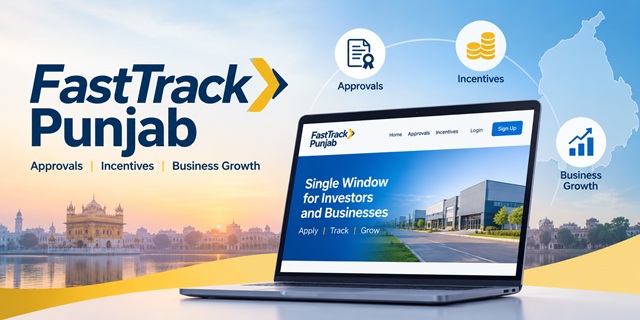
Starting a business in Punjab can involve approvals from multiple government departments, each with its own forms and processing timelines.
FastTrack Punjab brings these processes together on a single online platform. It helps investors and businesses apply for approvals, track applications and access government services without dealing with each department separately. The state has also set timelines of up to 45 working days for specified approvals.
The portal went live on 10 June 2025. On 8 October 2026, it added the Financial Incentives Module, also known as the Passbook, to support access to financial incentives.
This guide covers the portal's key features, available services, approval timelines and contact details. It also explains how FastTrack Punjab differs from HUNAR Punjab, the state's skilling and hiring portal.
Quick Facts
| Detail | Information |
|---|---|
| Portal | fasttrack.punjab.gov.in |
| What it is | Punjab's single-window portal for investors and businesses |
| Run by | Punjab Bureau of Investment Promotion (Invest Punjab) |
| Built by | NIC Punjab |
| Live since | 10 June 2025 |
| New in October 2026 | Financial Incentives Module (Passbook), launched on 8 October 2026 |
| Maximum time for approvals | Up to 45 working days, depending on the approval |
| If the time runs out | Deemed approval may apply under the relevant rules and conditions |
| Helpline | 0172-4866999, Monday to Friday, 9:00 AM to 5:00 PM |
| Phone | +91-172-2726001 |
| [email protected] | |
| Address | Udyog Bhawan, Sector 17, Chandigarh 160017 |
FastTrack Punjab in Numbers
FastTrack Punjab organises its services into four lists. The following figures reflect the portal's listings as of 9 October 2026.
| List | Number of Listings | What It Covers |
|---|---|---|
| Regulatory Services | 68 | Approvals required to set up a factory, grouped into four stages |
| Service Approvals | 203 | Licences and registrations across 24 departments |
| Incentive Forms | 73 | Subsidies, tax exemptions and reimbursements |
| Startup Forms | 8 | Startup registration and support |
These figures should not be added together to calculate the total number of unique services. Some services appear in more than one list, sometimes under slightly different names.
The complete service-wise details are covered in a separate guide. This section focuses on the number of listings and what each category includes.
Regulatory Services (68)
This category covers approvals that a new industrial unit may need at different stages of development. The portal divides these approvals into four stages.
| Stage | Number of Approvals |
|---|---|
| Pre-Requisite | 2 |
| Pre-Construction | 32 |
| During or Post-Construction | 32 |
| Other | 2 |
The Punjab Pollution Control Board accounts for 15 approvals, followed by Housing and Urban Development with 11 and Punjab State Power Corporation with 10. The Department of Labour has 9 approvals listed in this category.
Two approvals involve central authorities rather than Punjab government departments. These include the Airport Authority of India's height-clearance NOC and the National Monuments Authority's NOC for a construction permit.
Service Approvals (203)
This category covers a wider range of businesses, not just factories. It includes licences and registrations that businesses in sectors such as food, retail, hospitality and professional services may need.
| Department | Number of Services |
|---|---|
| Food and Drugs Administration | 52 |
| Legal Metrology | 39 |
| Labour | 21 |
| Industries and Commerce | 18 |
| Pollution Control Board | 12 |
| Mines and Geology | 9 |
| Public Works, Excise and Home Affairs | 8 each |
The listed services also cover areas such as hotel bars, film shooting, cinema operations, travel agencies, IELTS consultancies, homestays, drug shops, partnership firms and societies.
Incentive Forms (73)
This category contains forms for businesses seeking eligible financial incentives or tax-related benefits from the Punjab government. The forms are listed under the Department of Industries and Commerce.
- 7 forms relate to the Pre-Production stage.
- 66 forms relate to the Post-Production stage.
The listed forms cover benefits such as stamp duty relief, electricity duty exemption, property tax benefits, SGST reimbursement, capital subsidy, employment generation subsidy, rent support, export freight assistance and various MSME schemes.
The forms refer to two policy periods. Five forms mention the Industrial and Business Development Policy 2022, while four refer to the 2026 policy.
A single type of incentive may have separate forms under different policies. For example, stamp duty-related benefits may appear in separate forms for the old and new policies. Therefore, 73 forms do not necessarily represent 73 distinct incentives.
Startup Forms (8)
FastTrack Punjab also has a separate category for startup-related applications. Its eight listed forms cover the following areas:
- Startup Registration
- Seed Funding and the Second Tranche of Seed Funding
- Startup Rental Lease Subsidy under older and 2026 versions
- Interest Subsidy for Startups under older and 2026 versions
- Startup Competition Assistance
What You Can Do on the Portal
FastTrack Punjab provides seven main links in its top menu, helping businesses register, access approvals and contact the relevant authorities.
| Menu Link | Purpose |
|---|---|
| Sign Up | Create a new account on the portal |
| Login | Access your existing account |
| Third Party Verification | Access the third-party verification section |
| Know Your Approvals | Identify the approvals required for your project |
| List of Approvals | View the available approvals and their respective departments |
| Hire from Institutes | Connect with educational institutes to find and hire students |
| Query/Grievance | Submit a query or raise a complaint |
Approval Timelines
5, 15, 18 and 45 Working Days
Approval timelines depend on the type of business and the location of the proposed unit. A working day generally means an official working day, excluding weekends and applicable public holidays.
| Applicant Category | Timeline for In-Principle Approval |
|---|---|
| New unit within an approved industrial park or real estate project | 5 working days |
| New unit outside an approved industrial park | 15 working days |
| Existing enterprise | 18 working days |
These faster approval routes use self-declaration, under which applicants provide the required information and declarations to seek in-principle approval for specified services.
The portal also provides an outer timeline of up to 45 working days for applicable approvals. According to the figures cited for the portal, 83% of approvals have a notified timeline of 30 days or less.
Four Right to Business forms are available for these applications. Form I applies to units located within an approved industrial park, while Form II applies to units outside one. Both forms have separate versions for Fresh applications and Expansion applications.
How Deemed Approval Works
Deemed approval is a mechanism under which an approval may be treated as granted when the concerned authority does not decide an eligible application within the prescribed period, subject to the applicable law and conditions.
- The applicant submits an application for the relevant approval.
- The department processes it within the prescribed timeline, which may extend up to 45 working days for applicable services.
- If the authority does not decide the application within the specified period, deemed approval may apply where the relevant provisions permit it.
- The approval is treated according to the applicable legal provisions and procedure.
This mechanism aims to prevent avoidable delays in eligible business approvals. However, it should not be assumed that every pending application automatically receives deemed approval; the applicable service rules and legal conditions determine whether it applies.
Escalation Up to the Deputy Commissioner
FastTrack Punjab tracks pending applications and provides an escalation mechanism to help address delays. Depending on the process and the level of delay, an application may be escalated to higher authorities.
The escalation chain can extend to the Deputy Commissioner and the Administrative Secretary, helping bring delayed cases to the attention of senior officials.
Who Is Covered
The Punjab Right to Business (Amendment) Act, 2025, provides a framework for eligible projects with investment of up to Rs. 125 crore in plant and machinery, subject to the Act's applicable conditions.
The framework is intended to cover a broad range of eligible projects, including those in industry, information technology, healthcare, hospitality and education.
Portal Features
| Feature | What It Does |
|---|---|
| Scrutiny Protocols | Helps check applications and identify potential errors during scrutiny |
| Deemed Approvals | Supports deemed approval where the applicable rules and conditions permit it |
| Escalation Matrix | Tracks delayed applications and routes them to higher authorities when required |
| Responsible Rejection | Communicates the reasons for rejection and helps applicants understand what needs correction |
| Withdraw, Deactivate, Reactivate | Provides options to manage an application when a project is paused or resumed, where supported |
| Online Revenue (CRO) Report | Facilitates access to relevant land ownership and site records through the online process |
How to Sign Up and Log In
New Users: How to Sign Up
- Visit the official FastTrack Punjab portal.
- Click Sign Up at the top of the page.
- Complete the registration form using your active mobile number and email address.
- Follow the on-screen instructions to complete the registration process.
Existing Users: How to Log In
- Open the official FastTrack Punjab website.
- Click Login.
- Enter the login details associated with your registered account and follow any further instructions displayed on the screen.
If you face any difficulty, you can call 0172-4866999 and explain that your query relates to FastTrack Punjab.
How to Find the Approvals You Need
Before applying, identify the approvals required for your project. FastTrack Punjab provides two options to help you find the relevant services.
Know Your Approvals
Click Know Your Approvals in the portal menu to identify the approvals that may be required for your project.
List of Approvals
- Click List of Approvals in the menu or visit the approvals page directly.
- Select the relevant category: Regulatory Services, Service Approvals, Incentives or Startup.
- Review the listed services, which include details such as the approval name, department, application type, user manual and rating.
- Open or download the relevant user manual to understand the application procedure and requirements.
The application type often appears in brackets alongside the approval name. These terms indicate the purpose of the application.
| Application Type | Meaning |
|---|---|
| Fresh | Submit a new application for an approval. |
| Renewal | Apply to renew an existing approval. |
| Amendment | Request a change to an existing approval. |
| Expansion | Apply for approvals related to the expansion of an existing unit. |
| Extension | Request an extension, such as additional time or load, where applicable. |
How to Apply for an Approval
Some approvals depend on earlier clearances, so completing them in the appropriate order can help avoid delays. FastTrack Punjab groups regulatory approvals into stages to guide applicants through the process.
- Start with the Pre-Requisite stage. This stage includes the CRO report, which helps establish relevant land ownership and site details. These details may be needed before proceeding with environmental and construction-related approvals.
- Proceed to the Pre-Construction stage. Depending on your project, this stage may include building plan approval, Consent to Establish, a power connection and a provisional fire safety certificate.
- Complete the During or Post-Construction stage. Applicable approvals may include the final fire safety certificate, Consent to Operate and factory licence.
For each approval, log in to the portal, select the relevant service and complete the application form. Refer to its user manual for the specific instructions, documents and steps required.
If the department rejects your application, review the reasons provided through the portal. Correct the identified issues and submit a fresh application or take the next step permitted by the relevant process.
Financial Incentives Module (Passbook)
On 8 October 2026, Punjab introduced the Financial Incentives Module, also known as the Passbook, on FastTrack Punjab.
The module is designed to help investors view the financial incentives available to them and track incentive-related information through the portal, reducing the need to visit multiple government offices for updates.
Think of it as a bank passbook for business incentives. It aims to bring relevant incentive information together in one place.
To access it, log in to your FastTrack Punjab account and look for the Passbook section. If it is not visible, contact the helpline to confirm how the module is accessed through your account.
The portal also lists 73 incentive forms covering various benefits and claims. These include forms associated with the Punjab Industrial and Business Development Policy 2026.
Hire from Institutes and HUNAR Punjab
FastTrack Punjab includes a Hire from Institutes link to help businesses connect with educational institutes and explore hiring opportunities.
FastTrack Punjab and HUNAR Punjab are connected. The Service Approvals list includes an entry for HUNAR Punjab under the Department of Technical Education and Industrial Training. Industries registered on FastTrack Punjab can also use their existing account to log in to HUNAR Punjab.
Read our complete guide to HUNAR Punjab to learn how industries can find institutes, organise placement drives and offer internships or industrial training to students.
Third Party Verification
FastTrack Punjab includes a Third Party Verification link in its main menu. However, the portal's homepage does not provide a detailed explanation of this feature.
Open the link directly from the portal menu to check the available instructions and requirements. If you are unsure how to proceed, contact the helpline for clarification.
How to Submit and Track a Query or Grievance
If you have a question about a policy, payment, incentive claim or portal service, you can use the Query/Grievance page to submit your concern online.
How to Fill Out the Query Form
- Open the Query/Grievance page.
- Enter your Personal Details, including your name, mobile number, email address and business entity. All four fields are required.
- Answer Do you have a PIN number? Select either "Yes, I have a PIN" or "No, I don't have a PIN".
- Select your Type of Industry: Micro, Small, Medium or Large, according to your business category.
- Choose the appropriate Type of Query from the available options.
- Select your District. You can choose one of Punjab's 23 districts or select "Out of Punjab".
- Enter a clear and concise Subject for your query.
- Explain the issue in the Describe Your Query field, providing enough detail for the concerned team to understand it.
- If you have supporting documents, upload them as a PDF file smaller than 5 MB. This step is optional.
- Review the information and submit the form.
The form does not specify what PIN stands for. If you have received a PIN for this process, select the relevant option. Otherwise, choose "No, I don't have a PIN".
Types of Queries
| Query Type | When to Select It |
|---|---|
| Policy Related Query | For questions about government policies |
| Payment Related Query | For payment-related issues |
| Incentive Related Query | For questions about financial incentives or claims |
| IP-BF Web Portal Related Query | For issues concerning the specified web portal |
| Other Queries | For concerns that do not fit into the other categories |
How to Track Your Query
- After submitting the form, save any reference number or confirmation details displayed by the portal.
- Open the Query/Grievance tracking page.
- Enter the requested details and follow the on-screen instructions to check the status of your query.
Reforms That Help Investors
FastTrack Punjab highlights several reforms aimed at simplifying approvals and reducing the time and effort businesses spend dealing with government departments.
| Reform | What Has Changed |
|---|---|
| Revenue Feasibility (CRO) Certificate | The certificate is now available digitally, with a stated timeline of 15 working days. |
| Fire NOC | The validity period can be 1, 3 or 5 years, depending on the applicable risk category. |
| Fire Safety Rules | The permitted height for industrial buildings has been increased to 21 metres. The reforms also include online self-certification and removal of the 53-point checklist. |
| Fire Drawings | Fire safety drawings prepared by empanelled architects are accepted under the applicable process. |
| Land Use for Industrial Plots | Ten land-use categories are permitted, including IT, hotels, hospitals, institutes and commercial activities, subject to the relevant rules. |
| Plot Subdivision | A new policy allows eligible industrial plots to be subdivided by families and co-developers, subject to applicable conditions. |
| Factory Buildings | Self-certification of structural safety is available under the Factories Act, 1948, where applicable. |
| Unified Regulator | A unified regulatory arrangement brings the powers of key departments together, aiming to simplify clearances through a single-entry and single-exit system. |
FastTrack Punjab vs HUNAR Punjab
FastTrack Punjab and HUNAR Punjab were presented together at the launch event on 8 October 2026. However, the two portals serve different purposes: one focuses on business approvals and incentives, while the other supports skilling, hiring and industrial training.
| Basis of Comparison | FastTrack Punjab | HUNAR Punjab |
|---|---|---|
| Main Purpose | Business approvals, regulatory clearances and financial incentives | Skilling, recruitment, placements and industrial training |
| Managed By | Punjab Bureau of Investment Promotion (Invest Punjab) | Department of Technical Education and Industrial Training |
| Main Users | Investors and businesses | Industries, educational institutes, students and departments |
| Launch Date | 10 June 2025 | 8 October 2026 |
| Connection Between Portals | Industries registered on FastTrack Punjab can use the same account to log in to HUNAR Punjab. | |
For details about institute searches, placements and industrial training, read our complete HUNAR Punjab guide.
Helpline, Email and Address
Businesses can use the following contact details to seek assistance with FastTrack Punjab and related Invest Punjab services.
| Contact Channel | Details |
|---|---|
| Helpline | 0172-4866999, Monday to Friday, 9:00 AM to 5:00 PM |
| Phone | +91-172-2726001 |
| [email protected] | |
| Office Address | Punjab Bureau of Investment Promotion, Udyog Bhawan, Sector 17, Chandigarh 160017 |
| Online Query or Complaint | Query/Grievance page |
The number 0172-4866999 is listed as the Invest Punjab helpline for assistance. HUNAR Punjab also displays this number. When calling, specify whether your query concerns FastTrack Punjab or HUNAR Punjab so the team can direct you appropriately.
Add new comment