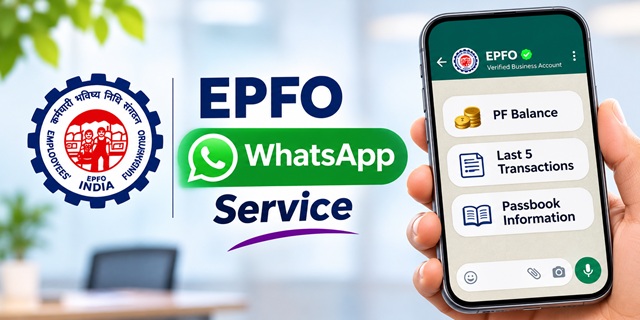
EPFO members can now check their Provident Fund (PF) balance, view their latest five transactions and access passbook information through WhatsApp. The Employees' Provident Fund Organisation (EPFO) launched this new facility on 1 November 2026 during its 74th Foundation Day celebration in New Delhi.
Members no longer need to open the EPFO member portal every time they want a quick update about their PF account. They can start a conversation with EPFO's verified WhatsApp account and select the service they need.
This guide explains the new EPFO WhatsApp service, its official number, how to check PF balance, how to access passbook information, and where to find your regional EPFO WhatsApp helpline. It also explains how the existing EPFO login and member passbook portal work, so you can choose the right option for your requirement.
EPFO WhatsApp Service: Quick Details
EPFO WhatsApp Service – Key Information |
|
|---|---|
| Organisation | Employees' Provident Fund Organisation (EPFO) |
| Service Launch Date | 1 November 2026 |
| Launched By | Dr. Mansukh Mandaviya, Union Minister for Labour and Employment |
| Official WhatsApp Number | +91 8796441800 |
| Available Services | PF balance, latest five transactions, passbook information and PMVBRY guidance |
| How to Start | Send Hi on WhatsApp or use the QR code shared by EPFO |
| Regional WhatsApp Helplines | Separate numbers for different EPFO regional offices |
| EPFO Helpdesk | 14470 |
| Official Website | epfindia.gov.in |
What Is the New EPFO WhatsApp Service?
The EPFO WhatsApp service is a digital facility that allows provident fund members to access selected PF account information through a verified WhatsApp business account.
Previously, members generally used the EPFO member portal or the UMANG app to check their PF balance and passbook. They can still use these platforms, but the new WhatsApp facility provides another way to access basic account information without navigating a separate website.
Union Minister Dr. Mansukh Mandaviya launched the service on 1 November 2026 at EPFO's 74th Foundation Day celebration in New Delhi. The initiative aims to make routine EPFO services easier to access and reduce the need for members to visit regional offices for basic information.
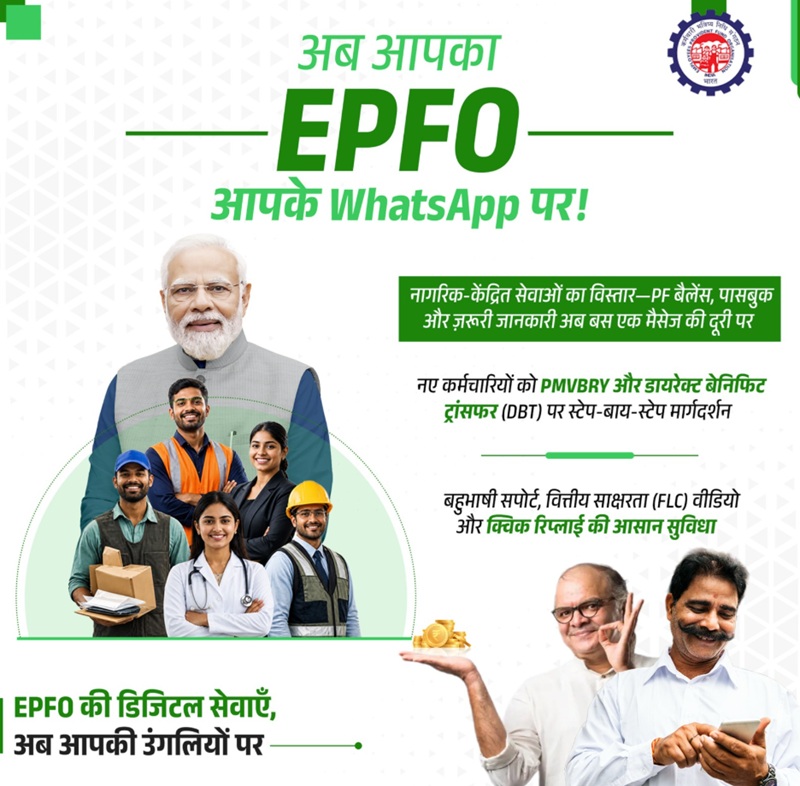
According to the Ministry of Labour and Employment's announcement, the national WhatsApp service provides access to PF balance, the latest five transactions and passbook information. It also offers personalised guidance for completing requirements related to the Pradhan Mantri Viksit Bharat Rozgar Yojana (PMVBRY).
Read the official announcements:
- EPFO's 74th Foundation Day and WhatsApp service launch – PIB
- EPFO's Foundation Day announcement – PIB
What Is the EPFO WhatsApp Number for PF Balance Check?
EPFO announced +91 8796441800 as the number for its new national WhatsApp service. Members can save this number and send a Hi message to start the conversation.
EPFO also shared a QR code through its official communication. Members can scan that code to open the WhatsApp chat directly.
Before sending any message, make sure that you are contacting EPFO's verified WhatsApp business account. Do not trust numbers received through unknown forwards, unofficial websites or random social media messages.
Official EPFO WhatsApp number: +91 8796441800
What Services Can You Access Through EPFO WhatsApp?
The national WhatsApp service currently covers selected PF-related services. Members can use it for quick account information and specific scheme-related guidance.
- PF balance check: View the balance available in your EPF account through the WhatsApp chat.
- Latest five transactions: Check the five most recent entries recorded in your PF account.
- Passbook information: Access your PF passbook information without first opening the member passbook portal.
- PMVBRY guidance: Receive personalised assistance regarding requirements under the Pradhan Mantri Viksit Bharat Rozgar Yojana.
These services are different from the facilities available through the EPFO member login. For example, members should continue to use the official portal for services such as online claims, KYC updates and other account-related requests unless EPFO announces their availability through WhatsApp.
Who Can Use the New EPFO WhatsApp Service?
The facility is intended for EPF subscribers who want to access their account information through WhatsApp. Members should use the mobile number registered with their EPFO account when starting the service.
Keep your Universal Account Number (UAN) and registered mobile number details available. The WhatsApp chat may guide you through the verification process before displaying personal PF information.
If your mobile number has changed, first get the updated number recorded in your EPFO account. Otherwise, you may face difficulty completing the verification process or accessing your account information.
How to Use the EPFO WhatsApp Service: Step-by-Step Process
You do not need to install a separate EPFO application to start using the national WhatsApp service. Follow these steps on your mobile phone.
- Save the official number: Add +91 8796441800 to your phone contacts. Verify the number through EPFO's official communication before starting.
- Open WhatsApp: Use the WhatsApp account associated with your mobile number registered with EPFO.
- Start the conversation: Open the official EPFO chat and send Hi. You can also scan the QR code shared by EPFO.
- Select your language: Choose your preferred language when the chatbot displays the available options.
- Choose a service: Select the option for PF balance, latest transactions or passbook information.
- Complete verification: Follow the instructions displayed in the chat to verify your identity, if prompted.
- View your information: After the required steps, check the response provided by the WhatsApp service.
The exact menu and verification prompts may change as EPFO updates the service. Follow the instructions displayed by the verified account and never share your UAN password or banking credentials in a chat.
How to Check PF Balance on WhatsApp
If you want to know how much money is available in your Provident Fund account, the new EPFO WhatsApp service provides a convenient option.
- Save EPFO's WhatsApp number +91 8796441800.
- Open WhatsApp from your registered mobile number.
- Send Hi to the official EPFO account.
- Select your preferred language.
- Choose the PF balance option from the available menu.
- Complete the verification steps, if requested.
- Check the PF balance displayed in the chat.
This facility is useful when you only want a quick balance update. If you need to examine your monthly contributions, employer deposits or older account entries, use the full EPFO passbook facility.
How to Check EPFO Passbook Information on WhatsApp
EPFO has included passbook information in its new WhatsApp service. Members can select the passbook option from the chat menu and follow the instructions provided by the chatbot.
However, if you need the complete statement of your PF account, the official EPFO member passbook portal remains the appropriate platform. It allows members to sign in using their UAN and password and view their available passbook records.
Open the official portal here:
EPFO Member Passbook Login – Check PF Passbook
How to Check the Latest Five PF Transactions
The national WhatsApp service also allows members to view their five most recent PF transactions. This can help you check whether a recent contribution has appeared in your account.
- Open the verified EPFO WhatsApp chat.
- Send Hi and select your language.
- Choose the latest transactions option.
- Complete any verification requested by the service.
- Check the five latest entries displayed in the response.
For a longer transaction history, open your EPFO passbook through the official member passbook portal.
EPFO WhatsApp Service for PMVBRY Requirements
Besides PF account information, EPFO's new WhatsApp service also provides personalised guidance related to the Pradhan Mantri Viksit Bharat Rozgar Yojana (PMVBRY).
This assistance is particularly relevant to members who need to complete certain requirements to receive benefits under the scheme.
For example, some members may need help with Aadhaar authentication or the Direct Bank Transfer (DBT) facility on their Aadhaar-linked bank account. The WhatsApp service can guide members regarding the requirements applicable to their cases.
If the chatbot indicates that your Aadhaar details need attention, use the relevant KYC facility through the official EPFO member portal or follow the instructions provided by EPFO. If your bank account does not support the required DBT facility, contact your bank for assistance.
Do not assume that every PF member automatically qualifies for PMVBRY benefits. Eligibility and other requirements under the scheme continue to apply separately.
EPFO National WhatsApp Service vs Regional Office WhatsApp Helpline
Many EPFO members already know that regional offices provide WhatsApp helplines. The launch of the new national service has created some confusion because both facilities operate through WhatsApp.
However, they serve different purposes. The national service provides selected account information, while regional office helplines allow members to contact the concerned EPFO office for queries and grievances.
| Particulars | National WhatsApp Service | Regional Office Helpline |
|---|---|---|
| Launch | 1 November 2026 | Introduced in 2020 |
| Number | One national number | Different number for each regional office |
| Main Purpose | PF balance, latest five transactions and passbook information | Member queries, guidance and grievances |
| How to Use | Choose a service from the chat menu | Send a message explaining your query |
| Suitable For | Quick PF account information | Account-related problems and service assistance |
EPFO introduced WhatsApp helplines across its 138 regional offices in 2020. Members can contact the office where their PF account is maintained to seek guidance or raise a grievance.
Read the official PIB announcement about EPFO regional WhatsApp helplines.
How to Find Your EPFO Regional Office WhatsApp Number
If your PF account has a problem, you may need to contact the regional office responsible for maintaining it. EPFO publishes regional office contact information through its official website.
- Visit the EPFO Contact Us page.
- Find the WhatsApp Support option or the regional office contact information.
- Open the official WhatsApp helpline list, if available.
- Locate the regional office where your PF account is maintained.
- Check the displayed number and confirm that it is the latest contact information.
- Save the number and send a message describing your query.
You can also use the EPFO website's office locator or contact your employer if you are unsure which regional office handles your account.
Important: Regional helpline numbers can change. Always check the latest number on EPFO's official website instead of relying on an old screenshot or forwarded message.
What Details Should You Send to an EPFO Regional Office?
When contacting a regional office for assistance, provide enough information for the officials to identify your account and understand the problem.
EPFO's regional helpline guidance generally asks members to include the following details:
- Your full name.
- Your UAN.
- Your registered mobile number.
- A short description of your query or grievance.
EPS pensioners should provide their Pension Payment Order (PPO) number instead of a UAN, wherever applicable.
For example, if your PF transfer is pending, briefly explain the issue and mention the relevant claim or account details. Avoid sending passwords, OTPs or unnecessary personal documents through an unverified contact.
EPFO Member Login: How to Check Your PF Account Through the Portal
The new WhatsApp service is useful for quick updates, but the EPFO member portal continues to provide access to several important online services.
If you want to check your account, update eligible details or access other member facilities, use the official EPFO login portal.
- Open the EPFO Member e-Sewa portal.
- Enter your Universal Account Number (UAN).
- Enter your account password.
- Complete the displayed captcha or other security check.
- Click the Sign In option to access your member account.
After successful login, you can access the services available for your account, subject to the applicable conditions.
If you have forgotten your password, use the relevant password assistance option on the portal. Do not share your login credentials with anyone claiming to provide faster EPFO services.
EPFO Member Passbook Login: How to View Your Full PF Statement
Members who want to check their monthly PF contributions or older transactions should use the dedicated EPFO passbook portal.
- Visit the EPFO Member Passbook Login page.
- Enter your UAN and password.
- Complete the captcha displayed on the screen.
- Sign in to access your passbook.
- Select the relevant PF member ID, where more than one account is available.
- View the available contribution and transaction details.
The passbook helps you examine employee contributions, employer contributions and other recorded entries. If you have changed jobs, check the relevant member IDs linked to your UAN.
Other Ways to Check EPFO PF Balance
WhatsApp is not the only way to check your PF balance. EPFO members can continue to use its existing digital facilities.
1. EPFO Member Passbook Portal
Open the EPFO passbook portal and sign in using your UAN and password. This option is suitable when you need a detailed account statement.
2. UMANG App
The UMANG app provides access to various government services, including EPFO facilities. Open the app, select EPFO and choose the relevant service available for your account.
Access EPFO services through UMANG.
3. Missed Call Facility
EPFO's official passbook portal currently displays a missed-call facility for balance enquiries. Members can give a missed call to 9966044425 from their registered mobile number, subject to the applicable account and service conditions.
4. SMS Facility
Members can also use the SMS balance enquiry facility displayed on EPFO's official passbook portal. Send the following message from your registered mobile number:
EPFOHO UAN
For a language-specific response, add the relevant language code after UAN, as instructed by EPFO. The published format is:
EPFOHO UAN LAN
Send the message to 7738299899. For the latest language codes and service conditions, refer to the official EPFO passbook portal.
What to Do If the EPFO WhatsApp Service Is Not Working?
A new digital service may experience technical issues, particularly when many users try to access it shortly after launch. If you do not receive a reply or cannot complete verification, try the following steps.
- Check the number: Make sure you are messaging +91 8796441800, the number announced by EPFO for its national service.
- Use your registered mobile number: Start the chat from the WhatsApp account associated with your EPFO-registered mobile number.
- Send Hi again: Wait for a few minutes and restart the conversation if the chatbot does not respond.
- Check your internet connection: Make sure WhatsApp can send and receive messages properly.
- Update WhatsApp: Install the latest available version of the application.
- Try another EPFO service: If WhatsApp continues to fail, use the member passbook portal or UMANG app.
- Contact EPFO: Call the official helpdesk or approach the concerned regional office if the issue continues.
Do not repeatedly share personal information with different numbers in an attempt to get a response. Use only official EPFO channels.
Can You Withdraw PF or File a Grievance Through the National WhatsApp Number?
No. EPFO's launch announcement identifies PF balance, the latest five transactions, passbook information and PMVBRY guidance as the services available through the new national WhatsApp facility.
It does not announce PF withdrawal, online claim filing, KYC modification or grievance registration through this national number.
Use the appropriate official platform for these requirements:
- PF withdrawal and online claims: Use the EPFO member portal or the relevant UMANG facility.
- Passbook and transaction history: Use the dedicated EPFO passbook portal.
- KYC and profile-related services: Sign in to the EPFO member portal and check the available options.
- PF account complaints: Submit a grievance through EPFiGMS or contact your regional office.
How to File an EPFO Grievance Online Through EPFiGMS
If you have a problem with your PF account, claim settlement, transfer, KYC or another EPFO service, you can use the EPFO grievance management system.
EPFiGMS is the official online platform for submitting and tracking grievances related to EPFO services.
- Visit the EPFiGMS grievance portal.
- Select the option to register a grievance.
- Enter the required details, such as your UAN or PF account information, as applicable.
- Choose the relevant grievance category.
- Explain your problem clearly and attach supporting documents, if required.
- Submit the complaint and save the registration or reference number.
- Use the available status facility to track the grievance later.
If the matter remains unresolved, use the grievance escalation and contact information published by EPFO. Keep your grievance reference number available whenever you contact the organisation.
Open EPFiGMS – EPFO Grievance Portal
EPFO Customer Care Number and Helpdesk
Members who cannot resolve their issue through WhatsApp or the online portal can contact EPFO through its official helpdesk.
| EPFO Helpdesk Number | 14470 |
| Alternative Toll-Free Number | 1800 11 8005 |
| Official Website | www.epfindia.gov.in |
| Grievance Portal | EPFiGMS |
| Contact Information | EPFO Contact Us |
EPFO's official passbook portal displays the toll-free number 1800 11 8005, while the member portal and other official EPFO pages also display 14470. Check the Contact Us page for the latest helpdesk information and regional office details.
Safety Guidelines While Using EPFO WhatsApp
PF accounts contain important financial and personal information. Members should take care while using WhatsApp or contacting anyone claiming to represent EPFO.
- Use only the verified national WhatsApp account announced by EPFO.
- Never share your UAN password or banking login credentials with anyone over chat.
- Do not disclose OTPs to callers or people claiming to be EPFO officials.
- Do not make payments to individuals promising faster PF withdrawal, claim settlement or account correction.
- Avoid clicking suspicious links received from unknown WhatsApp numbers.
- Do not send Aadhaar, PAN or bank documents to an unverified contact.
- Verify regional office numbers through the official EPFO website.
EPFO has also warned members against responding to calls seeking personal information such as Aadhaar, PAN, bank details or OTPs, or asking for payments. Its official passbook portal carries this warning.
If you receive a suspicious message or call, stop the conversation and verify the matter through EPFO's official website or helpdesk.
Important Links
| Service | Official Link |
|---|---|
| EPFO Official Website | Click Here |
| EPFO Member Login | Click Here |
| EPFO Member Passbook Login | Click Here |
| EPFO Regional Office Contact Details | Click Here |
| EPFO Grievance Portal | Click Here |
| EPFO Services on UMANG | Click Here |
| PIB WhatsApp Service Launch Announcement | Click Here |
| Regional WhatsApp Helpline Announcement | Click Here |
Comments
Epfo
Arjent need to get my money
English
Epfo details
Add new comment