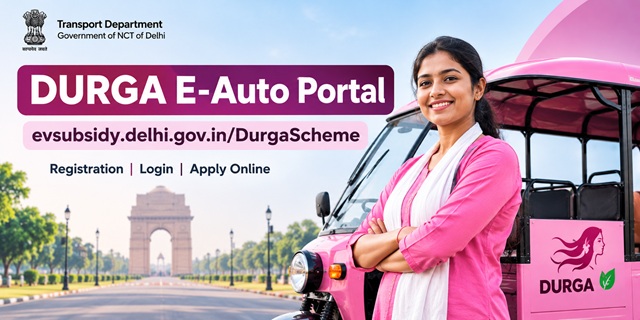
The DURGA E-Auto Portal at evsubsidy.delhi.gov.in is the official website for applying under the Delhi Government's Durga E-Auto Yojana. Managed by the Transport Department and hosted by the National Informatics Centre (NIC), the portal allows eligible women and transgender applicants to verify their driving licence, register, upload documents, track their application status and download their Letter of Intent (LOI). This guide explains the portal's features and the steps involved, from registration and login to application tracking and helpdesk support. For the scheme's benefits and eligibility details, read our Delhi Durga Scheme guide.
What Is the DURGA E-Auto Portal?
DURGA stands for Driving, Upliftment and Rozgar for Women/Transgender Green E-Auto Scheme. The Delhi Cabinet, chaired by Chief Minister Rekha Gupta, approved 1,300 pink e-autos under Phase 1. The DURGA E-Auto Portal serves as the official online platform for this phase. Applicants can use it for driving licence verification, registration, document submission and application tracking. The process also includes verification by the district committee, a draw of lots and the issuance of the Letter of Intent (LOI).
Applicants can access the public portal to manage their own applications, while authorised officials use a separate department login.
DURGA E-Auto Portal at a Glance
- Official website: evsubsidy.delhi.gov.in/DurgaScheme
- Managing department: Transport Department, Government of NCT of Delhi
- Hosting organisation: National Informatics Centre (NIC)
- Phase 1 allocation: 1,300 e-autos - 1,170 for women and 130 for transgender persons
- District quota: Up to 90 e-autos for women and 10 for transgender persons in each revenue district
- Age limit: 20 to 40 years
- Maximum family income: ₹5 lakh
- Driving licence requirement: Valid LMV driving licence with a PSV badge
- Application ID format: Example: DURGA/2026/00001
- LOI validity: 90 days
- Available languages: English and Hindi
Home Page Features of the DURGA E-Auto Portal
The DURGA E-Auto Portal home page provides access to registration, application tracking, announcements and other useful services. Here is what each section does:
- Header: Displays the Transport Department's name, text-size controls (A, A+ and A++) and an option to switch between English and Hindi.
- Leadership banner: Displays Prime Minister Narendra Modi, Delhi Chief Minister Rekha Gupta and Transport Minister Dr. Pankaj Kumar Singh.
- Register/Apply and Login: Use Register/Apply to start a new application and Login to access your existing applicant account.
- Main menu: Provides access to the home page and Application Status.
- Success stories: Features cards titled Empowered Women and Transgender, Green Mobility and Economic Freedom.
- Notice board: Displays urgent notices and links to the Announcements page.
- Quick links: Provides shortcuts to Application Status, User Info, Announcements and Gallery.
- Policies: Links to the Accessibility Statement, Copyright Policy, Privacy Policy, and Terms and Conditions.
- Helpdesk and support: Displays the Transport Department's address in the website footer.
Eligibility Check on the DURGA Portal
Before proceeding with registration, use the portal's eligibility check to review the basic requirements. The system checks the following conditions:
- You must be between 20 and 40 years of age.
- You must hold a valid Light Motor Vehicle (LMV) driving licence.
- You must have a Public Service Vehicle (PSV) badge.
Meeting these basic conditions does not automatically guarantee selection. The scheme also sets a maximum family income of ₹5 lakh, and the district committee verifies the submitted documents during the application process.
Applicants must select either the Women or Transgender category and choose their district according to the jurisdiction of their driving licence. For a detailed explanation of the scheme's benefits, eligibility rules and other conditions, read our Delhi Durga E-Auto Yojana guide.
Documents to Keep Ready Before You Apply
Prepare the required documents and details before opening the registration form. Keeping everything ready can make the application process easier and help you avoid delays.
- Driving licence: A valid LMV driving licence, including the licence number and date of birth.
- PSV badge: Details of your Public Service Vehicle badge.
- Voter ID: Your voter identification document.
- Income Certificate: Proof of family income.
- Medical Certificate: The required medical document.
- Police Clearance Certificate (PCC): Your PCC.
- Transgender Certificate: Required if you apply under the Transgender category.
- Aadhaar and bank documents: Keep these available as advised by the portal.
- Registered mobile number: Use a working number because the portal sends the application number by SMS.
The portal also generates undertakings that applicants must download, complete where required and upload again. The following sections explain these documents and the next steps in the application process.
DURGA E-Auto Registration: Step-by-Step Process
Eligible applicants can apply online through the DURGA E-Auto registration page. Keep your driving licence and required documents ready, then follow these steps:
- Open the registration page: Visit the official DURGA E-Auto Portal and click Register/Apply.
- Enter your driving licence details: On the Verify Driving Licence screen, enter your driving licence number and date of birth. Both fields are mandatory.
- Verify your licence: Click Verify DL to start the system check.
- Select your category and district: Choose Women or Transgender and select the district according to your driving licence jurisdiction.
- Complete the eligibility check: The system checks your age (20 to 40 years), valid LMV driving licence and PSV badge.
- Note your application number: The portal sends the application number to your registered mobile number by SMS. Keep it safe for future reference.
- Download and upload undertakings: Download the undertakings generated by the portal and upload the required copies.
- Upload supporting documents: Submit your Voter ID, Income Certificate, Medical Certificate, PCC and Transgender Certificate, if applicable.
- Review and submit: Check your personal details, category, district and uploaded documents before submitting the application for final locking.
Already registered? Open the same page and use the Sign In option to access your existing account.
Undertakings You Must Upload
The DURGA portal generates the required undertakings automatically. Download the documents provided in your application, review them and upload them back to the portal as instructed. The undertakings cover these conditions:
- Maximum three children: The applicant must comply with the scheme's stated condition regarding the number of children.
- No TSR or other transport vehicle: The undertaking covers the restriction on owning a TSR or another transport vehicle.
Read each undertaking carefully before submitting it, as you must confirm the conditions applicable to your application.
Final Submission and Locking Your Application
After uploading the required documents and completing the form, submit your application for final locking. The portal clearly states that you cannot make changes after the application is locked.
Before submitting, check the following details carefully:
- Your name and date of birth.
- Driving licence number and verification details.
- Selected category and district.
- Uploaded certificates and undertakings.
- All other information entered in the application.
Review everything before locking your application. An incorrect entry or missing document may be difficult to correct after final submission.
DURGA Portal Login: Applicant and Department
The DURGA E-Auto login page provides separate login options for applicants and department officials.
- Applicant Login: Enter your registered 10-digit mobile number and click Login as Applicant. New users can select the Register option to begin their application.
- Department Login: This section is for authorised officials who sign in using their official username and password. Applicants should not use it.
Always use the mobile number registered with your application when accessing your applicant account.
How to Check DURGA E-Auto Application Status
You can track your application through the DURGA Application Status page without logging in. Keep your application ID and registered mobile number ready.
- Open Application Status: Click the Application Status option on the portal's home page or visit the direct status-check page.
- Enter your Application ID: Use the number issued during registration, such as DURGA/2026/00001.
- Enter your mobile number: Provide the mobile number registered with your application.
- Request an OTP: Click Send OTP for Status Check.
- Verify your request: Enter the four-digit OTP sent to your registered mobile number.
- View your status: After verification, check the application status displayed on the screen.
The OTP helps protect your application information. Keep your registered mobile number active so you can receive the verification code when checking your status.
DURGA E-Auto Application Status: What Each Status Means
After submitting your application, use the DURGA Application Status page to check its progress. The status shown on the portal tells you what has happened and whether you need to take further action.
- Pending Verification: Your application is awaiting document verification.
- Deficiency Raised: The authorities have identified an issue with your documents. You have 7 days to make the required corrections.
- Verified: Your documents have been verified.
- Rejected with Reason: Your application has been rejected, and the portal displays the reason.
- LOI Issued: Your Letter of Intent (LOI) has been issued and is available for download through the portal.
District Level Committee Verification and Draw of Lots
After you submit your application, the District Level Committee (DLC) verifies your documents and checks whether you meet the scheme's requirements. If the number of eligible applicants in a revenue district exceeds its available quota, the portal conducts an online draw of lots to select applicants.
The allocation quota applies separately to each revenue district. Keep checking your application status and the portal's Announcements page for relevant updates.
Letter of Intent (LOI): How to Download and Check Validity
If you are selected, you can download your Letter of Intent (LOI) through the DURGA E-Auto Portal. The LOI remains valid for 90 days, so check its details and validity period as soon as it becomes available.
- Open the official DURGA E-Auto Portal.
- Check your application status to see whether the LOI has been issued.
- Download the LOI using the option provided on the portal.
- Check the LOI number, for example, SD/W/001, and the validity details printed on the document.
- Save a copy on your phone or computer for future reference.
Delhi EV Policy 2026: E-Auto Incentives on the Separate EV Portal
The Delhi Government also operates a separate EV subsidy portal for incentives under the Delhi EV Policy 2026. This portal handles vehicle subsidy claims under the policy and is separate from the DURGA E-Auto application portal.
The policy details provided in the source material include the following conditions for eligible electric three-wheeler auto-rickshaws:
- Payment method: Eligible incentives are transferred to buyers through Direct Benefit Transfer (DBT). The buyer must be a resident of the National Capital Territory of Delhi, and the vehicle must be purchased and registered in Delhi.
- Eligible models: Only vehicle models empanelled by the Model Approval Committee qualify.
- Purchase incentive: The stated incentive is ₹50,000 in Year 1, ₹40,000 in Year 2 and ₹30,000 in Year 3, calculated from the policy notification date and subject to the applicable rules.
- Battery capacity: The battery must have a capacity of at least 4 kWh. Plug-in and battery-swapping models qualify under the stated conditions.
- Application deadline: Apply within 30 days of generating the Registration Certificate (RC). The stated payment timeline is within 60 days of submission, after verification.
- Scrapping incentive: Owners who scrap an eligible Delhi-registered BS-IV or older three-wheeler (L5M) at an authorised scrapping facility can receive a stated ₹25,000 incentive when purchasing a new EV under the policy within six months of the Certificate of Deposit being issued.
- Transfer restriction: A vehicle receiving the purchase incentive cannot obtain an NOC for transfer or re-registration in another State or Union Territory for three years from the policy notification date, as described in the source material.
The DURGA portal does not specify whether or how these EV Policy incentives apply to LOI holders, or what steps they must follow after receiving an LOI. Do not assume that an LOI automatically qualifies you for a separate subsidy. Check the official EV subsidy portal and the DURGA Announcements page for applicable instructions. For an individual subsidy claim, the EV portal lists the RC, Aadhaar and Voter ID among the required documents.
DURGA Portal Announcements and Safety Tips
The DURGA Announcements page helps applicants find notices about registration, verification and scheme updates. You can search the notices and filter them by category, such as Application, Verification, Rules or General Notice, and by priority: High, Medium or Low. The page also provides an English and Hindi language option.
Keep these points in mind while using the portal:
- Keep your Sarathi LMV driving licence and PSV badge details ready.
- Keep your bank documents and Aadhaar available if required.
- Use only the official website and beware of fake portals or agents promising guaranteed selection.
- Check application deadlines and notices regularly.
The portal information provided here does not specify a fixed application closing date. Check the Announcements page for the latest notice about the application window.
DURGA E-Auto Portal Helpdesk and Contact Address
If you need assistance, the portal lists the following address for the helpdesk and support:
Transport Department, 5/9 Under Hill Road, Delhi 110054
The Transport Department manages the website content, while the National Informatics Centre (NIC) hosts the portal. For official transport-related notices and other services, visit the Delhi Transport Department website.
Tips for Using the DURGA E-Auto Portal
- Use the official portal: Apply only through evsubsidy.delhi.gov.in/DurgaScheme.
- Avoid fraudulent agents: Do not trust anyone who promises guaranteed selection in exchange for money.
- Keep your mobile number active: Use the registered number for login and application status verification.
- Prepare clear documents: Check that your scanned certificates are readable before uploading them.
- Review before final submission: Verify your details and attachments carefully because the portal does not allow edits after the application is locked.
- Act on deficiencies promptly: If your status shows Deficiency Raised, make the required corrections within the stated 7-day period.
- Save your LOI: Download it as soon as it becomes available and check its 90-day validity period.
- Check announcements regularly: Look for updates about application deadlines, verification and further instructions.
Add new comment