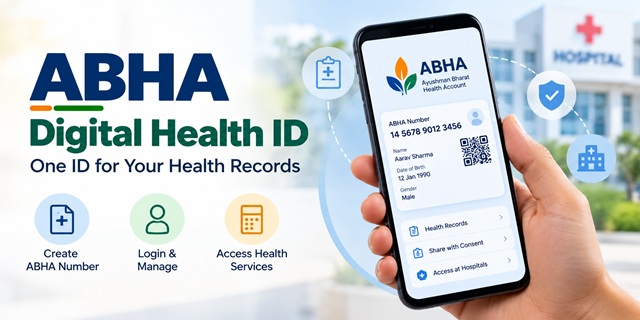
ABHA is your digital health ID. You can think of it as an identity card for your health records. It helps you connect health information from participating hospitals, laboratories and other healthcare providers through India's digital health system. You decide whether to share your records through the applicable consent process.
You can create an ABHA number online for free through the official ABHA portal. This guide explains how to create an ABHA number, log in, download your ABHA card, recover a forgotten number, manage your ABHA address and understand your privacy options.
Quick Answers About ABHA
- What is ABHA? ABHA stands for Ayushman Bharat Health Account. It provides a unique 14-digit health identifier.
- Is ABHA compulsory? No. Creating an ABHA number is voluntary.
- Is ABHA registration free? Yes. The official ABHA registration process is free.
- What do I need? You can start with Aadhaar or a Driving Licence through the available registration options. Follow the portal's current instructions for authentication and contact details.
- Where can I create ABHA? Visit the Create ABHA Number page or use an official or ABDM-integrated health application that supports ABHA creation.
- Who manages the mission? The National Health Authority implements the Ayushman Bharat Digital Mission under the Ministry of Health and Family Welfare.
- Helpline: 1800-11-4477 or 14477. Check the official ABDM website for current support information.
What Is ABHA?
ABHA stands for Ayushman Bharat Health Account. It gives you a unique 14-digit number that can help connect your health records across participating healthcare providers and digital health services.
Consider how your medical information can be spread across different places. One hospital may have your previous prescriptions, a laboratory may hold your test reports, and another clinic may have your consultation notes. ABHA helps connect these records through the Ayushman Bharat Digital Mission (ABDM), subject to the participating facility's systems and the applicable consent process.
ABHA does not automatically give every doctor access to all your medical records. Health information is shared through the relevant digital health services and consent arrangements. The availability of records also depends on whether the healthcare provider has created or linked them to the digital health system.
The government initially referred to the digital health identifier as Health ID. The Ayushman Bharat Digital Mission was launched nationwide on 27 September 2021 to build an integrated digital health ecosystem.
You can learn more about the mission on the official Ayushman Bharat Digital Mission website.
ABHA Portal at a Glance
The official ABHA portal provides options for creating a new health account, accessing an existing account and reaching other digital health services. Here are the main options to understand before you begin.
- Create ABHA Number: Use this option if you do not already have an ABHA number.
- ABHA Login: Open this page to access your existing ABHA account.
- Facility Login: This option is intended for registered healthcare facilities, not ordinary individual users.
- ABHA Address and Personal Health Records: Visit the PHR portal to explore personal health record services.
- Find or recover ABHA details: Use the relevant recovery option available on the portal if you have forgotten your ABHA number or enrolment details.
ABHA supports a connected digital health ecosystem. Depending on the services available to you, it can help you link health records, access personal health record applications and use digital registration services at participating healthcare facilities.
These benefits depend on the participation of healthcare providers and the functionality of the application or service you use. Creating an ABHA number alone does not guarantee that every hospital record will appear in your account.
ABHA Number, ABHA Address and Ayushman Card: What Is the Difference?
ABHA, an ABHA address and an Ayushman card serve different purposes. Understanding the difference will help you avoid confusion while registering for digital health services.
| Name | What it means | Purpose |
|---|---|---|
| ABHA number | A unique 14-digit identifier | Helps identify you within the ABDM digital health ecosystem and connect eligible health records. |
| ABHA address | A username, often in a format such as name@abdm | Helps you access supported personal health record applications and share records through the applicable process. |
| Ayushman card | A beneficiary card under a government health coverage scheme, where eligible | Helps eligible beneficiaries access benefits under the applicable scheme, such as Ayushman Bharat PM-JAY. |
An ABHA number is not the same as an Ayushman card. Creating ABHA does not automatically make you eligible for free treatment or health insurance benefits.
Ayushman Bharat Pradhan Mantri Jan Arogya Yojana (AB PM-JAY) has its own eligibility rules and beneficiary verification process. Eligible families can receive health cover of up to ₹5 lakh per year for specified secondary and tertiary hospitalisation services, subject to the scheme's terms.
Check your eligibility through the official PM-JAY beneficiary search portal or the official PM-JAY website.
Do not assume that every person who creates an ABHA number qualifies for PM-JAY. The two systems serve different purposes and follow different rules.
Documents and Details Required to Create ABHA
The online process depends on the registration method you choose. Keep the relevant identity details and your mobile phone ready before you begin.
- Aadhaar route: Keep your Aadhaar number available and follow the portal's current authentication instructions. If Aadhaar OTP authentication is selected, you need access to the mobile number linked with Aadhaar.
- Driving Licence route: Keep your Driving Licence and the personal details requested by the portal ready.
- Mobile phone: You may need it to receive an OTP or complete another verification step.
- Contact details: Enter your details carefully when the portal asks for them.
The portal may request consent and identity verification before creating your ABHA number. Follow the instructions shown on the live website, as the sequence and available options may change.
How to Create an ABHA Number With Aadhaar
Aadhaar is one of the available ways to create an ABHA number online. The portal guides you through its registration screens. Follow these steps and read the consent message before proceeding.
- Open the official ABHA portal.
- Select Create ABHA Number.
- Choose the Aadhaar option if it is available on the registration screen.
- Enter your Aadhaar number in the required field.
- Read the consent statement carefully and proceed only if you agree to the stated purpose and conditions.
- Select the available Aadhaar authentication method and complete the captcha, if requested.
- If you choose OTP authentication, enter the OTP received on your Aadhaar-linked mobile number.
- Complete the contact and profile details requested by the portal.
- Follow the remaining on-screen instructions to complete registration and create an ABHA address if prompted.
- Once the process finishes, save your ABHA number and follow the portal's instructions to access your digital ABHA card.
The exact labels, order of steps and available authentication options may change as the portal is updated. Use the instructions displayed on the official website rather than relying on an old screenshot.
Keep your ABHA number somewhere safe. You may need it when accessing supported health services or linking records through a personal health record application.
How to Create an ABHA Number With a Driving Licence
If you want to use the Driving Licence route, first check that this option is available on the official registration page. The portal will guide you through the identity verification process.
- Open the Create ABHA Number page.
- Select Driving Licence if the option is available.
- Enter the mobile number and other details requested by the portal.
- Complete the captcha and mobile verification step, if prompted.
- Provide the Driving Licence and profile details requested by the registration process.
- Read the consent statement and proceed only after understanding it.
- Complete the remaining instructions to finish the application.
- Save the ABHA number and follow the portal's instructions to access the digital card.
The registration process may require additional verification or follow-up steps. Do not assume that selecting a Driving Licence automatically completes identity verification in every case.
What If Your Mobile Number Is Not Linked With Aadhaar?
If you choose Aadhaar OTP authentication, the OTP is sent to the mobile number registered with Aadhaar. If you no longer have access to that number, you may not be able to complete that particular authentication route.
You can consider the following options:
- Update your Aadhaar mobile number: Contact an authorised Aadhaar enrolment or update centre and follow UIDAI's current process to update your mobile number.
- Ask for assisted registration: Visit a participating healthcare facility and ask whether it can help you create an ABHA number through an available assisted method.
- Check another registration method: If the portal offers a Driving Licence or another suitable option, review its requirements and use it if you qualify.
Do not assume that every health facility provides biometric ABHA creation. Confirm that the facility participates in ABDM and offers the required service before visiting.
For Aadhaar-related updates, use the official UIDAI website.
Create ABHA Through the ABHA App or Aarogya Setu 2.0
You can also access digital health services through supported mobile applications. The options available depend on the application, its current version and the services integrated with ABDM.
Using the ABHA App
The ABHA app helps users manage their personal health record experience. Check the official app listing and current instructions before downloading or using it.
- Open the official ABHA app.
- Look for the account creation or registration option.
- Choose the available identity verification method.
- Complete the requested authentication and profile details.
- Follow the instructions to create or access your ABHA profile.
App screens and authentication methods can change between versions. Use the instructions shown in your installed version and avoid downloading unofficial copies.
Using Aarogya Setu 2.0
Aarogya Setu 2.0 was launched on 29 June 2026 as a citizen-facing digital health application under ABDM. It was redesigned to provide personal health record features and access to connected digital health services.
To explore ABHA-related options, open the official application and look for its registration or ABHA section. Follow the identity verification steps displayed on your screen.
For the launch announcement and feature details, read the official PIB release on Aarogya Setu 2.0.
ABHA Login: How to Access Your Account
After creating your ABHA number, you can use the official login page to access the services available to your account.
- Open the ABHA Login page.
- Review the login methods displayed on the screen.
- Select the method that matches your available details, such as your mobile number, Aadhaar number or ABHA number, if offered.
- Enter the requested information and complete the captcha, if required.
- Complete the OTP or other verification step shown by the portal.
- After successful authentication, follow the available options to access your ABHA profile.
The available login methods may depend on your account and the portal's current functionality. For example, Aadhaar-based login may require your ABHA to be linked with Aadhaar.
If you created an ABHA number but forgot the number or enrolment details, look for the relevant recovery option on the official login page.
Where to Find and Download Your ABHA Card
The ABHA card is a digital representation of your ABHA details. You can save a digital copy for convenient access. Printing the card is optional, but you should follow the requirements of the healthcare provider or service you are visiting.
To find your card, follow these general steps:
- Open the ABHA Login page.
- Sign in using one of the methods available for your account.
- Open your ABHA profile or account dashboard.
- Look for the ABHA card, view or download option provided by the portal.
- Save the file on your phone or another secure device.
The location and name of the download button may change when the portal is updated. If you cannot find the card, check the available help information or contact ABDM support.
You may also be able to use your ABHA address in supported applications. However, an ABHA address and an ABHA number are different identifiers, so keep the distinction in mind.
Forgot Your ABHA Number or Password?
If you cannot remember your ABHA number or login details, first check the recovery options provided on the official portal.
Recover Your ABHA Number
- Open the ABHA Login page.
- Look for the option to recover or retrieve your ABHA number.
- Select an available recovery method, if offered.
- Enter the details requested by the portal.
- Complete the consent, captcha and OTP steps, if applicable.
- Follow the remaining instructions to retrieve your details.
You may need access to the mobile number associated with your account or identity verification method. The exact recovery options depend on the portal's current functionality.
Reset Your Password in a Health Record App
If you have forgotten a password for an ABHA address or personal health record application, use that application's official password recovery process. Do not assume that every ABHA service uses the same password system.
Follow the application's instructions to verify your identity and set a new password. Never share your password or OTP with an unverified person claiming to recover your account.
ABHA Address and Linking: Self-Declared and KYC-Verified Profiles
An ABHA address is a username used by supported personal health record applications. It may look similar to an email address, for example, name@abdm. It helps you access supported digital health services and manage health records through the applicable process.
You can create or manage an ABHA address through supported applications or the official Personal Health Record portal, subject to the options currently available.
Depending on the service, a profile may be created using self-declared information or linked with an ABHA number after identity verification.
- Self-declared profile: You provide the information requested by the application. The details you can edit depend on the service's rules.
- KYC-verified profile: The profile has undergone the applicable identity verification and linkage process. Some verified details may be restricted from direct editing.
To link an ABHA address with an ABHA number, open the relevant profile and look for the linking option. Follow the identity verification instructions shown by the application.
If you want to unlink an ABHA number, check whether the service provides that option and read the consequences before proceeding. The availability and effect of linking or unlinking can depend on the application and the applicable rules.
Do not assume that every application allows unlimited ABHA addresses or offers identical linking and unlinking controls. Follow the official instructions for the service you use.
ABHA for Family Members
Families may use digital health applications to manage their own health information and, where supported, help manage information for dependants. The exact process depends on the application and the authority the user has to act for another person.
Before creating an ABHA for a family member, check the official registration requirements. Do not assume that one mobile number can be used to complete every family member's registration without separate identity checks or consent.
Aarogya Setu 2.0 and other personal health record applications may provide family-related features. Availability, member limits and the information you can manage may vary, so check the current instructions in the official app.
Scan and Share: Faster Registration at Participating Hospitals
ABDM's Scan and Share service can help patients complete digital registration at participating healthcare facilities. Instead of manually entering the same details at the registration desk, a patient can scan a facility's QR code through a supported application.
The general process works as follows:
- Visit a hospital or healthcare facility that supports the Scan and Share service.
- Open a supported application and find the relevant scanning option.
- Scan the QR code displayed by the facility.
- Review the information that the application proposes to share and follow the consent instructions.
- Complete the process and follow the facility's instructions for receiving your registration or token details.
- Show the required information to the hospital staff when asked.
The exact information shared and the steps involved depend on the application and facility. You may still need to provide additional information or complete checks at the counter.
ABDM reported substantial use of digital registration and Scan and Share services in 2026. For the latest national figures and implementation updates, refer to the official PIB overview of the Ayushman Bharat Digital Mission.
Do not assume that every hospital supports Scan and Share. Confirm availability at the facility you plan to visit.
Aarogya Setu 2.0: Features and Services
Aarogya Setu 2.0 was launched on 29 June 2026 as a redesigned digital health application under the Ayushman Bharat Digital Mission. The government describes it as a citizen-facing gateway for personal health records and connected health services.
According to the official launch announcement, the application aims to make digital health services easier to access. The services available to a particular user may depend on the app version, participating providers and the integrations that are operational.
- ABHA access: Supports access to ABHA-related services through the available registration and login options.
- Health records: Provides personal health record features for supported health information.
- Document uploads: Certain features may allow users to upload health documents and view digitally generated summaries. Always check the original medical document because automated summaries can contain errors.
- Health locker: The application may offer connected document storage features. Follow the current instructions and review the terms before linking another service.
- Health dashboard: Supported features may help users review health information or trends from available records.
- Insurance information: The app's official materials describe access to certain insurance-related information and connected services. Availability can depend on the scheme and integration.
- Find healthcare: Connected services may help users discover facilities, check selected availability information or find appointment options.
- Health tracking: The app may provide health tracking or wearable integration features where supported.
- Consent management: Supported services can help users review or manage requests to access their health information.
- Languages: Check the current app listing and settings for the languages available in your version.
Do not assume that every feature mentioned in an announcement is available to every user immediately. Check the app's current interface and the official release for the precise scope of each service.
For confirmed details, read the PIB announcement on Aarogya Setu 2.0.
Other health record applications may also connect with ABDM. The availability of a particular application or service does not mean that users must choose it. Review the relevant privacy policy, terms and supported features before deciding which application to use.
Consent and Privacy: Who Can See Your Health Records?
Consent is a central part of the ABDM approach to exchanging health information. However, the exact process depends on the application, the healthcare provider and the service involved. Read the consent request before approving access to your records.
- Review the records being requested: Check which health information the request covers before approving it.
- Check the purpose: Make sure you understand why the healthcare provider or service needs access.
- Review the time period: If the consent request specifies an access period, check the start and end dates before agreeing.
- Manage consent through the available controls: Use the relevant application or service to review or withdraw consent where that option is available.
- Check what is stored and where: Health records may be held by the hospitals, laboratories or other providers that create them. The ABDM ecosystem enables interoperable exchange through participating systems; it should not be understood as a single central database containing every patient's full medical record.
Do not assume that every consent request has the same duration or that deleting a consent automatically deletes the original medical record held by a hospital. Read the details shown by the relevant service.
The official ABDM website publishes its data privacy and health data management policies. Review the current policy documents for details about data handling, security, consent and user rights.
India's data protection framework includes the Digital Personal Data Protection Act, 2023, alongside other applicable laws and rules. The precise legal requirements depend on the circumstances and the provisions in force.
Digital health records can help a healthcare provider understand your medical history, but you should share information only after reviewing the request and understanding the purpose. Keep your account credentials secure and report suspicious activity through official channels.
How to Opt Out of ABHA
Creating an ABHA number is voluntary. If you no longer want to use your ABHA, check the official portal or application for the current deactivation or opt-out procedure.
Before deactivating your ABHA, read the information provided about the consequences. Deactivation of an identifier and deletion of health records held by healthcare providers are not necessarily the same action.
If you cannot find the relevant option, contact ABDM through its official support channels or submit a request through the ABDM grievance portal.
ABHA Across India: Latest Official Figures
The Ayushman Bharat Digital Mission has expanded since its launch in 2021. Official government releases report the number of ABHA accounts created, health records linked and healthcare facilities participating in the digital health ecosystem.
- ABHA accounts: A PIB update reported that more than 97.61 crore ABHA IDs were operational as of 17 September 2026.
- Linked health records: The same update reported more than 119.95 crore linked health records as of that date.
- Women account holders: The update reported that women represented 49.74% of ABHA ID users as of 17 September 2026.
- Healthcare facilities and professionals: The official update also reported growth in the number of verified facilities and registered healthcare professionals.
These figures describe the broader Ayushman Bharat Digital Mission ecosystem, not the number of users of a single ABHA app or website.
For the underlying figures and their reporting date, read the official PIB update on ABDM progress.
National totals and state-wise figures change over time. If you quote a state ranking, percentage or account count, verify that the official release provides that particular figure and clearly state its date.
ABHA Helpline and Grievance: Where to Get Help
If you cannot create an ABHA number, access your account or use a digital health service, contact the official support channel. The appropriate route depends on whether the issue concerns registration, authentication, a health record, a healthcare facility or another ABDM service.
1. Call the ABDM Helpline
- Toll-free numbers: 1800-11-4477 and 14477.
- Website: Official ABDM website.
Check the official website for the current helpline hours, language support and contact instructions. Do not assume that all services are available at the same hours.
2. Submit an Online Grievance
You can visit the ABDM grievance portal to check the complaint process and submit a request through the options currently available.
Follow the form instructions and save any reference or application number provided after submission. You can use the available tracking option to check progress.
Do not rely on an unverified resolution deadline. Check the grievance portal's current service standards and the acknowledgement issued for your complaint.
3. Contact the National Health Authority
The official ABDM website lists the National Health Authority's contact information and support channels. Check the website for the current address, email and other contact details before sending a complaint.
Official website: https://abdm.gov.in/
Official grievance portal: https://grievance.abdm.gov.in/
You can also explore the ABDM help and information pages for guidance on available digital health services.
Conclusion
ABHA provides a digital health identifier that helps connect people with India's growing digital health ecosystem. Through the official ABHA portal, you can create an account, access login and recovery options, manage supported profile details and explore personal health record services.
Before you register, remember that ABHA and the Ayushman card serve different purposes. ABHA creation is voluntary, and it does not automatically provide health insurance or free treatment. The availability of connected records and digital services also depends on participating healthcare providers and the relevant application.
For the safest experience, use the official ABHA portal, read consent requests carefully, protect your login details and verify important information through ABDM and other government sources. These steps will help you use ABHA with a better understanding of its benefits and limitations.
Add new comment