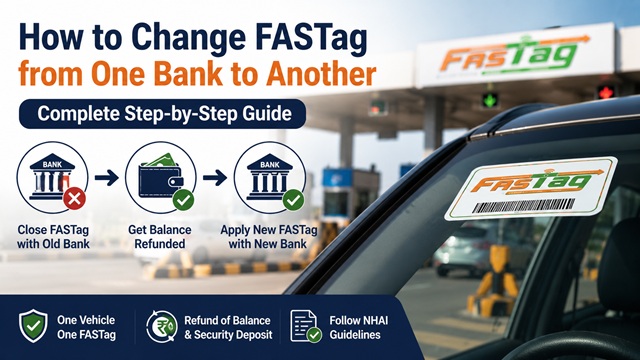
There is no direct bank transfer option for FASTag in India. You cannot move your existing FASTag account from one bank to another like a bank account transfer. This is the first thing you need to understand clearly.
As per the official NHAI FASTag FAQ document published by IHMCL, the correct process is: close (deactivate) your current FASTag with the old bank, get the balance refunded, and then apply for a brand new FASTag with the bank of your choice.
This guide explains exactly how to do this, step by step, based on official NHAI and IHMCL guidelines.
Can You Directly Transfer FASTag from One Bank to Another?
No. There is no direct transfer mechanism. The FASTag ecosystem in India, managed by IHMCL and NPCI under the National Electronic Toll Collection (NETC) programme, does not support bank-to-bank FASTag transfers.
Each FASTag is a physical RFID sticker permanently assigned to one vehicle (based on its RC) and one bank account. The RFID tag itself is the property of the issuing bank and cannot be reassigned to another bank's system.
The only official process to change your FASTag bank is:
- Close the FASTag with the current bank (permanent deactivation)
- Get refund of balance and security deposit
- Apply for a fresh FASTag with the new bank
The One Vehicle, One FASTag Rule - What It Means for You
As per NHAI and IHMCL guidelines, India enforces a strict One Vehicle, One FASTag rule. This means:
- Only one FASTag can be active for a single vehicle registration number at any given time
- If you try to link a second FASTag to the same vehicle without closing the first one, the older FASTag gets automatically deactivated by the NETC system
- Having two active FASTags on the same vehicle can cause double deductions at toll plazas and may result in your vehicle being blacklisted in the NETC system
This is why it is critical to properly close your old FASTag before applying for a new one. Do not simply stop using your old tag, formally close the account with the bank.
Why People Want to Change Their FASTag Bank
There are several valid reasons to want a different bank for your FASTag:
- Paytm Payments Bank closure: After Paytm Payments Bank stopped issuing new FASTags and restricted recharges in early 2024, millions of users needed to migrate to another bank
- Poor customer service: Slow response to disputes, recharge failures, or blacklisting issues from current bank
- Better features: Another bank offers better cashback, faster customer care, or easier recharge via their existing banking app
- Bank account migration: You have closed your account with the FASTag-issuing bank and want to move to your primary bank
- FASTag physically damaged or expired: Tag is over 5 years old and must be replaced, and you prefer to take this opportunity to change banks
- Frequent recharge failures: Ongoing technical issues with current bank's system
What You Lose and What You Keep When Changing Banks
| Item | What Happens |
|---|---|
| Wallet balance (prepaid FASTag) | Refunded to your linked bank account within 5-7 working days after deactivation |
| Security deposit (Rs. 200) | Refunded at the time of permanent deactivation. Ask your bank explicitly for this. |
| FASTag sticker (RFID tag) | Must be removed from windshield and destroyed. The sticker is non-transferable by design. |
| Transaction history | You can download your old transaction history from the bank's portal or My FASTag app before closing. After closure, access is lost. |
| Active passes / monthly passes | Lost. Monthly or annual passes linked to the old FASTag cannot be transferred. You need to reapply on the new FASTag. |
| FASTag Annual Pass (Rajmargyatra) | If you hold an active annual pass, contact NHAI helpline 1033 before closing. The pass may need to be re-mapped to the new tag. |
| Vehicle registration number link | Stays the same. The new FASTag will also be linked to the same vehicle number plate. |
The Complete Process - Step by Step
Follow these steps in order. Do not skip any step, especially Step 3 (closing the old tag) before Step 6 (applying for the new one).
Step 1: Note Down Your Old FASTag Details
Before initiating any process, save the following information:
- FASTag ID or wallet number (printed on the back of the sticker or in your welcome kit)
- Registered mobile number linked to the FASTag
- Current wallet balance (check via My FASTag app, your bank app, or missed call at +91-8884333331 for NHAI wallet)
- Security deposit amount paid at the time of issuance
- Any active pass details (monthly pass, annual pass)
- Transaction history, download from the My FASTag app or your bank's FASTag portal
You can check your FASTag details and balance on the official IHMCL FASTag portal (fastag.ihmcl.com) using your registered mobile number.
Step 2: Use Up or Transfer Remaining Balance (If Possible)
Since balance refunds can take 5-7 working days, you may want to use up the existing balance by traveling through toll plazas before initiating closure. This is optional but practical.
However, do not take a long trip specifically for this purpose if the old tag is giving you problems. The refund process is straightforward, just allow time for it to process.
Note: You cannot transfer the FASTag wallet balance directly to another FASTag account. The balance can only be refunded to the bank account linked to the old FASTag.
Step 3: Close / Deactivate the Old FASTag
This is the most important step. Contact your current issuing bank and request permanent deactivation of your FASTag. Do not just block or hotlist it, you need full account closure for a refund.
You can initiate deactivation through any of these official channels:
- NHAI Helpline 1033 (24x7, free, works for all banks) :- Call 1033 and request permanent deactivation
- My FASTag App (fastag.ihmcl.com) Log in :- Manage FASTag > Deactivate / Close Account
- Your bank's mobile app or net banking :- Go to FASTag Services > Close Account or Deactivate
- Your bank's FASTag customer care :- Numbers listed in Section 17 below
- Bank branch visit :- Required for some banks to complete permanent closure and receive refund
When requesting deactivation, clearly state: "I want to permanently close and deactivate my FASTag account and switch to a different bank. Please initiate a refund of my wallet balance and security deposit."
The bank will:
- Verify your identity using OTP on the registered mobile number
- Initiate the deactivation in the NETC system (takes effect within minutes)
- Initiate the balance refund process (takes 5-7 working days)
- Provide you a reference or ticket number, save this
For a detailed guide on deactivation methods, read: How to Block or Deactivate FASTag: Close FASTag Account Easily
Step 4: Get Your Security Deposit and Balance Refunded
As per NHAI guidelines, after permanent deactivation:
- Your remaining wallet balance is refunded to your linked bank account within 5-7 working days
- The refundable security deposit (typically Rs. 200) is also returned, request this explicitly
- Refunds are processed via NEFT or IMPS to the bank account registered with the FASTag
If the refund does not arrive within 7 working days:
- Call your bank's FASTag customer care with the deactivation reference number
- Escalate to NHAI via the grievance portal at nhai.gov.in or call 1033
- For financial disputes unresolved by the bank, approach the RBI Banking Ombudsman
Do not proceed to apply for a new FASTag before confirming the old one is deactivated. Wait for the SMS or email confirmation from the bank stating the account is closed.
Step 5: Remove the Old FASTag Sticker from the Windshield
Once the old FASTag account is confirmed as deactivated, remove the RFID sticker from your windshield. Here is the correct way to do it:
- Use a plastic scraper or credit card edge to gently lift one corner of the sticker
- Peel slowly at a flat angle to avoid breaking the sticker into pieces on the glass
- Use a small amount of adhesive remover or isopropyl alcohol on a cloth to clean any residual adhesive from the glass
- Do not reuse the removed sticker on any vehicle, FASTag stickers are designed to be non-transferable and self-destruct upon removal. The RFID chip is damaged when the sticker is peeled off, which is an intentional security feature
- Destroy the removed sticker, do not leave it around where someone might attempt to reuse it
Also clean the windshield area where the new sticker will be placed. The surface must be clean and dry for the new sticker to adhere properly.
Step 6: Apply for a New FASTag with the New Bank
After receiving confirmation that the old FASTag is deactivated, you can apply for a new FASTag with the bank of your choice. As per NHAI, multiple banks are currently certified by IHMCL to issue FASTag.
Ways to apply for a new FASTag:
- Online through the bank's app or website: Most banks allow you to apply for a FASTag directly through their mobile app or website. The FASTag sticker is delivered to your address within 5-7 working days.
- At a bank branch: Visit any branch of the new issuing bank and apply in person.
- At an NHAI toll plaza POS: All national highway toll plazas have FASTag Point-of-Sale counters. You can get a new FASTag issued on the spot with minimal documents.
- At a Common Service Centre (CSC): CSCs across India are authorised to issue FASTag. Visit csc.gov.in to find your nearest CSC.
- NHAI FASTag (bank-neutral): Available at toll plazas and online via Flipkart. This gives you the flexibility to link any bank account later through the My FASTag app.
Documents required for new FASTag:
- Vehicle Registration Certificate (RC)
- Aadhaar card, PAN card, Driving Licence, Voter ID, or Passport (any one for KYC)
- One passport-size photograph
- Registered mobile number (for OTP verification)
Charges for new FASTag: As regulated by the Government, The FASTag sticker cost is regulated and generally low, but the total amount payable may vary depending on the issuing bank, including security deposit and recharge amount. Most banks additionally collect a refundable security deposit of Rs. 200 and an initial recharge amount of Rs. 200. Total upfront cost is typically around Rs. 500, of which Rs. 200 (security deposit) is refundable when you eventually close this FASTag too.
Step 7: Affix the New FASTag Correctly
Correct placement is critical. An incorrectly placed FASTag will not scan at toll plazas and your vehicle may be charged double the toll. As per NHAI installation guidelines:
- Place the sticker on the inner side of the front windshield
- Position it at the top center of the windshield, just behind the rear-view mirror (IRVM)
- The sticker must be flat against the glass, no bubbles, no curling edges
- Do not place it on the dashboard, on top of another sticker, or behind a tinted film that blocks RF signals
- Do not hold the tag by hand while approaching a toll plaza, this violates NHAI rules and can get your tag blacklisted
Step 8: Verify the New FASTag is Active
After affixing the new sticker, verify it is correctly registered and active before travelling on a highway:
- Log in to the IHMCL FASTag portal (fastag.ihmcl.com) or your new bank's FASTag portal with your registered mobile number
- Confirm that your vehicle registration number is correctly linked to the new FASTag
- Check the tag status, it should show Active with a green indicator
- Recharge the new FASTag with a minimum amount and take a short toll trip to confirm it scans correctly
- You can also verify the FASTag status on the official NPCI NETC status checker at npci.org.in by entering your vehicle details
If the tag does not scan at the toll plaza on your first trip, do not panic. Pay the toll and call your bank's FASTag customer care immediately with your vehicle number and new FASTag ID. Most activation issues are resolved within 24-48 hours.
Special Case: Changing Bank for NHAI FASTag (Bank-Neutral Tag)
If you have an NHAI FASTag (the bank-neutral variant), the process is slightly different and more straightforward.
As per the official NHAI FASTag FAQ, NHAI FASTag is a bank-neutral tag that can be linked to any bank account through the My FASTag App. If you want to change the linked bank account:
- Open the My FASTag App (available on Android and iOS)
- Log in with your registered mobile number
- Go to Manage FASTag > Link Bank Account
- Unlink the current bank account
- Link your new preferred bank account by following the on-screen steps
- Set a new threshold limit for auto top-up from the new bank account
In this case, you do not need a new physical sticker. The same RFID sticker continues to work, now deducting toll charges from the newly linked bank account.
This is a major advantage of the NHAI FASTag over bank-issued FASTags. If you switch to NHAI FASTag in the future, you will not need to go through this entire closure and re-application process again.
Special Case: Paytm FASTag Users
Paytm Payments Bank stopped onboarding new FASTag customers in early 2024 following RBI action. If you are a Paytm FASTag holder and want to switch to another bank:
- Check your Paytm FASTag account status in the Paytm App under the FASTag section
- Contact Paytm Payments Bank customer care at 0120 4456 456 to request permanent deactivation and wallet balance refund
- If customer care is unavailable or unresponsive, escalate to NHAI helpline 1033 which handles cross-bank issues
- Wait for written confirmation (email or SMS) that the account is fully closed
- Apply for a new FASTag with a different bank as described in Steps 5 to 8 above
- Do not attempt to get a new FASTag before the Paytm tag is confirmed as deactivated, the One Vehicle, One FASTag rule will deactivate the older tag automatically, but this may cause issues during the transition period
How to Check If Your Vehicle Has Multiple Active FASTags
Before starting the bank change process, check if your vehicle already has multiple FASTags linked to it (which can cause double deductions at plazas):
- Visit the official NPCI NETC FASTag status checker at npci.org.in > What We Do > NETC FASTag > Check Your NETC FASTag Status
- Enter your vehicle registration number and submit
- The system shows all FASTags linked to your vehicle with their current status (Active, Deactivated, Blacklisted)
- If more than one tag appears as Active, contact the issuing banks to close the older ones immediately
You can also check via the IHMCL FASTag portal or the My FASTag App by entering your vehicle registration number.
Bank-wise FASTag Customer Care Numbers
Call your current issuing bank to initiate the deactivation and refund process. These numbers are sourced from the official NHAI FASTag FAQ document:
| Bank | FASTag Customer Care Number |
|---|---|
| Airtel Payments Bank | 8800-688-006 |
| Axis Bank | 1860-419-8585 |
| Bank of Baroda | 1800-103-4568 |
| Canara Bank | 1800-103-3568 |
| City Union Bank | 1800-258-7200 |
| Equitas Small Finance Bank | 1800-103-1222 |
| Federal Bank | 1800-266-9520 |
| FINO Payments Bank | 022-6868-1414 |
| HDFC Bank | 1800-120-1243 |
| ICICI Bank | 1800-210-0104 |
| IDBI Bank | 1800-266-1962 |
| IDFC First Bank | 1800-266-9970 |
| IndusInd Bank | 1860-210-8887 |
| Karur Vysya Bank | 1800-102-1916 |
| Kotak Mahindra Bank | 18-602-666-888 |
| Paytm Payments Bank | 0120 4456 456 |
| Punjab National Bank | 1800-419-6610 |
| Saraswat Bank | 1800-229-999 |
| South Indian Bank | 1800-425-1809 |
| State Bank of India | 1800-110-018 |
| Union Bank of India | 1800-258-6400 |
| Yes Bank | 1800-3000-1113 |
NHAI FASTag National Helpline: 1033 (24x7, free, all networks, all banks)
Common Mistakes While Changing FASTag Bank
- Applying for a new FASTag without closing the old one
- Not waiting for deactivation confirmation
- Forgetting to claim security deposit refund
- Using old FASTag after requesting closure
- Incorrect placement of new FASTag sticker
NHAI FASTag National Helpline: 1033 (24x7, Free, All Networks)
Disclaimer: This article is for informational purposes only. All procedures are subject to change by NHAI, IHMCL, and the respective issuing banks. Always verify the latest information at nhai.gov.in or fastag.ihmcl.com before taking action.
नवी प्रतिक्रिया द्या