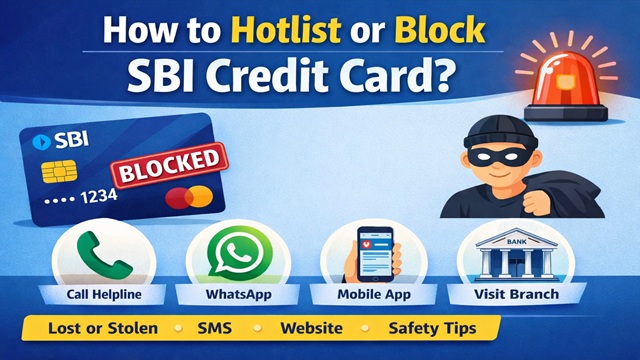
Losing a credit card can be stressful, especially when there is a risk of misuse. In this article, you will learn how to block or hotlist your SBI Credit Card using simple and official methods. The steps are explained in clear language so that anyone can follow them easily.
A credit card carries the bank's money, but its safety depends on the cardholder. As soon as a card is lost, stolen, or suspected of being misused, action should be taken immediately. Delaying the process can lead to financial loss.
Currently, SBI provides six official ways to block or hotlist a credit card. All methods are explained below in detail.
Method No. 1: Through Call / IVRS
- SBI has issued dedicated helpline numbers for credit card-related services.
- By calling these numbers, a lost or stolen credit card can be blocked quickly.
- SBI Credit Card Helpline Numbers :-
- 1800 180 1290
- 1800 180 1295
- After calling any one of the above numbers, select the preferred language.
- Then press 2 to report a lost or stolen credit card.
- Once the required card details are verified, the credit card is blocked or hotlisted immediately.
Method No. 2: Block Credit Card via WhatsApp Banking
- SBI also allows credit card blocking through WhatsApp Banking.
- This method is useful when the card is lost, stolen, or when any suspicious transaction is noticed.
- Open WhatsApp and send "Hi" to 9004022022.
- The chatbot will verify the SBI Credit Card linked to your mobile number using OTP.
- After verification, select the Block Card option from the service list.
- Once confirmed, the credit card is blocked successfully.
Method No. 3: Block Credit Card via SMS
- Credit card blocking can also be done through SMS from the registered mobile number.
- Type: BLOCK XXXX
- XXXX refers to the last 4 digits of the SBI Credit Card.
- Send the SMS to 5676791.
- For example, send BLOCK 4141 to 5676791.
- Please note that this SMS service is chargeable, and a fee of Rs. 3 per SMS applies.
Method No. 4: Through the SBI Card Mobile App
The SBI Card mobile application offers an easy way to block or hotlist a credit card.
- Download the SBI Card app from the Google Play Store or Apple App Store.
- Open the app and go to the Menu.
- Select Service Request.
- Click on Report Lost / Stolen Card.
- Select the credit card and submit the request.
- After submission, the credit card is hotlisted instantly.
Method No. 5: Through Website (sbicard.com)
SBI Credit Card holders can also block their card through the official SBI Card website.
- Visit https://www.sbicard.com/ and log in to your account.
- Go to the Service Request section from the menu.
- Select Block Lost / Stolen Card.
- Choose the credit card and confirm the request.
- The website verifies the registered mobile number through OTP.
- After verification, the credit card is blocked successfully.
Method No. 6: Block Credit Card by Visiting a Bank Branch
- If none of the online or phone-based methods work, the credit card can be blocked by visiting a bank branch.
- Visit the nearest SBI branch.
- Collect the Credit Card Hotlisting Request Form from the bank staff.
- Fill in all the required details correctly and submit the form.
- After verification by the branch, the credit card will be blocked.
Very Important Points to Remember
- Block the credit card immediately if it is lost or stolen.
- Never share your credit card number, CVV, or OTP with anyone.
- Use only SBI's official helpline numbers and platforms.
- Avoid unknown calls, messages, and suspicious links.
Conclusion
Blocking or hotlisting an SBI Credit Card is a simple process when done on time. By using any of the six official methods mentioned above, cardholders can protect themselves from financial loss.
Add new comment