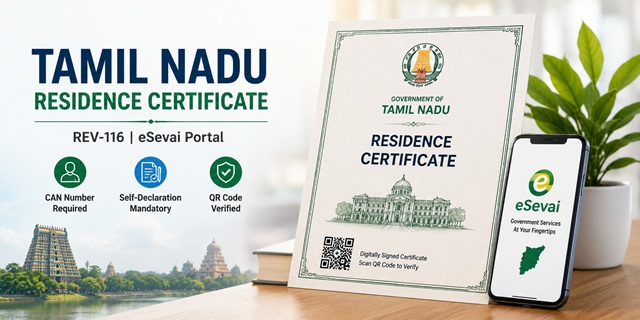
Tamil Nadu's Residence Certificate is officially coded as REV-116 on the eSevai portal and is issued by the Tahsildar of the respective Taluk. The certificate is required for educational admissions, government jobs, and state welfare schemes. Apply at tnesevai.tn.gov.in - developed and managed by TNeGA (Tamil Nadu e-Governance Agency). Three things are unique to Tamil Nadu's process: First, a CAN (Citizen Access Number) is mandatory for all eSevai revenue certificates - generate it free on the portal if you don't have one. Second, the application form asks for address history in Descending Chronological Order (most recent first). Third, after CAN registration the portal automatically generates a Self-Declaration form - download it, sign it, scan it, and upload it with the application. Field verification is done by the VAO (Village Administrative Officer) followed by the RI (Revenue Inspector) before the Tahsildar issues the digitally signed certificate. All issued certificates carry a QR Code for instant verification. Fee is Rs. 60. Processing time is 7 to 15 working days. Tamil Nadu has 10,443 eSevai Centres (CSCs) statewide.
- TN eSevai Portal (Apply/Status/Download): tnesevai.tn.gov.in
- New User Registration: tnesevai.tn.gov.in/register
- eSevai Centre Locator: tnega.tn.gov.in/csclocation
- Services List: tnesevai.tn.gov.in/services-list
- REV-116 Process Guide (PDF): tnesevai.tn.gov.in/REV-116-guide
- TNeGA Address: 807, 7th Floor, PT Lee Chengalvarayan Naicker Building, Anna Salai, Chennai 600002
- Toll Free: 18004256000
- Email: [email protected]
Eligibility Criteria
- Permanent resident of Tamil Nadu - minimum 5 years of continuous residence
- Applicant's parent is a permanent resident of Tamil Nadu
- Women married to a permanent resident of Tamil Nadu
What is CAN (Citizen Access Number)
CAN stands for Citizen Access Number - a unique identifier that links your personal details (name, address, Aadhaar) to the TN eSevai system. All revenue certificates on tnesevai.tn.gov.in including REV-116 Residence Certificate, REV-101 Community Certificate, Income Certificate, and Nativity Certificate require a CAN. If you applied for any TN eSevai certificate before, your CAN may already exist - search by name, Aadhaar, or mobile. If not, register for a new CAN free of cost on the portal before applying for the Residence Certificate.
What is Self-Declaration in TN eSevai
After completing CAN registration, the eSevai portal automatically generates a Self-Declaration form pre-filled with your details. This process is:
- Download the auto-generated Self-Declaration PDF from the portal
- Sign it physically
- Scan the signed document
- Upload the scanned copy with the REV-116 Residence Certificate application
The Self-Declaration confirms that all details provided are accurate. It is a mandatory upload for the Residence Certificate application.
Address in Descending Chronological Order
The REV-116 application form has a section for Address Details of the Applicant in Descending Chronological Order. This means you enter your address history starting from the most recent address first and going backwards in time. For example: current address (2024-present) → previous address (2019-2024) → address before that (2014-2019). This helps the VAO verify your residence history across the required 5-year period.
Documents Required
Mandatory:
- Current photograph
- Current address proof
- Self-Declaration (auto-generated after CAN registration - download, sign, scan, upload)
- CAN Number (mandatory for all revenue certificates on tnesevai.tn.gov.in)
Any one additional identity/address document:
- Passport, Driving Licence, PAN Card, Bank Passbook with photograph, Smart Card issued by RGI under NPR, Health Insurance Smart Card, Pension Document, Service Identity Card, MP/MLA/MLC Official Identity Card, or Authenticated Photo Voter Slip
How to Apply via TN eSevai Portal
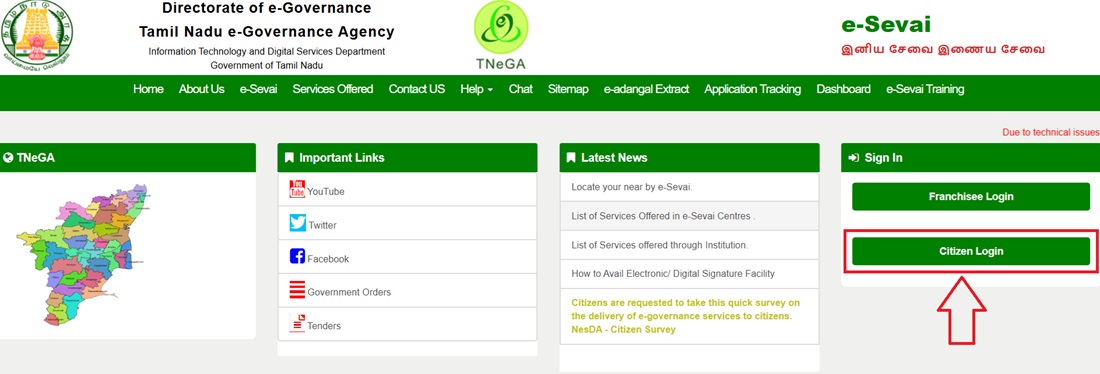
- Visit tnesevai.tn.gov.in and click Citizen Login.
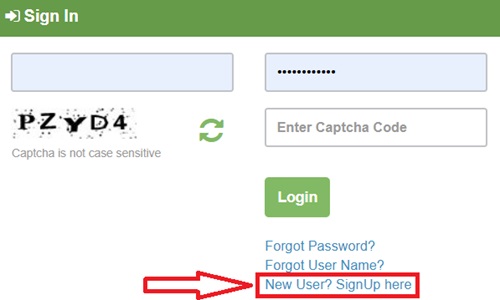
- Click New User? Sign Up Here.
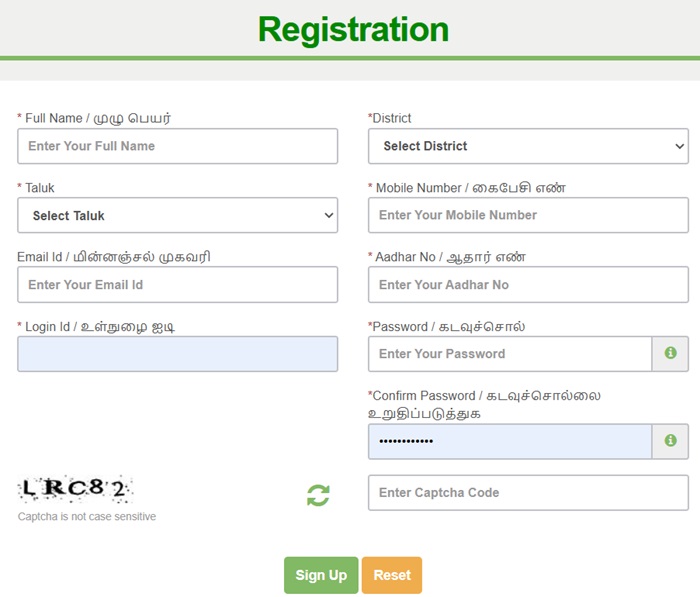
- Fill the registration form: Full Name, District, Email ID, Aadhaar Number, Mobile Number, Login ID, and Password. Click Sign Up.
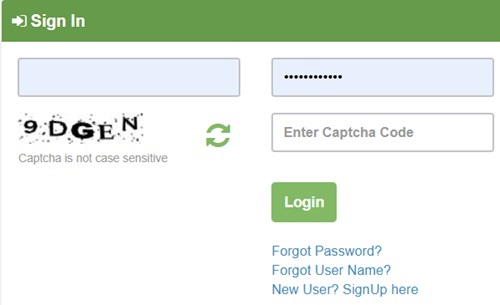
- Log in with Login ID and Password. Alternatively, use Mobile Number + OTP login. The captcha is not case sensitive.
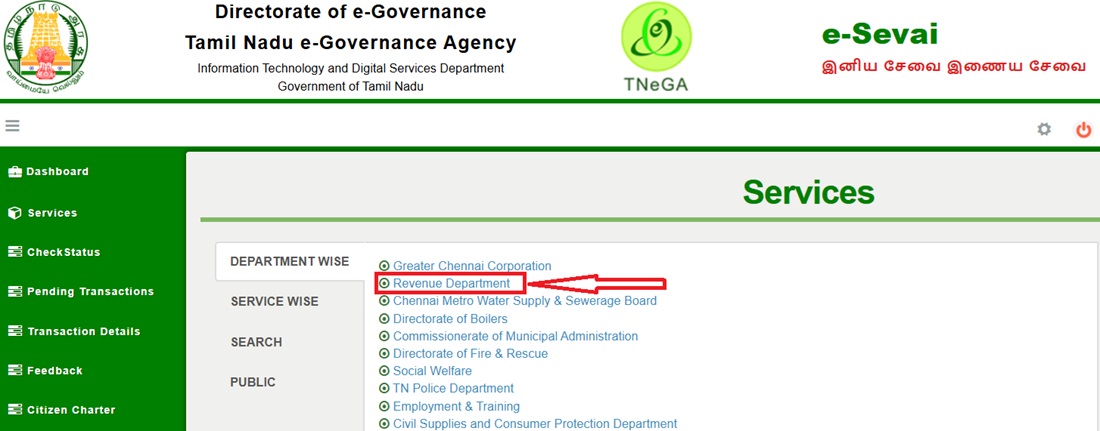
- From Department Wise section, click Revenue Department.
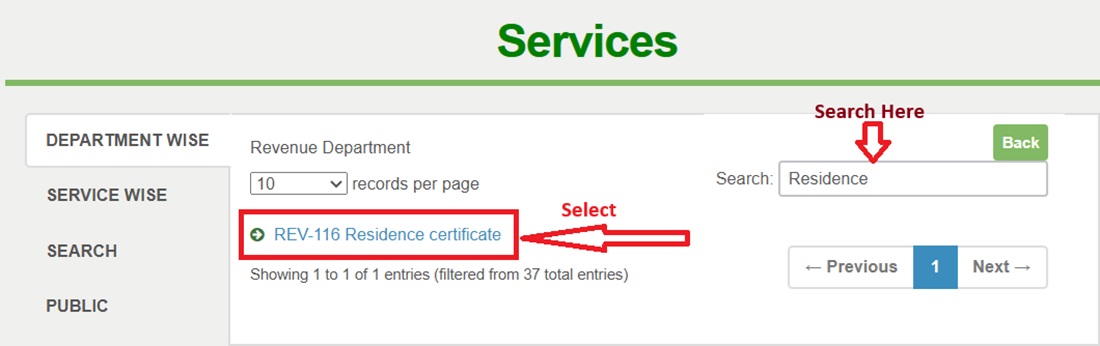
- Search for "Residence" and select REV-116 Residence Certificate.
- A new window opens with instructions. Enter your CAN Number and click Search. If you do not have a CAN, register for one on the portal first.

- Fill CAN Number, Applicant Name, Father Name, Mobile Number, Aadhaar Number, Email ID and click Search.

- The portal shows your details. Click Proceed to open the application form. Fill:
- Applicant Personal Details
- Current Address Details
- Permanent Address Details
- Contact Details
- Address Details in Descending Chronological Order (most recent first)
- Upload all documents including the signed Self-Declaration.
- Pay Rs. 60 by Credit Card, Debit Card, or Net Banking.
- An Application Number and acknowledgement receipt are generated. The application moves to VAO → RI → Tahsildar workflow.
How the Verification Workflow Works
After submission, the Residence Certificate application follows a three-stage verification:
- Stage 1 - VAO (Village Administrative Officer): The VAO visits the applicant's declared address to physically verify the residence. If the VAO is not visiting within 7 working days, contact the Taluk office directly with your Application ID.
- Stage 2 - RI (Revenue Inspector): Reviews the VAO's field report.
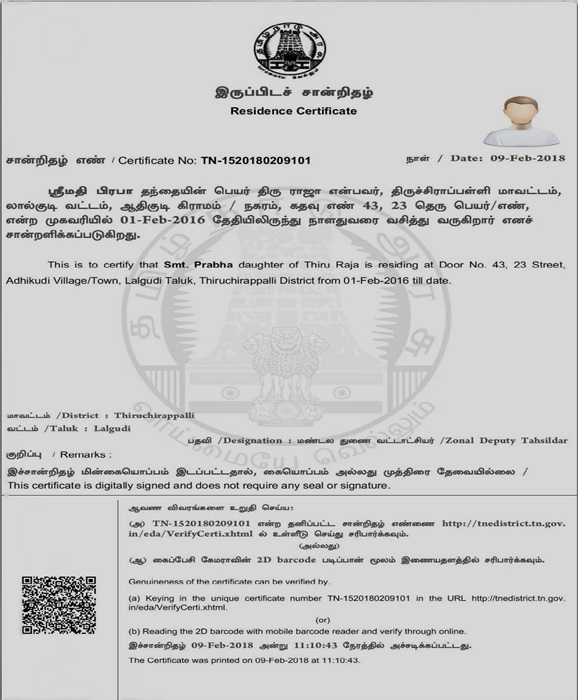
- Stage 3 - Tahsildar: Issues the digitally signed Residence Certificate with QR Code after approving the RI's report.
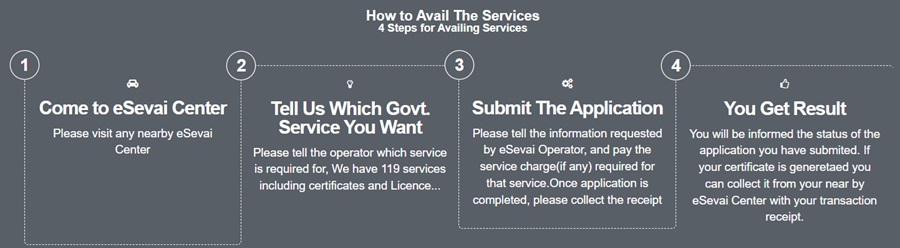
How to Apply at eSevai Centre
- Find your nearest eSevai Centre at tnega.tn.gov.in/csclocation. Tamil Nadu has 10,443 eSevai Centres across all districts.
- Visit with all required documents including CAN Number (if already registered) and signed Self-Declaration.
- The eSevai operator fills the REV-116 application form and uploads all documents on your behalf.
- Pay the service charge. Collect acknowledgement receipt with Application Number.
- After approval, collect the Residence Certificate from the same eSevai Centre. Or download from the portal.
Check Application Status
- Log in to tnesevai.tn.gov.in and click Check Status.
- Enter Application Number, Date, and Applicant Name. Click Search.
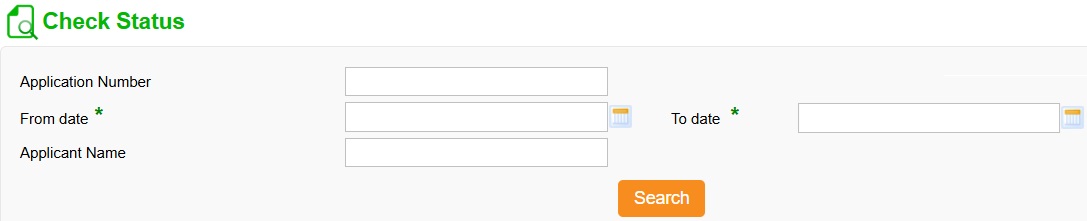
- Current status appears - shows whether at VAO, RI, or Tahsildar stage.
Download Certificate
- Log in, click Check Status, enter Application Number, Date, and Name. Click Search.
- A Download Certificate link appears in the status result.
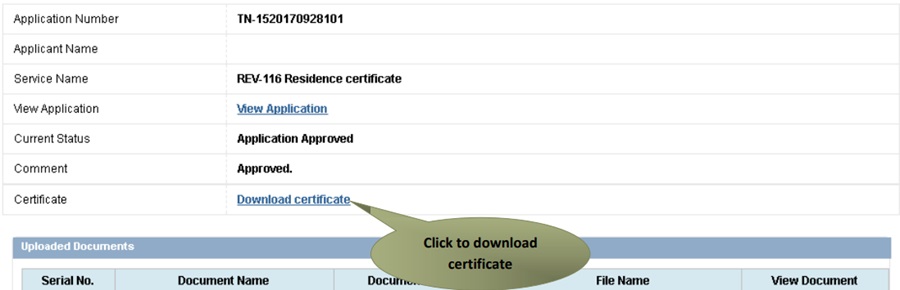
- The digitally signed certificate with QR Code downloads. Use Google Chrome for best results. Ensure a PDF reader is installed.
Specimen of Tamil Nadu Residence Certificate
Fee and Processing Time
| Application Mode | Fee | Processing Time |
|---|---|---|
| TN eSevai Portal (Online) | Rs. 60 | 7 to 15 working days |
| eSevai Centre | Rs. 60 + service charge | 7 to 15 working days |
Troubleshooting Common Issues
- Application rejected - document issue: Read the rejection reason carefully. Upload the correct document and re-apply using the same account.
- VAO not visiting: Contact the Taluk office directly with your Application ID. Or raise a complaint at the district collector's grievance portal.
- Certificate not downloading: Use Google Chrome. Ensure a PDF reader is installed. Try from a desktop if mobile download fails.
- OTP not received: Ensure mobile is Aadhaar-linked. Wait 5 minutes and try Resend OTP.
Important Links
- TN eSevai Portal - tnesevai.tn.gov.in
- eSevai Centre Locator - tnega.tn.gov.in
- Services List - tnesevai.tn.gov.in
- REV-116 Process Guide PDF
Helpline
- Toll Free: 18004256000
- Email: [email protected]
Add new comment