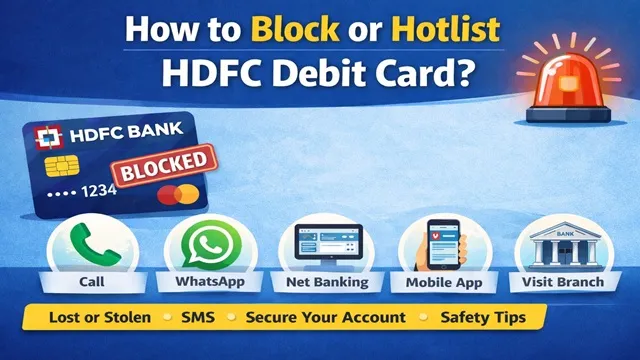
If your HDFC Bank Debit Card is lost, stolen, or you suspect misuse, it is extremely important to block or hotlist it immediately. A debit card is directly linked to your bank account, and any delay can put your hard-earned money at risk.
In this detailed guide, you will learn six simple and reliable methods to block or hotlist your HDFC Bank Debit Card quickly and safely.
Method 1: Block HDFC Debit Card via Call / IVRS
HDFC Bank provides a toll-free customer care number that allows customers to block their debit card through IVRS.
- Call 18002600 from your registered mobile number.
- Select your preferred language when prompted.
- Press 1 to proceed with debit card-related services.
- Your call will be transferred to an HDFC phone banker.
- Provide the required bank account and debit card details.
- After verification, your debit card will be immediately hotlisted or blocked.
Method 2: Block Debit Card via HDFC WhatsApp Banking
HDFC Bank also allows debit card blocking through its official WhatsApp Banking service.
- Open WhatsApp and send "Hi" to 7070022222.
- Select Other Services from the options.
- Choose Debit Card Services.
- Tap on Block Debit Card.
- Verify your identity using the OTP sent to your registered mobile number.
- Once verified, your debit card will be blocked instantly.
Method 3: Block Debit Card Using HDFC Net Banking
You can block or hotlist your HDFC Debit Card online using net banking from the comfort of your home.
- Log in to the HDFC Net Banking Portal.
- Go to the Cards section.
- Select Debit Card.
- Click on the Request option.
- Select Debit Card Hotlisting.
- Choose the debit card you want to block.
- Select the reason and confirm.
- Your debit card will be hotlisted immediately.
Method 4: Block Debit Card via HDFC Mobile Banking App
HDFC Mobile Banking App offers a quick way to block your debit card within minutes.
- Download the HDFC Mobile Banking App from the Google Play Store or the Apple App Store.
- Log in using your credentials.
- Open the menu and go to Cards under the Pay section.
- Select your debit card from the list.
- Tap on the Block option.
- Select the reason for blocking.
- Confirm by clicking on Block Debit Card.
- Your card will be blocked instantly.
Method 5: Block HDFC Debit Card via SMS
HDFC Bank also provides an SMS facility to block debit cards quickly.
- From your registered mobile number, type: Block DC XXXX (XXXX = last 4 digits of your debit card)
- Send the SMS to 730808080.
- Example: Block DC 4422
- After sending the SMS, your debit card will be blocked by the bank.
Method 6: Block Debit Card by Visiting HDFC Bank Branch
If none of the online or phone-based methods work, you can always visit your nearest HDFC Bank branch.
- Visit the nearest HDFC Bank branch immediately.
- Request a Debit Card Hotlisting Request Form.
- Fill in all required details correctly.
- Submit the form to the bank staff.
- After verification, your debit card will be blocked.
Important Safety Tips
- Always block your debit card immediately if it is lost or stolen.
- Never share your debit card number, CVV, PIN, or OTP with anyone.
- Use only official HDFC Bank contact numbers and platforms.
- Avoid clicking on unknown links or responding to suspicious calls or messages.
Conclusion
Blocking or hotlisting an HDFC Bank Debit Card is a simple and fast process if done on time. By using any of the six methods explained above, you can protect your bank account from unauthorized transactions.
Comments